Mechanical keyboard switches are the spring-loaded mechanisms beneath each key that register keystrokes, offering superior durability, consistent feel, and distinct auditory or tactile feedback compared to rubber dome keyboards. These switches are categorized into three main types: linear, tactile, and clicky, each providing a unique typing and gaming experience. For instance, linear switches like Cherry MX Red are smooth and quiet, ideal for fast-paced gaming, while tactile switches such as Cherry MX Brown offer a noticeable bump for improved typing accuracy.
What Exactly Are Mechanical Keyboard Switches?
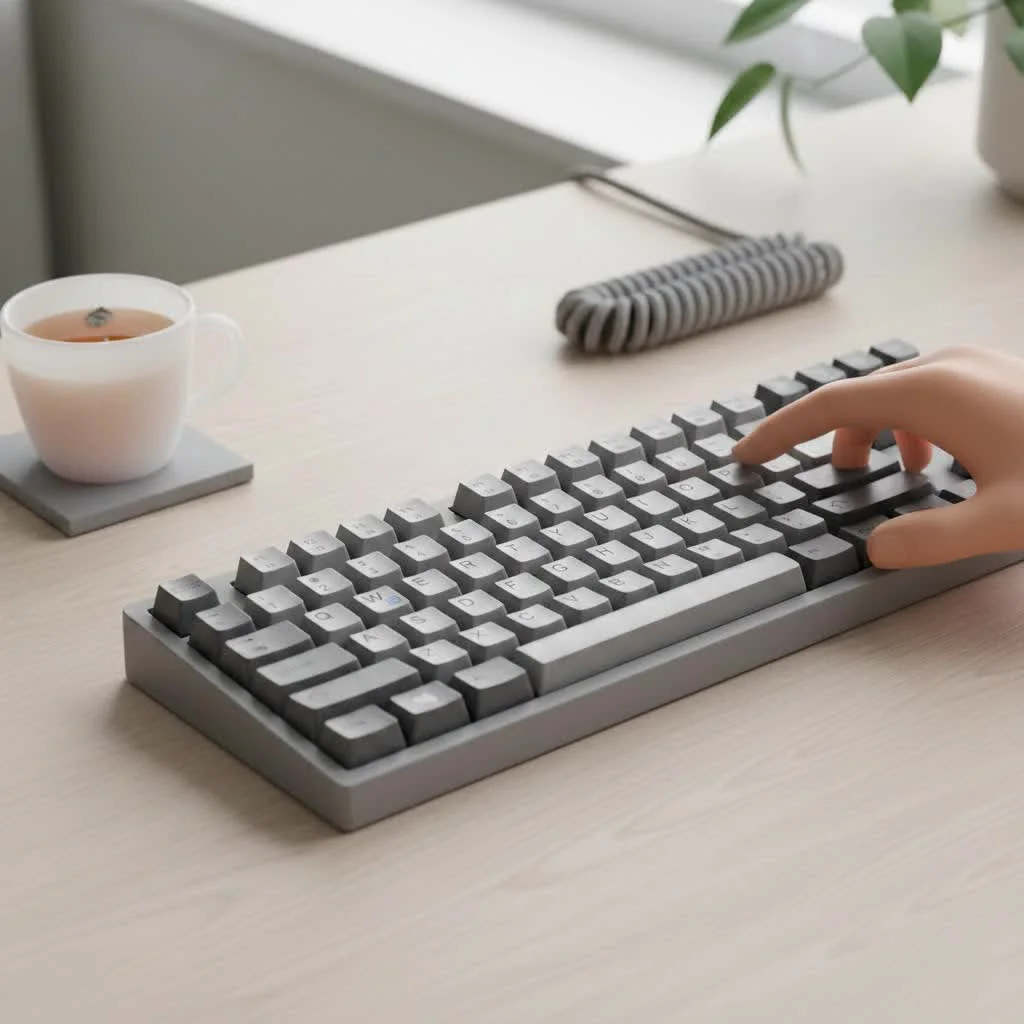
A mechanical keyboard switch is the physical component under each key that registers a keystroke. Unlike the mushy rubber domes in a typical office keyboard, a mechanical switch uses a spring-loaded mechanism. When you press a key, the stem travels down, causing two metal contacts to connect and send a signal to your computer. This mechanism provides superior durability, a more consistent feel, and a level of auditory and tactile feedback that rubber domes simply can’t replicate.
Think of it like the suspension in a car. A basic car gets you from point A to B, but a finely tuned suspension provides feedback from the road, making the drive more responsive and enjoyable. That’s what a good set of mechanical switches does for your typing and gaming.
The Three Main Types of Switches Explained
Most mechanical keyboard switches fall into one of three main categories: Linear, Tactile, or Clicky. Understanding the fundamental differences between them is the first step in your journey.
Linear Switches: Smooth and Consistent
Linear switches offer a smooth, uninterrupted keystroke from the moment you press the key to the moment it bottoms out. There’s no bump or click along the way. This makes them exceptionally fast and quiet (aside from the sound of the keycap hitting the switch housing), which is why they are a favorite among competitive gamers who need rapid, repeated keystrokes without any tactile interference.
- Feel: Smooth, no feedback bump.
- Sound: Quietest of the three types.
- Best For: Fast-paced gaming, office environments where noise is a concern.
- Popular Examples: Cherry MX Red, Gateron Red, Kailh Red.
Tactile Switches: The Satisfying Bump
Tactile switches are the perfect middle ground. As you press the key, you’ll feel a noticeable but quiet “bump” at the point of actuation. This bump provides confirmation that your keystroke has been registered, allowing you to move to the next key without having to press it all the way down (or “bottom out”). This makes them fantastic all-rounders, ideal for typists who crave feedback without the noise of a clicky switch.
- Feel: A noticeable bump in the middle of the keypress.
- Sound: Quiet, with a muted sound from the bump.
- Best For: Typing, general use, and gaming.
- Popular Examples: Cherry MX Brown, Gateron Brown, Glorious Panda.
Clicky Switches: Loud and Proud
|
Our Picks for the Best Mechanical Keyboard in 2026
As an Amazon Associate I earn from qualifying purchases.
|
||
| Num | Product | Action |
|---|---|---|
| 1 | RK ROYAL KLUDGE S98 Mechanical Keyboard w/Smart Display & Knob, Top Mount 96% Wireless Mechanical Keyboard BT/2.4G/USB-C, Hot Swappable, Software Support, Creamy Sounding, 98 Keys |

|
| 2 | AK96 Smart Mechanical Keyboard Gaming, 96 Keys Full Size with LED Colorful Backlit, Clicky Creamy Sounding, USB Wired Computer Keyboard with Volume Knob for PC, Mac, Windows(Grey) |
|
| 3 | RK ROYAL KLUDGE R98 Pro Wired Mechanical Keyboard, 96% Creamy Gaming Keyboard RGB Backlit with Number Pad and Volume Knob, Gasket Mount, MDA Profile PBT Keycaps, Hot Swappable Pre-lubed Linear Switch |
|
| 4 | Womier S-K80 75% Keyboard with Color Multimedia Display Mechanical Gaming Keyboard Creamy Sound, Wired Hot Swappable Gasket Mount RGB Custom Key board, Pre-lubed Stabilizer for Mac/Win, Black Kanagawa |
|
| 5 | AULA F99 Wireless Mechanical Keyboard,Tri-Mode BT5.0/2.4GHz/USB-C Hot Swappable Custom Keyboard,Pre-lubed Linear Switches,RGB Backlit Computer Gaming Keyboards for PC/Tablet/PS/Xbox |
|
| 6 | EPOMAKER x Aula F75 Gasket Mechanical Keyboard, 75% Wireless Hot Swappable Gaming Keyboard with Five-Layer Padding&Knob, Bluetooth/2.4GHz/USB-C, RGB (Light Blue, LEOBOG Reaper Switch) |
|
| 7 | Logitech MX Mechanical Wireless Illuminated Performance Keyboard, Tactile Quiet Switches, Backlit Keys, Bluetooth, USB-C, macOS, Windows, Linux, iOS, Android, Metal, Graphite |
|
| 8 | SteelSeries USB Apex 5 Hybrid Mechanical Gaming Keyboard – Per-Key RGB Illumination – Aircraft Grade Aluminum Alloy Frame – OLED Smart Display (Hybrid Blue Switch) |
|
| 9 | AULA F75 Pro Wireless Mechanical Keyboard,75% Hot Swappable Custom Keyboard with Knob,RGB Backlit,Pre-lubed Reaper Switches,Side Printed PBT Keycaps,2.4GHz/USB-C/BT5.0 Mechanical Gaming Keyboards |
|
| 10 | Redragon Mechanical Gaming Keyboard Wired, 11 Programmable Backlit Modes, Hot-Swappable Red Switch, Anti-Ghosting, Double-Shot PBT Keycaps, Light Up Keyboard for PC Mac |
|
For those who want unmistakable feedback, clicky switches deliver. They combine a tactile bump with a crisp, audible “click” sound at the actuation point. This double-barreled feedback is incredibly satisfying for many typists, as it creates a classic, typewriter-like experience. However, their loud nature means they are often unsuitable for shared office spaces or late-night gaming sessions.
- Feel: A distinct bump accompanied by a sharp click.
- Sound: Loud and high-pitched.
- Best For: Typists who love auditory feedback, and private spaces.
- Popular Examples: Cherry MX Blue, Gateron Blue, Kailh BOX White.
Switch Types at a Glance
| Feature | Linear Switches | Tactile Switches | Clicky Switches |
|---|---|---|---|
| Primary Sensation | Smooth | Bump | Bump & Click |
| Noise Level | Quiet | Moderate | Loud |
| Use Case | Gaming, Speed | Typing, All-Purpose | Typing, Feedback Lovers |
| Common Color | Red, Black, Yellow | Brown, Clear | Blue, Green |
How Do I Choose the Right Mechanical Keyboard Switches?
Choosing a switch is a deeply personal decision, but you can narrow it down by considering your primary use case.
For the Competitive Gamer
If you’re playing fast-paced games like first-person shooters or MOBAs, speed and responsiveness are paramount. Linear switches are generally the top choice. Their smooth travel path allows for effortless double-tapping and rapid actuations without any tactile bumps getting in the way.
For the Prolific Typist or Programmer
If you spend your days writing or coding, feedback is your best friend. A tactile switch provides a satisfying bump that confirms each keystroke, which can improve accuracy and reduce typos without generating excessive noise. The feedback allows you to develop a lighter touch, preventing finger fatigue during long sessions.
As keyboard expert Dr. Aris Thorne notes, “The tactile event in a switch like the Cherry MX Brown creates a closed feedback loop between the user’s fingers and the screen, often leading to a more intuitive and accurate typing rhythm.”
For the Person Who Wants It All
If your keyboard is a jack-of-all-trades for work, gaming, and general browsing, you can’t go wrong with tactile switches. They provide enough feedback for accurate typing while remaining smooth enough for enjoyable gaming. If noise isn’t a factor and you love pronounced feedback, a clicky switch can also be a joy to use for daily tasks.
Beyond the Basics: What About Switch Brands?
While Cherry MX was once the undisputed king, the market is now flooded with excellent alternatives from brands like Gateron, Kailh, and a host of enthusiast-driven companies.
- Cherry MX: The German-engineered original. Known for exceptional durability and reliability, often rated for 100 million keystrokes. They are the industry benchmark.
- Gateron: Often considered a smoother and more budget-friendly alternative to Cherry. Their linear switches, in particular, are highly praised by the community.
- Kailh: An innovative manufacturer known for its “BOX” switches, which feature a stem design that protects them from dust and moisture and often provides a sharper, crisper feel.
Don’t be afraid to look beyond the big three. Brands like Glorious, Zeal PC, and NovelKeys create unique and premium switches that are often favored in the custom keyboard community.
Frequently Asked Questions (FAQ)
What do the different colors on switches mean?
The colors are a general industry code to identify the switch type. For example, Red is almost always a light linear switch, Brown is tactile, and Blue is clicky. However, characteristics like actuation force can vary between brands, so a Gateron Red may feel slightly different than a Cherry MX Red.
What is a hot-swappable keyboard?
A hot-swappable keyboard has sockets on its circuit board (PCB) that allow you to pull out and install switches without any soldering. This is a fantastic feature for beginners, as it lets you experiment with different mechanical keyboard switches easily to find the perfect one for you.
How long do mechanical switches last?
Most standard mechanical switches are rated for 50 to 100 million keystrokes. To put that in perspective, if you typed 10,000 words a day, every day, it would still take you over a decade to reach the lower end of that range. They are built to last.
Can I make my switches quieter?
Absolutely! The practice of “lubing” switches—applying a thin layer of specialized lubricant to the internal components—can significantly reduce friction, leading to a smoother and quieter keystroke. You can also install small rubber O-rings onto the keycap stems to dampen the sound of the keycap bottoming out.
Are optical switches mechanical?
Yes, in a sense. Optical switches replace the metal-to-metal contact with a beam of infrared light. When you press the key, the stem blocks the light beam, which actuates the key. This results in an even faster response time and increased durability since there are no metal contacts to wear out. They are a popular choice in high-end gaming keyboards.
Your Perfect Switch Awaits
Choosing the right mechanical keyboard switches is the most crucial step in tailoring a keyboard to your personal preference. There is no single “best” switch—only the one that is best for you. The best advice I can give is to try them out for yourself. Purchase a switch tester or a hot-swappable keyboard and experiment. The journey to finding your perfect feel is part of the fun, and once you find it, you’ll never look at typing the same way again.
Choose the Right Mechanical Keyboard Switches
Selecting the ideal mechanical keyboard switch involves considering your primary use case, whether it's for competitive gaming, prolific typing, or general use.
Determine if your main activity will be fast-paced gaming, extensive typing, or a mix of both. This will guide your switch selection towards specific types that excel in those areas.
If competitive gaming is your priority, opt for linear switches like Cherry MX Red. Their smooth, uninterrupted keystroke allows for rapid, effortless double-tapping and quick actuations without any tactile interference.
For prolific typists or programmers, tactile switches such as Cherry MX Brown are recommended. The noticeable bump provides satisfying feedback, confirming each keystroke and potentially improving accuracy while reducing finger fatigue during long sessions.
If your keyboard serves multiple purposes, tactile switches offer a balanced experience with sufficient feedback for typing and smoothness for gaming. If noise is not a concern and you enjoy pronounced feedback, clicky switches can also be a joyful option for daily tasks.
Don't limit yourself to just the major brands; explore options from Gateron, Kailh, Glorious, and others. Consider purchasing a switch tester or a hot-swappable keyboard to personally experience various switch types and find the one that best suits your preferences.
Get our weekly buyer guide
Practical specs, not advice. Unsubscribe anytime.
I appreciate the breakdown of mechanical keyboard switches, but I felt like there could have been more specific brand recommendations beyond just Cherry MX. While they’re a classic, it would’ve been nice to see some other popular options for linear switches mentioned. Still, a good overview for beginners.
I’ve been using Cherry MX Red switches for gaming for years, and this guide really broke down why they’re so good for fast-paced action. I always just knew I liked them, but understanding the linear mechanism in detail was super helpful. It confirmed I made the right choice for my setup.
Finally, a clear explanation of what makes mechanical switches so much better than rubber domes! I always wondered why my old keyboard felt so mushy. Now I understand the spring-loaded mechanism and why it provides such consistent feedback. Definitely convinced me to upgrade.
This guide was really informative about the different switch types. I’ve been considering switching from my old rubber dome keyboard, and the comparison of tactile vs. clicky switches helped me narrow down my options. I think I’m leaning towards a tactile switch for a better typing experience at work.