Welcome to the world of mechanical keyboards! As an engineer who has spent over a decade deep-diving into every component, from switches to firmware, I’ve seen trends come and go. But one movement has firmly established itself as more than just a passing fad: the rise of the compact mechanical keyboard. If you’re looking to reclaim desk space, improve your ergonomics, or simply build a cleaner, more aesthetic setup, you’ve come to the right place. Here at Yoasy, we’re all about empowering you with the knowledge to perfect your typing experience.
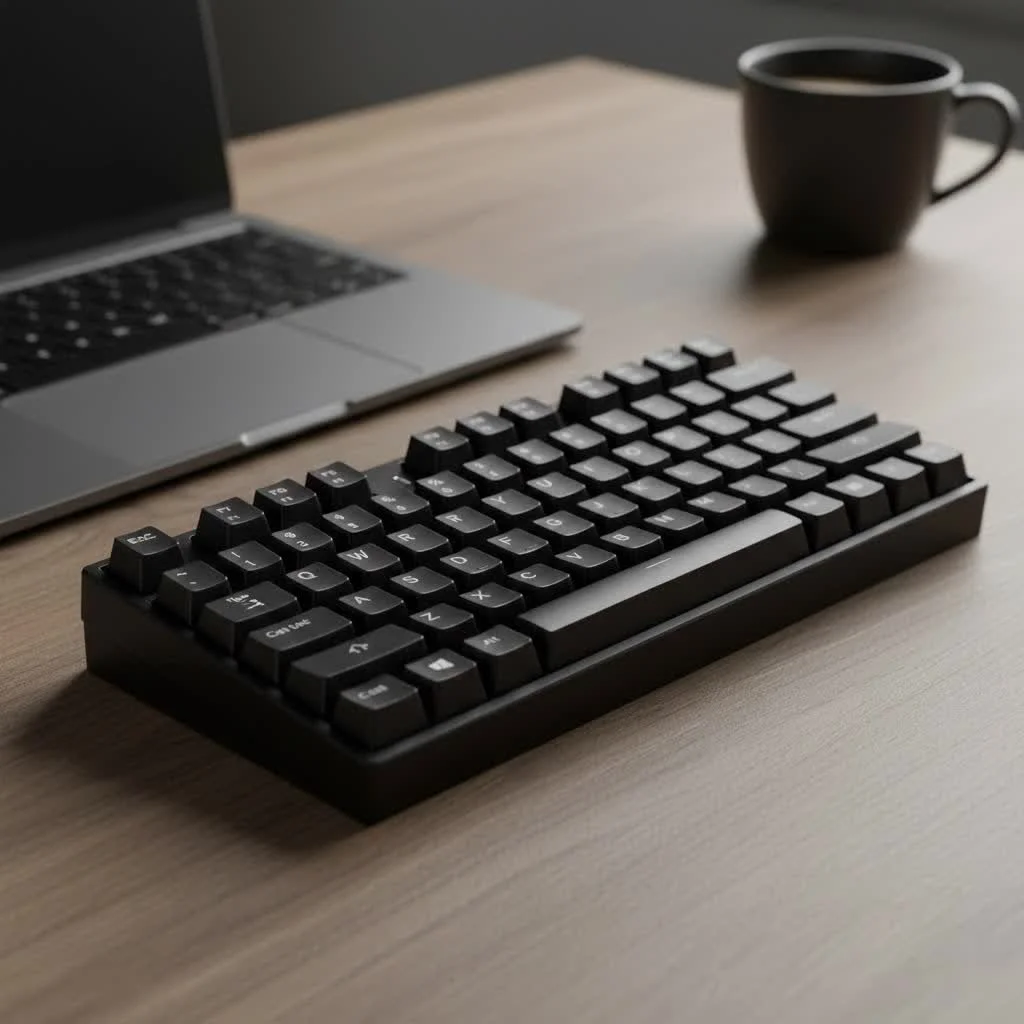
So, let’s strip away the jargon and explore the small but mighty universe of compact keyboards.
What Defines a Compact Mechanical Keyboard?
A compact mechanical keyboard is any keyboard that eliminates certain key sections to achieve a smaller footprint than a traditional, full-size (104-key) board. The most common section to be removed is the number pad, but many compact layouts go even further, shedding the function row, navigation cluster, and even the arrow keys.
The primary goal is efficiency—in both space and movement. By bringing your hands closer together, you reduce the travel distance between your keyboard and mouse, which can lead to significant ergonomic benefits. Plus, they just look fantastic on a desk.
The Big Benefits of Going Small
Why are so many people, from hardcore gamers to productivity-focused professionals, making the switch? The advantages are compelling.
- Superior Ergonomics: Reducing the width of your keyboard allows you to keep your mouse closer to your body’s centerline. This promotes a more natural shoulder, arm, and wrist posture, reducing the risk of strain over long sessions.
- More Desk Space: This is the most obvious benefit. A smaller keyboard frees up valuable real estate for your mouse, notebooks, or a well-deserved cup of coffee. It’s the cornerstone of any minimalist desk setup.
- Enhanced Portability: A compact mechanical keyboard is infinitely easier to travel with. Tossing a 60% or 65% board into your backpack is simple, making it a perfect companion for remote work or LAN parties.
- Aesthetic Appeal: There’s no denying the clean, intentional look of a compact board. It creates a sense of focus and eliminates the visual clutter of keys you may never use.
Decoding Compact Keyboard Layouts
The term “compact” covers several distinct layouts, each with its own pros and cons. Understanding these form factors is the most critical step in finding the right board for you.
60% Layout: The True Minimalist
|
Our Picks for the Best Mechanical Keyboard in 2026
As an Amazon Associate I earn from qualifying purchases.
|
||
| Num | Product | Action |
|---|---|---|
| 1 | Redragon Mechanical Gaming Keyboard Wired, 11 Programmable Backlit Modes, Hot-Swappable Red Switch, Anti-Ghosting, Double-Shot PBT Keycaps, Light Up Keyboard for PC Mac |

|
| 2 | AULA F99 Wireless Mechanical Keyboard,Tri-Mode BT5.0/2.4GHz/USB-C Hot Swappable Custom Keyboard,Pre-lubed Linear Switches,RGB Backlit Computer Gaming Keyboards for PC/Tablet/PS/Xbox |
|
| 3 | RK ROYAL KLUDGE R98 Pro Wired Mechanical Keyboard, 96% Creamy Gaming Keyboard RGB Backlit with Number Pad and Volume Knob, Gasket Mount, MDA Profile PBT Keycaps, Hot Swappable Pre-lubed Linear Switch |
|
| 4 | Logitech MX Mechanical Wireless Illuminated Performance Keyboard, Tactile Quiet Switches, Backlit Keys, Bluetooth, USB-C, macOS, Windows, Linux, iOS, Android, Metal, Graphite |
|
| 5 | SteelSeries USB Apex 5 Hybrid Mechanical Gaming Keyboard – Per-Key RGB Illumination – Aircraft Grade Aluminum Alloy Frame – OLED Smart Display (Hybrid Blue Switch) |
|
| 6 | AK96 Smart Mechanical Keyboard Gaming, 96 Keys Full Size with LED Colorful Backlit, Clicky Creamy Sounding, USB Wired Computer Keyboard with Volume Knob for PC, Mac, Windows(Grey) |
|
| 7 | Womier S-K80 75% Keyboard with Color Multimedia Display Mechanical Gaming Keyboard Creamy Sound, Wired Hot Swappable Gasket Mount RGB Custom Key board, Pre-lubed Stabilizer for Mac/Win, Black Kanagawa |
|
| 8 | EPOMAKER x Aula F75 Gasket Mechanical Keyboard, 75% Wireless Hot Swappable Gaming Keyboard with Five-Layer Padding&Knob, Bluetooth/2.4GHz/USB-C, RGB (Light Blue, LEOBOG Reaper Switch) |
|
| 9 | RK ROYAL KLUDGE S98 Mechanical Keyboard w/Smart Display & Knob, Top Mount 96% Wireless Mechanical Keyboard BT/2.4G/USB-C, Hot Swappable, Software Support, Creamy Sounding, 98 Keys |
|
| 10 | AULA F75 Pro Wireless Mechanical Keyboard,75% Hot Swappable Custom Keyboard with Knob,RGB Backlit,Pre-lubed Reaper Switches,Side Printed PBT Keycaps,2.4GHz/USB-C/BT5.0 Mechanical Gaming Keyboards |
|
The 60% layout is the quintessential compact keyboard. It cuts the board down to the bare essentials: just the main alphanumeric block. There are no arrow keys, no function row (F1-F12), and no navigation cluster (Home, End, Page Up/Down).
- Who is it for? Keyboard purists, programmers, and typists who are comfortable using function layers (holding a key, often labeled ‘Fn’, to access the missing keys).
- Pros: Extremely small footprint, highly portable, and offers a very clean aesthetic.
- Cons: The learning curve can be steep. Relying on function layers for arrow keys and function commands can be frustrating for newcomers.
65% Layout: The Sweet Spot
For many users, the 65% layout is the perfect compromise. It takes a 60% layout and intelligently adds back the most missed keys: the arrow keys. It also typically includes a few extra keys from the navigation cluster, like Delete or Page Up/Down.
- Who is it for? Users who want a compact form factor without sacrificing dedicated arrow keys. It’s a fantastic all-rounder for both productivity and gaming.
- Pros: Retains a small size while offering much-improved functionality over a 60% board. The learning curve is much gentler.
- Cons: The right-hand modifier keys (like Shift and Control) are often smaller to accommodate the arrow cluster, which can take some getting used to.
75% Layout: Compact Functionality
A 75% keyboard is essentially the layout of a compact laptop keyboard. It squeezes the function row, arrow keys, and a single column of navigation keys (like Home, End, and Delete) together into a tight block. It has all the keys of a Tenkeyless (TKL) board but in a much smaller package.
- Who is it for? Programmers, writers, and gamers who heavily rely on the function row and navigation keys but still want a smaller footprint than a TKL.
- Pros: Maximum functionality in a compact form. No need for function layers for F-keys or arrows.
- Cons: The tightly packed keys and non-standard keycap sizes for some keys can make finding custom keycap sets a bit more challenging.
How to Choose Your Perfect Compact Mechanical Keyboard
Navigating the market can be overwhelming, but you can narrow it down by focusing on a few key areas.
1. Define Your Primary Use
First, ask yourself: what will I be doing most?
- For Gaming: A 60% or 65% layout provides maximum mouse space for wide, sweeping movements. Look for features like low latency and N-key rollover.
- For Typing & Programming: A 65% or 75% layout is often preferred. Dedicated arrow keys and, in the case of the 75%, a dedicated function row, can be indispensable for navigating code and documents.
- For Travel & Portability: The smaller, the better. A 60% or 65% board with wireless connectivity (Bluetooth or 2.4GHz) is ideal.
2. Select Your Switches
The switch is the component under each key that determines how it feels and sounds.
- Linear Switches (e.g., Cherry MX Red): Smooth and consistent with no tactile bump. Preferred by many gamers for their speed and responsiveness.
- Tactile Switches (e.g., Cherry MX Brown): Provide a noticeable “bump” on actuation, confirming the keypress without an audible click. A great middle-ground for typing and gaming.
- Clicky Switches (e.g., Cherry MX Blue): Provide both a tactile bump and an audible “click.” Incredibly satisfying for typists, but can be loud in shared spaces.
As a mechanical engineer, I have to add a note from our expert, Dr. Miles Thornton, a specialist in ergonomic design: “The switch you choose has a direct impact on typing fatigue. A lighter switch requires less force, but a tactile switch can prevent ‘bottoming out’—pressing the key all the way down—which reduces impact on the fingers over time.”
3. Consider Build Quality and Customization
- Case Material: Plastic is common and affordable, while aluminum provides a premium weight and feel.
- Keycaps: Look for PBT plastic over ABS. PBT is more durable and resists the shine that develops from finger oils over time.
- Hot-Swappability: A hot-swappable PCB allows you to change switches easily without any soldering. This is a fantastic feature for anyone who wants to experiment with different switch types in the future.
Are There Any Downsides?
While the benefits are numerous, it’s important to be realistic. The biggest challenge with any compact mechanical keyboard is the adjustment period. If you’re coming from a full-size board, retraining your muscle memory to use function layers for commands like F5 or Print Screen will take time. The absence of a dedicated number pad can also be a deal-breaker for those who do heavy data entry.
Frequently Asked Questions (FAQ)
What is the best compact keyboard size?
The “best” size is subjective and depends entirely on your needs. For a great balance of size and functionality, the 65% layout is often the most recommended starting point for those new to compact keyboards.
Are compact keyboards better for gaming?
Many gamers find them superior due to the increased space for mouse movement. The closer proximity of your hands can also feel more comfortable and responsive during intense gaming sessions.
Can you program a compact mechanical keyboard?
Yes, many high-quality compact keyboards are fully programmable using software like QMK or VIA. This allows you to remap keys and create complex macros, making the function layers even more powerful and personalized.
How long does it take to get used to a 60% keyboard?
It varies by user, but most people report feeling comfortable after one to two weeks of consistent use. The biggest hurdle is getting accustomed to using the function layer for arrow keys.
Is a Tenkeyless (TKL) board considered compact?
A TKL board, which removes the number pad, is the first step into smaller form factors, but true compact keyboards (75%, 65%, 60%) take it a step further by condensing or removing the navigation cluster and function row.
Final Thoughts: Your Desk Awaits
Making the switch to a compact mechanical keyboard is more than just a hardware change; it’s an upgrade to your entire workflow and desk environment. It encourages efficiency, improves ergonomics, and offers a level of customization that full-size boards rarely match.
Whether you’re a minimalist, a traveling professional, or a competitive gamer, there is a compact board out there that will feel like it was built just for you. Take the time to understand the layouts, consider your primary needs, and don’t be afraid to experiment. Your endgame keyboard might just be a lot smaller than you think.
Get our weekly buyer guide
Practical specs, not advice. Unsubscribe anytime.

I’ve been using a full-size keyboard for years and finally decided to make the switch to a compact mechanical keyboard after reading about the desk space benefits. This guide really helped me understand the different layouts. I went with a 60% and it’s amazing how much cleaner my setup looks now. My wrist pain has also decreased significantly, which is a huge bonus I wasn’t even expecting.
I appreciate the breakdown of what defines a compact mechanical keyboard. I was always confused about the differences between 60%, 65%, and TKL. This clarified everything for me. I ended up getting a TKL and it’s perfect for my gaming setup, giving me more mouse room without sacrificing the arrow keys. The build quality is solid and the switches feel great.
I got a compact keyboard hoping to improve my ergonomics, but I’m still adjusting to not having a dedicated number pad. It’s a bit of a hassle for data entry at work, even with the function layer. The keyboard itself is well-made and the keycaps feel nice, but I might need to go back to a larger layout or get a separate numpad. It’s just not as intuitive as I hoped for my specific workflow.
As someone who travels a lot for work, the idea of a compact mechanical keyboard for portability really appealed to me. I picked up a 65% and it fits perfectly in my laptop bag without adding much bulk. The typing experience is far superior to my laptop’s built-in keyboard, and it makes working on the go so much more enjoyable. Definitely a game-changer for my mobile office.