In the world of esports, where a single millisecond can be the difference between victory and defeat, your gear is an extension of your skill. The Logitech G Pro Mechanical Gaming Keyboard has long been a staple in the arsenal of professional gamers, and for good reason. It’s a keyboard built from the ground up with one goal in mind: performance. As an engineer who has spent over a decade dissecting, modding, and building keyboards, I’ve seen countless designs come and go. But the G Pro line has a staying power that demands a closer look. It promises a blend of speed, durability, and a compact design tailored for competitive play.
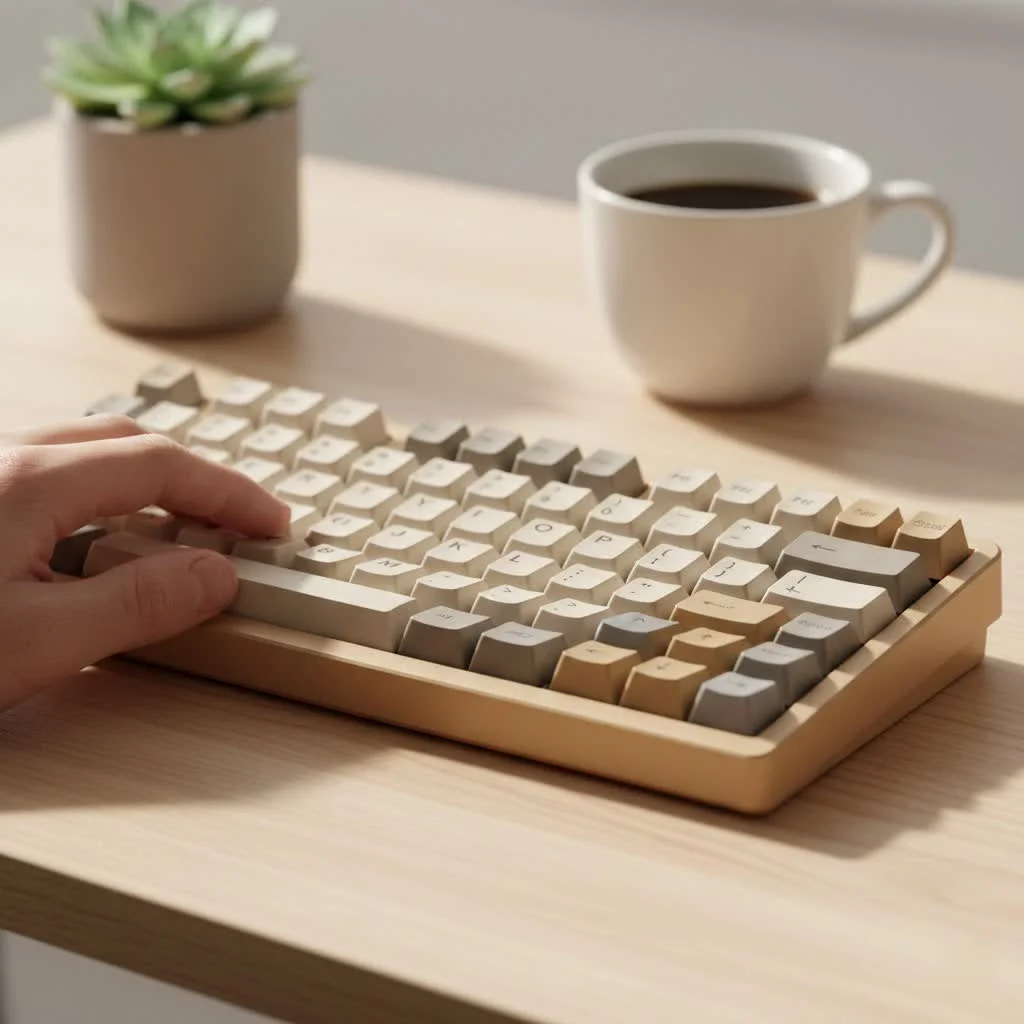
So, is this the keyboard that will elevate your game? Let’s dive deep into what makes the Logitech G Pro tick, from its proprietary switches to its tournament-ready design.
Designed for the Pros, Built for Competition
The first thing you’ll notice about the G Pro is its tenkeyless (TKL) layout. By removing the number pad, Logitech created a compact keyboard that gives you significantly more desk space for wide, sweeping mouse movements. This is a critical feature for players who use low DPI settings in FPS games. The minimalist, portable design is further enhanced by a detachable micro-USB cable, making it easy to pack up and take to your next tournament.
The chassis is constructed from a solid plastic that exhibits very little flex, providing a stable platform for intense gaming sessions. While it may not have the premium heft of an all-aluminum body, its durability is unquestionable. It’s a workhorse, not a showpiece.
What Are the Logitech GX Switches Like?
At the heart of any mechanical keyboard are its switches, and the Logitech G Pro Mechanical Gaming Keyboard offers a choice of three proprietary GX switches. This is where you can truly tailor the feel of the keyboard to your personal preference.
GX Blue Clicky
These are for the typists and gamers who love audible and tactile feedback. Each keystroke delivers a satisfying “click” and a noticeable bump, confirming the actuation. They are reminiscent of the classic Cherry MX Blue switches but with Logitech’s engineering behind them.
- Feel: Loud, clicky, and tactile.
- Best For: Gamers who enjoy strong feedback and also do a lot of typing.
GX Brown Tactile
The GX Brown switches are the middle ground. They provide a gentle tactile bump at the point of actuation without the loud click of the GX Blues. This makes them a versatile choice for a mix of gaming and general use, especially in shared environments where noise could be an issue.
- Feel: Quiet with a noticeable tactile bump.
- Best For: A balanced experience for both gaming and productivity.
GX Red Linear
|
Our Picks for the Best Mechanical Keyboard in 2026
As an Amazon Associate I earn from qualifying purchases.
|
||
| Num | Product | Action |
|---|---|---|
| 1 | RK ROYAL KLUDGE R98 Pro Wired Mechanical Keyboard, 96% Creamy Gaming Keyboard RGB Backlit with Number Pad and Volume Knob, Gasket Mount, MDA Profile PBT Keycaps, Hot Swappable Pre-lubed Linear Switch |

|
| 2 | Logitech MX Mechanical Wireless Illuminated Performance Keyboard, Tactile Quiet Switches, Backlit Keys, Bluetooth, USB-C, macOS, Windows, Linux, iOS, Android, Metal, Graphite |
|
| 3 | AK96 Smart Mechanical Keyboard Gaming, 96 Keys Full Size with LED Colorful Backlit, Clicky Creamy Sounding, USB Wired Computer Keyboard with Volume Knob for PC, Mac, Windows(Grey) |
|
| 4 | SteelSeries USB Apex 5 Hybrid Mechanical Gaming Keyboard – Per-Key RGB Illumination – Aircraft Grade Aluminum Alloy Frame – OLED Smart Display (Hybrid Blue Switch) |
|
| 5 | AULA F75 Pro Wireless Mechanical Keyboard,75% Hot Swappable Custom Keyboard with Knob,RGB Backlit,Pre-lubed Reaper Switches,Side Printed PBT Keycaps,2.4GHz/USB-C/BT5.0 Mechanical Gaming Keyboards |
|
| 6 | AULA F99 Wireless Mechanical Keyboard,Tri-Mode BT5.0/2.4GHz/USB-C Hot Swappable Custom Keyboard,Pre-lubed Linear Switches,RGB Backlit Computer Gaming Keyboards for PC/Tablet/PS/Xbox |
|
| 7 | Redragon Mechanical Gaming Keyboard Wired, 11 Programmable Backlit Modes, Hot-Swappable Red Switch, Anti-Ghosting, Double-Shot PBT Keycaps, Light Up Keyboard for PC Mac |
|
| 8 | EPOMAKER x Aula F75 Gasket Mechanical Keyboard, 75% Wireless Hot Swappable Gaming Keyboard with Five-Layer Padding&Knob, Bluetooth/2.4GHz/USB-C, RGB (Light Blue, LEOBOG Reaper Switch) |
|
| 9 | Womier S-K80 75% Keyboard with Color Multimedia Display Mechanical Gaming Keyboard Creamy Sound, Wired Hot Swappable Gasket Mount RGB Custom Key board, Pre-lubed Stabilizer for Mac/Win, Black Kanagawa |
|
| 10 | RK ROYAL KLUDGE S98 Mechanical Keyboard w/Smart Display & Knob, Top Mount 96% Wireless Mechanical Keyboard BT/2.4G/USB-C, Hot Swappable, Software Support, Creamy Sounding, 98 Keys |
|
For pure, unadulterated speed, the GX Red switches are the top choice. They offer a smooth, linear keystroke from top to bottom with no tactile bump or click. This allows for rapid, repeated key presses, which is ideal for fast-paced action games.
- Feel: Smooth, fast, and quiet.
- Best For: Competitive gamers who prioritize speed and responsiveness above all else.
A key innovation in the newer G Pro X model is the ability to hot-swap these switches. This means you can easily pull out the existing switches and plug in new ones without any soldering, offering incredible customization.
Performance and Features for Gaming
Beyond the switches, the G Pro is packed with features designed to give you a competitive edge. Logitech’s LIGHTSYNC RGB lighting is fully customizable through the G Hub software, allowing you to set up complex profiles, sync lighting with in-game events, or simply choose your favorite static color. While RGB might seem cosmetic, it can be used practically to highlight specific keys for different games.
According to Dr. Evelyn Reed, a specialist in ergonomic peripherals, “The response time of a keyboard, often referred to as its polling rate, is crucial in professional gaming. The G Pro’s 1ms report rate ensures that every keystroke is registered virtually instantaneously.” This is a standard feature for high-end gaming keyboards, but one that Logitech executes flawlessly.
The keyboard also features 12 programmable F-keys, allowing you to assign complex macros and commands via the Logitech G Hub software. This level of customization can streamline your gameplay and give you quicker access to essential actions.
The Role of Logitech G Hub Software
The Logitech G Hub software is the central nervous system for the Logitech G Pro Mechanical Gaming Keyboard. It’s a powerful, albeit sometimes complex, tool that unlocks the full potential of the hardware.
Within G Hub, you can:
- Customize LIGHTSYNC RGB: Create intricate lighting animations or choose from a vast library of presets.
- Program Macros: Assign custom commands to the F1-F12 keys.
- Activate Game Mode: Disable specific keys (like the Windows key) to prevent accidental presses during gameplay.
- Save Profiles: You can store lighting and macro profiles directly onto the keyboard’s onboard memory, ensuring your settings are with you no matter which computer you’re using.
While some users find G Hub to be less intuitive than competing software, its feature set is undeniably robust. Taking the time to learn its ins and outs is essential to getting the most out of the G Pro keyboard.
Is the Logitech G Pro Keyboard Right for You?
Choosing a keyboard is a deeply personal decision, but the Logitech G Pro makes a compelling case for a specific type of user.
You should consider the G Pro if:
- You are a competitive gamer who needs a reliable, no-frills TKL keyboard.
- You value desk space for large mouse movements.
- You need a portable keyboard for travel or tournaments.
- You want the option to choose between clicky, tactile, or linear switches.
You might want to look elsewhere if:
- You need a full-size keyboard with a number pad for productivity.
- You prefer a more premium, all-metal construction.
- You want a simpler plug-and-play experience without deep software customization.
Frequently Asked Questions (FAQ)
Is the Logitech G Pro mechanical gaming keyboard good for typing?
Yes, it can be excellent for typing, especially with the GX Blue Clicky or GX Brown Tactile switches. The tactile feedback they provide improves accuracy and comfort for long typing sessions. However, users who prefer a smoother feel might even enjoy typing on the GX Red Linear switches.
Can you change the keycaps on the Logitech G Pro?
Yes, you can. The Logitech G Pro keyboard uses a standard bottom row layout and stems compatible with most aftermarket Cherry MX-style keycaps. This allows for a high degree of visual customization.
How loud is the Logitech G Pro keyboard?
The noise level depends entirely on your choice of switch. The GX Blue switches are quite loud and “clicky.” The GX Brown switches are much quieter with a subtle tactile bump. The GX Red switches are the quietest of the three, producing only the sound of the keycap bottoming out.
What is the difference between the Logitech G Pro and the G Pro X?
The main difference is that the Logitech G Pro X features hot-swappable switches, meaning you can change the switches yourself without soldering. The standard G Pro has its switches soldered to the circuit board.
Does the Logitech G Pro keyboard work with consoles like PS5 or Xbox?
Yes, the Logitech G Pro works for basic typing and navigation on modern consoles like the PlayStation 5 and Xbox Series X/S. However, advanced features like RGB customization and macros configured through G Hub will not be available.
Final Thoughts from the Engineer’s Bench
The Logitech G Pro Mechanical Gaming Keyboard is an exceptionally focused piece of engineering. It doesn’t try to be everything to everyone. Instead, it hones in on the core requirements of competitive gamers: speed, reliability, and a compact, distraction-free design. It’s a testament to the idea that in high-stakes environments, simplicity and performance trump superfluous features.
Whether you are an aspiring esports athlete or a dedicated gamer looking for a responsive and durable TKL keyboard, the G Pro is a battle-tested option that has earned its place on the desks of champions. It’s a tool built for a purpose, and it executes that purpose flawlessly.
Get our weekly buyer guide
Practical specs, not advice. Unsubscribe anytime.

I got the G Pro because everyone raves about its speed, and it is fast. However, I found the lack of a dedicated numpad a bit annoying for my daily work tasks outside of gaming. I knew it was a TKL, but I underestimated how much I’d miss it. Great for competitive play, but maybe not the best all-rounder if you do a lot of data entry.
This keyboard is solid. I was a bit skeptical about the ‘tournament-ready design’ at first, but it really holds up. The build quality feels premium, and it’s surprisingly durable for how lightweight it is. My only minor gripe is that the keycaps can get a little slick after long gaming sessions, but it’s not a dealbreaker.
I’ve been using the Logitech G Pro for about six months now, and it’s truly a game-changer. The compact design is perfect for my desk setup, leaving plenty of room for mouse movements during intense FPS sessions. The proprietary switches feel incredibly responsive, and I’ve definitely noticed an improvement in my reaction times. Highly recommend for serious gamers!
As someone who’s modded a few keyboards, I appreciate the engineering that went into the Logitech G Pro. The switches are fantastic, offering a great balance of tactile feedback and actuation speed. It’s clear this was built with performance in mind, and it delivers. Definitely worth the investment if you’re serious about your esports game.