Welcome to Yoasy, where we dive deep into the world of mechanical keyboards. With over a decade of hands-on experience building, modding, and testing keyboards, I’m here to guide you through one of the most iconic components in this hobby: the mechanical keyboard blue switch. If you’ve ever heard that satisfying, crisp click from a keyboard and wondered what magic was at play, you’ve likely encountered a blue switch. It’s the switch that many enthusiasts, including myself, often start with, and it holds a special place in the keyboard community for its distinct feel and sound.
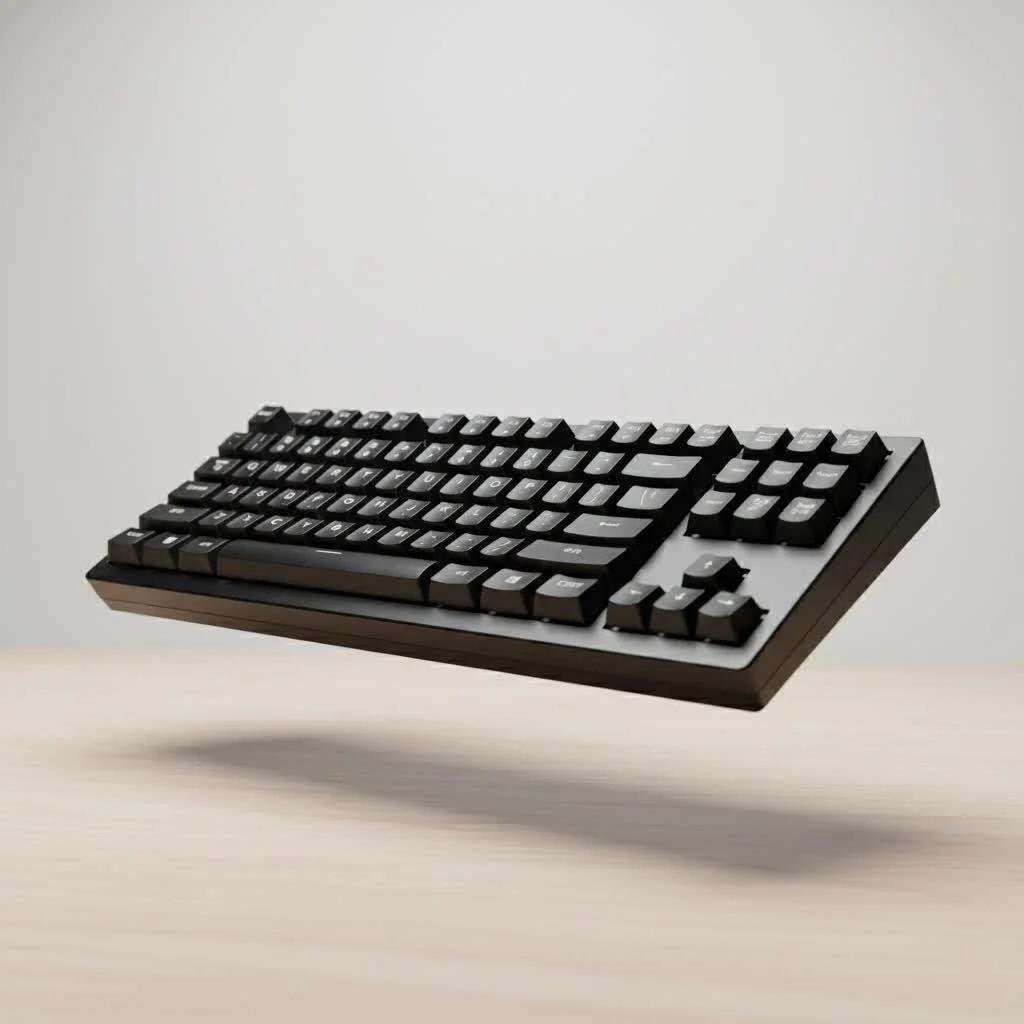
This guide is for anyone curious about what makes these switches tick. Whether you’re a writer looking for the perfect typing tool, a programmer coding for hours, or a gamer seeking definitive feedback, we’ll explore every facet of the blue switch to help you decide if it’s the right choice for your setup. For complete reviews library on this site.
What Exactly Defines a Mechanical Keyboard Blue Switch?
A mechanical keyboard blue switch is a type of keyboard switch known for its “clicky” and “tactile” feedback. This means that when you press a key, you both feel a noticeable bump and hear a distinct high-pitched click. This combination provides unambiguous confirmation that your keystroke has been registered, a feature highly sought after by many typists for its precision and satisfying feel. Unlike their linear (smooth) or tactile-only (bumpy but quiet) counterparts, blue switches are intentionally designed to be loud and proud.
The Anatomy of the Click: How Do They Work?
The magic behind the blue switch lies in its clever internal mechanism. Unlike simpler switch designs, a blue switch uses a multi-part slider system.
- The Plunger: This is the part you press down on, connected to the keycap.
- The “Floating” Jacket: This is the key component. As you press the key, the main plunger moves down, but this secondary piece is momentarily delayed by a small plastic leaf.
- The Click: Once you pass the actuation point, the floating jacket is released and snaps downward, hitting the bottom of the switch housing. This impact is what creates the signature high-pitched click sound.
- The Tactile Bump: The resistance you feel just before the click is the plunger pushing past the mechanism that holds the floating jacket in place.
This two-stage mechanism ensures the tactile bump and the audible click happen at the exact same moment, creating a synchronized and deeply satisfying typing experience.
Who Should Use a Blue Switch Keyboard?
While any switch choice is personal, the characteristics of a mechanical keyboard blue switch make it a perfect fit for certain users.
Typists and Writers
|
Our Picks for the Best Mechanical Keyboard in 2026
As an Amazon Associate I earn from qualifying purchases.
|
||
| Num | Product | Action |
|---|---|---|
| 1 | Redragon Mechanical Gaming Keyboard Wired, 11 Programmable Backlit Modes, Hot-Swappable Red Switch, Anti-Ghosting, Double-Shot PBT Keycaps, Light Up Keyboard for PC Mac |

|
| 2 | RK ROYAL KLUDGE S98 Mechanical Keyboard w/Smart Display & Knob, Top Mount 96% Wireless Mechanical Keyboard BT/2.4G/USB-C, Hot Swappable, Software Support, Creamy Sounding, 98 Keys |
|
| 3 | RK ROYAL KLUDGE R98 Pro Wired Mechanical Keyboard, 96% Creamy Gaming Keyboard RGB Backlit with Number Pad and Volume Knob, Gasket Mount, MDA Profile PBT Keycaps, Hot Swappable Pre-lubed Linear Switch |
|
| 4 | Logitech MX Mechanical Wireless Illuminated Performance Keyboard, Tactile Quiet Switches, Backlit Keys, Bluetooth, USB-C, macOS, Windows, Linux, iOS, Android, Metal, Graphite |
|
| 5 | AK96 Smart Mechanical Keyboard Gaming, 96 Keys Full Size with LED Colorful Backlit, Clicky Creamy Sounding, USB Wired Computer Keyboard with Volume Knob for PC, Mac, Windows(Grey) |
|
| 6 | Womier S-K80 75% Keyboard with Color Multimedia Display Mechanical Gaming Keyboard Creamy Sound, Wired Hot Swappable Gasket Mount RGB Custom Key board, Pre-lubed Stabilizer for Mac/Win, Black Kanagawa |
|
| 7 | AULA F99 Wireless Mechanical Keyboard,Tri-Mode BT5.0/2.4GHz/USB-C Hot Swappable Custom Keyboard,Pre-lubed Linear Switches,RGB Backlit Computer Gaming Keyboards for PC/Tablet/PS/Xbox |
|
| 8 | EPOMAKER x Aula F75 Gasket Mechanical Keyboard, 75% Wireless Hot Swappable Gaming Keyboard with Five-Layer Padding&Knob, Bluetooth/2.4GHz/USB-C, RGB (Light Blue, LEOBOG Reaper Switch) |
|
| 9 | SteelSeries USB Apex 5 Hybrid Mechanical Gaming Keyboard – Per-Key RGB Illumination – Aircraft Grade Aluminum Alloy Frame – OLED Smart Display (Hybrid Blue Switch) |
|
| 10 | AULA F75 Pro Wireless Mechanical Keyboard,75% Hot Swappable Custom Keyboard with Knob,RGB Backlit,Pre-lubed Reaper Switches,Side Printed PBT Keycaps,2.4GHz/USB-C/BT5.0 Mechanical Gaming Keyboards |
|
For those who spend their days writing articles, reports, or novels, blue switches are often considered a top-tier choice. The crisp, audible feedback can help improve typing accuracy and rhythm. Many users find the sound affirming, turning a mundane task into a more engaging, almost musical experience. The clear actuation point means you know exactly when a key has been pressed, reducing errors and bottoming-out, which can lead to less finger fatigue over long sessions.
Programmers and Coders
Similar to typists, programmers benefit immensely from the precision of blue switches. When you’re navigating complex lines of code, knowing with certainty that each character and command has been registered is crucial. The distinct feedback loop helps maintain focus and accuracy during marathon coding sessions.
Enthusiasts Who Love Feedback
If you simply love the idea of a keyboard that talks back to you, the blue switch is for you. It’s an unapologetic, classic keyboard experience reminiscent of old-school IBM Model M keyboards or vintage typewriters. It’s a switch that makes its presence known.
Blue Switches for Gaming: A Good Choice?
This is where the debate heats up. Can you game on a mechanical keyboard with blue switches? Absolutely. However, they might not be the optimal choice for every gamer, especially in the competitive scene.
The main drawback for fast-paced gaming is the reset point of the switch. Because of the complex click mechanism, the key has to travel further back up before it’s ready to be pressed again compared to linear switches like Reds. In games that require rapid, repeated keystrokes (double-tapping), this slight delay can be noticeable. However, for many casual gamers and for genres that don’t rely on lightning-fast repetition, the satisfying feedback of each action can make the experience more immersive and enjoyable.
As keyboard designer John Alistair puts it, “The blue switch prioritizes confirmation over speed. For a typist, that confirmation is gold. For a competitive gamer, every millisecond counts, and the journey back to the reset point can be a long one.”
Popular Blue Switch Variants: Cherry vs. Gateron vs. Kailh
Not all blue switches are created equal. The patent for the original Cherry MX design has expired, leading to the rise of many excellent “clone” switches that offer different characteristics and price points.
| Feature | Cherry MX Blue | Gateron Blue | Kailh BOX White |
|---|---|---|---|
| Feel | A classic, crisp and refined bump. | Smoother keypress, less “scratchy”. | Very crisp, sharp click from a “click bar”. |
| Sound | High-pitched, classic click. | Slightly deeper, “thockier” click. | A very clean, high-pitched and singular click. |
| Actuation Force | 60g | 60g | 50g |
| Durability | 100 million keystrokes | 50 million keystrokes | 80 million keystrokes |
| Price | Premium | Budget-friendly | Mid-range |
- Cherry MX Blue: The original and the benchmark for all others. Known for reliability and a consistent feel, but often comes at a higher price.
- Gateron Blue: A popular alternative known for its smoothness. Many users prefer the less “scratchy” feel of Gaterons straight out of the box.
- Kailh BOX White: A different design that uses a “click bar” to generate the sound. This results in a very crisp, clean click on both the downstroke and the upstroke. They are also known for their BOX stem design, which adds stability and IP56 water/dust resistance.
Frequently Asked Questions (FAQ)
What is the main difference between a blue switch and a brown switch?
The main difference is the sound. Both are tactile, meaning you feel a bump when you press them. However, blue switches also have an audible “click,” whereas brown switches are designed to be quiet, offering only the tactile bump.
Are all mechanical keyboard blue switches loud?
Yes, by design, all blue switches are clicky and therefore loud. The volume can vary slightly between brands and is also affected by your keyboard’s case, keycaps, and the surface it’s on, but the fundamental click is always present.
Can you make blue switches quieter?
You cannot remove the click from a blue switch, as it’s part of the mechanical design. While you can add O-rings to dampen the sound of the keycap bottoming out, the click from the switch itself will remain. If you need a quiet keyboard, blue switches are not the right choice.
How long do blue switches typically last?
Most modern blue switches are rated for a very long lifespan, typically between 50 million to 100 million keystrokes. This means a keyboard with quality blue switches can last for many years, even with heavy daily use.
Are blue switches a good starting point for beginners?
They are an excellent starting point. The mechanical keyboard blue switch provides instant and unmistakable feedback, which helps newcomers understand what makes a mechanical keyboard different from a standard membrane one. It’s an experience that clearly demonstrates the benefits of tactile and audible actuation.
The Final Verdict: Is the Blue Switch Right for You?
Choosing a keyboard switch is a deeply personal journey. The mechanical keyboard blue switch offers an experience that is engaging, precise, and undeniably satisfying for the right user. If you are a typist, programmer, or anyone who values clear, unambiguous feedback and loves the classic sound of a productive keystroke, a keyboard equipped with blue switches could be your perfect match.
However, if you work in a shared office, stream your gameplay, or need the absolute fastest switch for competitive gaming, you may want to consider quieter tactile options like brown switches or faster linear switches like reds. But for those who embrace the noise and crave that classic click, the blue switch remains a timeless and beloved icon in the world of mechanical keyboards. Go ahead, give it a try—your fingers might just thank you for it.
Get our weekly buyer guide
Practical specs, not advice. Unsubscribe anytime.

As a gamer, I was a bit skeptical about blue switches because of the noise, but the feedback is actually really good for certain games. I found that for strategy games where precise key presses matter, the distinct click is super helpful. For fast-paced FPS games, I still prefer linear switches, but for everything else, these are a solid choice.
I’ve been using blue switches for years, mostly for coding, and they’re just fantastic. The tactile bump and audible click really help with my typing accuracy and speed. I appreciate how the guide broke down the different brands; I’ve always stuck with Cherry MX but now I’m curious about trying out some Gateron blues for my next build.
I got a keyboard with blue switches after hearing all the hype about the satisfying click. While the typing experience is pretty good for writing, the noise is definitely an issue in an open office environment. My coworkers have definitely given me some looks. I wish I’d considered the sound profile more before committing to them.
This guide was super helpful in understanding why blue switches are so popular. I’m a writer and the crisp click and tactile feedback are exactly what I was looking for to improve my typing flow. It’s like my fingers know exactly when a keypress has registered, which makes long writing sessions much more enjoyable. Definitely recommend them for anyone who types a lot.