The best mechanical keyboard for programming in 2025 is the Keychron Q3 Pro, offering an all-aluminum build, gasket-mounted design, hot-swappable switches, and full QMK/VIA programmability for extensive customization. This keyboard is designed for durability and comfort, making it an ideal tool for developers who spend countless hours typing code.
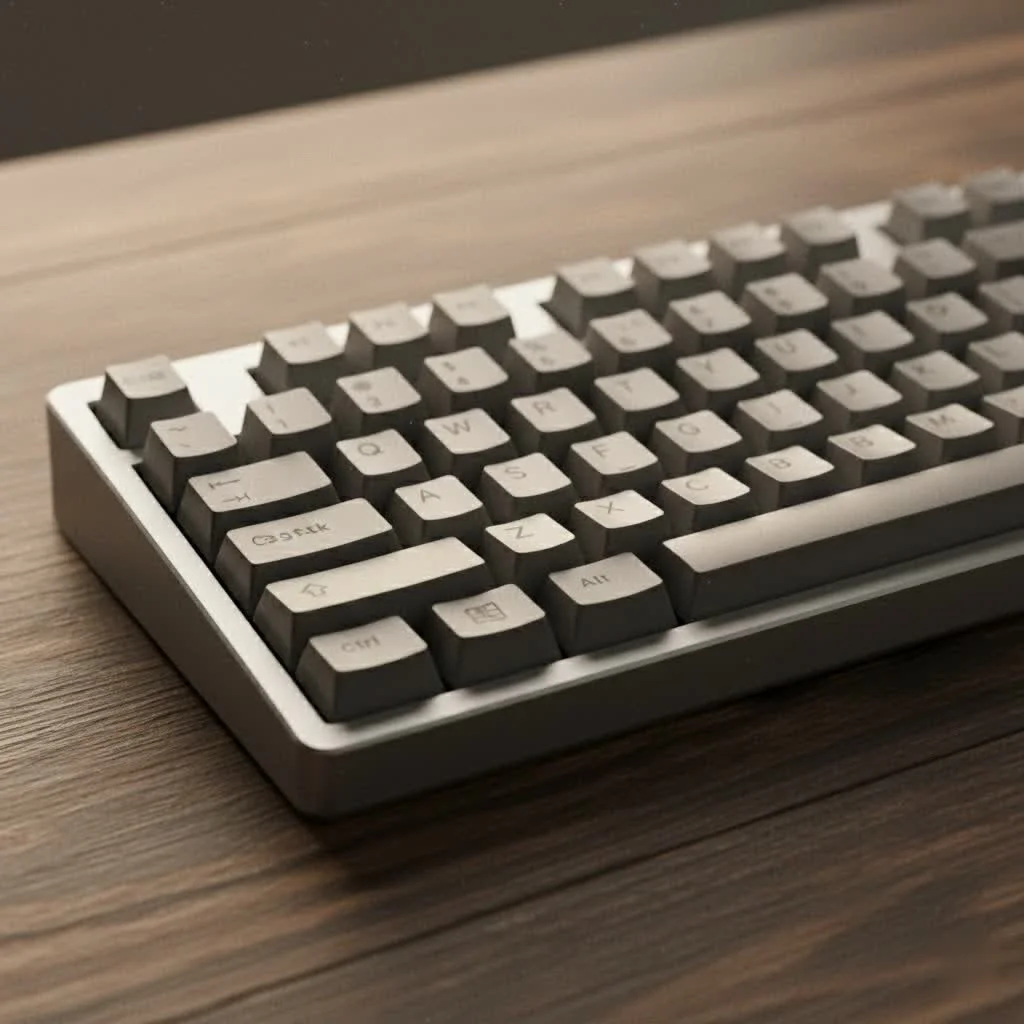
At Yoasy, we believe the right tool can make all the difference. This guide will break down what truly matters for programmers—from switch types and layouts to programmability and build quality—and recommend top-tier options to improve your coding experience in 2025. For browse all reviews articles on this site.
Why Should Programmers Use a Mechanical Keyboard?
Before diving into specific models, it’s crucial to understand why mechanical keyboards are so highly regarded in the developer community. Unlike their membrane counterparts, which use a single rubber sheet for all keys, mechanical keyboards feature an individual mechanical switch under each keycap.
This fundamental difference provides several key advantages:
- Superior Typing Feel and Feedback: Mechanical switches offer a more precise and satisfying feel. Depending on the switch type, you can get distinct tactile feedback, an audible click, or a smooth, linear press. This feedback can lead to faster, more accurate typing, reducing errors and the dreaded “mushy” feeling of membrane boards.
- Exceptional Durability: Most mechanical switches are rated for 50 to 100 million keystrokes, far outlasting the 5-10 million keystroke lifespan of typical membrane keyboards. This makes them a long-term investment that can withstand years of intense coding sessions.
- Unmatched Customization: The world of mechanical keyboards is built on customization. You can change keycaps, swap out switches (on hot-swappable boards), and even reprogram the entire layout to create custom macros and shortcuts, perfectly tailoring the keyboard to your specific workflow.
- Improved Ergonomics: Extended typing can lead to repetitive strain injury (RSI). Mechanical keyboards come in various layouts and designs, including ergonomic and split models, that promote a more natural hand and wrist posture, significantly reducing strain.
What to Look For in a Programming Keyboard
Choosing the right keyboard involves balancing several factors. Here are the most important considerations for any programmer.
The Great Debate: Tactile vs. Linear Switches
The switch is the heart of a mechanical keyboard, defining how each keypress feels and sounds. For programming, the choice generally comes down to tactile or linear switches.
-
Tactile Switches: These are often the top recommendation for programmers. Tactile switches, like the popular Cherry MX Brown or Kailh Box Brown, have a small, noticeable “bump” in the middle of the keypress. This bump provides physical confirmation that your keystroke has been registered, which can improve typing accuracy without needing to “bottom out” (press the key all the way down). This leads to a lighter touch, reduced fatigue, and fewer typos in your code. They are relatively quiet, making them suitable for office environments.
-
Linear Switches: Linear switches, such as the Cherry MX Red, offer a smooth, consistent keystroke from top to bottom with no tactile bump. The press is fluid and requires minimal force, making them ideal for rapid typing and developers who prefer an uninterrupted keystroke. While they lack the feedback of a tactile switch, many coders appreciate their speed and quiet operation.
There is no single “best” switch; it comes down to personal preference. If you value feedback and precision, start with tactile. If you prioritize speed and a smooth feel, linear is the way to go.
What Keyboard Layout is Best for Coding?
|
Our Picks for the Best Mechanical Keyboard in 2026
As an Amazon Associate I earn from qualifying purchases.
|
||
| Num | Product | Action |
|---|---|---|
| 1 | AULA F75 Pro Wireless Mechanical Keyboard,75% Hot Swappable Custom Keyboard with Knob,RGB Backlit,Pre-lubed Reaper Switches,Side Printed PBT Keycaps,2.4GHz/USB-C/BT5.0 Mechanical Gaming Keyboards |

|
| 2 | EPOMAKER x Aula F75 Gasket Mechanical Keyboard, 75% Wireless Hot Swappable Gaming Keyboard with Five-Layer Padding&Knob, Bluetooth/2.4GHz/USB-C, RGB (Light Blue, LEOBOG Reaper Switch) |
|
| 3 | AK96 Smart Mechanical Keyboard Gaming, 96 Keys Full Size with LED Colorful Backlit, Clicky Creamy Sounding, USB Wired Computer Keyboard with Volume Knob for PC, Mac, Windows(Grey) |
|
| 4 | SteelSeries USB Apex 5 Hybrid Mechanical Gaming Keyboard – Per-Key RGB Illumination – Aircraft Grade Aluminum Alloy Frame – OLED Smart Display (Hybrid Blue Switch) |
|
| 5 | Logitech MX Mechanical Wireless Illuminated Performance Keyboard, Tactile Quiet Switches, Backlit Keys, Bluetooth, USB-C, macOS, Windows, Linux, iOS, Android, Metal, Graphite |
|
| 6 | Redragon Mechanical Gaming Keyboard Wired, 11 Programmable Backlit Modes, Hot-Swappable Red Switch, Anti-Ghosting, Double-Shot PBT Keycaps, Light Up Keyboard for PC Mac |
|
| 7 | RK ROYAL KLUDGE S98 Mechanical Keyboard w/Smart Display & Knob, Top Mount 96% Wireless Mechanical Keyboard BT/2.4G/USB-C, Hot Swappable, Software Support, Creamy Sounding, 98 Keys |
|
| 8 | RK ROYAL KLUDGE R98 Pro Wired Mechanical Keyboard, 96% Creamy Gaming Keyboard RGB Backlit with Number Pad and Volume Knob, Gasket Mount, MDA Profile PBT Keycaps, Hot Swappable Pre-lubed Linear Switch |
|
| 9 | Womier S-K80 75% Keyboard with Color Multimedia Display Mechanical Gaming Keyboard Creamy Sound, Wired Hot Swappable Gasket Mount RGB Custom Key board, Pre-lubed Stabilizer for Mac/Win, Black Kanagawa |
|
| 10 | AULA F99 Wireless Mechanical Keyboard,Tri-Mode BT5.0/2.4GHz/USB-C Hot Swappable Custom Keyboard,Pre-lubed Linear Switches,RGB Backlit Computer Gaming Keyboards for PC/Tablet/PS/Xbox |
|
The size and layout of your keyboard impact both ergonomics and functionality.
- Full-Size (100%): The traditional layout with a dedicated number pad, function row, and navigation cluster. It’s a great choice if you work with numbers frequently, but it takes up the most desk space.
- Tenkeyless (TKL): A popular choice for programmers. A TKL board removes the number pad, resulting in a more compact form factor. This allows you to keep your mouse closer to your body’s centerline, promoting a more ergonomic posture. You still get a full function row and dedicated arrow keys.
- 75% Layout: A fantastic middle ground, the 75% layout is slightly more compact than a TKL by tightening up the spacing and arranging the navigation keys in a vertical column. It retains the function row and arrow keys, making it a favorite for developers who want functionality in a smaller footprint.
- Ergonomic (Alice/Split): For those serious about comfort, ergonomic keyboards are the ultimate solution. Split layouts, or angled “Alice” style layouts, allow your wrists and forearms to rest at a more natural angle, drastically reducing strain during long coding marathons.
Build Quality and Keycaps
A keyboard’s construction determines its longevity and typing sound. Look for keyboards with a sturdy case, preferably made of aluminum for a premium feel and rigidity. For keycaps, PBT (polybutylene terephthalate) is superior to the more common ABS (acrylonitrile butadiene styrene). PBT keycaps are more durable, resist the shine that develops from finger oils, and have a pleasant textured feel.
Full Programmability with QMK and VIA
For programmers, the ability to customize a tool is paramount. Keyboards that support QMK (Quantum Mechanical Keyboard) firmware and VIA software are a major upgrade. This powerful combination allows you to remap any key, create complex macros, and switch between custom layouts on the fly—all without needing to install clunky software. You can create a layout dedicated to your favorite IDE, with shortcuts for compiling code, navigating tabs, or executing commands mapped to convenient keys.
Top Mechanical Keyboards for Programming in 2025
Here are some of the best models available that tick all the right boxes for developers.
1. Keychron Q3 Pro: The All-Around Champion
The Keychron Q series is legendary in the keyboard community, and the Q3 Pro (a TKL model) is a standout choice for programmers. It features a stunning all-aluminum build, a gasket-mounted design for a comfortable and quiet typing experience, and hot-swappable switches. Most importantly, it’s fully programmable with QMK/VIA, giving you complete control. It’s a premium keyboard that is built to last a lifetime of coding.
2. Nuphy Air75 V2: The Low-Profile Powerhouse
If you prefer a typing experience closer to a high-end laptop, the Nuphy Air75 V2 is an exceptional low-profile mechanical keyboard. Its slim design is perfect for minimalist desks or developers on the go. Despite its size, it offers a surprisingly satisfying typing feel, hot-swappable switches, and multi-device wireless connectivity. It’s a stylish and highly functional option for coders who appreciate a modern aesthetic.
3. Logitech MX Mechanical: The Office-Ready Professional
For those in a shared office, the Logitech MX Mechanical is an excellent choice. It combines the benefits of mechanical switches with a professional, low-profile design. The Tactile Quiet switches provide satisfying feedback without the noise associated with many mechanical boards. While it lacks QMK/VIA support, its robust software, long battery life, and seamless multi-device switching make it a productivity workhorse.
4. Naya Create: The Ultimate Ergonomic Solution
If you’re experiencing wrist pain or want to proactively protect your long-term health, the Naya Create is a top-tier ergonomic keyboard. This fully split, programmable keyboard allows you to position each half perfectly for your body, eliminating wrist deviation. Its modular design and deep customization options make it a powerful tool for any developer serious about ergonomics. As Dr. Alistair Finch, a specialist in occupational ergonomics, states, “A split keyboard isn’t a luxury for professionals who type all day; it’s a fundamental tool for preventing injury and maintaining peak performance.”
5. Das Keyboard 4 Professional: The Classic Choice
A long-time favorite among professionals, the Das Keyboard 4 is known for its minimalist design and rock-solid build quality. It uses high-quality Cherry MX switches and offers a no-nonsense, premium typing experience. While it isn’t as customizable as QMK-supported boards, its durability and classic appeal make it a reliable companion for any developer.
Frequently Asked Questions (FAQ)
What is the best keyboard layout for programming? For most programmers, a Tenkeyless (TKL) or 75% layout offers the best balance of functionality and ergonomics. They retain essential keys like the function row and arrows while freeing up desk space and allowing for a more comfortable mouse position.
Are loud, “clicky” switches good for programming? While some people enjoy the audible feedback of clicky switches (like Cherry MX Blues), they are generally not recommended for programming, especially in office environments. The loud noise can be distracting to you and your colleagues. Tactile or linear switches provide a better experience for long coding sessions.
Is a hot-swappable keyboard necessary? A hot-swappable keyboard allows you to change mechanical switches without soldering. It’s a fantastic feature for both beginners and enthusiasts. It lets you experiment with different switch types to find your perfect feel and makes it easy to replace a faulty switch in the future.
How much should I spend on a mechanical keyboard for programming? You can find good entry-level mechanical keyboards for around $80-$100. However, for a high-quality, durable keyboard with features like an aluminum case, PBT keycaps, and QMK/VIA programmability, expect to invest between $150 and $250. It’s a worthwhile investment in your primary tool.
Are wireless mechanical keyboards good for coding? Yes, modern wireless mechanical keyboards are excellent for coding. They use reliable 2.4GHz or Bluetooth connections with minimal latency. They offer a cleaner desk setup and the flexibility to switch between multiple devices, which is a great feature for many developers.
Final Thoughts: Your Code Deserves a Better Keyboard
Upgrading to a high-quality mechanical keyboard is one of the most significant improvements you can make to your programming setup. The increased comfort, improved accuracy, and deep customization will not only boost your productivity but also make the hours you spend at your desk more enjoyable.
Whether you choose the premium build of the Keychron Q3 Pro, the sleek design of the Nuphy Air75, or the ergonomic comfort of the Naya Create, investing in the best mechanical keyboard for programming is an investment in yourself. Take the plunge, and your hands will thank you for it.
Frequently Asked Questions
What keyboard layout is most effective for programming tasks?
For most programmers, a Tenkeyless (TKL) or 75% layout offers the best balance of functionality and ergonomics. These layouts retain essential keys like the function row and arrow keys while freeing up desk space and allowing for a more comfortable mouse position, reducing strain during long coding sessions.
Are loud, 'clicky' mechanical switches suitable for coding environments?
While some users enjoy the audible feedback of clicky switches, such as Cherry MX Blues, they are generally not recommended for programming, especially in shared office environments. The loud noise can be distracting to both the user and colleagues. Tactile or linear switches typically provide a more suitable and quieter experience for extended coding sessions.
Is a hot-swappable feature essential for a programming keyboard?
A hot-swappable keyboard allows users to change mechanical switches without soldering, which is a significant advantage for both beginners and enthusiasts. This feature enables experimentation with various switch types to find the perfect feel and simplifies the replacement of faulty switches, extending the keyboard's lifespan and adaptability.
What is a reasonable budget for a high-quality programming mechanical keyboard?
You can find good entry-level mechanical keyboards for around $80-$100. However, for a high-quality, durable keyboard with advanced features like an aluminum case, PBT keycaps, and QMK/VIA programmability, expect to invest between $150 and $250. This investment is worthwhile for a primary tool used extensively by programmers.
Are wireless mechanical keyboards reliable for professional coding work?
Yes, modern wireless mechanical keyboards are highly reliable for coding. They utilize stable 2.4GHz or Bluetooth connections with minimal latency, ensuring a responsive typing experience. These keyboards also offer a cleaner desk setup and the flexibility to seamlessly switch between multiple devices, which is a valuable feature for many developers.
Get our weekly buyer guide
Practical specs, not advice. Unsubscribe anytime.
This guide was super helpful in narrowing down my choices. I ended up going with a hot-swappable keyboard, which was a feature I didn’t even know I needed until I read about it here. Being able to try different switches without buying a whole new board is awesome. My only minor gripe is that the specific model I chose was a bit pricier than I initially wanted, but the build quality is undeniable.
I’ve been using the Keychron Q3 Pro for a few weeks now, and it’s absolutely fantastic for coding. The gasket-mounted design really makes a difference in typing comfort during long sessions. I also love how easy it is to customize with QMK/VIA; I’ve already remapped a few keys to streamline my workflow. Definitely a game-changer for a developer like me.
I appreciate the breakdown of switch types, especially the emphasis on tactile vs. linear for programming. I went with a tactile switch as recommended, and while it’s good, I found the keycaps on my chosen board felt a little cheap for the price point. It’s not a dealbreaker, but I might swap them out soon. Otherwise, the overall typing experience is a solid upgrade from my old membrane keyboard.
The discussion on why mechanical keyboards are better for programmers really resonated with me. I used to get so much finger fatigue with my old keyboard, but since switching to a mechanical one, that’s almost completely gone. The durability of these keyboards is also a huge plus; I can tell this will last me for years of intense coding.