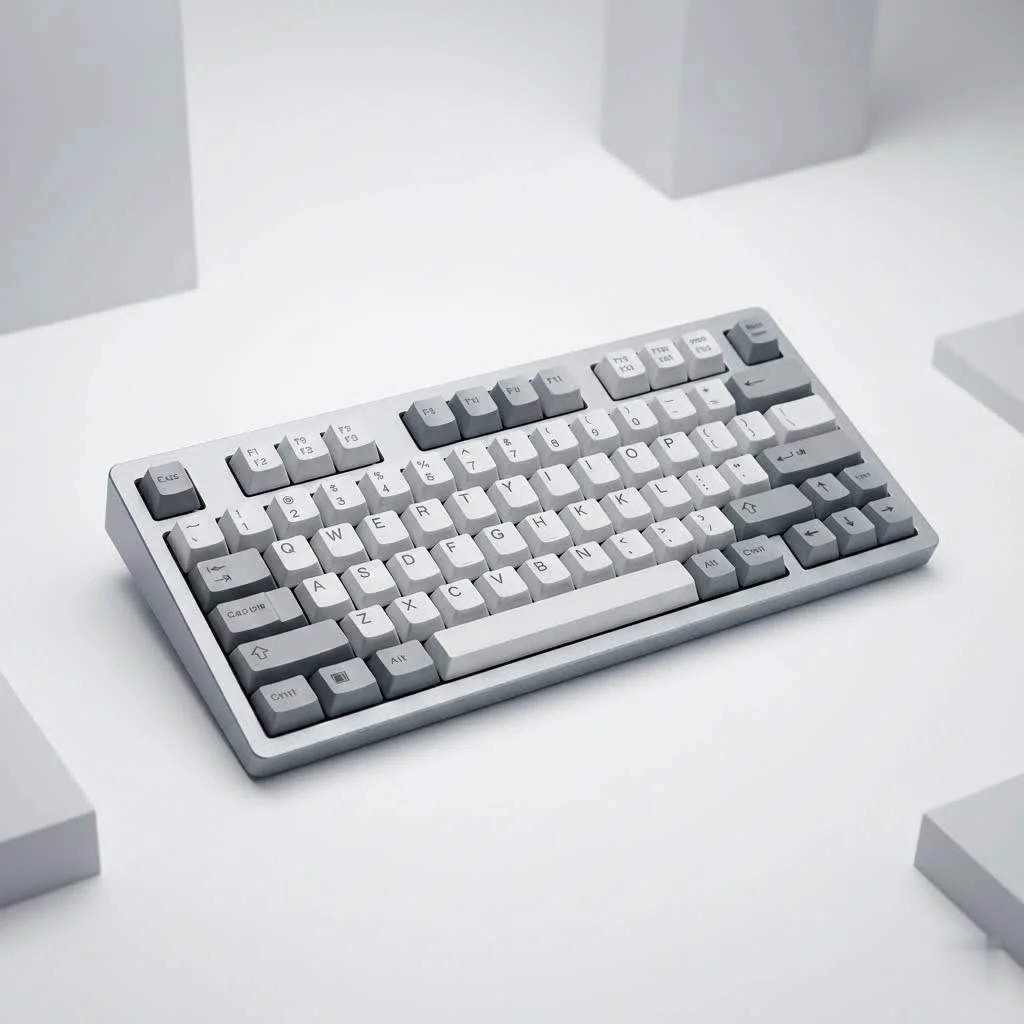
A high-end mechanical keyboard is a finely crafted instrument designed for the ultimate typing experience, distinguished by superior materials, innovative engineering, and meticulous design. Unlike standard membrane models, these keyboards feature components like CNC-machined aluminum cases, advanced gasket mount systems, and enthusiast-grade switches, often costing upwards of $500. This guide from Yoasy demystifies the components, design philosophies, and craftsmanship that define a luxury keyboard.
What Truly Defines a High-End Mechanical Keyboard?
A high-end mechanical keyboard is a blend of superior materials, innovative engineering, and meticulous design. It moves beyond simple functionality to deliver an experience that is deeply personal and satisfying. It’s not about one single feature, but the culmination of several key elements working in harmony. For complete reviews library on this site.
Premium Case Materials and Craftsmanship
The foundation of any luxury keyboard is its case. While standard keyboards use simple plastic molds, high-end models employ materials chosen for their weight, acoustics, and durability.
- CNC-Machined Aluminum: This is the benchmark for premium keyboards. A solid block of aluminum is precision-milled into a unibody case, providing a hefty, stable base that eliminates flex and enhances sound.
- Polycarbonate: For those who prefer a softer typing feel and a deeper, more muted sound profile, polycarbonate is a popular choice. It also allows for stunning visual effects with underglow RGB lighting.
- Brass and Stainless Steel: Often used for weights and accent pieces, and sometimes for the entire case, these dense materials add significant heft and a unique acoustic signature. A brass weight can completely transform the resonance of a keyboard.
Advanced Mounting Styles for a Superior Feel
How the plate (which holds the switches) is mounted to the case dramatically impacts typing feel and sound. This is an area where high-end keyboards truly innovate.
- Gasket Mount: This is currently one of the most popular high-end mounting styles. It involves placing soft, compressible material (like silicone or poron) between the plate and the case. This isolates the plate, resulting in a cushioned, flexible typing feel and a clean, deep sound profile.
- Top Mount: A classic and respected style where the plate is screwed directly into the top half of the case. This provides a very consistent and firm typing experience, often preferred by those who want direct feedback without any flex.
- Other Styles: The world of custom keyboards is always experimenting with other methods like plateless builds, leaf spring mounts, and more, each offering a unique combination of flex and feedback.
The Heart of the Board: Switches and Stabilizers
At the core of the mechanical keyboard are the individual switches. High-end boards offer a vast array of choices beyond the standard red, blue, and brown. Enthusiast-grade switches from brands like Gateron, Kailh, and boutique manufacturers offer unique materials, spring weights, and acoustic properties. These switches are often lubricated by hand to achieve unparalleled smoothness and a pleasing sound.
Stabilizers, the components that keep longer keys like the spacebar and enter key from wobbling, are also given special attention. They are meticulously lubricated and often modified to eliminate any rattle, ensuring every single keypress is crisp and consistent.
The Power of Customization: PCBs and Firmware
|
Our Picks for the Best Mechanical Keyboard in 2026
As an Amazon Associate I earn from qualifying purchases.
|
||
| Num | Product | Action |
|---|---|---|
| 1 | AULA F99 Wireless Mechanical Keyboard,Tri-Mode BT5.0/2.4GHz/USB-C Hot Swappable Custom Keyboard,Pre-lubed Linear Switches,RGB Backlit Computer Gaming Keyboards for PC/Tablet/PS/Xbox |

|
| 2 | Redragon Mechanical Gaming Keyboard Wired, 11 Programmable Backlit Modes, Hot-Swappable Red Switch, Anti-Ghosting, Double-Shot PBT Keycaps, Light Up Keyboard for PC Mac |
|
| 3 | Logitech MX Mechanical Wireless Illuminated Performance Keyboard, Tactile Quiet Switches, Backlit Keys, Bluetooth, USB-C, macOS, Windows, Linux, iOS, Android, Metal, Graphite |
|
| 4 | RK ROYAL KLUDGE R98 Pro Wired Mechanical Keyboard, 96% Creamy Gaming Keyboard RGB Backlit with Number Pad and Volume Knob, Gasket Mount, MDA Profile PBT Keycaps, Hot Swappable Pre-lubed Linear Switch |
|
| 5 | RK ROYAL KLUDGE S98 Mechanical Keyboard w/Smart Display & Knob, Top Mount 96% Wireless Mechanical Keyboard BT/2.4G/USB-C, Hot Swappable, Software Support, Creamy Sounding, 98 Keys |
|
| 6 | Womier S-K80 75% Keyboard with Color Multimedia Display Mechanical Gaming Keyboard Creamy Sound, Wired Hot Swappable Gasket Mount RGB Custom Key board, Pre-lubed Stabilizer for Mac/Win, Black Kanagawa |
|
| 7 | EPOMAKER x Aula F75 Gasket Mechanical Keyboard, 75% Wireless Hot Swappable Gaming Keyboard with Five-Layer Padding&Knob, Bluetooth/2.4GHz/USB-C, RGB (Light Blue, LEOBOG Reaper Switch) |
|
| 8 | SteelSeries USB Apex 5 Hybrid Mechanical Gaming Keyboard – Per-Key RGB Illumination – Aircraft Grade Aluminum Alloy Frame – OLED Smart Display (Hybrid Blue Switch) |
|
| 9 | AK96 Smart Mechanical Keyboard Gaming, 96 Keys Full Size with LED Colorful Backlit, Clicky Creamy Sounding, USB Wired Computer Keyboard with Volume Knob for PC, Mac, Windows(Grey) |
|
| 10 | AULA F75 Pro Wireless Mechanical Keyboard,75% Hot Swappable Custom Keyboard with Knob,RGB Backlit,Pre-lubed Reaper Switches,Side Printed PBT Keycaps,2.4GHz/USB-C/BT5.0 Mechanical Gaming Keyboards |
|
A key feature of premium boards is extensive programmability. Most high-end keyboards use powerful, open-source firmware like QMK and VIA. This allows you to remap any key, create complex macros, and customize lighting layers without needing clunky manufacturer software. Many also feature hot-swappable PCBs, which let you change switches simply by pulling them out and pushing new ones in—no soldering required. This makes it easy to experiment and find your perfect switch.
“A high-end keyboard is an exercise in material science and mechanical harmony,” notes Dr. Alistair Finch, a materials scientist and avid keyboard enthusiast. “The choice of aluminum grade, the durometer of the gasket material, the specific plastic blend in a switch housing—every detail is a deliberate choice aimed at perfecting the user’s interaction with the device.”
Is a High-End Mechanical Keyboard Worth the Investment?
With price tags often reaching several hundred dollars, it’s fair to ask: who is this for? The answer depends on what you value in your daily tools.
For professionals who type for hours every day—writers, programmers, and data analysts—a high-end keyboard is an ergonomic and productivity tool. The customized feel can reduce finger fatigue and increase typing speed and accuracy. The satisfying feedback can make work feel less like a chore and more like a craft.
For gamers, the precise and consistent actuation of premium switches can provide a competitive edge. The robust build quality ensures the keyboard will withstand years of intense gaming sessions.
For hobbyists and designers, a high-end keyboard is a form of self-expression. It’s a functional piece of art on your desk, built to your exact specifications, from the color of the case to the sound of the spacebar.
How to Get Started with Your First Premium Keyboard
Diving into the high-end keyboard world can seem intimidating, but it’s an incredibly rewarding process. Here’s a simple checklist to guide you.
- Determine Your Preferred Size: Do you need a full-size layout with a number pad, or would a more compact 75% or 65% layout better suit your desk space?
- Choose Your Typing Feel: Do you want a soft, bouncy feel (gasket mount) or a firm, direct one (top mount)?
- Select Your Switches: Do you prefer a smooth linear switch, a bumpy tactile one, or a clicky switch? It’s a great idea to buy a switch tester to try out different options.
- Pick Your Keycaps: Keycaps determine the look and feel of the keyboard’s surface. High-quality PBT or double-shot ABS keycaps in a profile you find comfortable (like Cherry or SA) are a great investment.
- Assemble or Buy Pre-built: You can buy a “barebones” kit and assemble the components yourself for the full custom experience, or you can find high-end brands that offer pre-built options with premium features.
Frequently Asked Questions (FAQ)
What makes high-end mechanical keyboards so expensive?
The cost comes from several factors: the use of premium materials like CNC-machined aluminum, the small-batch manufacturing process, the cost of high-quality individual switches and keycaps, intricate design and engineering, and the research and development that goes into new mounting styles and features.
What is a “group buy”?
A group buy is a common sales model in the custom keyboard community. A designer will offer a new keyboard design for a limited time. Enough people must commit to buying it to fund the manufacturing run. It allows for unique, community-driven designs but often involves a long wait time.
Are more expensive keyboards better for gaming?
Not necessarily. While a high-end keyboard offers superior build quality and feel, many affordable gaming keyboards have features like high polling rates and fast switches. The “better” keyboard depends on personal preference for feel, aesthetics, and customizability over raw gaming-centric features.
What is the difference between ABS and PBT keycaps?
ABS is a common plastic that can develop a shine over time, though high-end ABS keycaps (like those from GMK) are prized for their vibrant colors and crisp legends. PBT is a more durable, textured plastic that resists shine and generally produces a deeper sound.
Do I need to lubricate my switches?
You don’t need to, but it’s one of the most popular modifications in the hobby. Lubing switches reduces friction, making the keypress smoother and often improving the sound by dampening unwanted spring noise and scratchiness.
Your Journey to Typing Perfection
A high-end mechanical keyboard is more than just an input device; it’s a commitment to quality, a statement of personal style, and a tool that can transform a mundane task into a delightful experience. It’s an investment in the primary tool you use to interact with the digital world. By understanding the core components—the premium materials, the thoughtful engineering, and the endless potential for customization—you can begin your own journey toward finding or building the perfect keyboard. We encourage you to explore this exciting hobby and discover just how satisfying typing can be.
Frequently Asked Questions
What factors contribute to the high cost of premium mechanical keyboards?
The high cost of premium mechanical keyboards stems from several factors, including the use of expensive materials like CNC-machined aluminum, small-batch manufacturing processes, and the intricate design and engineering involved. High-quality individual switches, keycaps, and extensive research into new mounting styles also contribute significantly to the price.
What is a 'group buy' in the context of custom keyboards?
A 'group buy' is a common sales model in the custom keyboard community where a designer offers a new keyboard design for a limited period. Manufacturing only proceeds if enough people commit to buying the product to fund the production run. This model enables unique, community-driven designs but often entails extended waiting periods for delivery.
Are more expensive mechanical keyboards inherently better for gaming performance?
Not necessarily. While high-end mechanical keyboards offer superior build quality and a refined typing feel, many affordable gaming keyboards provide features like high polling rates and fast switches that are crucial for competitive gaming. The 'better' keyboard ultimately depends on an individual's preference for feel, aesthetics, and customizability versus raw gaming-centric features.
What are the key differences between ABS and PBT keycap materials?
ABS is a common plastic that can develop a shine over time, though high-end ABS keycaps from brands like GMK are valued for their vibrant colors and crisp legends. PBT, on the other hand, is a more durable, textured plastic that resists shine and typically produces a deeper sound profile, making it a popular choice for longevity.
Is it necessary to lubricate mechanical keyboard switches?
Lubricating mechanical keyboard switches is not strictly necessary for functionality, but it is one of the most popular modifications among enthusiasts. Lubing switches significantly reduces friction, resulting in a smoother keypress and often improving the sound by dampening unwanted spring noise and scratchiness, enhancing the overall typing experience.
Get Started with Your First Premium Keyboard
A simple checklist to guide you through selecting and acquiring your first high-end mechanical keyboard.
Consider whether you need a full-size layout with a number pad or if a more compact 75% or 65% layout would better suit your desk space and workflow. Different sizes offer varying levels of portability and functionality.
Decide if you prefer a soft, bouncy typing experience, often achieved with a gasket mount, or a firm, direct feel, typically found in top mount keyboards. This choice significantly impacts comfort and feedback.
Explore different switch types: smooth linear, bumpy tactile, or clicky. It is highly recommended to purchase a switch tester to personally try out various options and find the one that best matches your preference.
Keycaps define both the aesthetic and tactile surface of your keyboard. Invest in high-quality PBT or double-shot ABS keycaps in a comfortable profile, such as Cherry or SA, for durability and a pleasing feel.
You can opt for a 'barebones' kit to assemble components yourself for a fully custom experience, or choose from high-end brands that offer pre-built options with premium features. Both paths lead to a high-quality keyboard.
Get our weekly buyer guide
Practical specs, not advice. Unsubscribe anytime.

I’ve been eyeing a custom build for ages, and the mention of CNC-machined aluminum cases really resonated with me. My current board feels a bit flimsy, and I’m ready to invest in something that feels truly premium. This guide helped me understand why those higher price tags are justified for the quality you get. Definitely saving up for one of those gasket mount systems!
I appreciate the breakdown of what makes a keyboard ‘high-end’ beyond just the price. I’ve always wondered about the difference between enthusiast-grade switches and the more common ones. It’s good to know that the engineering and design really do contribute to a better typing experience. My next purchase will definitely be more informed thanks to this.
This was exactly what I needed! I’ve been using a standard membrane keyboard for years and finally decided to upgrade. The explanation of how superior materials and innovative engineering contribute to the ultimate typing experience really sold me. I’m now convinced that spending a bit more for a truly well-crafted instrument is worth it for my daily work.
While the information on luxury keyboards was good, I was hoping for a bit more detail on specific brands that offer these high-end models, especially those in the $500+ range. It’s hard to know where to start looking without some concrete examples. The general overview of components was helpful, but I need more direction for actual shopping.