In the world of desk setups, a revolution is quietly taking place. Gone are the days of massive, sprawling keyboards that dominate your workspace. Today, efficiency, aesthetics, and ergonomics reign supreme, and at the heart of this movement is the small mechanical keyboard. If you’ve ever glanced at a sleek, minimalist desk on social media and wondered how they achieve that clean look, the answer is often a compact keyboard. As a mechanical keyboard engineer with over a decade of experience, I’ve seen these smaller boards evolve from a niche hobby into a mainstream powerhouse. They offer a superior typing experience, more desk space for your mouse, and a level of customization that larger keyboards simply can’t match.
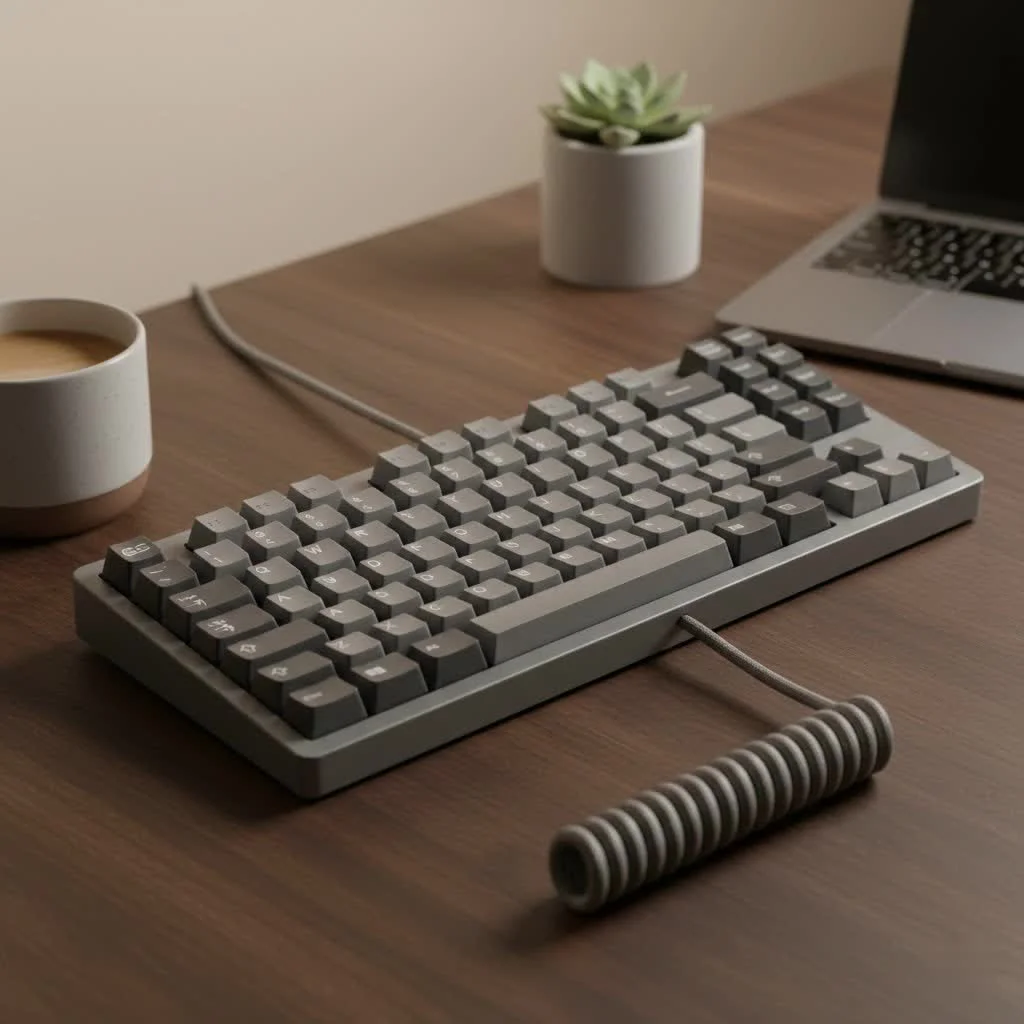
But diving into the world of compact keyboards can feel intimidating. What’s the difference between a 60%, 65%, and 75% layout? Which one is right for you? This guide will break down everything you need to know, helping you reclaim your desk space and discover the powerful performance packed into these small frames.
Why Go Small? The Benefits of a Compact Keyboard
Switching to a small mechanical keyboard isn’t just about saving space; it’s about upgrading your entire workflow and gaming experience. The advantages are practical, ergonomic, and aesthetic.
First and foremost, you gain a significant amount of desk real estate. This extra room allows for wider, more comfortable mouse movements—a crucial advantage for gamers who need to make sweeping motions and for professionals who value an uncluttered workspace.
Ergonomics is another huge win. With a smaller keyboard, your hands are positioned closer together in a more natural alignment with your shoulders. This can reduce strain on your wrists, shoulders, and neck over long periods of typing or gaming. I personally noticed a significant decrease in shoulder fatigue after switching to a 65% board for my daily work.
Finally, there’s the aesthetic and portability factor. Small mechanical keyboards are the centerpiece of a clean, modern desk setup. They are also incredibly easy to travel with, fitting neatly into a backpack for on-the-go productivity or gaming sessions.
Decoding the Layouts: Which Size is Right for You?
The main difference between various small mechanical keyboard formats is the number of keys they have. This is often expressed as a percentage of a traditional full-size keyboard. Let’s break down the most common compact layouts.
60% Keyboards: The Ultimate in Minimalism
A 60% keyboard is the most compact and common entry point into the small form factor world. It strips away the number pad, the function row (F1-F12), and the navigation cluster (arrow keys, Home, End, etc.).
- Who is it for? Minimalists, hardcore gamers who need maximum mouse space, and typists who are comfortable using function layers.
- Pros: Extremely compact, highly portable, and offers a very clean aesthetic.
- Cons: The lack of dedicated arrow keys is a deal-breaker for many. Accessing function keys and navigation requires holding a function (Fn) key in combination with other keys, which has a learning curve.
65% Keyboards: Compact Functionality
|
Our Picks for the Best Mechanical Keyboard in 2026
As an Amazon Associate I earn from qualifying purchases.
|
||
| Num | Product | Action |
|---|---|---|
| 1 | SteelSeries USB Apex 5 Hybrid Mechanical Gaming Keyboard – Per-Key RGB Illumination – Aircraft Grade Aluminum Alloy Frame – OLED Smart Display (Hybrid Blue Switch) |

|
| 2 | Logitech MX Mechanical Wireless Illuminated Performance Keyboard, Tactile Quiet Switches, Backlit Keys, Bluetooth, USB-C, macOS, Windows, Linux, iOS, Android, Metal, Graphite |
|
| 3 | RK ROYAL KLUDGE S98 Mechanical Keyboard w/Smart Display & Knob, Top Mount 96% Wireless Mechanical Keyboard BT/2.4G/USB-C, Hot Swappable, Software Support, Creamy Sounding, 98 Keys |
|
| 4 | AK96 Smart Mechanical Keyboard Gaming, 96 Keys Full Size with LED Colorful Backlit, Clicky Creamy Sounding, USB Wired Computer Keyboard with Volume Knob for PC, Mac, Windows(Grey) |
|
| 5 | Womier S-K80 75% Keyboard with Color Multimedia Display Mechanical Gaming Keyboard Creamy Sound, Wired Hot Swappable Gasket Mount RGB Custom Key board, Pre-lubed Stabilizer for Mac/Win, Black Kanagawa |
|
| 6 | RK ROYAL KLUDGE R98 Pro Wired Mechanical Keyboard, 96% Creamy Gaming Keyboard RGB Backlit with Number Pad and Volume Knob, Gasket Mount, MDA Profile PBT Keycaps, Hot Swappable Pre-lubed Linear Switch |
|
| 7 | AULA F99 Wireless Mechanical Keyboard,Tri-Mode BT5.0/2.4GHz/USB-C Hot Swappable Custom Keyboard,Pre-lubed Linear Switches,RGB Backlit Computer Gaming Keyboards for PC/Tablet/PS/Xbox |
|
| 8 | EPOMAKER x Aula F75 Gasket Mechanical Keyboard, 75% Wireless Hot Swappable Gaming Keyboard with Five-Layer Padding&Knob, Bluetooth/2.4GHz/USB-C, RGB (Light Blue, LEOBOG Reaper Switch) |
|
| 9 | AULA F75 Pro Wireless Mechanical Keyboard,75% Hot Swappable Custom Keyboard with Knob,RGB Backlit,Pre-lubed Reaper Switches,Side Printed PBT Keycaps,2.4GHz/USB-C/BT5.0 Mechanical Gaming Keyboards |
|
| 10 | Redragon Mechanical Gaming Keyboard Wired, 11 Programmable Backlit Modes, Hot-Swappable Red Switch, Anti-Ghosting, Double-Shot PBT Keycaps, Light Up Keyboard for PC Mac |
|
For many users, the 65% layout is the perfect compromise. It brings back the most missed feature of the 60% board: the dedicated arrow keys. It typically does this by slightly extending the right side of the board and including a few navigation keys like Page Up or Delete.
- Who is it for? Users who want a very small keyboard but cannot live without arrow keys, including programmers, writers, and many gamers.
- Pros: Offers dedicated arrows in a very compact form. Strikes a great balance between size and functionality.
- Cons: Still lacks a dedicated function row, requiring the use of layers for F-keys.
75% Keyboards: The Best of Both Worlds
A 75% keyboard is essentially a laptop-style layout. It includes the function row, arrow keys, and a few essential navigation keys like Home and End, all packed into a tight block with no empty space. It’s about as compact as you can get without sacrificing the F-key row.
- Who is it for? Professionals, programmers, and gamers who frequently use function keys but still want a smaller footprint than a traditional tenkeyless (TKL) board.
- Pros: Retains the full function row in a compact design. It’s often seen as the most efficient layout.
- Cons: The compressed layout can sometimes make it harder to find aftermarket keycap sets that fit every key perfectly.
As keyboard designer Olivia Reed puts it, “The beauty of the small mechanical keyboard community is the focus on efficiency. Every key has to earn its place on the board. A 75% layout is the peak of that philosophy for many—no wasted space, all function.”
How to Choose the Perfect Small Mechanical Keyboard
Once you’ve settled on a layout, the real fun begins. Customizing your keyboard is what makes the hobby so rewarding. Here are the key components to consider.
Switches: The Heart of the Feel
The switch is the mechanism under each keycap that registers a keystroke. The type of switch you choose will define the entire feel and sound of your keyboard. There are three main types:
- Linear: Smooth and consistent, with no tactile bump or audible click. They are favored by many gamers for their speed and consistency. Popular examples include Cherry MX Red and Gateron Yellow.
- Tactile: Provide a noticeable “bump” when the key is pressed, confirming actuation without making a loud noise. They are a fantastic all-around choice for both typing and gaming. Popular examples include Holy Pandas and Cherry MX Brown.
- Clicky: Offer both a tactile bump and a distinct, audible “click” sound. They are incredibly satisfying for typists who love auditory feedback but can be disruptive in a shared office or home environment. The classic example is the Cherry MX Blue.
Keycaps: The Look and Touch
Keycaps are the plastic tops you press. They are crucial for both aesthetics and typing comfort. The two most important factors are the material and the profile.
- Material: The most common materials are ABS and PBT. ABS is smoother and can develop a shine over time, while PBT is more textured, durable, and resistant to shine. PBT is generally considered the more premium material.
- Profile: This refers to the shape and height of the keycaps. Common profiles include OEM (standard on many pre-built boards), Cherry (slightly lower and sculpted), and SA (tall and spherical). The profile affects the feel and ergonomics of typing.
Essential Mods for Your First Compact Board
The journey doesn’t end with choosing your parts. Modding is a core part of the experience. Here are a couple of simple, high-impact mods to elevate your small mechanical keyboard:
- Lube Your Switches and Stabilizers: Applying a thin layer of specialized lubricant to your switches and the stabilizers under the larger keys (like the spacebar) can dramatically improve the sound and feel. It reduces scratchiness and rattling, resulting in a smoother, quieter, and more pleasant experience.
- Add Foam: Placing a layer of dampening foam inside the keyboard case is one of the easiest ways to improve its acoustics. The foam absorbs vibrations and echoes, producing a deeper and more solid sound profile, often referred to as “thock” in the community.
Frequently Asked Questions (FAQ)
What is the best small mechanical keyboard for gaming?
The best choice often comes down to a 60% or 65% layout for maximum mouse space. Pair it with fast linear switches for rapid, smooth key presses, which are ideal for competitive gaming.
Can you be productive on a keyboard without a number pad?
Absolutely. While accountants or data entry specialists might miss the numpad, most users find they rarely use it. For the few times you need it, you can either use the number row or buy a separate, standalone number pad.
Is it hard to get used to a 60% keyboard?
There is a learning curve, primarily for accessing the arrow keys and function row through layers. It typically takes a week or two of consistent use to build muscle memory. Once you do, it can be just as fast as a traditional layout.
Are small mechanical keyboards better for ergonomics?
Yes, they can be significantly better. By allowing your mouse to be closer to your keyboard, they promote a more natural posture that reduces shoulder and wrist strain. This ergonomic benefit is one of the top reasons people switch.
How much should I spend on a good small mechanical keyboard?
The price range is vast. You can find excellent entry-level options starting around $60-$80. Mid-range and enthusiast-grade custom keyboards can range from $150 to well over $500, depending on the materials, switches, and level of customization.
Your Desk, Reimagined
Making the switch to a small mechanical keyboard is more than just an upgrade; it’s a conscious decision to optimize your workspace for comfort, efficiency, and style. It declutters your desk, enhances your ergonomics, and opens a door to a vibrant world of customization. Whether you’re a gamer seeking a competitive edge, a programmer coding for hours, or a writer crafting your next piece, there is a compact keyboard that will perfectly suit your needs.
Start by choosing the layout that best fits your workflow, and don’t be afraid to experiment. The journey of building, modding, and perfecting your board is one of the most rewarding aspects of the hobby. Take the leap, and discover how a smaller keyboard can make a big impact on your daily life.
Get our weekly buyer guide
Practical specs, not advice. Unsubscribe anytime.

As someone who spends hours typing for work, the superior typing experience of a small mechanical keyboard is invaluable. I used to get wrist fatigue with my old board, but since switching to a compact model, that’s completely gone. The ergonomic benefits are real, and my desk looks so much cleaner now. Highly recommend making the investment.
I tried a 60% keyboard after hearing about the minimalist aesthetic, but I’m finding it a bit hard to get used to the missing arrow keys. While I appreciate the clean look and the extra room, having to use a function layer for basic navigation is a bit of a learning curve. I might need to try a 65% next time for a better balance.
This guide really helped me understand the differences between the 60%, 65%, and 75% layouts. I was leaning towards a 75% for the dedicated function row, and it’s been a great choice for my work setup. The customization options mentioned are also a huge plus; I’m already planning my next keycap set. Definitely recommend exploring smaller boards.
I’ve been using a full-size keyboard for years and finally decided to make the switch after reading about the benefits of compact keyboards. The extra desk space for my mouse is a game-changer, especially for gaming. I went with a 65% layout, and it’s perfect for my needs without feeling too cramped. The typing experience is so much better than my old membrane keyboard.