The unmistakable click-clack of a classic typewriter evokes a sense of nostalgia, a time of focused, deliberate creation. But what if you could blend that timeless aesthetic with the precision and comfort of modern technology? Enter the typewriter mechanical keyboard, a beautiful fusion of vintage design and contemporary performance. It’s a niche that has captured the hearts of writers, designers, and anyone looking to make their desk setup truly unique. As the lead engineer at Yoasy, I’ve spent countless hours with these fascinating keyboards, and I’m here to guide you through everything you need to know.
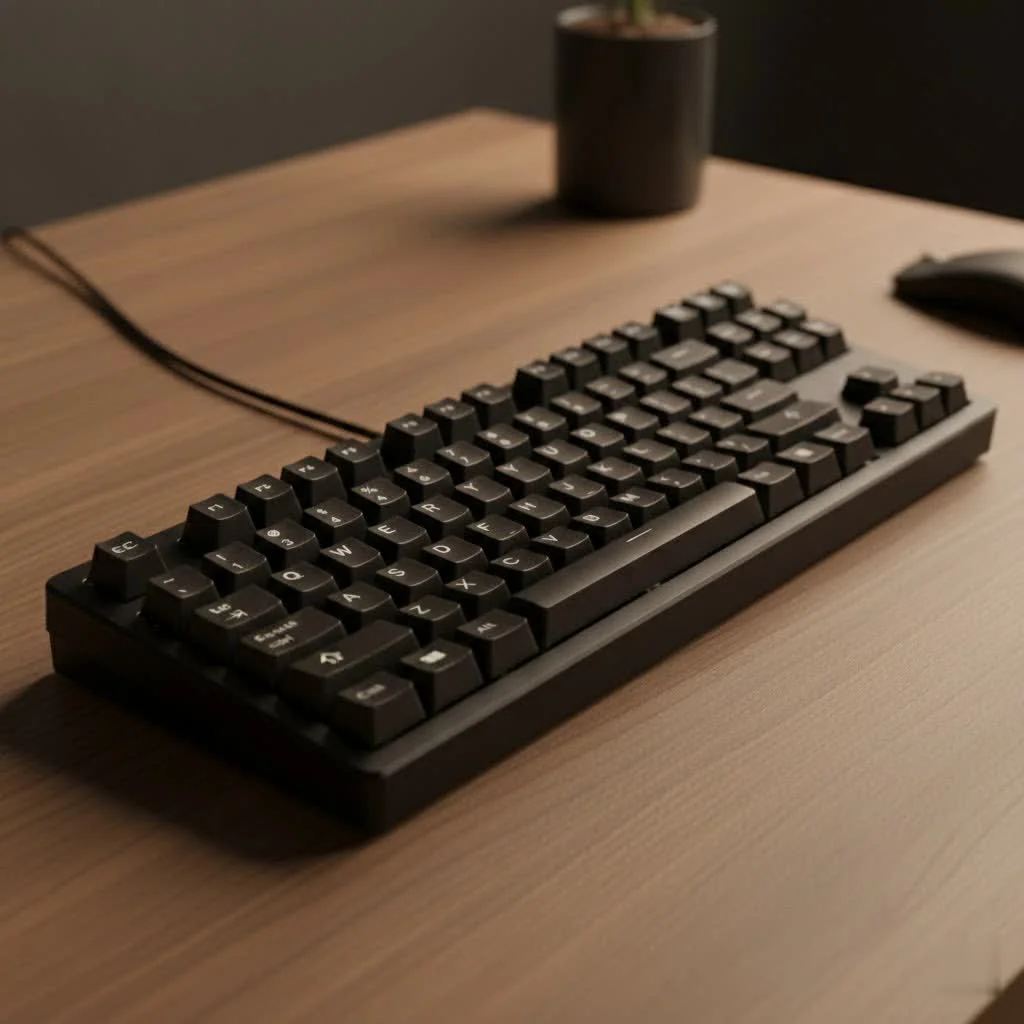
This isn’t just about looks. A typewriter mechanical keyboard offers a distinct tactile experience that can transform your daily typing into a more engaging and satisfying activity. Let’s explore what makes these keyboards tick and help you decide if one is right for you.
What Exactly Is a Typewriter Mechanical Keyboard?
At its core, a typewriter mechanical keyboard is a modern keyboard that uses mechanical switches but features retro-inspired aesthetics, most notably round, scalloped keycaps reminiscent of a vintage typewriter. Underneath this classic exterior, you’ll find the same technology that powers the best gaming and productivity keyboards on the market today.
Unlike the membrane keyboards that come with most computers, mechanical keyboards use individual physical switches under each key. When you press a key, the switch is physically actuated, sending a signal to your computer. This mechanism provides superior feedback, durability, and a typing feel that is simply unmatched by other keyboard types. The typewriter style simply puts a vintage spin on this proven technology.
The Allure of Retro: Why Choose One?
People are drawn to typewriter keyboards for several reasons, and the appeal goes far beyond just their appearance.
Unmatched Aesthetics
The most obvious draw is the design. With their round keycaps, metallic accents, and often luxurious materials like wood or leather, these keyboards are statement pieces. They can serve as the centerpiece of a steampunk, vintage, or minimalist desk setup, adding a touch of elegance and personality that a standard black plastic keyboard never could.
A Satisfying Typing Experience
The combination of mechanical switches—often “clicky” Blue switches—and the distinct shape of the keycaps creates a uniquely satisfying auditory and tactile experience. Each keystroke produces a crisp, audible click and a clear tactile bump, making the act of typing feel more intentional and rhythmic. Many writers find this feedback helps them get into a creative flow.
Modern Features in a Classic Package
|
Our Picks for the Best Mechanical Keyboard in 2026
As an Amazon Associate I earn from qualifying purchases.
|
||
| Num | Product | Action |
|---|---|---|
| 1 | AK96 Smart Mechanical Keyboard Gaming, 96 Keys Full Size with LED Colorful Backlit, Clicky Creamy Sounding, USB Wired Computer Keyboard with Volume Knob for PC, Mac, Windows(Grey) |

|
| 2 | AULA F99 Wireless Mechanical Keyboard,Tri-Mode BT5.0/2.4GHz/USB-C Hot Swappable Custom Keyboard,Pre-lubed Linear Switches,RGB Backlit Computer Gaming Keyboards for PC/Tablet/PS/Xbox |
|
| 3 | AULA F75 Pro Wireless Mechanical Keyboard,75% Hot Swappable Custom Keyboard with Knob,RGB Backlit,Pre-lubed Reaper Switches,Side Printed PBT Keycaps,2.4GHz/USB-C/BT5.0 Mechanical Gaming Keyboards |
|
| 4 | SteelSeries USB Apex 5 Hybrid Mechanical Gaming Keyboard – Per-Key RGB Illumination – Aircraft Grade Aluminum Alloy Frame – OLED Smart Display (Hybrid Blue Switch) |
|
| 5 | RK ROYAL KLUDGE R98 Pro Wired Mechanical Keyboard, 96% Creamy Gaming Keyboard RGB Backlit with Number Pad and Volume Knob, Gasket Mount, MDA Profile PBT Keycaps, Hot Swappable Pre-lubed Linear Switch |
|
| 6 | Redragon Mechanical Gaming Keyboard Wired, 11 Programmable Backlit Modes, Hot-Swappable Red Switch, Anti-Ghosting, Double-Shot PBT Keycaps, Light Up Keyboard for PC Mac |
|
| 7 | Logitech MX Mechanical Wireless Illuminated Performance Keyboard, Tactile Quiet Switches, Backlit Keys, Bluetooth, USB-C, macOS, Windows, Linux, iOS, Android, Metal, Graphite |
|
| 8 | EPOMAKER x Aula F75 Gasket Mechanical Keyboard, 75% Wireless Hot Swappable Gaming Keyboard with Five-Layer Padding&Knob, Bluetooth/2.4GHz/USB-C, RGB (Light Blue, LEOBOG Reaper Switch) |
|
| 9 | Womier S-K80 75% Keyboard with Color Multimedia Display Mechanical Gaming Keyboard Creamy Sound, Wired Hot Swappable Gasket Mount RGB Custom Key board, Pre-lubed Stabilizer for Mac/Win, Black Kanagawa |
|
| 10 | RK ROYAL KLUDGE S98 Mechanical Keyboard w/Smart Display & Knob, Top Mount 96% Wireless Mechanical Keyboard BT/2.4G/USB-C, Hot Swappable, Software Support, Creamy Sounding, 98 Keys |
|
You don’t have to sacrifice modern conveniences. Most typewriter mechanical keyboards come with features you’d expect from a high-end device, including:
- Backlighting: From simple white light to full RGB, allowing you to work in any lighting condition.
- Wireless Connectivity: Many models offer Bluetooth support, enabling you to connect to multiple devices like PCs, tablets, and laptops for a clean, cable-free setup.
- Durable Construction: They are often built with robust materials, such as aluminum alloy frames, ensuring they are as sturdy as they look.
Potential Downsides: What to Consider Before Buying
While there’s a lot to love, this style of keyboard isn’t for everyone. It’s important to consider the potential drawbacks.
The most significant learning curve comes from the round keycaps. Standard keyboards feature square or rectangular keycaps with a larger surface area. The smaller, circular tops on a typewriter keyboard can take some getting used to and may initially lead to more typos for some users. The spacing can feel different, requiring a period of adjustment to regain your usual typing speed and accuracy.
Additionally, while beautiful, they may not be the most ergonomic choice for everyone, especially compared to specialized split or contoured keyboards designed for long-term comfort.
What Makes a Great Typewriter Mechanical Keyboard?
When shopping for your retro keyboard, focus on the components that define its performance and feel.
The Heart of the Keyboard: Mechanical Switches
The type of switch determines how each key feels and sounds. The three most common types you’ll find are:
- Blue Switches: Clicky and tactile. These are the most popular choice for typewriter-style keyboards as their audible click most closely mimics the sound of a classic typewriter. They are loud but incredibly satisfying.
- Brown Switches: Tactile and quiet. You still get a noticeable bump on actuation, but without the loud click. This is a great middle-ground for office environments or shared spaces.
- Red Switches: Linear and quiet. These switches move straight down without any bump or click. They are smooth and fast, often favored by gamers, but might feel less satisfying for pure typists seeking feedback.
The Star of the Show: Keycaps
The round keycaps are the defining feature. Pay attention to the material—ABS is common, but PBT plastic is more durable and resistant to the shine that develops from finger oils over time. The profile and sculpting of the keys will also impact how comfortable they are for your fingers.
Are Typewriter Keyboards Good for Gaming and Typing?
This is a question we get a lot at Yoasy. For typing, the answer is a resounding “yes” for many people. Once you adapt to the keycaps, the crisp feedback from the mechanical switches can make writing a joy. The rhythmic sound can help create focus, which is a huge benefit for writers, coders, and journalists.
For gaming, it’s a bit more nuanced. While you certainly can game on a typewriter keyboard, it may not be optimal for highly competitive, fast-paced games. The round keycaps offer a smaller target for your fingers, which could impact rapid, precise movements in FPS or MOBA games. A gamer who also values aesthetics would be perfectly happy, but a professional esports player would likely stick to a standard keyboard layout.
Frequently Asked Questions (FAQ)
Are typewriter mechanical keyboards loud?
They can be, especially if they are equipped with Blue switches, which are intentionally designed to be “clicky.” However, you can find models with quieter Brown or Red switches if noise is a concern.
Can you change the keycaps on a typewriter keyboard?
It depends on the model. Most use standard MX-style stems for their switches, which means you could technically swap the keycaps. However, the unique housing and design of the keyboard are built around the round keycap aesthetic, so a standard keycap set may look out of place.
Are they comfortable for long typing sessions?
Comfort is subjective. Many users find them perfectly comfortable for hours of typing. However, if you have specific ergonomic needs or are prone to repetitive strain injury, the flat profile and non-standard keycaps might not be the best choice compared to a dedicated ergonomic keyboard.
Do typewriter keyboards work with Macs and iPads?
Yes, almost all modern typewriter mechanical keyboards are designed to be compatible with a wide range of operating systems, including Windows, macOS, iOS, and Android. Models with Bluetooth are particularly versatile for use with tablets and other devices.
The Final Word
A typewriter mechanical keyboard is more than just a tool; it’s a choice that reflects a passion for style, a love for tactile feedback, and an appreciation for quality craftsmanship. It bridges the gap between the romanticism of the past and the functionality of the present. While it may require a short adjustment period, the reward is a typing experience that is both uniquely satisfying and visually stunning. If you’re ready to make your desk a source of inspiration, a typewriter mechanical keyboard might be the perfect upgrade for you.
Get our weekly buyer guide
Practical specs, not advice. Unsubscribe anytime.
