An Aula mechanical keyboard is a budget-friendly option that delivers premium features typically found in more expensive, enthusiast-grade custom keyboards. These keyboards, such as the popular F75 and F87 Pro models, often include gasket mounts, tri-mode connectivity (Bluetooth, 2.4GHz wireless, USB-C), hot-swappable PCBs, and excellent stock sound profiles, making them a standout choice for both beginners and budget enthusiasts in the mechanical keyboard market.
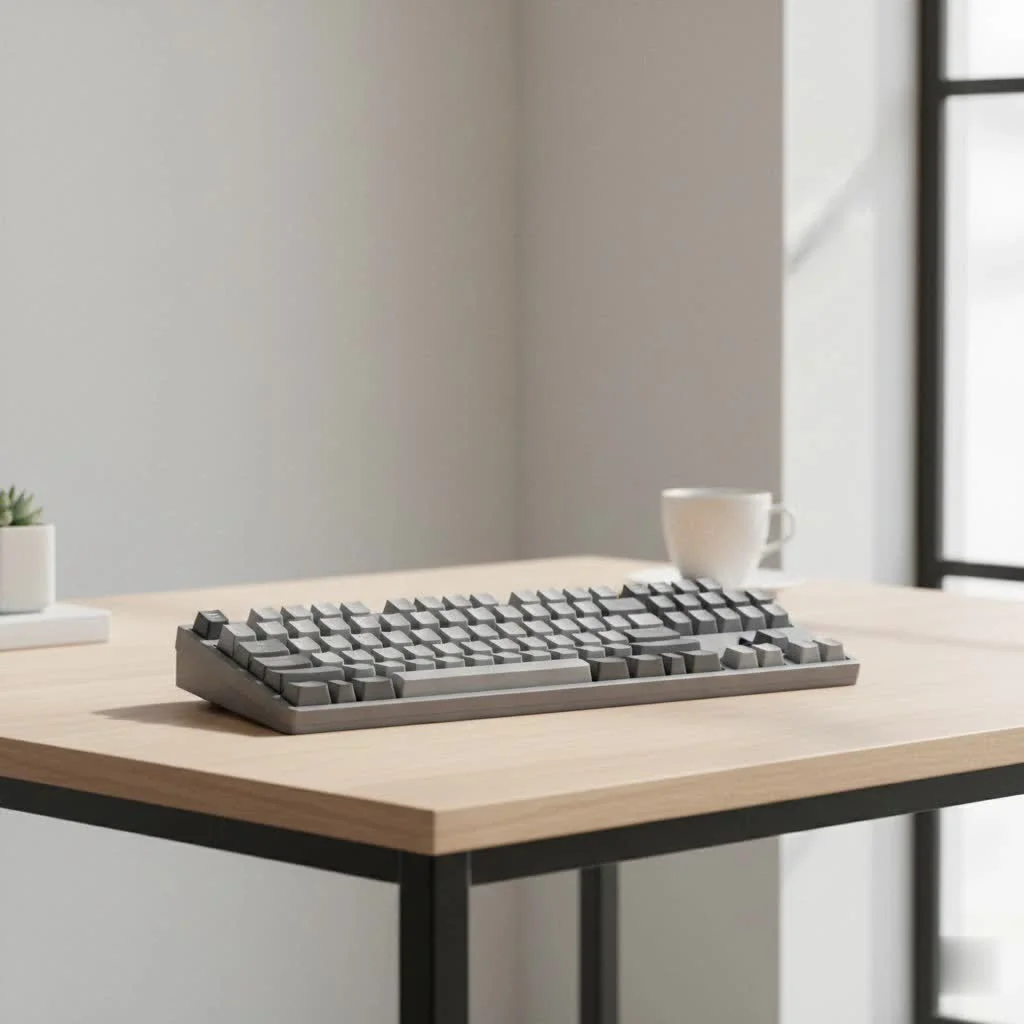
As the lead creator for Yoasy.com, I’ve had my hands on dozens of their models. Aula is a Chinese manufacturer that has gained significant traction for its feature-rich yet affordable mechanical keyboards. They’ve captured the attention of both newcomers and seasoned enthusiasts by focusing on delivering high-end features like gasket mounts, tri-mode connectivity, and satisfying stock sound profiles without the hefty price tag.
What Makes Aula Keyboards Stand Out?
So, why the sudden explosion in popularity? It’s not just about being cheap. Aula has smartly integrated features that, until recently, were reserved for much more expensive, enthusiast-grade custom keyboards.
Premium Features on a Budget
The single biggest draw for an Aula mechanical keyboard is the value proposition. Here are some of the key features you’ll often find:
- Gasket Mount: This mounting style uses soft material (like silicone or poron) to suspend the keyboard plate between the top and bottom case. The result is a softer, bouncier typing feel and a more pleasant, less harsh sound profile. The Aula F75 and F87 Pro are prime examples of this done right.
- Tri-Mode Connectivity: Many Aula boards offer Bluetooth, 2.4GHz wireless, and a detachable USB-C wired connection. This versatility is a huge plus, allowing you to switch between your desktop, laptop, and tablet seamlessly.
- Hot-Swappable PCBs: This is a game-changer for beginners. Hot-swap sockets mean you can change the mechanical switches without any soldering. It’s the gateway to customization, letting you experiment with different switch types to find your perfect feel. Most Aula boards support 5-pin switches, offering maximum compatibility.
- Excellent Stock Sound: Aula has clearly invested in sound-dampening materials. Their keyboards often come pre-loaded with plate foam, case foam, and sometimes even switch pads. This combination eliminates hollowness and creates a deep, satisfying “thocky” or “creamy” sound right out of the box, a quality that modders used to spend hours and extra money to achieve.
Popular Models: The F75 and F87 Pro
While Aula has a growing catalog, two models, in particular, have become community darlings: the Aula F75 and the F87 Pro.
Aula F75
The F75 is a compact 75% layout keyboard, which means it includes function keys and arrow keys without the numpad, saving desk space. It’s often praised for its excellent gasket mount implementation and impressive out-of-the-box sound. It usually comes equipped with LEOBOG Reaper switches, which are fantastic linear switches that feel smooth and responsive. It’s the perfect entry point for someone wanting a taste of the custom keyboard experience without the hassle.
Aula F87 Pro
The F87 Pro is a tenkeyless (TKL) layout, which is a more traditional layout without the number pad. It shares many of the same great features as the F75, including the gasket mount, hot-swap PCB, and sound-dampening foams. It’s a slightly larger alternative for those who prefer the TKL form factor for productivity or gaming.
“Aula’s approach is democratizing the custom keyboard hobby,” says fellow engineer and keyboard designer Mark Chen. “They are proving that a high-quality typing experience doesn’t need to cost a fortune. By integrating enthusiast-level features into mass-produced boards, they’re setting a new standard for the entire industry.”
Switches and Keycaps
An Aula mechanical keyboard typically comes with switches from LEOBOG, a manufacturer that has also been gaining a reputation for quality. The most common are the LEOBOG Reaper (linear) and Greywood (tactile) switches. From my experience, these are surprisingly good stock switches, often pre-lubed from the factory, providing a smooth keypress without much scratchiness.
The keycaps are usually made from PBT (Polybutylene terephthalate), a durable plastic that resists the shine that develops on cheaper ABS keycaps over time. The legends are often dye-sublimated, meaning the print won’t wear off. While they might not be as premium as a high-end aftermarket set, they are more than adequate for most users and look great.
Is an Aula Mechanical Keyboard Right for You?
So, who should buy one? I recommend an Aula keyboard to a few different types of users:
- The Beginner: If you’re new to mechanical keyboards and want to see what all the fuss is about without breaking the bank, an Aula is arguably the best starting point on the market today.
- The Budget Enthusiast: If you love to tinker and mod but are on a tight budget, Aula boards provide a fantastic, feature-rich base to build upon. You can easily swap out switches and keycaps to make it your own.
- The Gamer on a Budget: With their responsive switches and reliable wireless connectivity, Aula keyboards are a solid choice for gaming. The build quality and feel are a massive step up from typical “gaming” keyboards at a similar price.
However, if you’re a seasoned veteran looking for an ultra-premium, aluminum case keyboard with endless programmability via QMK/VIA, you might find Aula’s software and plastic construction a bit limiting. But for the price, the trade-offs are incredibly reasonable.
Frequently Asked Questions (FAQ)
What is Aula?
|
Our Picks for the Best Mechanical Keyboard in 2026
As an Amazon Associate I earn from qualifying purchases.
|
||
| Num | Product | Action |
|---|---|---|
| 1 | AK96 Smart Mechanical Keyboard Gaming, 96 Keys Full Size with LED Colorful Backlit, Clicky Creamy Sounding, USB Wired Computer Keyboard with Volume Knob for PC, Mac, Windows(Grey) |

|
| 2 | AULA F75 Pro Wireless Mechanical Keyboard,75% Hot Swappable Custom Keyboard with Knob,RGB Backlit,Pre-lubed Reaper Switches,Side Printed PBT Keycaps,2.4GHz/USB-C/BT5.0 Mechanical Gaming Keyboards |
|
| 3 | EPOMAKER x Aula F75 Gasket Mechanical Keyboard, 75% Wireless Hot Swappable Gaming Keyboard with Five-Layer Padding&Knob, Bluetooth/2.4GHz/USB-C, RGB (Light Blue, LEOBOG Reaper Switch) |
|
| 4 | SteelSeries USB Apex 5 Hybrid Mechanical Gaming Keyboard – Per-Key RGB Illumination – Aircraft Grade Aluminum Alloy Frame – OLED Smart Display (Hybrid Blue Switch) |
|
| 5 | Redragon Mechanical Gaming Keyboard Wired, 11 Programmable Backlit Modes, Hot-Swappable Red Switch, Anti-Ghosting, Double-Shot PBT Keycaps, Light Up Keyboard for PC Mac |
|
| 6 | AULA F99 Wireless Mechanical Keyboard,Tri-Mode BT5.0/2.4GHz/USB-C Hot Swappable Custom Keyboard,Pre-lubed Linear Switches,RGB Backlit Computer Gaming Keyboards for PC/Tablet/PS/Xbox |
|
| 7 | Womier S-K80 75% Keyboard with Color Multimedia Display Mechanical Gaming Keyboard Creamy Sound, Wired Hot Swappable Gasket Mount RGB Custom Key board, Pre-lubed Stabilizer for Mac/Win, Black Kanagawa |
|
| 8 | Logitech MX Mechanical Wireless Illuminated Performance Keyboard, Tactile Quiet Switches, Backlit Keys, Bluetooth, USB-C, macOS, Windows, Linux, iOS, Android, Metal, Graphite |
|
| 9 | RK ROYAL KLUDGE S98 Mechanical Keyboard w/Smart Display & Knob, Top Mount 96% Wireless Mechanical Keyboard BT/2.4G/USB-C, Hot Swappable, Software Support, Creamy Sounding, 98 Keys |
|
| 10 | RK ROYAL KLUDGE R98 Pro Wired Mechanical Keyboard, 96% Creamy Gaming Keyboard RGB Backlit with Number Pad and Volume Knob, Gasket Mount, MDA Profile PBT Keycaps, Hot Swappable Pre-lubed Linear Switch |
|
Aula is a Chinese brand that manufactures computer peripherals, specializing in affordable, high-quality mechanical keyboards that have become popular in the enthusiast community.
Is Aula a good brand for keyboards?
Yes, Aula is considered an excellent brand, especially for its price point. It offers keyboards with premium features like gasket mounting, tri-mode connectivity, and hot-swappable switches, providing exceptional value.
What switches do Aula keyboards use?
Most popular Aula models, like the F75 and F87 Pro, use high-quality LEOBOG switches, such as the Reaper (linear) or Greywood (tactile). These are often pre-lubed and provide a very smooth typing experience.
Can you customize an Aula keyboard?
Absolutely. Most Aula keyboards are hot-swappable, meaning you can easily change the switches without soldering. You can also replace the keycaps with any standard MX-compatible set to customize the look and feel.
Does the Aula F75 keyboard have software?
Yes, the Aula F75 and other models typically come with their own software. This software allows you to customize the RGB lighting, re-map keys, and create macros. While not as robust as QMK/VIA, it is functional for most users’ needs.
Final Thoughts from an Engineer
As someone who has spent years chasing the “perfect” typing feel, I am genuinely impressed by what Aula has accomplished. They have successfully bridged the gap between cheap, mass-market keyboards and the expensive, niche world of custom builds. An Aula mechanical keyboard isn’t just a product; it’s a gateway. It invites new people into this wonderful hobby, allowing them to experience a truly great typing feel without a significant financial investment.
If you’re on the fence, I encourage you to give one a try. It might just be the board that starts you down the rabbit hole of mechanical keyboards, and for that, we have brands like Aula to thank. Happy typing
Frequently Asked Questions
What makes Aula mechanical keyboards a good choice for beginners?
Aula mechanical keyboards are an excellent starting point for beginners due to their accessible price point and premium features. They offer hot-swappable PCBs, allowing new users to experiment with different switches without soldering, and come with quality stock components.
What specific features do Aula keyboards offer that make them stand out?
Aula keyboards stand out by offering features such as gasket mounts for a softer typing feel, tri-mode connectivity (Bluetooth, 2.4GHz, USB-C) for versatility, hot-swappable PCBs for easy customization, and excellent stock sound profiles achieved through pre-installed dampening materials.
Which Aula keyboard models are most popular among enthusiasts?
The Aula F75 and F87 Pro are two of the most popular models. The F75 features a compact 75% layout with LEOBOG Reaper linear switches, while the F87 Pro offers a tenkeyless (TKL) layout, both known for their gasket mount and impressive out-of-the-box performance.
What type of switches and keycaps do Aula keyboards typically use?
Aula mechanical keyboards commonly use LEOBOG switches, such as the linear Reaper or tactile Greywood, which are often pre-lubed for a smooth experience. The keycaps are typically durable PBT plastic with dye-sublimated legends, resisting shine and wear over time.
Can Aula keyboards be customized with different switches and keycaps?
Yes, most Aula keyboards are highly customizable. Their hot-swappable PCBs allow users to easily change mechanical switches without soldering. Additionally, the keycaps can be replaced with any standard MX-compatible set to personalize the keyboard's aesthetics and feel.
Get our weekly buyer guide
Practical specs, not advice. Unsubscribe anytime.

I was hesitant to try a ‘budget’ mechanical keyboard, but the Aula really delivers on its promise of premium features. The sound profile out of the box is incredibly satisfying, much better than I expected. It’s been a game-changer for my daily work setup, and I appreciate not having to spend a fortune for a great typing experience.
The Aula keyboard I got is pretty good for the price, especially with the Bluetooth connectivity. My only minor gripe is that the keycaps felt a little cheap compared to some other boards I’ve tried. It’s not a dealbreaker, but I ended up swapping them out for something a bit more premium. Still, for a budget board, it’s hard to complain too much.
I picked up the Aula F75 after reading about it, and I’m genuinely impressed. The gasket mount makes such a difference in typing feel, it’s so much softer than my old board. For the price, the build quality and features like the tri-mode connectivity are just unbeatable. Highly recommend it if you’re looking for a solid budget option.
I’ve been using the Aula F87 Pro for a few weeks now, and it’s a fantastic keyboard for the money. The hot-swappable PCB was a huge selling point for me, as I love to experiment with different switches. The stock sound profile is surprisingly good too, I didn’t even feel the need to mod it right away. Definitely a great entry into mechanical keyboards.