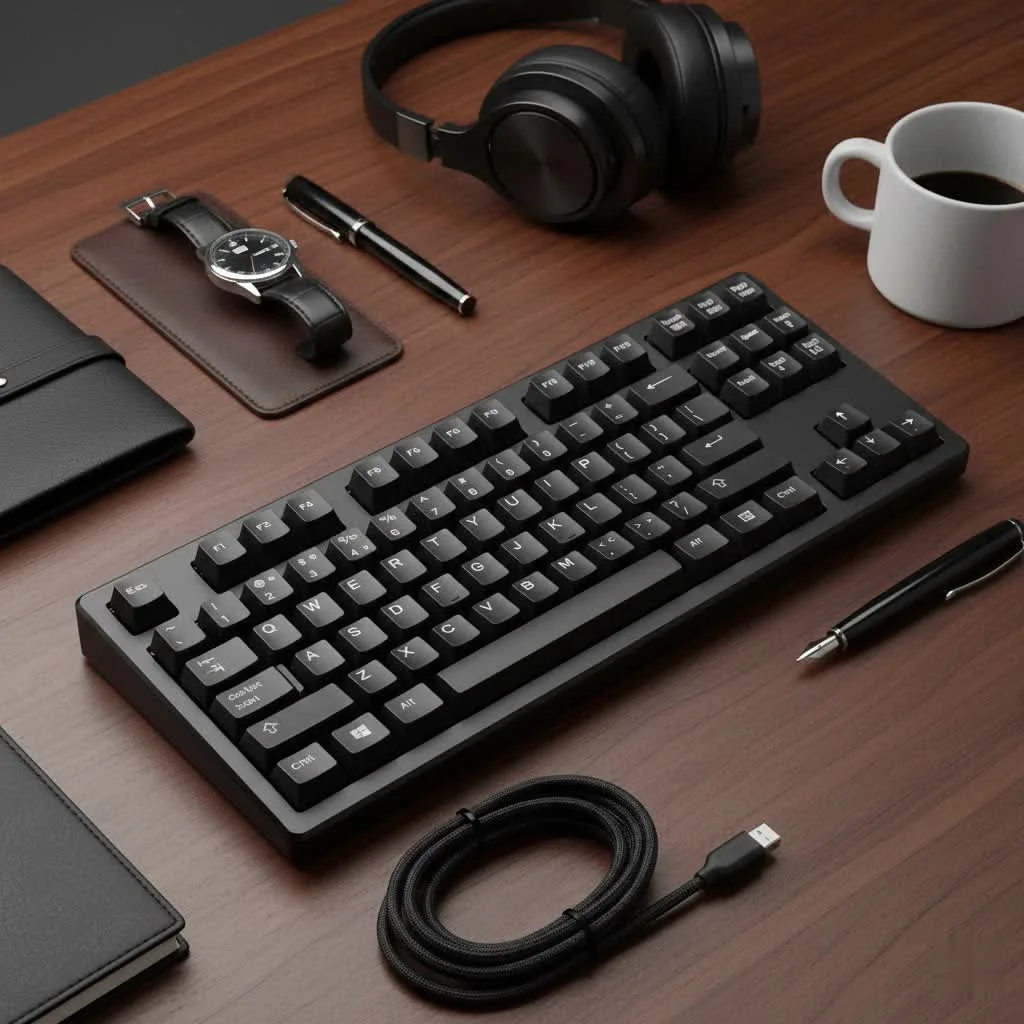
The 65 mechanical keyboard is a compact keyboard layout that typically features 67 to 68 keys, crucially including dedicated arrow keys while omitting the numpad and function key row (F1-F12). This design offers a balance of space-saving benefits, enhanced ergonomics, and aesthetic appeal, making it a popular choice for gamers, typists, and professionals seeking efficiency without sacrificing essential navigation. It is a refined version of the 60% layout, providing a more complete typing experience.
What Exactly is a 65 Mechanical Keyboard?
At its core, a 65 mechanical keyboard is a compact form factor that typically features around 67 to 68 keys. Think of it as a refined version of the even smaller 60% layout, but with a crucial addition: dedicated arrow keys. Unlike a full-sized keyboard (which boasts a numpad and a full function row) or a tenkeyless (TKL) keyboard (which removes the numpad but keeps the function row), the 65% layout opts to shed both the numpad and the function key row (F1-F12).
However, it cleverly retains a dedicated cluster of navigation keys, usually including Delete, Page Up, and Page Down, often positioned vertically along the right edge. This thoughtful design means you don’t sacrifice essential navigation, a common complaint with the ultra-minimalist 60% keyboards where arrow keys are often accessed through a function layer. It’s a design philosophy that champions efficiency without resorting to overly complex key combinations for everyday use.
The Undeniable Advantages of a 65 Mechanical Keyboard
There’s a reason the 65 mechanical keyboard has become a darling in the enthusiast community, and it boils down to several compelling benefits that resonate with modern users.
Space-Saving and Portability
In a world where desk space is often at a premium, a 65% layout is a true champion. Its compact footprint means more room for your mouse, particularly beneficial for gamers who need wide, unrestricted mouse movements, or for creatives who utilize large drawing tablets. The reduced size also makes it incredibly portable, easily slipping into a backpack for those who work from multiple locations or enjoy taking their custom build to meetups. It’s perfect for cultivating that clean, minimalist aesthetic that many desk setups aspire to achieve.
Enhanced Ergonomics
By removing the numpad, a 65% keyboard allows your hands to stay closer together, promoting a more natural and comfortable posture. This can alleviate wrist and shoulder strain over long typing sessions, a benefit that “truly transforms the daily computing experience,” as Liam Chen, Lead Keyboard Designer at Yoasy Labs, often emphasizes. The dedicated arrow keys, unlike their layered counterparts on 60% boards, are always there when you need them, reducing mental friction and improving workflow for tasks like coding or navigating documents.
Aesthetic Appeal
|
Our Picks for the Best Mechanical Keyboard in 2026
As an Amazon Associate I earn from qualifying purchases.
|
||
| Num | Product | Action |
|---|---|---|
| 1 | Logitech MX Mechanical Wireless Illuminated Performance Keyboard, Tactile Quiet Switches, Backlit Keys, Bluetooth, USB-C, macOS, Windows, Linux, iOS, Android, Metal, Graphite |

|
| 2 | Womier S-K80 75% Keyboard with Color Multimedia Display Mechanical Gaming Keyboard Creamy Sound, Wired Hot Swappable Gasket Mount RGB Custom Key board, Pre-lubed Stabilizer for Mac/Win, Black Kanagawa |
|
| 3 | Redragon Mechanical Gaming Keyboard Wired, 11 Programmable Backlit Modes, Hot-Swappable Red Switch, Anti-Ghosting, Double-Shot PBT Keycaps, Light Up Keyboard for PC Mac |
|
| 4 | AULA F75 Pro Wireless Mechanical Keyboard,75% Hot Swappable Custom Keyboard with Knob,RGB Backlit,Pre-lubed Reaper Switches,Side Printed PBT Keycaps,2.4GHz/USB-C/BT5.0 Mechanical Gaming Keyboards |
|
| 5 | AULA F99 Wireless Mechanical Keyboard,Tri-Mode BT5.0/2.4GHz/USB-C Hot Swappable Custom Keyboard,Pre-lubed Linear Switches,RGB Backlit Computer Gaming Keyboards for PC/Tablet/PS/Xbox |
|
| 6 | SteelSeries USB Apex 5 Hybrid Mechanical Gaming Keyboard – Per-Key RGB Illumination – Aircraft Grade Aluminum Alloy Frame – OLED Smart Display (Hybrid Blue Switch) |
|
| 7 | AK96 Smart Mechanical Keyboard Gaming, 96 Keys Full Size with LED Colorful Backlit, Clicky Creamy Sounding, USB Wired Computer Keyboard with Volume Knob for PC, Mac, Windows(Grey) |
|
| 8 | RK ROYAL KLUDGE R98 Pro Wired Mechanical Keyboard, 96% Creamy Gaming Keyboard RGB Backlit with Number Pad and Volume Knob, Gasket Mount, MDA Profile PBT Keycaps, Hot Swappable Pre-lubed Linear Switch |
|
| 9 | EPOMAKER x Aula F75 Gasket Mechanical Keyboard, 75% Wireless Hot Swappable Gaming Keyboard with Five-Layer Padding&Knob, Bluetooth/2.4GHz/USB-C, RGB (Light Blue, LEOBOG Reaper Switch) |
|
| 10 | RK ROYAL KLUDGE S98 Mechanical Keyboard w/Smart Display & Knob, Top Mount 96% Wireless Mechanical Keyboard BT/2.4G/USB-C, Hot Swappable, Software Support, Creamy Sounding, 98 Keys |
|
Let’s be honest, mechanical keyboards are also about personal expression. The streamlined, symmetrical look of a 65 mechanical keyboard is incredibly appealing. Without the clutter of a numpad or a full function row, these boards offer a clean canvas, making your chosen keycap set and custom case truly stand out. It’s a statement of intentional design and focused functionality.
Navigating the Trade-offs: What You Should Know
While the 65 mechanical keyboard offers a many advantages, it’s not without its considerations. Understanding these trade-offs is key to determining if this layout is the right fit for your needs.
The Learning Curve: Adapting to Missing Keys
The most significant adjustment for newcomers is undoubtedly the absence of a dedicated function row (F1-F12) and the numpad. While media controls and function keys are accessible via a “function layer” (holding down an ‘Fn’ key in combination with another key), this requires a period of adaptation. Muscle memory built over years of using full-sized keyboards needs retraining. However, for many, the benefits of compactness quickly outweigh this initial inconvenience, making the function layer a natural part of their workflow.
Keycap Compatibility
Another minor point to consider is keycap compatibility. Some 65% layouts feature a non-standard 1.75u right Shift key or other unique modifier sizes in the bottom row. While most quality keycap sets include these specialty keys, it’s worth double-checking if you plan on diving into the vast world of custom keycaps.
Choosing Your Perfect 65 Mechanical Keyboard
With the popularity of the 65 mechanical keyboard, the market is brimming with options. To help you navigate, let’s break down the essential components and features to consider.
Switches: The Heart of Your Keyboard
The choice of switch dramatically impacts your typing and gaming experience.
- Linear Switches: Offer a smooth, consistent keystroke from top to bottom, favored by many gamers for rapid actuation. Examples include Cherry MX Red, Gateron Yellow, Akko CS Silver.
- Tactile Switches: Provide a bump in the keystroke, giving you feedback without a loud click. Great for typing accuracy. Think Cherry MX Brown, Gateron Brown, Kailh Box Brown.
- Clicky Switches: Deliver a distinct audible click and a tactile bump, offering satisfying feedback for those who enjoy the sound. Cherry MX Blue and Kailh Box White are classic examples.
Many modern 65 mechanical keyboards feature hot-swappable sockets, allowing you to change switches without soldering. This is a major upgrade for enthusiasts, offering unparalleled flexibility to experiment and fine-tune your typing feel.
Keycaps: Beyond Aesthetics
Keycaps aren’t just for looks; they influence feel, sound, and durability.
- Material:
- PBT (Polybutylene Terephthalate): More durable, resistant to shine, and often has a textured feel.
- ABS (Acrylonitrile Butadiene Styrene): Smoother, can develop shine over time, but allows for more vibrant colors.
- Profile: Refers to the shape and height of the keycaps. Popular profiles like Cherry and OEM are sculpted for ergonomic typing, while uniform profiles like XDA and DSA offer a consistent feel across all keys.
Build Quality and Features
The overall construction contributes significantly to the keyboard’s longevity and typing experience.
- Case Material: Aluminum offers a premium, hefty feel and often better sound acoustics, while plastic cases are more budget-friendly and lighter.
- Connectivity: Options range from reliable wired USB-C to versatile wireless solutions (Bluetooth, 2.4GHz dongle) for a clutter-free desk.
- Programmability: Look for boards with QMK/VIA support. This open-source firmware allows for deep customization of key assignments, macros, and layers, turning your keyboard into a truly personalized tool.
- Sound and Feel: Features like gasket mounting (where the plate is mounted with soft material to allow for flexibility) and various foam layers (Poron, PE foam) are popular in custom builds to enhance typing feel and create a desirable acoustic profile, often a satisfying “thock.”
Top 65 Mechanical Keyboards to Consider (2024/2025 Picks)
The market for 65 mechanical keyboards is vibrant, with excellent options for every need:
- For Gamers: The Razer BlackWidow V3 Mini or the Cherry Xtrfy K5V2 Compact are standout choices, offering rapid response times and robust software for game-specific profiles.
- For Productivity: The Keychron Q2 is a highly regarded option, praised for its premium build, gasket mount, and extensive QMK/VIA programmability, making it a dream for typists and coders.
- Budget-Friendly Options: Boards like the Royal Kludge RK68 or the GMK67 offer hot-swappability and solid performance at an accessible price point, perfect for those dipping their toes into the custom keyboard world.
- Custom Kit Options: If you’re ready to build your own, kits like the QK65 or the KBDfans Tofu65 provide a fantastic foundation for a truly personalized experience.
Unlocking Full Potential: Modding and Customizing Your 65 Mechanical Keyboard
One of the most exciting aspects of owning a 65 mechanical keyboard is the opportunity for customization. Modding isn’t just for advanced users; even simple tweaks can dramatically improve your experience.
Lube Your Switches
Lubing switches is perhaps the most impactful mod. Applying a thin layer of specialized grease to the switch components reduces friction, resulting in a smoother keystroke and a more pleasing sound profile. It transforms a good switch into a great one.
Stabilizer Modding
Stabilizers, found under larger keys like Spacebar, Shift, and Enter, can often rattle or feel inconsistent. Modding them by lubing, clipping, or using the “Holee Mod” (applying medical tape inside the housing) can eliminate these issues, leading to a much more stable and satisfying keypress.
Sound Dampening
Adding foam (like Poron or EVA) inside the keyboard case or between the PCB and plate can dramatically improve acoustics by reducing hollowness and unwanted resonance. The popular “tape mod,” involving applying painter’s tape to the back of the PCB, is another simple yet effective way to achieve a deeper, more satisfying sound.
Custom Firmware with QMK/VIA
For ultimate control, QMK/VIA firmware allows you to remap every key, create complex macros, and configure multiple layers. Imagine having dedicated layers for gaming, coding, or graphic design, all accessible with a simple key combo. This level of customization truly unlocks the full potential of your 65 mechanical keyboard.
Expert Insights on the 65 Mechanical Keyboard Trend
“The 65 mechanical keyboard isn’t just a trend; it’s a shows refined ergonomic design and practical utility,” states Elara Vance, a renowned keyboard modding guru and Youtuber. “It addresses the core needs of modern users—desk space, portability, and dedicated arrow keys—without overcomplicating the layout. We’re seeing more people than ever choosing this form factor, proving its versatility across gaming, professional work, and creative tasks.”
FAQs about 65 Mechanical Keyboards
Is a 65% keyboard good for coding?
Absolutely! Many coders find the dedicated arrow keys invaluable for navigation. While the F-row is typically accessed via a function layer, QMK/VIA programmability allows for highly efficient macros and shortcuts tailored to coding workflows.
What are function layers?
Function layers allow you to assign secondary functions to keys. By holding down an ‘Fn’ key (or another designated modifier), your keyboard switches to a different layer, giving you access to F-keys, media controls, or custom macros without needing dedicated physical keys.
Can I use a 65% keyboard for gaming?
Yes, 65 mechanical keyboards are excellent for gaming. Their compact size frees up significant mouse space, which is crucial for competitive gaming. The dedicated arrow keys are also a benefit for many game genres. The only potential adjustment is for games that heavily rely on the F-row, but these can usually be remapped or accessed through the function layer.
Are 65% keyboards more expensive?
Not necessarily. While premium custom 65 mechanical keyboard kits can be pricey, many excellent pre-built and budget-friendly options exist. The cost largely depends on the materials, switches, and features.
How do I clean my 65% mechanical keyboard?
Regular cleaning involves using compressed air to remove dust and debris, a brush for crevices, and a damp cloth for keycaps and case. For deeper cleaning, you can carefully remove keycaps and clean beneath them with a gentle cleaning solution. For hot-swappable boards, you can even remove switches for thorough cleaning.
Conclusion
The 65 mechanical keyboard truly represents a sweet spot in the vast universe of keyboard layouts. It offers a captivating blend of compactness, aesthetic elegance, and practical functionality, making it an ideal choice for a diverse range of users—from competitive gamers to diligent typists and creative professionals. At Yoasy.com, we believe that understanding your tools empowers you to achieve more, and the 65% layout is a tool worth mastering. So, whether you’re building your first custom board or seeking a refined upgrade, embrace the efficiency and charm of the 65 mechanical keyboard. Dive in, explore the endless possibilities of customization, and improve your typing experience. We’re here to guide you every step of the way!
Frequently Asked Questions
Is a 65% keyboard good for coding?
Yes, a 65% keyboard is excellent for coding because it includes dedicated arrow keys, which are invaluable for navigation. While the F-row is accessed via a function layer, QMK/VIA programmability allows for highly efficient macros and shortcuts tailored to specific coding workflows.
What are function layers on a 65% mechanical keyboard?
Function layers enable users to assign secondary functions to keys. By holding down an 'Fn' key or another designated modifier, the keyboard switches to a different layer, providing access to F-keys, media controls, or custom macros without requiring dedicated physical keys.
Can I use a 65% keyboard for gaming effectively?
Yes, 65% mechanical keyboards are highly effective for gaming. Their compact size frees up significant mouse space, which is crucial for competitive play. The dedicated arrow keys also benefit many game genres, with F-row functions typically remapped or accessed via the function layer.
Are 65% mechanical keyboards generally more expensive than other layouts?
Not necessarily. While premium custom 65 mechanical keyboard kits can be pricey, many excellent pre-built and budget-friendly options are available. The overall cost largely depends on the materials, chosen switches, and included features.
How do you properly clean a 65% mechanical keyboard?
Regular cleaning involves using compressed air to remove dust and debris, a brush for crevices, and a damp cloth for keycaps and the case. For a deeper clean, carefully remove keycaps and clean beneath them with a gentle solution. Hot-swappable boards allow for switch removal for thorough cleaning.
Choosing Your Perfect 65 Mechanical Keyboard
Navigate the essential components and features to consider when selecting a 65 mechanical keyboard that fits your needs.
Choose between linear, tactile, or clicky switches based on your preference for typing feel and sound. Linear switches offer smooth keystrokes, tactile switches provide a bump for feedback, and clicky switches deliver an audible click. Many modern 65% keyboards feature hot-swappable sockets for easy switch changes.
Keycaps influence feel, sound, and durability. PBT keycaps are durable and resistant to shine, while ABS keycaps are smoother and allow for vibrant colors. Popular profiles like Cherry and OEM are sculpted for ergonomics, while XDA and DSA offer a consistent feel.
Assess the case material (aluminum for premium feel, plastic for budget), connectivity options (wired USB-C, wireless Bluetooth/2.4GHz), and programmability (QMK/VIA support for customization). Features like gasket mounting and foam layers can enhance typing feel and acoustics.
Consider specific models based on your primary use. For gamers, options like the Razer BlackWidow V3 Mini are ideal. For productivity, the Keychron Q2 offers premium build and programmability. Budget-friendly choices include the Royal Kludge RK68, while custom kits like the QK65 provide a foundation for personalization.
Get our weekly buyer guide
Practical specs, not advice. Unsubscribe anytime.

This layout is seriously the sweet spot. I’m a professional typist and the balance between compactness and functionality is just right. The guide’s point about it being a refined version of the 60% layout really resonated with me, as I tried a 60% before and found it too restrictive. This 65% is perfect for long typing sessions.
I’ve been using a full-sized keyboard for years and finally decided to make the switch to a 65% layout after reading about the space-saving benefits. This guide really helped me understand the difference from a 60% and why the dedicated arrow keys are a game-changer for my workflow. My desk looks so much cleaner now, and typing feels incredibly efficient.
As a gamer, I was hesitant to give up my TKL, but the enhanced ergonomics of the 65 mechanical keyboard really appealed to me. It took a little getting used to not having the function row, but I’ve remapped some keys and it’s working out great. The compact design is perfect for competitive gaming where every inch of desk space counts.
I picked up a 65% keyboard hoping for a more complete typing experience than my old 60%. While the dedicated arrow keys are definitely a plus, I do miss having the F1-F12 keys for certain shortcuts in my professional software. It’s a good keyboard, but the learning curve for adapting to the missing function row is a bit steeper than I anticipated.