Mechanical keyboard switch types are categorized into three main groups: Linear, Tactile, and Clicky. Each type offers a distinct feel and sound profile, with Linear switches providing a smooth, consistent keystroke, Tactile switches featuring a noticeable bump for feedback, and Clicky switches producing both a tactile bump and an audible click. Understanding these differences is crucial for selecting a keyboard that matches your typing and gaming preferences.
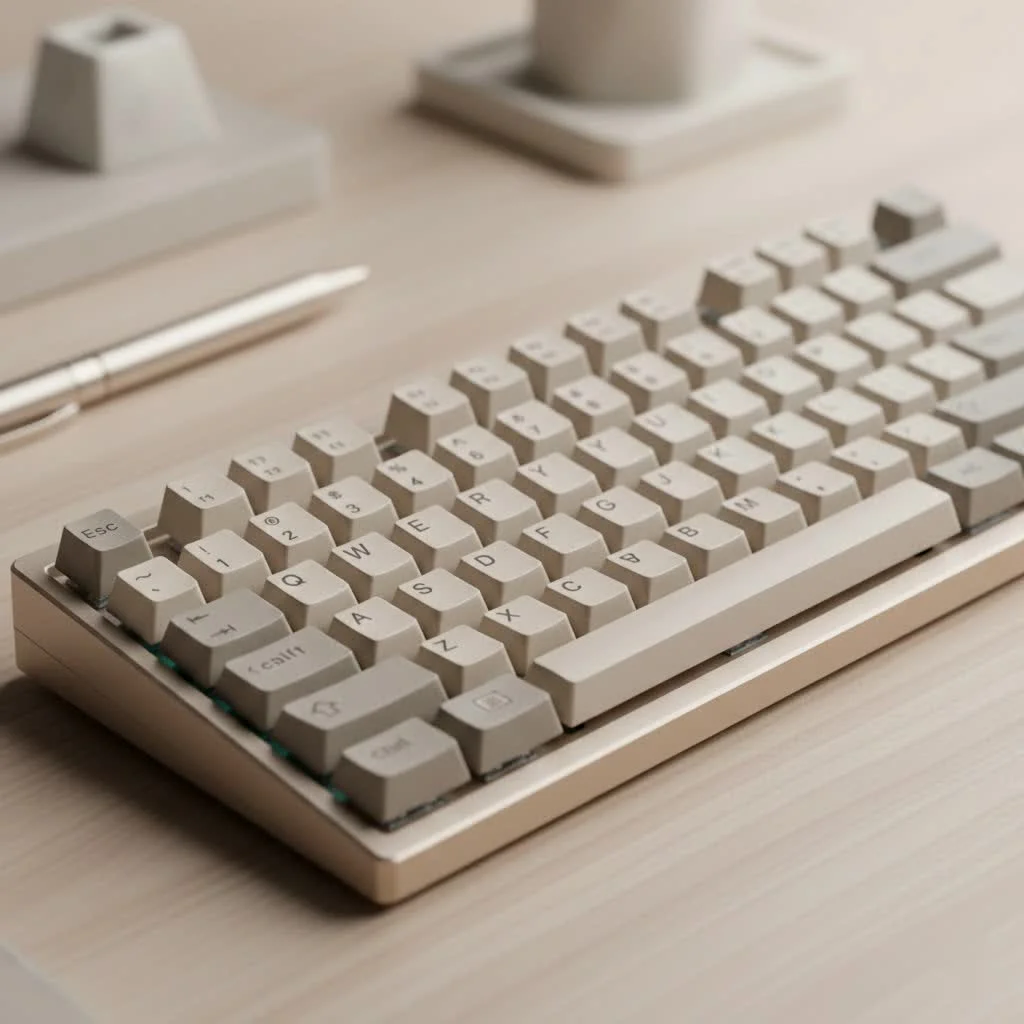
The switch is the mechanism beneath each keycap that registers a keystroke. Unlike the mushy rubber domes in a standard office keyboard, a mechanical switch has its own housing, spring, and stem. When you press a key, the stem travels down and causes two metal contacts to connect, sending a signal to your computer. The design of that stem and spring is what creates the unique feel and sound of each switch type, fundamentally defining your typing and gaming experience.
The Three Main Switch Types Explained
At the highest level, virtually all mechanical switches fall into one of three categories: Linear, Tactile, or Clicky. Each offers a distinct feel and sound profile tailored to different preferences and tasks.
Linear Switches: Smooth and Silent Speed
Linear switches are the simplest of the bunch. They provide a smooth, consistent keystroke from the moment you press the key to the moment it bottoms out. There’s no bump or audible click along the way.
- Feel: A straight, uninterrupted path. The resistance is uniform throughout the keypress.
- Sound: Generally the quietest of the three types, making them a great choice for office environments or late-night gaming sessions.
- Best For: Gamers often prefer linear switches because their smooth action allows for rapid, repeated keystrokes without any tactile interference. They are perfect for fast-paced games where split-second reactions matter.
Popular examples include the Cherry MX Red, Gateron Red, and Kailh Red. Their light actuation force makes them feel fast and responsive.
Tactile Switches: The All-Arounder’s Choice
Tactile switches are the happy medium. As you press the key, you’ll feel a noticeable but quiet “bump” partway through the travel. This bump provides feedback that the keystroke has been registered, meaning you don’t have to press the key all the way down.
- Feel: A distinct bump in the middle of the keypress.
- Sound: Quieter than clicky switches, with the sound coming mostly from the keycap “bottoming out” (hitting the switch housing).
- Best For: Tactile switches are fantastic all-rounders. The feedback is excellent for typing, as it can help improve accuracy and reduce typos without creating a lot of noise. They are equally capable for gaming, making them a popular choice for users who split their time between work and play.
The most famous tactile switch is the Cherry MX Brown, with Gateron Brown and Kailh Brown being popular alternatives.
Clicky Switches: Loud and Proudly Satisfying
|
Our Picks for the Best Mechanical Keyboard in 2026
As an Amazon Associate I earn from qualifying purchases.
|
||
| Num | Product | Action |
|---|---|---|
| 1 | RK ROYAL KLUDGE R98 Pro Wired Mechanical Keyboard, 96% Creamy Gaming Keyboard RGB Backlit with Number Pad and Volume Knob, Gasket Mount, MDA Profile PBT Keycaps, Hot Swappable Pre-lubed Linear Switch |

|
| 2 | Redragon Mechanical Gaming Keyboard Wired, 11 Programmable Backlit Modes, Hot-Swappable Red Switch, Anti-Ghosting, Double-Shot PBT Keycaps, Light Up Keyboard for PC Mac |
|
| 3 | EPOMAKER x Aula F75 Gasket Mechanical Keyboard, 75% Wireless Hot Swappable Gaming Keyboard with Five-Layer Padding&Knob, Bluetooth/2.4GHz/USB-C, RGB (Light Blue, LEOBOG Reaper Switch) |
|
| 4 | AULA F75 Pro Wireless Mechanical Keyboard,75% Hot Swappable Custom Keyboard with Knob,RGB Backlit,Pre-lubed Reaper Switches,Side Printed PBT Keycaps,2.4GHz/USB-C/BT5.0 Mechanical Gaming Keyboards |
|
| 5 | Womier S-K80 75% Keyboard with Color Multimedia Display Mechanical Gaming Keyboard Creamy Sound, Wired Hot Swappable Gasket Mount RGB Custom Key board, Pre-lubed Stabilizer for Mac/Win, Black Kanagawa |
|
| 6 | SteelSeries USB Apex 5 Hybrid Mechanical Gaming Keyboard – Per-Key RGB Illumination – Aircraft Grade Aluminum Alloy Frame – OLED Smart Display (Hybrid Blue Switch) |
|
| 7 | AK96 Smart Mechanical Keyboard Gaming, 96 Keys Full Size with LED Colorful Backlit, Clicky Creamy Sounding, USB Wired Computer Keyboard with Volume Knob for PC, Mac, Windows(Grey) |
|
| 8 | RK ROYAL KLUDGE S98 Mechanical Keyboard w/Smart Display & Knob, Top Mount 96% Wireless Mechanical Keyboard BT/2.4G/USB-C, Hot Swappable, Software Support, Creamy Sounding, 98 Keys |
|
| 9 | AULA F99 Wireless Mechanical Keyboard,Tri-Mode BT5.0/2.4GHz/USB-C Hot Swappable Custom Keyboard,Pre-lubed Linear Switches,RGB Backlit Computer Gaming Keyboards for PC/Tablet/PS/Xbox |
|
| 10 | Logitech MX Mechanical Wireless Illuminated Performance Keyboard, Tactile Quiet Switches, Backlit Keys, Bluetooth, USB-C, macOS, Windows, Linux, iOS, Android, Metal, Graphite |
|
Clicky switches are the most audacious of the family. They are, in essence, tactile switches with an added mechanism that produces a sharp, crisp “click” sound at the point of actuation. You get both the tactile bump and an audible confirmation.
- Feel: A tactile bump accompanied by a sharp click.
- Sound: Loud, clear, and high-pitched. This is the classic, typewriter-esque sound many associate with mechanical keyboards.
- Best For: Typists who love auditory feedback and a highly satisfying, responsive feel. The sound can be incredibly gratifying, but it’s not ideal for shared spaces or quiet offices.
The quintessential clicky switch is the Cherry MX Blue. Other well-regarded options include the Gateron Blue and Kailh BOX White.
As keyboard specialist Alex Renner notes, “Choosing a switch isn’t about finding the ‘best’ one, but the best one for you. A gamer’s ideal linear switch might feel unsatisfying to a writer who craves the feedback of a clicky blue.”
How Do You Choose the Right Switch Type?
Your ideal switch depends entirely on your primary use case and personal preference. Let’s break it down with a simple checklist.
Checklist for Choosing Your Switch
-
Where will you use the keyboard?
- Shared Office / Quiet Home: Linear or Tactile switches are your best bet. Clicky switches can be disruptive to those around you.
- Private Office / Solo Use: Any type works. Feel free to go for those loud and satisfying clicky switches if you enjoy them.
-
What is your primary activity?
- Primarily Gaming: Linear switches are often recommended for their speed and lack of interference.
- Primarily Typing: Tactile or Clicky switches provide feedback that can enhance typing speed and accuracy.
- A Mix of Both: Tactile switches are the perfect compromise, offering great performance for both productivity and play.
-
What is your sound preference?
- I prefer quiet: Stick with Linear switches, or consider specialized “Silent” variants like the Cherry MX Silent Red.
- I don’t mind some sound: Tactile switches offer a satisfying but muted sound profile.
- I love auditory feedback: Clicky switches will give you that classic, sharp clicking sound with every press.
A Quick Comparison of Major Switch Brands
While Cherry MX from Germany is the original and most well-known manufacturer, several other brands have emerged, offering excellent quality, often at a more competitive price point.
| Feature | Cherry MX | Gateron | Kailh |
|---|---|---|---|
| Feel | Considered the benchmark. Often described as having a slightly “scratchier” feel when new. | Known for being exceptionally smooth, especially their linear switches. | Often have a slightly higher actuation point and a distinct “thocky” sound. Their BOX switches are famous for stability and dust resistance. |
| Reputation | The industry standard for decades, known for extreme durability and consistency (rated for 100 million keystrokes). | A popular enthusiast choice, praised for offering a premium feel at a budget-friendly price. | An innovative brand that produces a vast array of switch types, including Speed and BOX switches. |
| Price | Generally the most expensive option. | The most budget-friendly of the three. | Priced between Gateron and Cherry, offering excellent value. |
Frequently Asked Questions
What are optical switches?
Optical switches work differently from standard mechanical switches. Instead of metal contacts, they use a beam of light. When you press the key, the stem blocks the light beam, which actuates the key. This results in faster response times and increased durability since there are no metal parts to wear out.
What do the different switch colors mean?
The color of a switch stem typically indicates its characteristics across all brands. For example, Red is almost always a light linear switch, Brown is tactile, and Blue is clicky. However, brands also have other colors (Black, Green, Silver) to denote different spring weights or features, so it’s always best to check the specific product’s specifications.
Can I change the switches on my keyboard?
It depends. If your keyboard is “hot-swappable,” you can easily pull the old switches out and plug new ones in without any soldering. This is a fantastic feature for enthusiasts who want to experiment with different mechanical keyboard switch types. If your keyboard is not hot-swappable, the switches are soldered to the circuit board (PCB) and changing them requires desoldering and soldering skills.
What is actuation force?
Actuation force is the amount of pressure, measured in centiNewtons (cN) or grams (g), required to register a keystroke. A lower number means a “lighter” switch that’s easier to press, while a higher number indicates a “heavier” switch that requires more deliberate force.
Your Journey Starts Here
Understanding the different mechanical keyboard switch types is the first and most crucial step in your mechanical keyboard journey. There’s no right or wrong answer—only what feels best for your fingers and fits your environment. Linears offer pure speed, clickies provide ultimate satisfaction, and tactiles masterfully balance both worlds. The best advice I can give is to try them out if you can. Visit a store or buy a small switch tester online. Your fingers will thank you for it, and your new keyboard will feel less like a tool and more like an extension of yourself.
Choose the Right Mechanical Keyboard Switch Type
Selecting the ideal mechanical keyboard switch involves considering your usage environment, primary activities, and sound preferences. This guide helps you narrow down options from linear, tactile, and clicky switches.
Determine where you will primarily use the keyboard. For shared offices or quiet homes, linear or tactile switches are recommended to avoid disturbing others. If you have a private office or use the keyboard solo, any switch type, including loud clicky switches, is suitable.
Align your switch choice with your main activity. Gamers often prefer linear switches for speed, while typists benefit from the feedback of tactile or clicky switches for improved accuracy. For a mix of both, tactile switches offer a balanced performance.
Decide how much sound you prefer. Linear switches are the quietest, with options like Cherry MX Silent Red for even less noise. Tactile switches offer a satisfying but muted sound, while clicky switches provide a loud, sharp clicking sound for those who enjoy strong auditory feedback.
Get our weekly buyer guide
Practical specs, not advice. Unsubscribe anytime.

I’ve been using membrane keyboards forever and finally decided to upgrade. This guide really helped me understand the difference between Linear, Tactile, and Clicky switches. I ended up going with a keyboard with tactile switches and the feedback is just what I needed for my coding work. No more accidental key presses!
I was hoping to find a definitive answer on which switch is ‘best’ for typing, but it seems like it really comes down to personal preference. I tried a keyboard with clicky switches based on a friend’s recommendation, and while the sound is satisfying at first, it gets a bit much after a while. I’m still on the hunt for my perfect switch.
Great breakdown of the switch types. I’ve always preferred linear switches for gaming because of the smooth, consistent keystroke, and it’s good to see that preference validated. My only minor gripe is that I wish there were more specific brand recommendations for each switch type, but overall, super helpful for anyone new to mechanical keyboards.
This was exactly what I needed! I’ve been wanting to get into mechanical keyboards but felt overwhelmed by all the options. Understanding how the stem and spring design creates the unique feel of each switch made so much sense. I’m definitely leaning towards a tactile switch for my everyday use now.