In a world of black and grey peripherals, the rise of the pink mechanical keyboard is a breath of fresh air. It’s more than just a piece of hardware; it’s a statement piece, a core component of a personalized desk setup, and a joyful expression of style. But a great keyboard is about more than just its color. As an engineer who has spent over a decade deep in the world of mechanical keyboards, I’m here to guide you through everything you need to know to find the perfect pink keyboard that delivers both on aesthetics and performance.
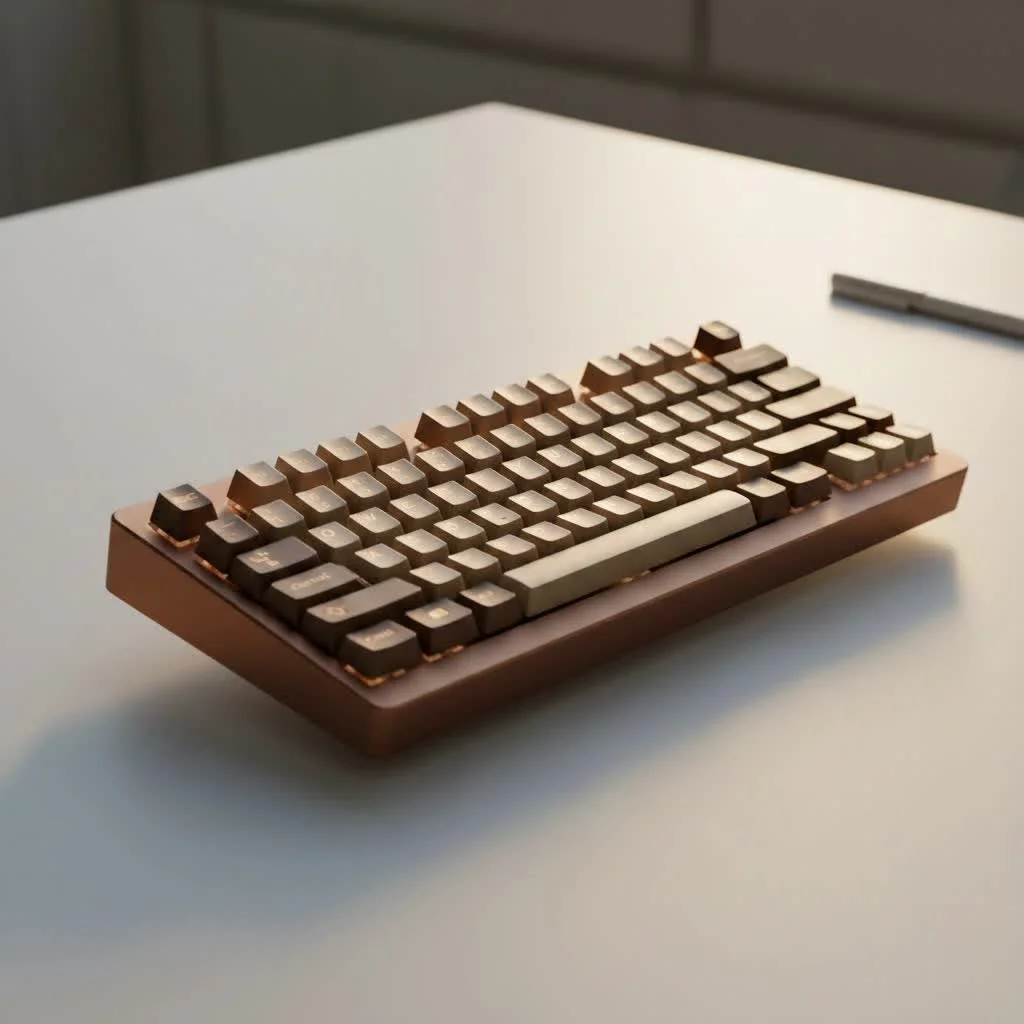
Whether you’re a hardcore gamer, a dedicated programmer, or someone who simply wants to make their workspace more inspiring, this guide will demystify the specs and features. We’ll explore the switches that provide that satisfying feel, the keycaps that define the look, and the layouts that fit your specific needs, ensuring your new keyboard is the perfect match for you. For complete reviews library on this site.
Why Choose a Pink Mechanical Keyboard?
A pink mechanical keyboard is a deliberate choice to infuse personality into your tech. It moves beyond pure utility to become an element of design. This trend is popular for creating “kawaii” or “aesthetic” desk setups, often coordinated with matching mice, desk mats, and lighting. But the appeal isn’t just visual. The tactile feedback and satisfying sound of a mechanical keyboard can make typing a more enjoyable and even more accurate experience. You’re not just buying a tool; you’re investing in an experience that makes everyday tasks a little more delightful.
The Core Components: What Makes a Mechanical Keyboard Tick?
Before you pick a model, it’s crucial to understand what goes inside. The internal components are what separate a beautiful but mediocre keyboard from a truly exceptional one.
Mechanical Switches: The Heart of the Feel
The single most important component of any mechanical keyboard is the switch. This is the mechanism beneath each key that registers a keystroke. Different switches provide vastly different typing experiences.
- Linear Switches: These are smooth and consistent, with no bump or click. They move straight down, making them fast and quiet. They are a favorite among gamers who need rapid, repeated keystrokes. Common examples include Cherry MX Red and Gateron Red.
- Tactile Switches: These switches provide a noticeable “bump” in the middle of the keystroke to let you know the key has been activated. This feedback is great for typists as it can improve accuracy without being overly loud. The classic example is the Cherry MX Brown.
- Clicky Switches: If you love an audible, satisfying “click” with every press, these are for you. They have a tactile bump and a distinct clicking sound. While incredibly satisfying, they are also the loudest option, so they might not be ideal for an open office environment. Cherry MX Blue switches are the most famous example.
As keyboard expert Dr. Evelyn Reed, a specialist in ergonomic design, states, “The right switch isn’t about which is ‘best,’ but which is best for you. A linear switch might improve a gamer’s reaction time, while a tactile switch can reduce typing fatigue for a writer.”
Keycaps: Style and Substance
|
Our Picks for the Best Mechanical Keyboard in 2026
As an Amazon Associate I earn from qualifying purchases.
|
||
| Num | Product | Action |
|---|---|---|
| 1 | EPOMAKER x Aula F75 Gasket Mechanical Keyboard, 75% Wireless Hot Swappable Gaming Keyboard with Five-Layer Padding&Knob, Bluetooth/2.4GHz/USB-C, RGB (Light Blue, LEOBOG Reaper Switch) |

|
| 2 | AK96 Smart Mechanical Keyboard Gaming, 96 Keys Full Size with LED Colorful Backlit, Clicky Creamy Sounding, USB Wired Computer Keyboard with Volume Knob for PC, Mac, Windows(Grey) |
|
| 3 | SteelSeries USB Apex 5 Hybrid Mechanical Gaming Keyboard – Per-Key RGB Illumination – Aircraft Grade Aluminum Alloy Frame – OLED Smart Display (Hybrid Blue Switch) |
|
| 4 | Logitech MX Mechanical Wireless Illuminated Performance Keyboard, Tactile Quiet Switches, Backlit Keys, Bluetooth, USB-C, macOS, Windows, Linux, iOS, Android, Metal, Graphite |
|
| 5 | AULA F75 Pro Wireless Mechanical Keyboard,75% Hot Swappable Custom Keyboard with Knob,RGB Backlit,Pre-lubed Reaper Switches,Side Printed PBT Keycaps,2.4GHz/USB-C/BT5.0 Mechanical Gaming Keyboards |
|
| 6 | RK ROYAL KLUDGE S98 Mechanical Keyboard w/Smart Display & Knob, Top Mount 96% Wireless Mechanical Keyboard BT/2.4G/USB-C, Hot Swappable, Software Support, Creamy Sounding, 98 Keys |
|
| 7 | Redragon Mechanical Gaming Keyboard Wired, 11 Programmable Backlit Modes, Hot-Swappable Red Switch, Anti-Ghosting, Double-Shot PBT Keycaps, Light Up Keyboard for PC Mac |
|
| 8 | AULA F99 Wireless Mechanical Keyboard,Tri-Mode BT5.0/2.4GHz/USB-C Hot Swappable Custom Keyboard,Pre-lubed Linear Switches,RGB Backlit Computer Gaming Keyboards for PC/Tablet/PS/Xbox |
|
| 9 | Womier S-K80 75% Keyboard with Color Multimedia Display Mechanical Gaming Keyboard Creamy Sound, Wired Hot Swappable Gasket Mount RGB Custom Key board, Pre-lubed Stabilizer for Mac/Win, Black Kanagawa |
|
| 10 | RK ROYAL KLUDGE R98 Pro Wired Mechanical Keyboard, 96% Creamy Gaming Keyboard RGB Backlit with Number Pad and Volume Knob, Gasket Mount, MDA Profile PBT Keycaps, Hot Swappable Pre-lubed Linear Switch |
|
Keycaps are the plastic tops you see and touch. They play a huge role in both the look and feel of your pink mechanical keyboard.
Keycap Material
- ABS (Acrylonitrile Butadiene Styrene): This is a common, affordable plastic. It’s easy to mold, so it’s often used for complex, double-shot legends. However, it can develop a smooth, shiny texture over time with heavy use.
- PBT (Polybutylene Terephthalate): This is a more premium and durable material. PBT keycaps have a textured, matte finish that resists shine from finger oils. They also tend to produce a slightly deeper sound. For a long-lasting pink keyboard, PBT keycaps are an excellent choice.
Keycap Profiles
The “profile” refers to the shape and height of the keycaps. OEM and Cherry are the most common and feel familiar to most users. Other profiles like SA (tall and spherical) or XDA (uniform and flat) can offer a different ergonomic and aesthetic experience.
Finding the Right Size and Layout
Keyboards come in various sizes, and the right one depends on your desk space and needs.
- Full-Size (100%): The traditional layout with a number pad. Ideal for data entry and those who need the numpad frequently.
- Tenkeyless (TKL): A full-size board without the number pad. It saves desk space while keeping the standard navigation cluster (arrow keys, Home, End, etc.).
- 75% or 65%: These compact layouts are increasingly popular. A 65% keyboard ditches the function row and navigation cluster but keeps the arrow keys, offering a great balance of form and function.
- 60%: The most compact practical layout, removing the arrow keys and function row entirely. Functions are accessed through a secondary layer (using an ‘Fn’ key).
For a clean, minimalist pink setup, a 65% or TKL keyboard is often the sweet spot, providing essential keys without taking up too much real estate.
Essential Features to Consider
When shopping for your pink mechanical keyboard, keep an eye out for these features that can elevate your experience.
- RGB Lighting: Customizable backlighting allows you to match your keyboard’s glow perfectly with your pink theme. You can set it to a soft white, a complementary purple, or a full rainbow effect.
- Connectivity: Do you want a clean, wireless look or the reliability of a wired connection? Many modern keyboards offer both Bluetooth/2.4GHz wireless and a detachable USB-C cable for wired use and charging.
- Hotswap Capability: A hotswap keyboard allows you to change the mechanical switches easily without any soldering. This is a fantastic feature for enthusiasts who want to experiment with different switch types in the future.
Customizing Your Pink Keyboard
The journey doesn’t have to end with a pre-built keyboard. The mechanical keyboard community is built on customization.
- Custom Keycaps: Find a unique set of pink-themed keycaps to completely change the look of your board.
- Coiled Aviator Cables: A matching pink or white coiled cable adds a premium, custom touch to your setup.
- Artisan Keycaps: These are single, handcrafted keycaps that can be placed on a key like ‘Escape’ to add a unique piece of art to your board.
Frequently Asked Questions (FAQ)
Are pink mechanical keyboards good for gaming?
Absolutely. The color has no impact on performance. A keyboard’s gaming capability is determined by its switches (many gamers prefer linear), its build quality, and its key rollover (the ability to register multiple simultaneous keystrokes), which are all excellent on high-quality mechanical keyboards.
How do I keep my pink keyboard clean?
To keep your pink keyboard looking fresh, regularly wipe the keycaps and case with a microfiber cloth. For a deeper clean, you can use a keycap puller to remove the keycaps and wash them in warm, soapy water. Use compressed air to blow out any dust or debris from between the switches.
What’s the difference between a cheap and an expensive pink keyboard?
The price difference usually comes down to materials and features. More expensive keyboards often feature a metal (usually aluminum) case, higher-quality PBT keycaps, premium switches, hotswap sockets, and better wireless connectivity. Cheaper models typically use plastic cases and more basic ABS keycaps.
Can I build my own custom pink mechanical keyboard from scratch?
Yes! The custom keyboard hobby is booming. You can source a pink case, a PCB (printed circuit board), switches, stabilizers, and keycaps to build a keyboard that is 100% unique to you. It’s a rewarding project for those who enjoy a bit of DIY.
Where is the best place to buy a pink mechanical keyboard?
You can find them at major electronics retailers, but for a wider and more specialized selection, check out websites dedicated to mechanical keyboards like MechanicalKeyboards.com, Keychron, Akko, or Drop. Sites like Etsy also have custom-built options and accessories.
Your Perfect Keyboard Awaits
Choosing a pink mechanical keyboard is a fantastic way to combine high-performance technology with personal style. By understanding the fundamentals of switches, keycaps, and layout, you can move past the color and select a board that feels incredible to use every single day. Whether you opt for a sleek pre-built model or dive into the world of custom builds, your new keyboard will undoubtedly bring a new level of satisfaction and joy to your desk. Now go find the one that’s perfect for you and start typing in style.
Get our weekly buyer guide
Practical specs, not advice. Unsubscribe anytime.
