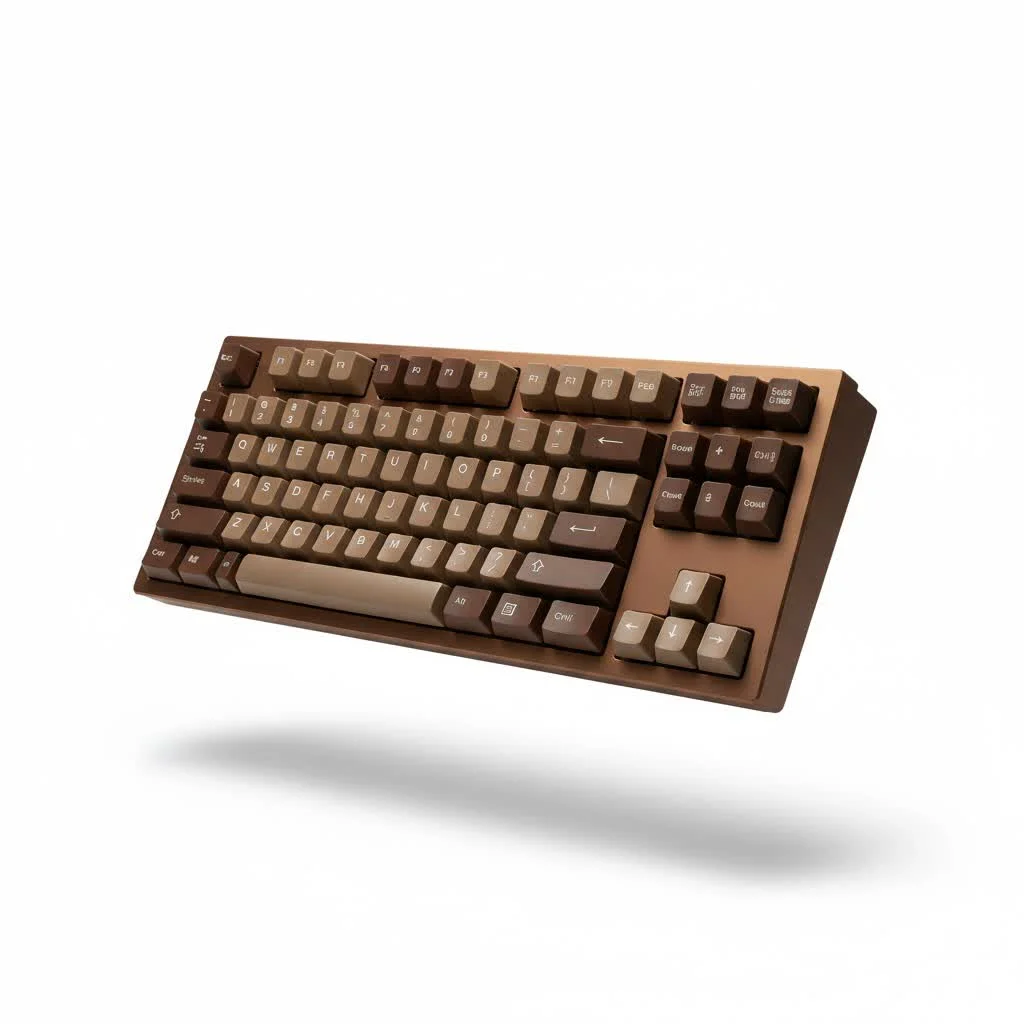
A clicky mechanical keyboard is defined by its switch type, engineered to produce a distinct, high-pitched click sound and a sharp tactile bump at the point of actuation. This combination provides unambiguous confirmation that your keypress has been registered, leading to a precise and enjoyable typing experience for many users. These keyboards are a favorite among typists and gamers who crave crisp, audible feedback with every keystroke, reminiscent of classic typewriters.
What Makes a Mechanical Keyboard Clicky?
The magic behind a clicky mechanical keyboard lies entirely in its switch design. Unlike their linear (smooth) or tactile (bumpy) cousins, clicky switches have a special mechanism designed specifically to create noise. The most common design is the “click jacket.”
Imagine a two-part slider system within the switch housing. As you press the key, the main slider moves down. At a certain point, it pushes past a secondary piece, the click jacket, which then snaps rapidly downwards, striking the bottom of the switch housing. This impact is what generates that sharp, high-frequency click. Another popular mechanism, found in switches like the Kailh BOX series, uses a “click bar”—a small metal bar that audibly clicks when pushed by a nub on the stem.
“The auditory feedback of a clicky switch is not just for show; it’s a critical component of the haptic feedback loop,” explains expert Dr. Alistair Finch, a specialist in human-computer interaction. “This sound reinforces the physical sensation, which can lead to increased typing accuracy and speed for many users as their brain syncs the sound with the action.”
The Most Popular Clicky Switches
When you dive into the world of clicky switches, you’ll encounter several famous names. Each offers a slightly different feel and sound, catering to various preferences.
Cherry MX Blue: The Industry Standard
For years, the Cherry MX Blue has been the quintessential clicky switch. It’s known for its pronounced tactile bump and a loud, high-pitched click.
- Actuation Force: 60g
- Travel Distance: 4mm
- Sound Profile: Loud and high-pitched
- Best For: Typists who want a classic, unmistakable clicky experience.
The MX Blue is often the first clicky switch people try, and it sets the benchmark for the entire category. Its robust feedback is excellent for preventing accidental keypresses and ensuring every stroke is deliberate.
Kailh BOX White: A Modern Contender
The Kailh BOX White has gained immense popularity for its unique click mechanism. Instead of a click jacket, it uses a click bar, which creates a crisper, more refined sound.
- Actuation Force: 50g
- Travel Distance: 3.6mm
- Sound Profile: Crisp, clean, and slightly more subtle than MX Blues
- Best For: Users who want a sharp click on both the downstroke and the upstroke, providing a very consistent feel.
Many enthusiasts prefer the sound of BOX Whites, describing it as a “cleaner” or less “rattly” click compared to traditional designs.
Other Notable Clicky Switches
|
Our Picks for the Best Mechanical Keyboard in 2026
As an Amazon Associate I earn from qualifying purchases.
|
||
| Num | Product | Action |
|---|---|---|
| 1 | Redragon Mechanical Gaming Keyboard Wired, 11 Programmable Backlit Modes, Hot-Swappable Red Switch, Anti-Ghosting, Double-Shot PBT Keycaps, Light Up Keyboard for PC Mac |

|
| 2 | RK ROYAL KLUDGE R98 Pro Wired Mechanical Keyboard, 96% Creamy Gaming Keyboard RGB Backlit with Number Pad and Volume Knob, Gasket Mount, MDA Profile PBT Keycaps, Hot Swappable Pre-lubed Linear Switch |
|
| 3 | Womier S-K80 75% Keyboard with Color Multimedia Display Mechanical Gaming Keyboard Creamy Sound, Wired Hot Swappable Gasket Mount RGB Custom Key board, Pre-lubed Stabilizer for Mac/Win, Black Kanagawa |
|
| 4 | RK ROYAL KLUDGE S98 Mechanical Keyboard w/Smart Display & Knob, Top Mount 96% Wireless Mechanical Keyboard BT/2.4G/USB-C, Hot Swappable, Software Support, Creamy Sounding, 98 Keys |
|
| 5 | Logitech MX Mechanical Wireless Illuminated Performance Keyboard, Tactile Quiet Switches, Backlit Keys, Bluetooth, USB-C, macOS, Windows, Linux, iOS, Android, Metal, Graphite |
|
| 6 | SteelSeries USB Apex 5 Hybrid Mechanical Gaming Keyboard – Per-Key RGB Illumination – Aircraft Grade Aluminum Alloy Frame – OLED Smart Display (Hybrid Blue Switch) |
|
| 7 | AK96 Smart Mechanical Keyboard Gaming, 96 Keys Full Size with LED Colorful Backlit, Clicky Creamy Sounding, USB Wired Computer Keyboard with Volume Knob for PC, Mac, Windows(Grey) |
|
| 8 | AULA F75 Pro Wireless Mechanical Keyboard,75% Hot Swappable Custom Keyboard with Knob,RGB Backlit,Pre-lubed Reaper Switches,Side Printed PBT Keycaps,2.4GHz/USB-C/BT5.0 Mechanical Gaming Keyboards |
|
| 9 | AULA F99 Wireless Mechanical Keyboard,Tri-Mode BT5.0/2.4GHz/USB-C Hot Swappable Custom Keyboard,Pre-lubed Linear Switches,RGB Backlit Computer Gaming Keyboards for PC/Tablet/PS/Xbox |
|
| 10 | EPOMAKER x Aula F75 Gasket Mechanical Keyboard, 75% Wireless Hot Swappable Gaming Keyboard with Five-Layer Padding&Knob, Bluetooth/2.4GHz/USB-C, RGB (Light Blue, LEOBOG Reaper Switch) |
|
- Gateron Blue: A popular and often more affordable alternative to Cherry MX Blue, Gateron Blues are slightly smoother but offer a very similar loud and clicky experience.
- Razer Green: Found in Razer’s gaming keyboards, these switches are designed for performance with a shorter actuation point, making them feel more responsive for fast-paced gaming.
Is a Clicky Mechanical Keyboard Right for You?
Choosing a clicky keyboard comes down to personal preference and your environment. Let’s weigh the pros and cons.
The Pros: Unbeatable Typing Feedback
The primary advantage is the unparalleled feedback. The combination of the tactile bump and the audible click provides clear, instantaneous confirmation that a key has been pressed. This can be incredibly satisfying and may lead to fewer typos, as you don’t need to “bottom out” (press the key all the way down) to know it has registered. This confident keystroke is what makes the clicky mechanical keyboard a typist’s dream.
The Cons: The Noise Factor
The most significant drawback is, of course, the noise. The very thing that makes these keyboards so beloved is also what makes them unsuitable for many situations. Using a clicky keyboard in a quiet office, a library, or a shared living space is often considered poor etiquette. If you stream, game with an open mic, or work around others, the constant clicking can be highly disruptive.
Who Should Use a Clicky Keyboard?
Despite the noise, certain users benefit greatly from a clicky mechanical keyboard.
- Typists and Writers: Anyone who spends hours writing code, articles, or novels often finds the distinct feedback helps them get into a rhythm and type more accurately.
- Programmers: Similar to writers, programmers appreciate the precise and deliberate keystrokes, which can help reduce errors in complex code.
- Enthusiasts Who Work from Home: If you have a private office, you can enjoy the satisfying clicks without disturbing anyone, making it a perfect choice for a dedicated home workspace.
While some gamers enjoy clicky switches, many prefer linear or tactile options for their faster actuation and quieter operation, which is less likely to be picked up by a microphone.
Frequently Asked Questions (FAQ)
What is the loudest mechanical keyboard switch?
Generally, Cherry MX Blue and its clones are considered among the loudest and most common clicky switches. However, some specialty switches, like the Kailh BOX Navy, are even heavier and produce a deeper, more resonant click.
Can a clicky keyboard be made quieter?
While you can’t eliminate the click from a clicky switch, you can reduce other keyboard noises. Adding O-rings can dampen the sound of the keycap bottoming out, and lubing the non-clicky parts of the switch can reduce spring ping and scratchiness. However, the click itself is integral to the switch’s design and will remain.
Are clicky keyboards bad for gaming?
Not necessarily, but it’s a matter of preference. Some gamers find the tactile bump helpful for confirming actions, while others feel it slows down their ability to double-tap keys rapidly. The noise can also be a significant issue for streamers or anyone using voice chat.
How long do clicky switches last?
High-quality clicky mechanical keyboard switches are incredibly durable. Most brands, like Cherry MX and Kailh, rate their switches for 50 to 100 million keystrokes, meaning they can last for many years of heavy use.
Clicky vs. Tactile Switches: What’s the difference?
Both switch types have a tactile bump you can feel during the keypress. However, a clicky switch is a type of tactile switch that also has an additional mechanism to produce an audible click. A standard tactile switch (like a Cherry MX Brown) has the bump but no click.
Your Final Click
A clicky mechanical keyboard offers a uniquely satisfying and engaging typing experience that no other keyboard type can replicate. The crisp sound and sharp feedback provide a level of confirmation that can boost both speed and accuracy. While they aren’t for every environment due to their noise level, they are a phenomenal choice for anyone with a dedicated workspace who wants to transform typing from a mundane task into an enjoyable activity. If you crave feedback and love the classic sound of a busy office, embracing the click might be the best upgrade you ever make for your desk.
Frequently Asked Questions
What is the loudest mechanical keyboard switch available?
Generally, Cherry MX Blue and its clones are considered among the loudest and most common clicky switches. However, some specialty switches, such as the Kailh BOX Navy, are even heavier and produce a deeper, more resonant click, making them potentially louder.
Can a clicky mechanical keyboard be made quieter?
While the inherent click of a clicky switch cannot be eliminated, other keyboard noises can be reduced. Adding O-rings can dampen the sound of keycaps bottoming out, and lubricating non-clicky switch components can reduce spring ping and scratchiness. The primary click sound, however, is fundamental to the switch's design and will remain.
Are clicky mechanical keyboards suitable for gaming?
Clicky keyboards are not inherently bad for gaming, but suitability depends on personal preference. Some gamers find the tactile bump helpful for confirming actions, while others feel it hinders rapid double-tapping. The significant noise produced can also be a drawback for streamers or users in voice chat, as it may be picked up by microphones.
How long do clicky mechanical keyboard switches typically last?
High-quality clicky mechanical keyboard switches are exceptionally durable. Most reputable brands, including Cherry MX and Kailh, rate their switches for 50 to 100 million keystrokes. This means they are designed to last for many years, even with heavy daily use.
What is the main difference between clicky and tactile switches?
Both clicky and tactile switches feature a noticeable tactile bump during the keypress, providing physical feedback. The key distinction is that a clicky switch is a type of tactile switch that includes an additional mechanism specifically designed to produce an audible click. A standard tactile switch, like a Cherry MX Brown, provides the bump without the accompanying click sound.
Get our weekly buyer guide
Practical specs, not advice. Unsubscribe anytime.
I picked up a keyboard with Cherry MX Blues after reading about the click jacket mechanism. While the typing experience is generally good and I like the feedback, I find the high-pitched click can be a bit much during long typing sessions. It’s great for short bursts, but for extended periods, it can get a little fatiguing. I might try a different switch next time.
This guide was super helpful in understanding what makes these keyboards tick. I was curious about the difference between linear and tactile, and now I get why clicky switches are so unique. I ended up getting a keyboard with Gateron Blues, and the crisp, audible feedback is exactly what I was looking for. My productivity has definitely gone up!
I’ve been using a clicky keyboard for gaming for years, and I totally agree with the point about unambiguous confirmation. The Kailh Box Jades mentioned are my absolute favorite; the sound and feel are just perfect for intense gaming sessions. It really helps with my APM when I know exactly when each keypress registers. Highly recommend for anyone serious about their setup.
I recently switched to a clicky keyboard for my work, which involves a lot of typing, and it’s been a game-changer. The tactile bump and audible feedback make a huge difference in my typing speed and accuracy. I appreciate the comparison to classic typewriters; it really captures the satisfying feel. My coworkers aren’t always thrilled with the noise, but I love it!