The world of mechanical keyboards can often feel like a niche club, reserved for hardcore gamers and programmers. But what if you want that satisfying tactile feedback in a sleek, professional package designed for productivity? Enter the Logitech MX Mechanical Keyboard, a game-changer that blends the precision of mechanical switches with the minimalist aesthetic of Logitech’s flagship MX series. As someone who has spent over a decade deep in the world of custom builds and exotic switches, I was skeptical at first. Could a mainstream, low-profile board truly deliver a premium typing experience? The answer is a resounding yes.
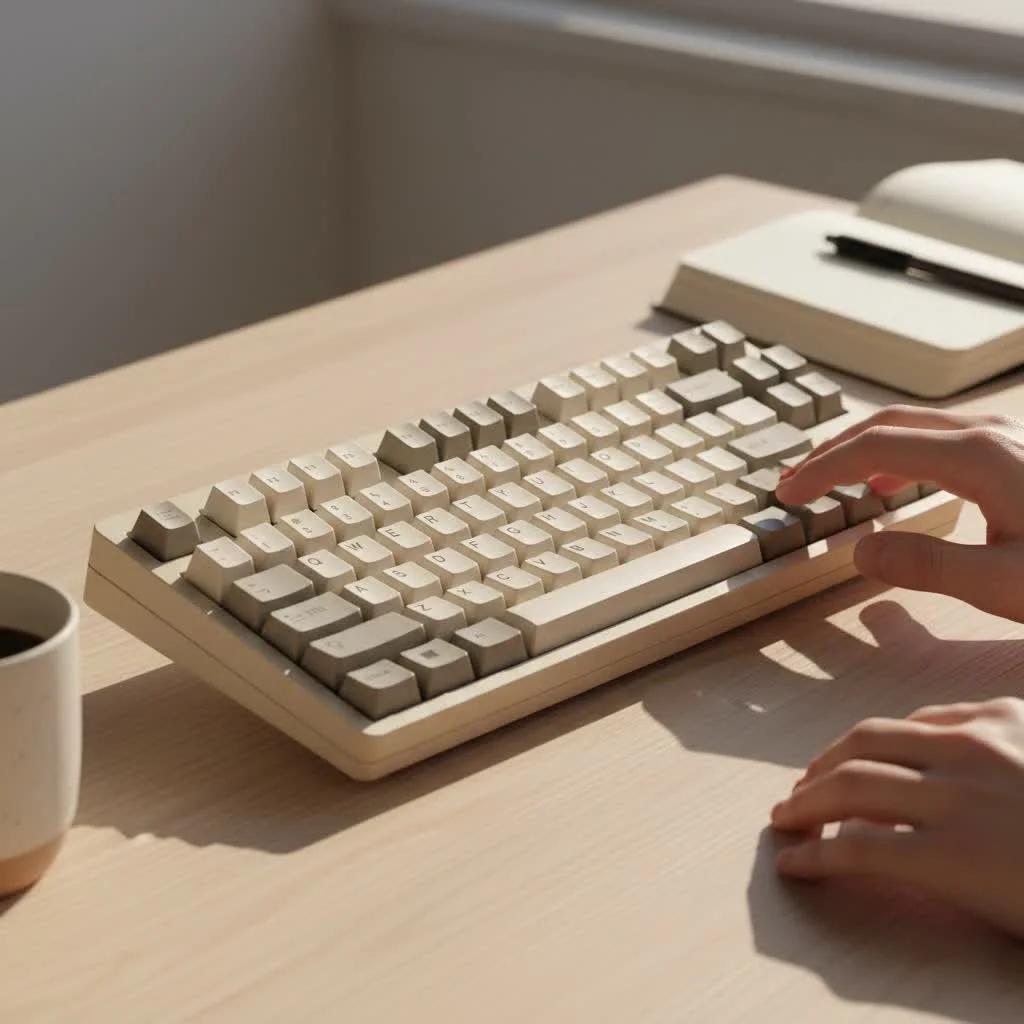
This keyboard isn’t just another office peripheral; it’s a statement. It’s for the professional who writes thousands of words a day, the developer who codes for hours on end, and the creator who demands both style and substance from their tools. It promises a superior typing feel without the bulk, noise, and steep learning curve of traditional mechanicals. Let’s dive in and see if it lives up to the hype.
What Makes the MX Mechanical Different?
At its core, the Logitech MX Mechanical Keyboard is a low-profile keyboard. This means the keycaps and the switches underneath are shorter than what you’d find on a typical gaming or custom mechanical keyboard. The result is a faster actuation, a shorter travel distance, and a typing experience that feels like a perfect hybrid between a classic laptop keyboard and a full-sized mechanical beast. This design choice makes it incredibly comfortable for long typing sessions, reducing finger fatigue and allowing for a more natural wrist posture.
But the real magic lies in how Logitech has packaged this experience. It’s wireless, features smart backlighting, and offers seamless multi-device switching—all hallmarks of the beloved MX series. It’s the keyboard for people who thought mechanical keyboards weren’t for them.
A Deep Dive into the Switches
The heart and soul of any mechanical keyboard are its switches. Logitech collaborated with Kailh to produce three distinct low-profile switch options for the MX Mechanical, ensuring there’s a perfect feel for every user.
Tactile Quiet (Brown)
This is the most popular and well-rounded option. Tactile Quiet switches provide a gentle, noticeable bump with each keystroke, giving you confirmation that a key has been pressed without a loud, audible click. It’s the ideal choice for an open-office environment or anyone who shares their workspace. The feedback is satisfying yet subtle, making it perfect for writers, programmers, and general office work. It provides that classic mechanical feel without the noise pollution.
Linear (Red)
|
Our Picks for the Best Mechanical Keyboard in 2026
As an Amazon Associate I earn from qualifying purchases.
|
||
| Num | Product | Action |
|---|---|---|
| 1 | Womier S-K80 75% Keyboard with Color Multimedia Display Mechanical Gaming Keyboard Creamy Sound, Wired Hot Swappable Gasket Mount RGB Custom Key board, Pre-lubed Stabilizer for Mac/Win, Black Kanagawa |

|
| 2 | RK ROYAL KLUDGE S98 Mechanical Keyboard w/Smart Display & Knob, Top Mount 96% Wireless Mechanical Keyboard BT/2.4G/USB-C, Hot Swappable, Software Support, Creamy Sounding, 98 Keys |
|
| 3 | EPOMAKER x Aula F75 Gasket Mechanical Keyboard, 75% Wireless Hot Swappable Gaming Keyboard with Five-Layer Padding&Knob, Bluetooth/2.4GHz/USB-C, RGB (Light Blue, LEOBOG Reaper Switch) |
|
| 4 | AULA F99 Wireless Mechanical Keyboard,Tri-Mode BT5.0/2.4GHz/USB-C Hot Swappable Custom Keyboard,Pre-lubed Linear Switches,RGB Backlit Computer Gaming Keyboards for PC/Tablet/PS/Xbox |
|
| 5 | Redragon Mechanical Gaming Keyboard Wired, 11 Programmable Backlit Modes, Hot-Swappable Red Switch, Anti-Ghosting, Double-Shot PBT Keycaps, Light Up Keyboard for PC Mac |
|
| 6 | AULA F75 Pro Wireless Mechanical Keyboard,75% Hot Swappable Custom Keyboard with Knob,RGB Backlit,Pre-lubed Reaper Switches,Side Printed PBT Keycaps,2.4GHz/USB-C/BT5.0 Mechanical Gaming Keyboards |
|
| 7 | Logitech MX Mechanical Wireless Illuminated Performance Keyboard, Tactile Quiet Switches, Backlit Keys, Bluetooth, USB-C, macOS, Windows, Linux, iOS, Android, Metal, Graphite |
|
| 8 | RK ROYAL KLUDGE R98 Pro Wired Mechanical Keyboard, 96% Creamy Gaming Keyboard RGB Backlit with Number Pad and Volume Knob, Gasket Mount, MDA Profile PBT Keycaps, Hot Swappable Pre-lubed Linear Switch |
|
| 9 | AK96 Smart Mechanical Keyboard Gaming, 96 Keys Full Size with LED Colorful Backlit, Clicky Creamy Sounding, USB Wired Computer Keyboard with Volume Knob for PC, Mac, Windows(Grey) |
|
| 10 | SteelSeries USB Apex 5 Hybrid Mechanical Gaming Keyboard – Per-Key RGB Illumination – Aircraft Grade Aluminum Alloy Frame – OLED Smart Display (Hybrid Blue Switch) |
|
If you prioritize a smooth, uninterrupted keystroke, Linear switches are your go-to. They travel straight down without any tactile bump or click, resulting in a fast and fluid typing experience. This makes them a favorite among some gamers who need rapid, repeated keystrokes. For productivity, they offer a light, effortless feel that can make typing feel almost like gliding across the keys.
Clicky (Blue)
For those who crave maximum auditory and tactile feedback, the Clicky switches deliver. Each press rewards you with a crisp, audible “click” and a sharp tactile bump. It’s an incredibly satisfying experience that many typing purists swear by. However, be warned: these are loud. They are best suited for a private office or a home setup where the sound won’t disturb others. If you love the classic typewriter sound, this is the switch for you.
Design, Build, and Key Features
Logitech is known for its premium build quality, and the MX Mechanical is no exception. It features a solid aluminum top plate that gives it a rigid, sturdy feel with zero flex. The two-tone grey keycaps are minimalist and professional, fitting perfectly into any modern desk setup.
You can get the Logitech MX Mechanical Keyboard in two sizes: a full-size version with a number pad, and a more compact, tenkeyless “Mini” version that saves desk space and offers better ergonomics by keeping your mouse closer.
Smart Illumination and Connectivity
The smart backlighting is a standout feature. Sensors detect when your hands approach the keyboard, illuminating the keys instantly. The lighting also adjusts to the ambient light in your room, conserving battery when you don’t need it. Speaking of battery, you can expect up to 15 days on a full charge with backlighting on, or a remarkable 10 months with it off.
Connectivity is handled via Bluetooth Low Energy or the included Logi Bolt USB receiver, which provides a secure and stable connection. You can pair the keyboard with up to three devices and switch between them effortlessly with the press of a button—perfect for moving between a laptop, desktop, and tablet.
How Does it Compare to the MX Keys?
This is a common question. The MX Keys has been the king of productivity keyboards for years with its comfortable, laptop-style scissor switches. The MX Mechanical is for those who love everything about the MX Keys—the features, the build quality, the software—but crave a more tactile, engaging typing experience.
- Typing Feel: The MX Keys is soft and quiet. The MX Mechanical offers distinct feedback and a more responsive feel.
- Customization: The keycaps on the MX Mechanical are technically replaceable with other low-profile options, offering a degree of customization not available on the MX Keys.
- Noise: Even the Tactile Quiet switches on the MX Mechanical are louder than the MX Keys.
As productivity expert Dr. Alistair Finch notes, “The transition from a membrane to a low-profile mechanical keyboard like the MX Mechanical can unlock a new level of typing efficiency. The tactile feedback reinforces muscle memory, potentially leading to fewer errors and a more comfortable long-term experience.”
Who Should Buy the Logitech MX Mechanical Keyboard?
This keyboard isn’t trying to compete with the fully customizable, RGB-laden boards in the enthusiast community. Instead, it carves out its own space. You should seriously consider this keyboard if you are:
- A Professional or Creator: If your job involves a lot of typing, the improved feel and reduced finger fatigue are worth the investment.
- An MX Series Fan: If you already use an MX Master mouse, this keyboard completes the ecosystem, controlled by the same Logi Options+ software.
- New to Mechanical Keyboards: It’s the perfect entry point. It provides the core benefits of a mechanical keyboard in a user-friendly, wireless, and professional package.
However, it may not be for hardcore gamers who need the fastest response times or custom keyboard builders who want to lube their own switches and program every layer.
Frequently Asked Questions (FAQ)
Is the Logitech MX Mechanical good for gaming?
It’s decent for casual gaming, especially with the Linear switches. However, it’s not designed for competitive gaming. It lacks the ultra-low latency, high polling rates, and advanced software features found in dedicated gaming keyboards.
Can you change the keycaps on the MX Mechanical?
Yes, the switches use a Kailh Choc V2-style stem, which is compatible with some third-party low-profile keycaps. However, the selection is much more limited compared to standard Cherry MX-style stems.
How loud is the Tactile Quiet switch?
It’s quiet for a mechanical switch but noticeably louder than a typical laptop or membrane keyboard like the MX Keys. It produces a soft “thock” sound rather than a high-pitched “click.”
Does the MX Mechanical work with both Mac and Windows?
Absolutely. The keyboard features a dual key layout that supports both macOS and Windows shortcuts. It connects seamlessly to either operating system.
Is the mini or full-size version better?
This comes down to personal preference. If you frequently use the number pad for data entry, the full-size version is the obvious choice. If you value desk space and a more ergonomic setup, the Mini is a fantastic option.
The Final Verdict
The Logitech MX Mechanical Keyboard successfully bridges the gap between professional productivity tools and enthusiast-grade hardware. It delivers a truly premium typing experience without compromising on the features that have made the MX series a favorite among professionals. It’s a beautifully crafted tool that makes work feel more satisfying. If you’re ready to elevate your typing experience beyond the mushy feel of standard office keyboards, the MX Mechanical is not just an upgrade; it’s an investment in your daily comfort and productivity.
Get our weekly buyer guide
Practical specs, not advice. Unsubscribe anytime.

I was looking for a mechanical keyboard that didn’t scream ‘gamer’ for my office setup, and the MX Mechanical fits the bill perfectly. The minimalist aesthetic is exactly what I wanted, and it looks great on my desk. My only minor gripe is that I wish the keycaps had a bit more texture, but it’s a small thing. Overall, a fantastic keyboard for coding and general use.
This keyboard is a revelation! I’ve always associated mechanical keyboards with bulky designs, but the sleekness of the Logitech MX Mechanical is incredible. It’s so satisfying to type on, and the battery life has been excellent. It really does blend the best of both worlds – mechanical precision with a professional look. Highly recommend it for anyone who spends hours at their computer.
I’ve been a long-time user of custom mechanical keyboards, so I had high expectations for the MX Mechanical. While it’s a solid board for a mainstream option, I found the tactile feedback a little less pronounced than I prefer. It’s good for productivity, but if you’re coming from more exotic switches, it might feel a bit subdued. Still, it’s a huge step up from standard office keyboards.
I’ve been using the Logitech MX Mechanical Keyboard for about a month now, and it’s truly a game-changer for my daily workflow. As a writer, I type thousands of words, and the low-profile tactile switches are just perfect. It’s so much more comfortable than my old membrane keyboard, and the build quality feels incredibly premium. Definitely worth the investment for anyone serious about productivity.