Welcome to Yoasy, where we dive deep into the world of mechanical keyboards. As an engineer who has spent over a decade building, modding, and living with these incredible devices, I’m here to guide you through the noise. If you’re searching for the best mechanical keyboard, you’ve come to the right place. This isn’t just about picking a product off a shelf; it’s about finding an extension of your hands, a tool that makes every keystroke a pleasure, whether you’re gaming, writing, or coding.
What Exactly Is a Mechanical Keyboard?
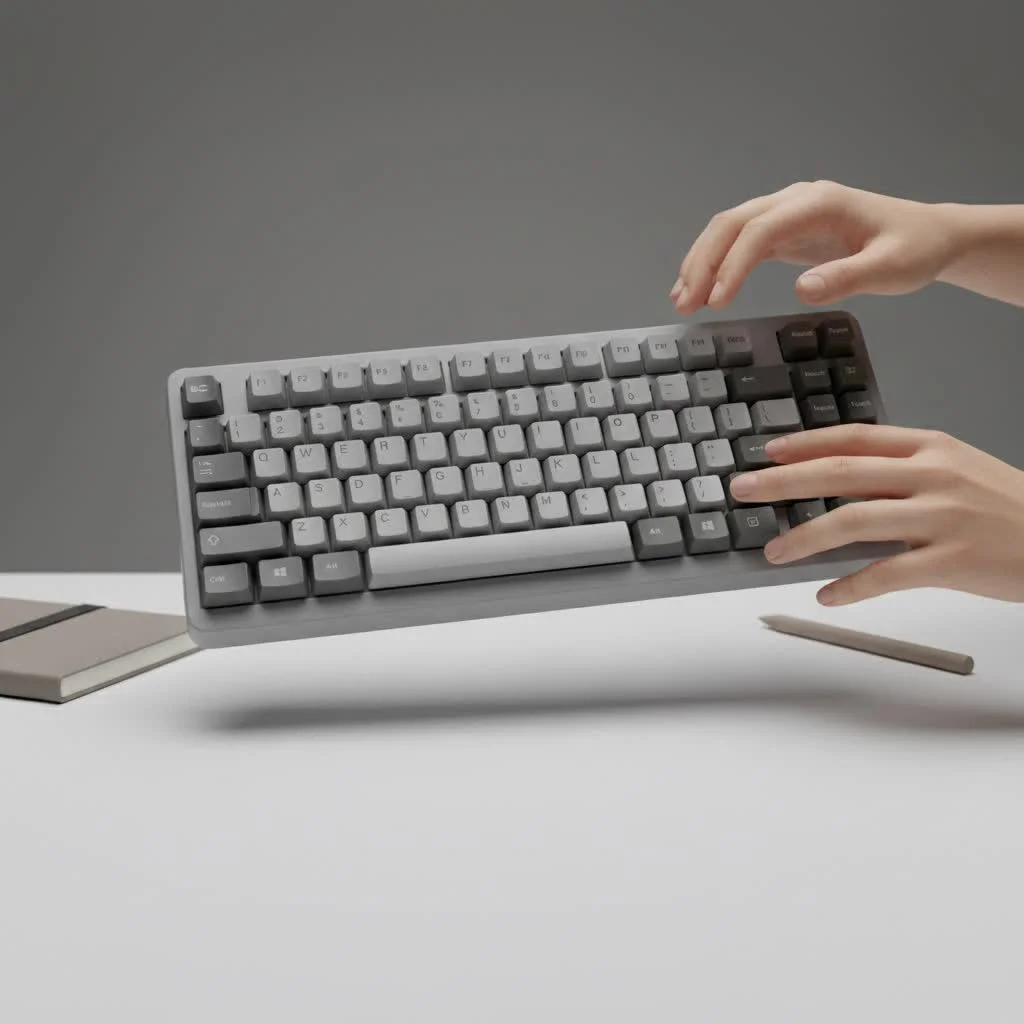
At its core, a mechanical keyboard uses an individual mechanical switch under every single key. Unlike the mushy rubber domes in a typical office keyboard, each keypress on a mechanical board activates a physical, spring-loaded switch. This mechanism provides superior durability, precision, and a distinct tactile feel that you just can’t get anywhere else. The result is a typing experience that is not only more enjoyable but also more accurate and responsive. For explore our reviews reviews on this site.
The Heart of the Keyboard: Understanding Mechanical Switches
The switch is the soul of any mechanical keyboard. The type of switch you choose will define your entire typing experience. While there are hundreds of variations, they all fall into three main categories.
Linear Switches: Smooth and Swift
Linear switches offer a smooth, consistent keystroke from top to bottom. There’s no tactile “bump” or audible “click” as the key actuates. This makes them incredibly fast and a favorite among gamers who need rapid, repeated keystrokes without any interference. If you want a quiet, fluid experience, linears are your best bet. Popular examples include Cherry MX Red and Gateron Red switches.
Tactile Switches: The Satisfying Bump
Tactile switches are the perfect middle ground and arguably the best choice for typists. As you press the key, you’ll feel a noticeable but quiet bump at the point of actuation. This feedback confirms that your keystroke has been registered without the loud noise of a clicky switch. It’s incredibly satisfying and helps improve typing accuracy. Think of switches like the Cherry MX Brown or Kailh Box Brown.
Clicky Switches: Audible and Crisp
For those who love auditory feedback, clicky switches are the way to go. They provide the same tactile bump as their tactile cousins but add a distinct and audible “click” sound. This creates a typewriter-like experience that many find incredibly gratifying. However, be warned: they are loud and might not be suitable for a shared office or late-night gaming sessions. The Cherry MX Blue is the classic example of a clicky switch.
More Than Just Letters: A Guide to Keycaps
Keycaps are the contact points for your fingers, and their material and shape significantly impact how your keyboard feels.
Material Matters: PBT vs. ABS
|
Our Picks for the Best Mechanical Keyboard in 2026
As an Amazon Associate I earn from qualifying purchases.
|
||
| Num | Product | Action |
|---|---|---|
| 1 | Redragon Mechanical Gaming Keyboard Wired, 11 Programmable Backlit Modes, Hot-Swappable Red Switch, Anti-Ghosting, Double-Shot PBT Keycaps, Light Up Keyboard for PC Mac |

|
| 2 | Logitech MX Mechanical Wireless Illuminated Performance Keyboard, Tactile Quiet Switches, Backlit Keys, Bluetooth, USB-C, macOS, Windows, Linux, iOS, Android, Metal, Graphite |
|
| 3 | AULA F75 Pro Wireless Mechanical Keyboard,75% Hot Swappable Custom Keyboard with Knob,RGB Backlit,Pre-lubed Reaper Switches,Side Printed PBT Keycaps,2.4GHz/USB-C/BT5.0 Mechanical Gaming Keyboards |
|
| 4 | RK ROYAL KLUDGE S98 Mechanical Keyboard w/Smart Display & Knob, Top Mount 96% Wireless Mechanical Keyboard BT/2.4G/USB-C, Hot Swappable, Software Support, Creamy Sounding, 98 Keys |
|
| 5 | EPOMAKER x Aula F75 Gasket Mechanical Keyboard, 75% Wireless Hot Swappable Gaming Keyboard with Five-Layer Padding&Knob, Bluetooth/2.4GHz/USB-C, RGB (Light Blue, LEOBOG Reaper Switch) |
|
| 6 | AK96 Smart Mechanical Keyboard Gaming, 96 Keys Full Size with LED Colorful Backlit, Clicky Creamy Sounding, USB Wired Computer Keyboard with Volume Knob for PC, Mac, Windows(Grey) |
|
| 7 | Womier S-K80 75% Keyboard with Color Multimedia Display Mechanical Gaming Keyboard Creamy Sound, Wired Hot Swappable Gasket Mount RGB Custom Key board, Pre-lubed Stabilizer for Mac/Win, Black Kanagawa |
|
| 8 | SteelSeries USB Apex 5 Hybrid Mechanical Gaming Keyboard – Per-Key RGB Illumination – Aircraft Grade Aluminum Alloy Frame – OLED Smart Display (Hybrid Blue Switch) |
|
| 9 | RK ROYAL KLUDGE R98 Pro Wired Mechanical Keyboard, 96% Creamy Gaming Keyboard RGB Backlit with Number Pad and Volume Knob, Gasket Mount, MDA Profile PBT Keycaps, Hot Swappable Pre-lubed Linear Switch |
|
| 10 | AULA F99 Wireless Mechanical Keyboard,Tri-Mode BT5.0/2.4GHz/USB-C Hot Swappable Custom Keyboard,Pre-lubed Linear Switches,RGB Backlit Computer Gaming Keyboards for PC/Tablet/PS/Xbox |
|
Most keyboards come with keycaps made from one of two plastics:
- ABS (Acrylonitrile Butadiene Styrene): This is a common and affordable plastic. It’s smooth to the touch, but over time it can develop a greasy “shine” from the oils on your fingers.
- PBT (Polybutylene Terephthalate): This is a more premium and durable material. PBT keycaps have a slightly textured, matte finish that resists shine and feels more substantial. They also tend to produce a deeper, more pleasing sound when typing.
While ABS is perfectly functional, upgrading to a set of PBT keycaps is one of the easiest ways to improve the feel and longevity of your board.
Finding Your Perfect Fit: Keyboard Sizes and Layouts
Mechanical keyboards come in various sizes, and choosing the right one depends on your desk space and needs.
- Full-Size (100%): The classic layout with a dedicated number pad, function row, and navigation cluster. Ideal for data entry and those who want every key at their disposal.
- Tenkeyless (TKL): A popular choice that removes the number pad for a more compact footprint. This gives you more room for your mouse, making it great for gamers and anyone with limited desk space.
- 75% Layout: A smart, compressed layout that keeps the function row and arrow keys but squishes the navigation cluster together. It’s a great balance of form and function.
- 65% and 60% Layouts: These ultra-compact designs ditch the function row and navigation keys, often hiding them in a secondary layer accessible via an “Fn” key. They are perfect for minimalists and those who prioritize portability.
How to Choose the Best Mechanical Keyboard for You
Finding your perfect keyboard is a personal journey. As keyboard builder Alex Wright often says, “The best keyboard isn’t the most expensive one; it’s the one that feels like it was made for your hands.” Ask yourself these questions to narrow down your search:
- What is my primary use? For competitive gaming, the speed of linear switches might be best. For long typing sessions, the feedback of tactile switches is often preferred.
- What is my sound preference? Do I work in a quiet office where clicky switches would be a problem? Or do I work from home and love the sound of a clicky keyboard?
- How much desk space do I have? Be realistic about your setup. A TKL or 75% keyboard can make a huge difference in ergonomics and mouse movement.
- Do I want to customize it later? If you think you might want to try different switches in the future, look for a “hot-swappable” keyboard. This feature allows you to pull switches out and plug new ones in without any soldering.
Quick-Choice Checklist
| Feature | My Preference |
|---|---|
| Primary Use: | Gaming / Typing / Hybrid |
| Switch Feel: | Smooth (Linear) / Bumpy (Tactile) / Loud (Clicky) |
| Size: | Full-Size / TKL / 75% / Compact (60-65%) |
| Keycaps: | Standard (ABS) / Premium (PBT) |
| Customization: | Fixed Switches / Hot-Swappable Switches |
Level Up Your Board: An Intro to Keyboard Modding
One of the most exciting aspects of the mechanical keyboard hobby is customization. Simple modifications, or “mods,” can dramatically change the sound and feel of your board. A popular first step is “lubing” your switches—applying a special lubricant to the internal components of the switch. This simple act can make a scratchy switch feel buttery smooth and transform a high-pitched sound into a deep, satisfying “thock.”
Frequently Asked Questions (FAQ)
What is the best mechanical keyboard for beginners?
For a beginner, a great starting point is a hot-swappable TKL or 75% keyboard with tactile switches like Gateron Browns. This combination offers a fantastic typing experience out of the box and gives you the freedom to experiment with other switches later without buying a whole new board.
Are mechanical keyboards really better for gaming?
Yes, for most gamers. The consistency, speed, and durability of mechanical switches provide a real competitive advantage. Features like faster actuation and n-key rollover (which ensures every keypress is registered) make them superior to membrane keyboards for gaming.
How long do mechanical keyboards last?
Mechanical keyboards are built to last. Most switches are rated for 50 to 100 million keystrokes, which is many times more than a standard membrane keyboard. With proper care, a good mechanical keyboard can easily last for a decade or more.
What are hot-swappable keyboards?
Hot-swappable keyboards have sockets on the printed circuit board (PCB) that allow you to change mechanical switches easily, without any soldering. This is a fantastic feature for both beginners and enthusiasts who want to try different switch types to find their perfect feel.
Why are some mechanical keyboards so expensive?
The price of a mechanical keyboard is determined by its build quality, materials, features, and design. Premium keyboards often feature solid aluminum cases, high-quality PBT keycaps, advanced firmware, hot-swappable PCBs, and gasket-mounted designs for a superior typing feel and sound.
Your Journey Starts Here
Choosing the best mechanical keyboard is about understanding your own preferences for feel, sound, and aesthetics. The journey is part of the fun. Use this guide as your starting point, explore the different options, and don’t be afraid to try something new. The perfect keyboard for you is out there waiting, ready to transform every tap into a tiny moment of joy.
Get our weekly buyer guide
Practical specs, not advice. Unsubscribe anytime.

I’ve been using a cheap membrane keyboard for years and finally decided to upgrade after reading about the benefits of mechanical switches. This guide really helped me understand the difference between tactile, linear, and clicky. I went with a keyboard with brown switches for a good balance, and it’s made a huge difference in my typing speed and comfort during long coding sessions. Definitely worth the investment!
I appreciate the detailed breakdown of what makes a mechanical keyboard different from a standard office one. I was hoping to find a really budget-friendly option, but most of the recommended keyboards seemed to be in a higher price range than I was expecting. It’s a good guide if you’re ready to spend a bit more, but for someone just dipping their toes in, it felt a little out of reach.
Great overview! I’m a big gamer and was looking for something that could handle intense sessions without missing a beat. The section on durability and precision really resonated with me. I ended up getting a keyboard with red switches, and the responsiveness is fantastic. My only minor complaint is that the RGB lighting options weren’t as extensive as I hoped, but the core performance is solid.
As a writer, I spend hours at my keyboard every day, and the ‘mushy rubber domes’ description hit home. I was tired of the lack of feedback and the fatigue. After reading this, I invested in a keyboard with blue switches, and the distinct tactile feel is exactly what I needed. It’s made writing so much more enjoyable and less of a chore. My fingers thank you!