The 60 mechanical keyboard is a compact keyboard layout that typically features around 61 keys, representing approximately 60% of a full-sized keyboard. It omits the dedicated number pad, function row (F1-F12), and usually the arrow keys and navigation cluster, prioritizing minimalism, portability, and desk space. Users access missing functions through a dedicated Fn (Function) key and secondary key layers, making it a popular choice for gamers, minimalists, and those seeking improved ergonomics.
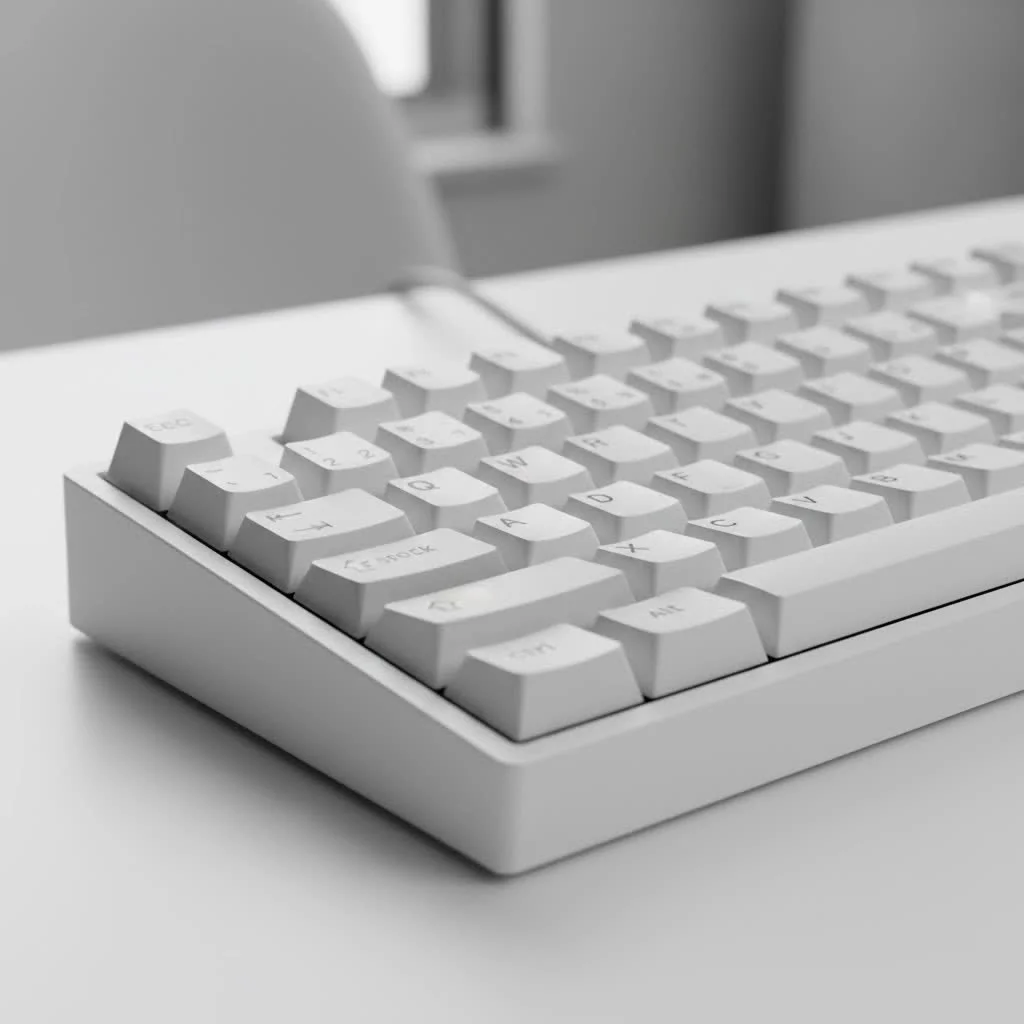
The Anatomy of a 60 Mechanical Keyboard: Small Footprint, Smart Design
At first glance, a 60 mechanical keyboard might seem intimidating due to its reduced key count. Users often wonder, “Where are my arrow keys?” The magic lies in “function layers.” Instead of having a dedicated key for every command, a 60% board utilizes an Fn (Function) key, similar to a laptop. Holding down this Fn key transforms other keys into their secondary functions, providing access to arrows, media controls, and even the missing F-row keys.
This clever design results in a significantly smaller physical footprint, which is a major upgrade for many. It provides more room for expansive mouse movements during intense gaming sessions, a cleaner, more organized desk for focused work, or a keyboard that can easily slip into any bag for on-the-go productivity. This approach focuses on working smarter by keeping hands closer together and minimizing travel distance.
Why Choose a 60 Mechanical Keyboard? Unleashing Its Core Advantages
The appeal of the 60 mechanical keyboard extends beyond its size. Many enthusiasts, from professional gamers to minimalist typists, are making the switch for several reasons:
Maximized Desk Space
This is perhaps the most immediate and noticeable benefit. A 60 mechanical keyboard frees up a substantial amount of desk real estate. For gamers, this means unimpeded mouse movement, crucial for precise aiming in FPS titles. For general users, it allows for a cleaner workspace, making room for other peripherals, notes, or simply a less cluttered environment.
Unmatched Portability
If you’re constantly on the move, whether commuting to the office, traveling for work, or heading to a LAN party, a 60 mechanical keyboard is an ideal companion. Its compact and lightweight design makes it incredibly easy to pack into a backpack or laptop bag without adding significant bulk.
Improved Ergonomics
The narrower width of a 60 mechanical keyboard allows you to position your mouse closer to the center of your body. This more natural arm and shoulder alignment can significantly reduce strain and discomfort during long typing or gaming sessions, potentially lowering the risk of repetitive strain injuries. As mechanical keyboard expert Dr. Elena Petrova often states, “Optimizing your input device’s form factor is a subtle yet powerful step towards long-term ergonomic health, especially for high-volume users.”
Sleek Aesthetics
|
Our Picks for the Best Mechanical Keyboard in 2026
As an Amazon Associate I earn from qualifying purchases.
|
||
| Num | Product | Action |
|---|---|---|
| 1 | Redragon Mechanical Gaming Keyboard Wired, 11 Programmable Backlit Modes, Hot-Swappable Red Switch, Anti-Ghosting, Double-Shot PBT Keycaps, Light Up Keyboard for PC Mac |

|
| 2 | Womier S-K80 75% Keyboard with Color Multimedia Display Mechanical Gaming Keyboard Creamy Sound, Wired Hot Swappable Gasket Mount RGB Custom Key board, Pre-lubed Stabilizer for Mac/Win, Black Kanagawa |
|
| 3 | RK ROYAL KLUDGE R98 Pro Wired Mechanical Keyboard, 96% Creamy Gaming Keyboard RGB Backlit with Number Pad and Volume Knob, Gasket Mount, MDA Profile PBT Keycaps, Hot Swappable Pre-lubed Linear Switch |
|
| 4 | AULA F99 Wireless Mechanical Keyboard,Tri-Mode BT5.0/2.4GHz/USB-C Hot Swappable Custom Keyboard,Pre-lubed Linear Switches,RGB Backlit Computer Gaming Keyboards for PC/Tablet/PS/Xbox |
|
| 5 | RK ROYAL KLUDGE S98 Mechanical Keyboard w/Smart Display & Knob, Top Mount 96% Wireless Mechanical Keyboard BT/2.4G/USB-C, Hot Swappable, Software Support, Creamy Sounding, 98 Keys |
|
| 6 | EPOMAKER x Aula F75 Gasket Mechanical Keyboard, 75% Wireless Hot Swappable Gaming Keyboard with Five-Layer Padding&Knob, Bluetooth/2.4GHz/USB-C, RGB (Light Blue, LEOBOG Reaper Switch) |
|
| 7 | SteelSeries USB Apex 5 Hybrid Mechanical Gaming Keyboard – Per-Key RGB Illumination – Aircraft Grade Aluminum Alloy Frame – OLED Smart Display (Hybrid Blue Switch) |
|
| 8 | Logitech MX Mechanical Wireless Illuminated Performance Keyboard, Tactile Quiet Switches, Backlit Keys, Bluetooth, USB-C, macOS, Windows, Linux, iOS, Android, Metal, Graphite |
|
| 9 | AK96 Smart Mechanical Keyboard Gaming, 96 Keys Full Size with LED Colorful Backlit, Clicky Creamy Sounding, USB Wired Computer Keyboard with Volume Knob for PC, Mac, Windows(Grey) |
|
| 10 | AULA F75 Pro Wireless Mechanical Keyboard,75% Hot Swappable Custom Keyboard with Knob,RGB Backlit,Pre-lubed Reaper Switches,Side Printed PBT Keycaps,2.4GHz/USB-C/BT5.0 Mechanical Gaming Keyboards |
|
There’s an undeniable minimalist charm to a 60 mechanical keyboard. Its streamlined design, devoid of “unnecessary” keys, contributes to a clean and modern aesthetic that complements any desk setup. This focus on design has fueled a vibrant custom keyboard community, leading to a many stylish cases, keycaps, and color schemes.
Deep Customization Potential
For those who love to tinker, the 60 mechanical keyboard offers a blank canvas. With programmable layers through firmware like QMK and VIA, you can remap almost every key, create complex macros, and design a layout that perfectly suits your workflow. This level of personalization ensures that every keystroke serves a purpose, making you incredibly efficient.
Important Considerations Before Embracing the 60 Mechanical Keyboard
While the benefits are compelling, it’s crucial to acknowledge that a 60 mechanical keyboard isn’t for everyone. There are a few trade-offs to consider:
The Learning Curve
Adjusting to the lack of dedicated arrow keys, function row, and numpad can take some time. You’ll need to develop muscle memory for the Fn layer combinations. For tasks like data entry or intensive programming that rely heavily on these omitted keys, there might be an initial dip in productivity. However, with consistent use, most users find the new layout becomes second nature.
Missing Dedicated Keys
If you’re a heavy user of the numpad for spreadsheets or specific software, or if you frequently use F-keys for debugging (F5, F9, F10, F11) and navigating code, the reliance on function layers might feel cumbersome. Some games, especially older titles or MMOs, also utilize F-keys extensively, which could require remapping or a period of adaptation.
Initial Customization Complexity
While customization is a major pro, for beginners, diving into QMK/VIA programming can seem a bit daunting. However, many pre-built 60% keyboards come with user-friendly software that simplifies the remapping process, and the community is incredibly supportive with guides and tutorials.
Key Components of a 60 Mechanical Keyboard: Crafting Your Perfect Typing Experience
Just like any mechanical keyboard, the performance and feel of your 60 mechanical keyboard are heavily influenced by its core components:
Switches: The Heart of the Feel
The type of mechanical switch you choose dictates the sound, feel, and actuation force of each keypress.
- Linear switches (e.g., Cherry MX Red, Gateron Yellow) offer a smooth, consistent keystroke from top to bottom, ideal for fast-paced gaming where quick, repeated presses are common.
- Tactile switches (e.g., Cherry MX Brown, Holy Panda) provide a “bump” or resistance midway through the press, offering tactile feedback that many typists prefer for accuracy.
- Clicky switches (e.g., Cherry MX Blue, Kailh Box Jade) deliver both a tactile bump and an audible “click,” providing satisfying feedback for those who enjoy the sound. For a 60 mechanical keyboard, switch choice is particularly personal, as the compact layout often emphasizes direct and efficient input.
Keycaps: The Touch and Aesthetics
Keycaps are the interface between your fingers and the switches, and they play a huge role in both the aesthetics and typing feel.
- Material: ABS (Acrylonitrile Butadiene Styrene) keycaps are common and can feel smooth, but may shine over time. PBT (Polybutylene Terephthalate) keycaps are more durable, have a textured feel, and resist shine.
- Profile: Keycap profiles (e.g., Cherry, OEM, SA, XDA) vary in height and sculpt. Cherry or OEM profiles are generally considered comfortable for most users, while taller profiles like SA can offer a distinct, retro feel but may require more adjustment, especially for gaming on a compact board.
- Legends: How the characters are printed on the keycaps (doubleshot, dye-sublimation, laser-etched) affects their durability and appearance.
Firmware and Customization: Unlocking Full Potential
The true power of a 60 mechanical keyboard often lies in its firmware. Platforms like QMK (Quantum Mechanical Keyboard) and VIA allow you to fully customize key assignments, create multiple layers, and program macros. This is how you reclaim the “missing” functionality and tailor the board precisely to your needs, whether it’s assigning arrow keys to IJKL on an Fn layer or setting up complex shortcuts for your favorite applications.
Popular 60 Mechanical Keyboard Models: A Glimpse into the Market
The market for 60 mechanical keyboards is vibrant and growing, with options ranging from budget-friendly entry points to high-end custom kits. Some popular models include:
- Ducky One 2 Mini / One 3 Mini: Renowned for their quality build, PBT keycaps, and reliable performance, often cited as excellent starting points.
- Anne Pro 2: A popular choice for its wireless capabilities (Bluetooth) and user-friendly software for customization.
- RK Royal Kludge RK61: An excellent budget-friendly option, often featuring tri-mode connectivity (wired, 2.4GHz, Bluetooth) and hot-swappable switches, making it great for beginners to experiment.
- Razer Huntsman Mini / SteelSeries Apex Pro Mini: Top-tier gaming-focused 60% boards known for their rapid optical switches and advanced features.
- Custom Kits (e.g., from KBDfans, Glorious): For those looking to build their own, these kits provide a barebones foundation that allows for full personalization of switches, keycaps, and cases.
Customizing Your 60 Mechanical Keyboard: Make It Truly Yours
One of the most rewarding aspects of owning a 60 mechanical keyboard is the endless possibility for customization and modding. It’s how you transform a great board into your perfect board.
- Switch Lubing: Applying a thin layer of lubricant to your switches can dramatically improve their smoothness and sound, eliminating spring ping and scratchiness. This is a common and highly recommended mod for a premium typing experience.
- Stabilizer Modding: Stabilizers (found on larger keys like Spacebar, Enter, Shift) are notorious for rattling. Modding them by clipping, lubing, and sometimes band-aiding can create a much more solid and pleasing sound profile. “Perfectly tuned stabilizers can make a budget board feel high-end,” advises mechanical keyboard builder Ethan Chen.
- Sound Dampening: Adding foam layers (case foam, plate foam, PE foam) between the PCB and the case can reduce hollowness and create a more muted, satisfying sound profile.
- Keycap Swaps: Experimenting with different keycap profiles, materials, and color schemes is an easy way to refresh the look and feel of your keyboard.
- Firmware Tweaks: Don’t be afraid to examine QMK or VIA to fine-tune your keymap, create new layers for specific applications, or add useful macros. This is where the 60 mechanical keyboard truly shines in terms of personalized functionality.
Who is a 60 Mechanical Keyboard For?
A 60 mechanical keyboard isn’t just a niche product; it caters to a wide range of users:
- Gamers: Especially those playing FPS games, who benefit from the extra mouse space and reduced hand travel.
- Minimalists: Individuals who appreciate clean aesthetics and an uncluttered desk setup.
- Frequent Travelers: Due to its exceptional portability.
- Typists: Those who enjoy a focused typing experience and are willing to learn function layers for improved ergonomics.
- Programmers: While there’s a learning curve for F-keys and navigation, many programmers appreciate the compact layout once mastered, often leveraging custom layers for coding efficiency.
Frequently Asked Questions
Q: What’s the biggest difference between a 60 mechanical keyboard and a TKL (Tenkeyless) or full-size keyboard?
A: The main difference lies in the key count and layout. A full-size keyboard has 104+ keys, including a numpad, F-row, and navigation cluster. A TKL removes the numpad, resulting in around 87 keys. A 60 mechanical keyboard goes further by removing the F-row, arrow keys, and navigation cluster, leaving only the main alphanumeric block (typically 61-68 keys).
Q: Can I game effectively on a 60 mechanical keyboard?
A: Absolutely! Many professional gamers prefer 60% keyboards due to the increased desk space for mouse movement, which is critical in competitive gaming. While some games might require adapting to function layers for F-keys or specific commands, the benefits often outweigh the initial learning curve.
Q: How do I access the missing function keys or arrow keys on a 60 mechanical keyboard?
A: You access them through a “function layer.” By holding down the Fn key (usually located near the right Shift or Ctrl key), other keys will perform their secondary functions. For example, Fn + 1 might activate F1, and Fn + WASD or IJKL might act as arrow keys, depending on the keyboard’s default or custom programming.
Q: Are 60 mechanical keyboards cheaper than larger layouts?
A: Generally, yes, pre-built 60 mechanical keyboards tend to be more affordable than their larger counterparts due to fewer materials and keys. However, custom 60% builds can range significantly in price depending on the components chosen, often matching or exceeding the cost of a full-size board.
Q: Is a 60 mechanical keyboard good for programming?
A: It can be! While the absence of dedicated F-keys and arrow keys presents a learning curve, many programmers find that customizing layers with QMK/VIA allows them to create highly efficient workflows tailored to their coding habits. The reduced hand travel can also contribute to comfort during long coding sessions.
Embracing the Small but Mighty
The 60 mechanical keyboard represents a fascinating evolution in typing and gaming. It’s a shows how intelligent design can distill complex functionality into a compact, elegant form. While it asks for a little adaptation, the rewards—from a beautifully minimalist desk to improved ergonomics and deep personalization—are truly worth it.
So, are you ready to simplify your setup, optimize your workflow, and experience the satisfying click and clack of a compact mechanical masterpiece? Dive in, explore the possibilities, and make your 60 mechanical keyboard a true extension of yourself. Head over to Yoasy.com for more in-depth reviews and guides, and share your own 60% journey with us—we love to see how you make these little powerhouses your own!
Customize Your 60 Mechanical Keyboard
Transform your 60 mechanical keyboard into a personalized typing experience through various customization and modding techniques.
Apply a thin layer of lubricant to your mechanical switches. This process dramatically improves smoothness and sound, eliminating common issues like spring ping and scratchiness for a premium typing feel.
Address rattling stabilizers on larger keys (Spacebar, Enter, Shift) by clipping, lubing, and potentially band-aiding them. Properly tuned stabilizers create a more solid and pleasing sound profile, making even budget boards feel high-end.
Insert foam layers (case foam, plate foam, PE foam) between the PCB and the case. This reduces hollowness and creates a more muted, satisfying sound profile, enhancing the overall acoustic experience of your keyboard.
Experiment with different keycap profiles, materials, and color schemes. Swapping keycaps is an easy and effective way to refresh both the aesthetic and tactile feel of your keyboard, allowing for significant personalization.
Delve into QMK or VIA firmware to fine-tune your keymap, create new layers for specific applications, or add useful macros. This advanced customization unlocks the full potential of your 60 mechanical keyboard, tailoring its functionality precisely to your needs.
Get our weekly buyer guide
Practical specs, not advice. Unsubscribe anytime.

I got a 60% board hoping to improve my portability for work, but I’m finding the lack of a dedicated function row a bit frustrating. While the Fn key works, having to constantly hold it down for F-keys slows down my workflow in certain applications. It’s great for saving space, but I might need to look into a 65% or TKL next time for a better balance. The keycaps feel nice though.
This deep dive into 60 mechanical keyboards was super helpful. I picked up a Ducky One 2 Mini based on some recommendations and I’m loving the compact size. The build quality is fantastic, and the switches feel great. My only minor gripe is that sometimes I forget the exact key combo for certain symbols, but that’s just a learning curve with the smaller layout. Overall, a solid upgrade for anyone looking to declutter their desk.
I’ve been using a full-sized keyboard for years and finally decided to try a 60% mechanical keyboard after reading about the space-saving benefits. It took a little getting used to the function layers for the arrow keys, but honestly, it’s so much better for my desk setup. My mouse hand has so much more room now, which has really helped with wrist strain during long gaming sessions. Definitely a game-changer for ergonomics.
As a minimalist, the 60 mechanical keyboard is exactly what I needed. The clean aesthetic and small footprint are perfect for my setup. I was worried about losing the number pad, but I rarely used it anyway, and the extra desk space is invaluable. The key remapping software for my specific board also made customizing the layers super easy, which was a pleasant surprise.