An Alienware mechanical keyboard is a high-performance gaming peripheral designed to enhance gaming and computing experiences through robust build quality, customizable RGB lighting, and responsive mechanical switches. These keyboards integrate Alienware’s signature aesthetic with features like Cherry MX switches or custom linear switches, full N-key rollover, and extensive personalization via Alienware Command Center. Models range from full-size wired options like the AW510K to compact, wireless, hot-swappable keyboards such as the Pro Wireless, catering to diverse gamer needs.
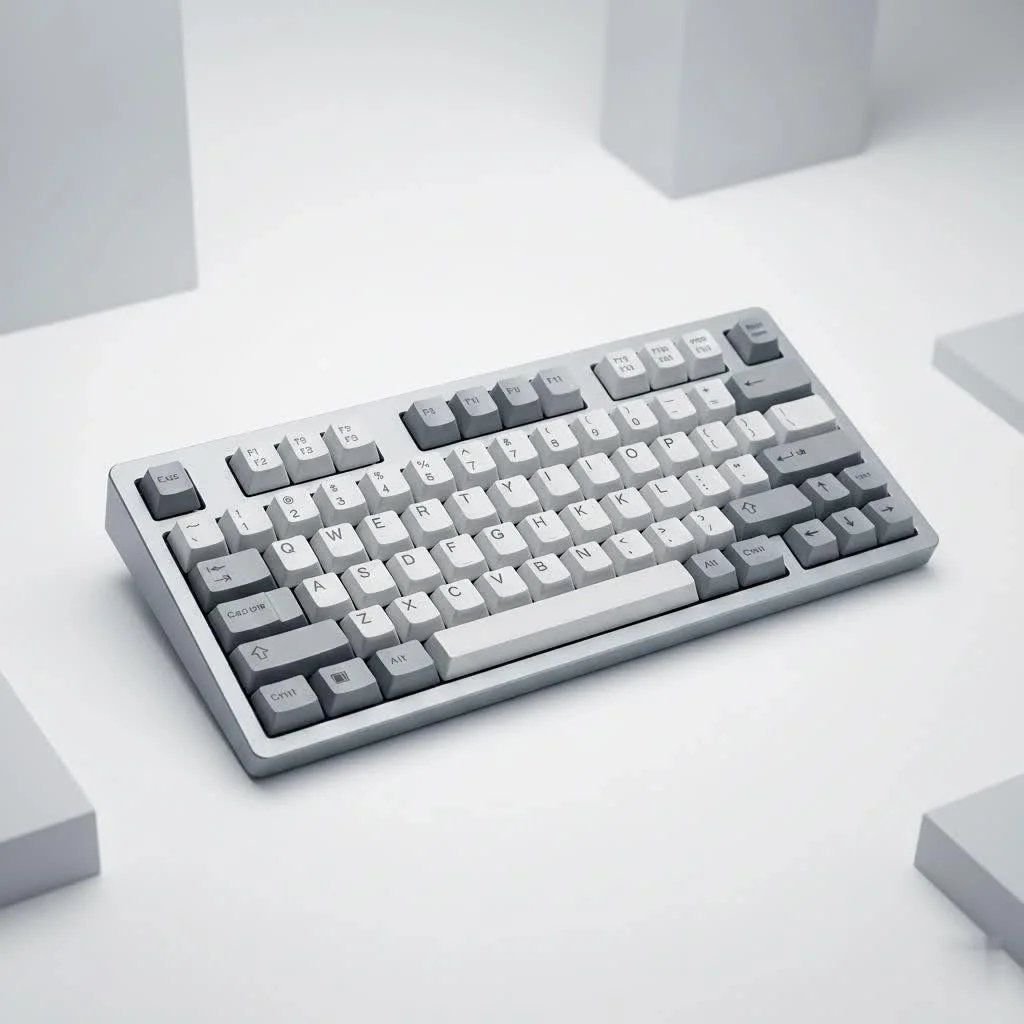
Choosing the right keyboard can significantly improve your setup. Alienware offers a range of mechanical keyboards designed with gamers in mind, blending their iconic aesthetic with robust performance and customizable features. From lightning-fast switches to brilliant RGB lighting, these boards are built to immerse you in the game and empower your every keystroke. For browse all reviews articles on this site.
What Makes an Alienware Mechanical Keyboard Stand Out?
Alienware keyboards carry a distinctive identity, a blend of futuristic design and solid engineering. They don’t just sit on your desk; they become a centerpiece, glowing with personality and demanding attention.
Design and Aesthetics: The Signature Alienware Look
You know an Alienware product when you see one. Their keyboards typically feature angular designs, often in “Dark Side of the Moon” (black) or “Lunar Light” (white) finishes, with premium materials that feel substantial under your fingers. It’s an aesthetic that truly complements an Alienware desktop or laptop setup, creating a cohesive and immersive battlestation. This signature look often includes subtle curves and sleek lines that make them instantly recognizable in the gaming world.
Build Quality: Durability You Can Feel
Durability is paramount for any gaming peripheral, and Alienware generally delivers. Many of their mechanical keyboards boast solid construction, often incorporating metal top plates that provide both a premium feel and enhanced longevity. While some models might utilize plastic frames, they are typically sturdy, designed to withstand intense gaming sessions and the rigors of daily use. This robust build ensures that your investment stands the test of time, even when the action gets heated.
RGB Lighting: AlienFX, Your Personal Light Show
One of the most visually striking features of an Alienware mechanical keyboard is its vibrant RGB lighting, powered by AlienFX. We’re talking about per-key RGB with a palette of 16.8 million colors, allowing for virtually limitless customization. Whether you want a subtle glow, a dynamic wave, or specific keys highlighted for in-game actions, AlienFX in the Alienware Command Center lets you craft your perfect light show. The lighting is often exceptionally bright, especially on lighter-colored models, truly bringing your desk to life.
Dive Deep into Alienware’s Mechanical Switches
|
Our Picks for the Best Mechanical Keyboard in 2026
As an Amazon Associate I earn from qualifying purchases.
|
||
| Num | Product | Action |
|---|---|---|
| 1 | AULA F75 Pro Wireless Mechanical Keyboard,75% Hot Swappable Custom Keyboard with Knob,RGB Backlit,Pre-lubed Reaper Switches,Side Printed PBT Keycaps,2.4GHz/USB-C/BT5.0 Mechanical Gaming Keyboards |

|
| 2 | Logitech MX Mechanical Wireless Illuminated Performance Keyboard, Tactile Quiet Switches, Backlit Keys, Bluetooth, USB-C, macOS, Windows, Linux, iOS, Android, Metal, Graphite |
|
| 3 | AULA F99 Wireless Mechanical Keyboard,Tri-Mode BT5.0/2.4GHz/USB-C Hot Swappable Custom Keyboard,Pre-lubed Linear Switches,RGB Backlit Computer Gaming Keyboards for PC/Tablet/PS/Xbox |
|
| 4 | RK ROYAL KLUDGE R98 Pro Wired Mechanical Keyboard, 96% Creamy Gaming Keyboard RGB Backlit with Number Pad and Volume Knob, Gasket Mount, MDA Profile PBT Keycaps, Hot Swappable Pre-lubed Linear Switch |
|
| 5 | AK96 Smart Mechanical Keyboard Gaming, 96 Keys Full Size with LED Colorful Backlit, Clicky Creamy Sounding, USB Wired Computer Keyboard with Volume Knob for PC, Mac, Windows(Grey) |
|
| 6 | Redragon Mechanical Gaming Keyboard Wired, 11 Programmable Backlit Modes, Hot-Swappable Red Switch, Anti-Ghosting, Double-Shot PBT Keycaps, Light Up Keyboard for PC Mac |
|
| 7 | SteelSeries USB Apex 5 Hybrid Mechanical Gaming Keyboard – Per-Key RGB Illumination – Aircraft Grade Aluminum Alloy Frame – OLED Smart Display (Hybrid Blue Switch) |
|
| 8 | Womier S-K80 75% Keyboard with Color Multimedia Display Mechanical Gaming Keyboard Creamy Sound, Wired Hot Swappable Gasket Mount RGB Custom Key board, Pre-lubed Stabilizer for Mac/Win, Black Kanagawa |
|
| 9 | RK ROYAL KLUDGE S98 Mechanical Keyboard w/Smart Display & Knob, Top Mount 96% Wireless Mechanical Keyboard BT/2.4G/USB-C, Hot Swappable, Software Support, Creamy Sounding, 98 Keys |
|
| 10 | EPOMAKER x Aula F75 Gasket Mechanical Keyboard, 75% Wireless Hot Swappable Gaming Keyboard with Five-Layer Padding&Knob, Bluetooth/2.4GHz/USB-C, RGB (Light Blue, LEOBOG Reaper Switch) |
|
The heart of any mechanical keyboard lies in its switches. Alienware understands this, offering a selection of reliable Cherry MX switches and even their own custom-designed options to cater to different preferences.
Cherry MX Low Profile Red: Speed and Responsiveness
Featured prominently in models like the Alienware AW510K, Cherry MX Low Profile Red switches are a fantastic choice for gamers seeking speed. These linear switches have a shorter actuation distance (1.2mm) and total travel (3.2mm) compared to standard Reds, meaning your commands register faster with less key travel. They offer a smooth, consistent keystroke without a tactile bump or audible click, making them ideal for rapid, repetitive presses in fast-paced games. The low-profile design also contributes to a sleeker keyboard aesthetic.
Cherry MX Red: The Gaming Standard
Many Alienware mechanical keyboards, such as the AW420K and AW920K, utilize classic Cherry MX Red switches. These linear switches are widely regarded as a standard in gaming thanks to their smooth, non-tactile actuation and relatively light operating force. With an actuation point of 2mm and total travel of 4mm, they offer a comfortable balance for both gaming and typing, providing quick response times without being overly sensitive.
Alienware Linear Mechanical Switches: A Step Towards Customization
With the introduction of the Alienware Pro Wireless keyboard, Alienware made a significant stride into the enthusiast market. This model features Alienware’s own custom linear mechanical switches with POM stems, which are factory-lubricated. This pre-lubing is a huge plus, as it drastically reduces friction and ensures a smoother, more satisfying keystroke right out of the box, often associated with high-end custom builds. These switches are designed for a 40-gram actuation force, offering a light and fast feel.
Understanding Switch Actuation and Feel
Understanding what these switch types mean for your experience is crucial. Linear switches (like Cherry MX Red and Alienware’s custom linear) offer a consistent, smooth press from top to bottom, favored by many gamers for their speed and ease of double-tapping. Tactile switches (less common in Alienware’s current desktop lineup but seen in some laptop models) provide a noticeable “bump” midway through the press, offering feedback to confirm actuation, which can be great for typing accuracy. While Alienware predominantly uses linear switches, the feel across their range is consistently geared towards performance and comfort.
Exploring Alienware Mechanical Keyboard Models
Alienware offers a variety of mechanical keyboards, each catering to different needs and preferences. Let’s break down some of their notable offerings.
Alienware AW510K: The Low-Profile Champion
The AW510K is a full-size, wired low-profile RGB mechanical gaming keyboard that has garnered a strong following. Its sleek design, combined with responsive Cherry MX Low Profile Red switches, makes it a top choice for gamers who prefer a faster, shallower keystroke. It features a full-size layout with dedicated media controls, including a satisfying volume roller, and a USB pass-through port for convenience. This keyboard really shines with its vibrant per-key RGB lighting, fully customizable through Alienware Command Center.
Alienware AW420K: Compact Power in TKL
For those who prefer a more compact setup without sacrificing performance, the Alienware AW420K is a tenkeyless (TKL) wired option. This board streamlines your desk space by removing the numpad, making it easier to position your mouse for broader movements. It typically comes with Cherry MX Red switches and offers robust build quality, often including double-shot PBT keycaps for enhanced durability. While praised for its performance, some users have noted that the stabilizers can sometimes be a bit “pingy,” a common modding target for enthusiasts.
Alienware AW920K: The Wireless Freedom Fighter
The Alienware AW920K brings wireless connectivity to the full-size mechanical keyboard lineup. This tri-mode keyboard offers flexible connection options: 2.4GHz wireless for low-latency gaming, Bluetooth for productivity across multiple devices, and a wired USB-C connection for charging or direct input. Equipped with Cherry MX Red switches, it maintains a strong focus on gaming performance while offering the convenience of a cable-free setup. Its robust battery life and seamless integration with Alienware Command Center make it a versatile choice.
Alienware Pro Wireless: The Enthusiast’s New Toy
The Alienware Pro Wireless keyboard marks Alienware’s bold entry into the more enthusiast-driven custom keyboard space. This 75% form factor board features hot-swappable switches, meaning you can easily swap out the factory Alienware Linear Mechanical Switches for any 3-pin or 5-pin MX-style switches to tailor your typing and gaming experience. It boasts tri-mode connectivity, dual foam for improved acoustics, a massive silicone strip for stability, and high-quality PBT shine-through keycaps. The Pro Wireless offers a blend of top-tier performance and customization previously unseen in Alienware’s lineup.
Mechanical Keyboards in Alienware Laptops: Gaming on the Go
Alienware has even integrated mechanical keyboard technology into some of its gaming laptops, like certain configurations of the M15, M17, and M18 series. These laptop-specific mechanical keyboards, often developed in partnership with Cherry MX, offer a more tactile and responsive typing experience than traditional membrane laptop keyboards. While they might not replicate the full travel and feel of a desktop mechanical keyboard, they provide a significantly improved experience for gaming on the go, making laptop gaming feel more precise and satisfying.
Customization and Personalization with Alienware Command Center
The Alienware Command Center (AWCC) is the central hub for customizing your Alienware mechanical keyboard. It’s a powerful software suite that allows you to truly make the keyboard your own.
Macro Programming and Key Assignments
AWCC allows you to program macros and remap keys with ease. For gamers, this means assigning complex command sequences to a single keystroke, giving you an edge in competitive play. Whether it’s a combo in an MMO or a series of rapid actions in an FPS, macros can streamline your gameplay. You can create multiple profiles for different games or applications and switch between them on the fly.
Mastering AlienFX RGB Lighting Effects
The lighting customization through AlienFX is incredibly deep. You can choose from a vast array of static colors, dynamic effects like waves, pulses, or spectrum cycling, and even create custom effects for individual keys. Imagine setting specific zones to light up when you activate certain abilities in-game, or having your keyboard react dynamically to in-game events. AWCC makes it all possible, allowing you to perfectly match your keyboard’s ambiance to your mood or game.
Keycap Compatibility and Modding Potential
While most Alienware mechanical keyboards come with quality keycaps (like durable double-shot PBT on some models), the enthusiast community often loves to explore aftermarket options. For models with standard Cherry MX stems, you can typically swap out keycaps to further personalize your board’s look and feel. The Alienware Pro Wireless, with its hot-swappable switches, takes modding to the next level, allowing you to easily experiment with different switch types without soldering. This is a major upgrade for those who want to fine-tune their board’s acoustics and feel.
Choosing Your Perfect Alienware Mechanical Keyboard
Selecting the right Alienware mechanical keyboard boils down to understanding your priorities as a user.
Consider Your Gaming Style
Are you an FPS enthusiast who needs lightning-fast linear switches for quick reflexes? Or do you play strategy games where tactile feedback for precise command entry is more important? Alienware’s linear offerings are generally geared towards speed, but the overall feel and responsiveness are excellent for various genres.
Typing Experience vs. Gaming Performance
While Alienware keyboards are optimized for gaming, they often provide a very capable typing experience as well. Linear switches like Cherry MX Reds are generally comfortable for extended typing sessions, though some users might prefer a tactile bump for better feedback. If you spend a lot of time typing, consider the overall feel and noise level.
Wired vs. Wireless: Connectivity Choices
Wired keyboards offer zero latency and never need charging, making them a steadfast choice for competitive gaming. Wireless options like the AW920K and Pro Wireless provide greater desk flexibility and a cleaner aesthetic, with modern wireless technologies minimizing perceptible lag. If portability or a clutter-free setup is crucial, wireless is the way to go.
Form Factor: Full-size, TKL, or 75%?
- Full-size: Provides a complete numpad and dedicated media keys, ideal for productivity and gamers who use the numpad.
- Tenkeyless (TKL): Removes the numpad, saving desk space and bringing your mouse closer, which is preferred by many competitive gamers.
- 75%: A more compact layout that keeps most function keys and arrow keys, offering a balance between space-saving and functionality, as seen with the Pro Wireless.
Consider how much desk space you have and which keys are essential for your daily tasks and gaming.
Expert Insight: A Mechanical Keyboard Enthusiast’s Take
“Alienware has consistently pushed the boundaries of gaming hardware, and their latest mechanical keyboards, especially the Pro Wireless, show a clear commitment to evolving with the enthusiast community,” shares Leon “KeyMaster” Nguyen, a renowned mechanical keyboard builder and reviewer. “The blend of iconic design, reliable performance, and now hot-swappable switches truly positions them as a serious contender for gamers who demand both style and substance.”
Frequently Asked Questions (FAQ)
Are Alienware mechanical keyboards good for typing?
Yes, Alienware mechanical keyboard models often feature Cherry MX Red or similar linear switches which, while optimized for gaming, also provide a smooth and comfortable typing experience. The consistent travel and actuation can be quite pleasant for long typing sessions, though some users might prefer tactile switches for dedicated typing.
Can I replace the keycaps on an Alienware mechanical keyboard?
Most Alienware mechanical keyboards use standard Cherry MX-style stems, which means you can typically swap out the keycaps with aftermarket sets to customize their appearance. Models like the Alienware Pro Wireless come with high-quality PBT keycaps and are generally compatible with custom sets.
What is Alienware Command Center?
Alienware Command Center (AWCC) is Alienware’s proprietary software used to manage and customize your Alienware peripherals and system. For mechanical keyboards, it allows you to configure RGB lighting effects (AlienFX), program macros, remap keys, and manage profiles for different games and applications.
Do Alienware mechanical keyboards have anti-ghosting?
Absolutely. All modern Alienware mechanical keyboard models are equipped with full N-key rollover and anti-ghosting technology. This ensures that every keypress is registered accurately, even when multiple keys are pressed simultaneously, which is crucial for complex commands in gaming.
Is the Alienware Pro Wireless keyboard worth it?
The Alienware Pro Wireless keyboard is a premium offering with advanced features like hot-swappable switches, tri-mode connectivity, and factory-lubricated custom switches. Its higher price point reflects these enthusiast-grade features. For serious gamers and keyboard enthusiasts looking for top-tier performance and extensive customization options within the Alienware ecosystem, it offers significant value.
Conclusion
An Alienware mechanical keyboard is more than just a peripheral; it’s a carefully engineered tool designed to enhance every aspect of your gaming and computing experience. With a range of models, from the sleek, low-profile AW510K to the highly customizable Pro Wireless, Alienware offers options for every type of enthusiast. Their commitment to premium build quality, vibrant RGB lighting, and high-performance switches ensures that you’re getting a keyboard that not only looks fantastic but also delivers the responsiveness and reliability you need to dominate in any virtual arena. Dive into the world of Alienware mechanical keyboards, explore the customization possibilities, and improve your setup to legendary status. You’ll feel the difference with every click and clack, taking your gaming and typing to new heights.
Frequently Asked Questions
Are Alienware mechanical keyboards suitable for extensive typing sessions?
Yes, Alienware mechanical keyboard models often feature linear switches like Cherry MX Red, which are optimized for gaming but also provide a smooth and comfortable typing experience. The consistent travel and actuation of these switches can be quite pleasant for long typing sessions, though some users might prefer tactile switches for dedicated typing tasks.
Can I customize the keycaps on my Alienware mechanical keyboard?
Most Alienware mechanical keyboards use standard Cherry MX-style stems, allowing you to swap out keycaps with aftermarket sets to personalize their appearance. For example, the Alienware Pro Wireless comes with high-quality PBT keycaps and is generally compatible with various custom keycap sets.
What is the primary function of Alienware Command Center (AWCC)?
Alienware Command Center (AWCC) is Alienware's proprietary software designed to manage and customize your Alienware peripherals and system. For mechanical keyboards, AWCC enables users to configure AlienFX RGB lighting effects, program macros, remap keys, and manage multiple profiles for different games and applications.
Do Alienware mechanical keyboards support anti-ghosting technology?
Absolutely. All modern Alienware mechanical keyboard models are equipped with full N-key rollover and anti-ghosting technology. This ensures that every keypress is registered accurately, even when multiple keys are pressed simultaneously, which is crucial for executing complex commands in competitive gaming scenarios.
Is the Alienware Pro Wireless keyboard a worthwhile investment for gamers?
The Alienware Pro Wireless keyboard is a premium offering with advanced features such as hot-swappable switches, tri-mode connectivity, and factory-lubricated custom switches. Its higher price point reflects these enthusiast-grade features. For serious gamers and keyboard enthusiasts seeking top-tier performance and extensive customization options within the Alienware ecosystem, it offers significant value.
Get our weekly buyer guide
Practical specs, not advice. Unsubscribe anytime.

I picked up an Alienware mechanical keyboard hoping for a big step up, and while the RGB lighting is cool, I found the Alienware Command Center software a bit clunky to navigate. It took me a while to figure out how to customize everything the way I wanted. The performance is good once it’s set up, but the initial experience was a bit frustrating.
I’ve been using the Alienware AW510K for a few months now and it’s fantastic. The Cherry MX switches are super responsive, which is exactly what I needed for competitive gaming. The build quality feels really solid too, like it can take a beating during intense sessions. Definitely a worthwhile upgrade if you’re serious about your setup.
The Alienware Pro Wireless keyboard is a game-changer for my desk setup. I love the hot-swappable feature; it’s so easy to try out different switches without buying a whole new board. My only minor gripe is that the battery life could be a little longer, but it’s not a dealbreaker since I charge it overnight anyway.
This keyboard is a beast! The full N-key rollover is something I never knew I needed until I had it. No more missed inputs during fast-paced games. Plus, the signature Alienware aesthetic really ties my whole battlestation together. Highly recommend for any serious gamer looking for a reliable and stylish keyboard.