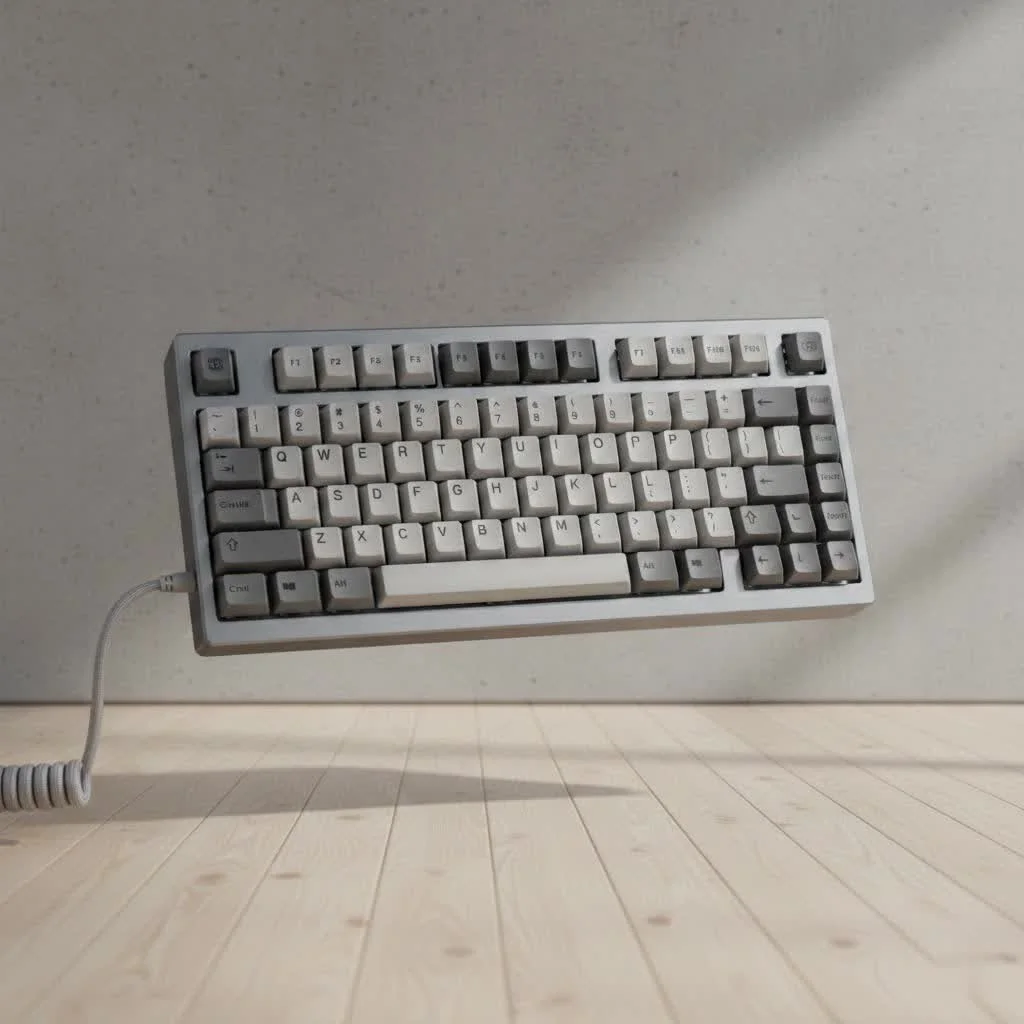
A wireless mechanical keyboard offers a clean, cable-free desk setup with enhanced portability and flexibility, making it ideal for gamers, programmers, and typists. Modern wireless technology, particularly 2.4GHz connections, provides performance nearly identical to wired keyboards, eliminating previous concerns about input latency for most users, including competitive gamers.
Why Go Wireless? The Freedom from Cords
The primary appeal of a wireless keyboard is immediately obvious: aesthetics and flexibility. A desk without the clutter of a USB cable instantly looks more organized and minimalist. This freedom allows you to reposition your keyboard effortlessly, whether you’re leaning back in your chair, using it with a standing desk, or even connecting it to a media center in your living room.
Key Advantages: Portability and Aesthetics
Beyond just looking good, wireless keyboards offer incredible portability. Tossing a compact 60% or 75% wireless board into your backpack for a trip to the coffee shop or a co-working space is a seamless experience. There are no cables to untangle or forget. Many modern boards also support multi-device pairing, allowing you to switch between your laptop, tablet, and phone with a simple key combination, creating a truly unified workspace.
The Downsides to Consider: Battery and Latency
Of course, cutting the cord isn’t without its trade-offs. The two biggest concerns for any potential buyer are battery life and input latency. You’ll need to remember to charge your keyboard, and the frequency depends heavily on your usage and whether you use RGB backlighting. Latency, or the delay between a keypress and the action appearing on screen, was once a major issue, but modern wireless technology has made incredible strides, making this a non-issue for most users, including competitive gamers.
Choosing Your Connection: 2.4GHz vs. Bluetooth
Not all wireless is created equal. When you’re shopping for a wireless mechanical keyboard, you’ll primarily see two types of connectivity: 2.4GHz and Bluetooth.
What’s the Difference Between 2.4GHz and Bluetooth?
A 2.4GHz connection uses a dedicated USB dongle to create a direct, low-latency link between the keyboard and your device. It’s essentially a plug-and-play experience that offers performance nearly identical to a wired connection. Bluetooth, on the other hand, connects directly to your device’s built-in Bluetooth receiver, eliminating the need for a dongle but often introducing slightly more latency and a more complex pairing process.
For the Gamers: Why 2.4GHz is King
If you’re a serious gamer, a 2.4GHz connection is non-negotiable. The technology provides a stable, high-speed polling rate (how often the keyboard reports to the computer) that is crucial for fast-paced, competitive games where every millisecond counts. This is the closest you can get to wired performance without the wire.
For the Multi-Device Juggler: The Magic of Bluetooth
If your priority is versatility and productivity, Bluetooth is your best friend. The ability to pair with multiple devices and switch between them on the fly is a game-changer. You can type an email on your laptop, switch to reply to a text on your phone, and then switch back, all with the same keyboard. While Bluetooth latency is slightly higher, it’s perfectly acceptable for typing and casual gaming. Many premium keyboards now offer both 2.4GHz and Bluetooth for the best of both worlds.
How to Pick the Perfect Wireless Mechanical Keyboard
With the basics covered, how do you choose the right board for you? It comes down to a few key factors that will define your daily experience.
Battery Life: Don’t Get Caught Powerless
|
Our Picks for the Best Mechanical Keyboard in 2026
As an Amazon Associate I earn from qualifying purchases.
|
||
| Num | Product | Action |
|---|---|---|
| 1 | RK ROYAL KLUDGE S98 Mechanical Keyboard w/Smart Display & Knob, Top Mount 96% Wireless Mechanical Keyboard BT/2.4G/USB-C, Hot Swappable, Software Support, Creamy Sounding, 98 Keys |

|
| 2 | SteelSeries USB Apex 5 Hybrid Mechanical Gaming Keyboard – Per-Key RGB Illumination – Aircraft Grade Aluminum Alloy Frame – OLED Smart Display (Hybrid Blue Switch) |
|
| 3 | RK ROYAL KLUDGE R98 Pro Wired Mechanical Keyboard, 96% Creamy Gaming Keyboard RGB Backlit with Number Pad and Volume Knob, Gasket Mount, MDA Profile PBT Keycaps, Hot Swappable Pre-lubed Linear Switch |
|
| 4 | Logitech MX Mechanical Wireless Illuminated Performance Keyboard, Tactile Quiet Switches, Backlit Keys, Bluetooth, USB-C, macOS, Windows, Linux, iOS, Android, Metal, Graphite |
|
| 5 | AK96 Smart Mechanical Keyboard Gaming, 96 Keys Full Size with LED Colorful Backlit, Clicky Creamy Sounding, USB Wired Computer Keyboard with Volume Knob for PC, Mac, Windows(Grey) |
|
| 6 | AULA F99 Wireless Mechanical Keyboard,Tri-Mode BT5.0/2.4GHz/USB-C Hot Swappable Custom Keyboard,Pre-lubed Linear Switches,RGB Backlit Computer Gaming Keyboards for PC/Tablet/PS/Xbox |
|
| 7 | Redragon Mechanical Gaming Keyboard Wired, 11 Programmable Backlit Modes, Hot-Swappable Red Switch, Anti-Ghosting, Double-Shot PBT Keycaps, Light Up Keyboard for PC Mac |
|
| 8 | EPOMAKER x Aula F75 Gasket Mechanical Keyboard, 75% Wireless Hot Swappable Gaming Keyboard with Five-Layer Padding&Knob, Bluetooth/2.4GHz/USB-C, RGB (Light Blue, LEOBOG Reaper Switch) |
|
| 9 | Womier S-K80 75% Keyboard with Color Multimedia Display Mechanical Gaming Keyboard Creamy Sound, Wired Hot Swappable Gasket Mount RGB Custom Key board, Pre-lubed Stabilizer for Mac/Win, Black Kanagawa |
|
| 10 | AULA F75 Pro Wireless Mechanical Keyboard,75% Hot Swappable Custom Keyboard with Knob,RGB Backlit,Pre-lubed Reaper Switches,Side Printed PBT Keycaps,2.4GHz/USB-C/BT5.0 Mechanical Gaming Keyboards |
|
Battery performance can range from a few days to several months on a single charge. The biggest factor influencing this is backlighting. A keyboard with full RGB lighting blasting at 100% brightness might only last 20-40 hours. Turn the lights off, and that same keyboard could last for hundreds of hours. Look for models with large battery capacities (3000-4000mAh is common) and smart features like an auto-sleep mode to conserve power when not in use.
Size and Layout Matters: From Full-Size to 60%
The physical size of your keyboard impacts both ergonomics and desk space.
- Full-Size (100%): Includes the number pad. Ideal for data entry and those who can’t live without it.
- Tenkeyless (TKL): A full-size board without the number pad. A popular choice that saves desk space without sacrificing function keys.
- 75%: A compact layout that squishes the arrow keys and navigation cluster together to save even more space than a TKL.
- 60% / 65%: Ultra-compact boards that remove the function row. A 65% layout keeps the arrow keys. These are favorites for enthusiasts and travelers.
Switches: The Heart of Your Keyboard
The mechanical switches underneath your keycaps define the feel and sound of every keystroke.
- Linear (e.g., Cherry MX Red): Smooth, consistent travel with no tactile bump. Preferred by gamers for their speed and consistency.
- Tactile (e.g., Cherry MX Brown): A noticeable “bump” in the middle of the keypress provides feedback that a key has been actuated. Great for typists.
- Clicky (e.g., Cherry MX Blue): A tactile bump combined with an audible “click” sound. Incredibly satisfying to type on, but may not be office-friendly.
Are Wireless Mechanical Keyboards Good For Gaming?
Let’s address the elephant in the room: input lag. For years, professional gamers swore by wired connections. However, modern 2.4GHz wireless technology has all but eliminated this concern.
“The latency difference between a top-tier 2.4GHz wireless keyboard and its wired counterpart is now under 1 millisecond,” states Alex Wren, a senior hardware analyst at TechForge Labs. “For 99.9% of gamers, including esports professionals, the difference is scientifically imperceptible. The freedom of movement and cleaner setup offer a far more tangible benefit.”
In short, yes. A high-quality wireless mechanical keyboard with a 2.4GHz connection is absolutely viable for even the most demanding competitive gaming.
Frequently Asked Questions
Do wireless mechanical keyboards have noticeable input lag?
For general typing and casual use, modern Bluetooth keyboards have no noticeable lag. For competitive gaming, a keyboard using a 2.4GHz wireless dongle will provide a virtually lag-free experience indistinguishable from a wired connection.
How long does the battery typically last on a wireless mechanical keyboard?
This varies greatly. With RGB backlighting on, expect anywhere from 20 hours to a full week of use. With backlighting turned off, many keyboards can last for several months on a single charge.
Can I use a wireless keyboard in wired mode?
Yes, nearly all wireless mechanical keyboards come with a USB-C cable that allows you to use the keyboard in a wired mode while it’s charging. This also ensures you’re never left without a working keyboard if the battery dies unexpectedly.
Is a wireless mechanical keyboard worth the extra cost?
If you highly value a clean desk setup, portability, or the flexibility to use your keyboard with multiple devices, then the extra cost is absolutely worth it. If you’re on a tight budget and your keyboard never moves from its spot, a wired model may be more practical.
What is the best wireless mechanical keyboard for a Mac?
Many brands like Keychron, Logitech, and NuPhy offer excellent wireless mechanical keyboards with Mac-specific layouts and keycaps included. Look for models that feature a simple switch to toggle between Windows and macOS modes for full compatibility.
Your Perfect Wireless Setup Awaits
Making the switch to a wireless mechanical keyboard is an upgrade that enhances not just your typing experience but your entire workspace. The combination of tactile satisfaction, aesthetic freedom, and modern, reliable technology has reached a point where there are very few reasons to stay tethered to your desk. By considering your primary use case—whether it’s gaming, productivity, or a bit of both—you can confidently choose a board that will serve you well for years to come. Cut the cord and discover a new level of freedom.
Frequently Asked Questions
Do wireless mechanical keyboards have noticeable input lag?
For competitive gaming, a keyboard using a 2.4GHz wireless dongle provides a virtually lag-free experience, indistinguishable from a wired connection. Modern Bluetooth keyboards have no noticeable lag for general typing and casual use.
How long does the battery typically last on a wireless mechanical keyboard?
Battery life varies significantly; with RGB backlighting on, expect 20 hours to a full week of use. When backlighting is turned off, many keyboards can last for several months on a single charge, especially models with 3000-4000mAh capacities.
Can I use a wireless keyboard in wired mode?
Yes, nearly all wireless mechanical keyboards include a USB-C cable, allowing them to be used in wired mode while charging. This feature ensures continuous functionality even if the battery unexpectedly runs out.
Is a wireless mechanical keyboard worth the extra cost?
If a clean desk setup, portability, or multi-device flexibility are high priorities, the additional cost of a wireless mechanical keyboard is justified. For users on a tight budget whose keyboard remains stationary, a wired model might be more practical.
What is the best wireless mechanical keyboard for a Mac?
Brands such as Keychron, Logitech, and NuPhy offer excellent wireless mechanical keyboards with Mac-specific layouts and keycaps. Look for models that include a simple switch to toggle between Windows and macOS modes for full compatibility.
How to Pick the Perfect Wireless Mechanical Keyboard
Choosing the right wireless mechanical keyboard involves considering key factors like connectivity type, battery life, keyboard size, and switch types to match your daily usage.
Decide between 2.4GHz for low-latency gaming with a USB dongle, or Bluetooth for multi-device pairing and versatility without a dongle. Many premium keyboards offer both options for maximum flexibility.
Consider how often you want to charge your keyboard. Keyboards with RGB backlighting typically last 20-40 hours, while those with lights off can last hundreds of hours. Look for large battery capacities (e.g., 3000-4000mAh) and auto-sleep features.
Choose a size that fits your ergonomic and desk space needs, from full-size (100%) with a number pad, to compact 60%/65% layouts for portability. Tenkeyless (TKL) and 75% layouts offer a balance of space-saving and functionality.
Determine the feel and sound of your keystrokes by selecting linear (smooth, for gaming), tactile (with a bump, for typing), or clicky (with a bump and sound, for satisfying feedback) mechanical switches. Each type offers a distinct typing experience.
Get our weekly buyer guide
Practical specs, not advice. Unsubscribe anytime.

The portability and flexibility of a wireless mechanical keyboard are game-changers for my standing desk setup. I can easily move it around without worrying about cables getting snagged or limiting my movement. It’s fantastic for switching between typing and more relaxed browsing. The battery life on mine has been excellent too, which was a pleasant surprise.
I appreciate the clean aesthetic of a cable-free desk, and my new wireless mechanical keyboard definitely delivers on that front. However, I’ve noticed a very slight, almost imperceptible delay when I’m really flying through code as a programmer. It’s not a deal-breaker, but it’s just enough to be noticeable compared to my old wired board. For casual use, it’s perfect, but for intense coding sessions, I might still prefer wired.
As a typist, I spend hours at my keyboard every day, and the comfort of a mechanical keyboard is essential. The freedom from cords has been a revelation. I can adjust my posture and keyboard position so much more easily, which has really helped with wrist strain. It’s amazing how much of a difference that simple flexibility makes. Definitely worth the upgrade!
I was hesitant about switching to a wireless mechanical keyboard because of old concerns about input latency, especially since I game pretty regularly. But after reading about the advancements in 2.4GHz connections, I decided to take the plunge. I’m so glad I did! The performance is indistinguishable from my old wired setup, and my desk looks so much cleaner now. Highly recommend for any gamer looking to declutter.