Welcome to the world of mechanical keyboards, where every keystroke is a statement. If you’ve found your way here, you’re likely curious about a specific, ultra-compact layout that has taken the enthusiast community by storm: the mechanical 60 keyboard. As a mechanical engineer and the creator behind Yoasy, I’ve spent over a decade building, modding, and living with these keyboards. Forget the bulky, plastic boards of the past; we’re diving deep into a form factor that combines minimalist aesthetics with maximum performance.
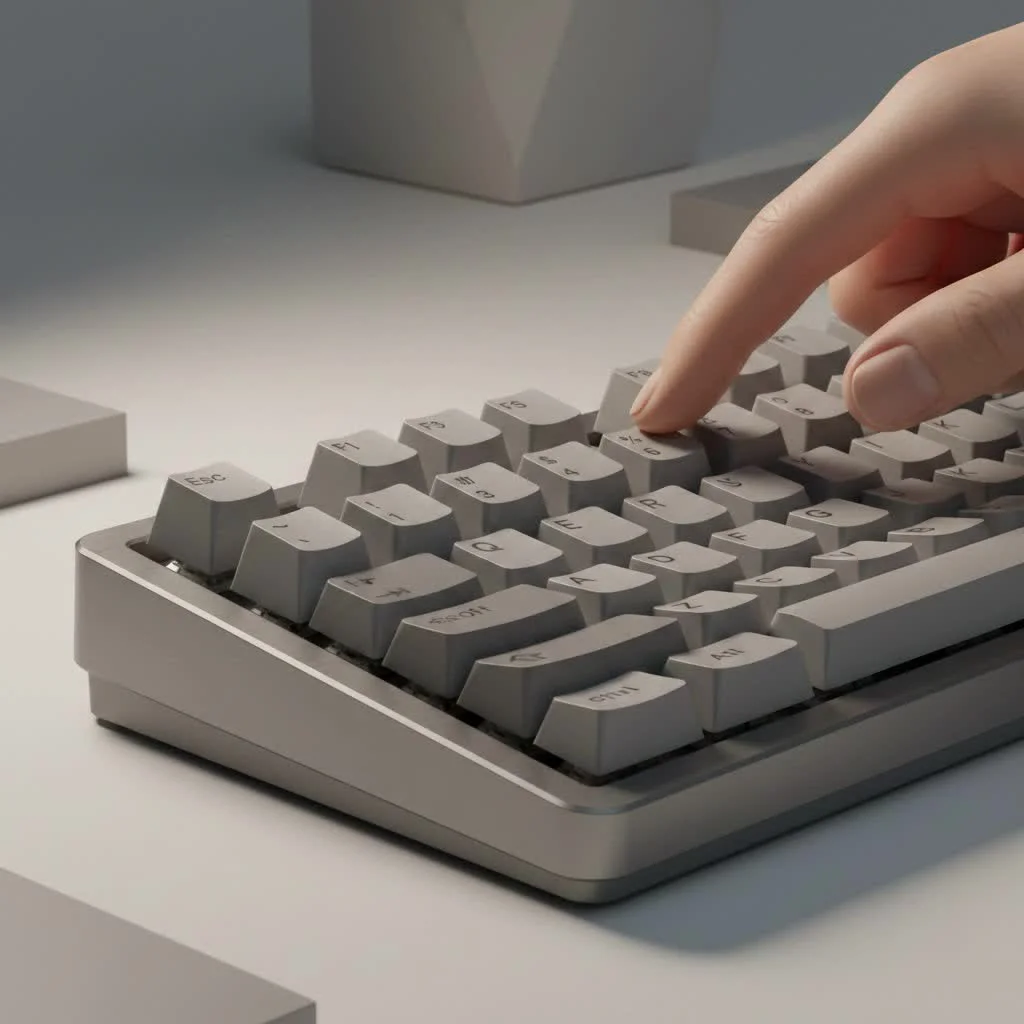
This guide is your one-stop shop for understanding the 60% layout. We’ll explore why it’s so popular, what you sacrifice for its small size, and how to choose the perfect one for your desk. Whether you’re a hardcore gamer, a programmer, or just someone who appreciates a clean setup, the 60% keyboard has something to offer.
What Exactly is a Mechanical 60 Keyboard?
A mechanical 60 keyboard is a compact layout that removes the number pad, the function row (F1-F12), the arrow keys, and the navigation cluster (Home, End, Page Up/Down). It retains the main alphanumeric block, giving you about 60-61 keys in total, depending on the specific layout (ANSI or ISO).
Think of it as the essential core of a full-size keyboard. Its primary appeal is its incredibly small footprint, which frees up a massive amount of desk space. This is a huge advantage for gamers who need more room for wide mouse movements or anyone aiming for a minimalist, clutter-free workspace. To access the missing keys, you use a combination of a Function (Fn) key and other keys, which are organized into programmable “layers.”
The Pros and Cons of Going Compact
Deciding if a 60% layout is right for you involves a trade-off between space and convenience. It’s not for everyone, but for the right user, it’s a game-changer.
Why Choose a 60 Percent Keyboard?
- Maximum Desk Space: This is the biggest selling point. The extra room for your mouse can significantly improve ergonomics and gameplay, reducing shoulder strain.
- Superior Ergonomics: With a smaller board, your hands are closer together in a more natural position, which can reduce strain on your wrists and shoulders during long typing or gaming sessions.
- Aesthetic Appeal: Let’s be honest, they look fantastic. The clean, symmetrical, and minimalist design of a mechanical 60 keyboard is a major draw for those who care about their setup’s appearance.
- Portability: Their small size and light weight make them incredibly easy to pack up and take with you, whether you’re heading to a LAN party, the office, or a coffee shop.
- Encourages Customization: The 60% form factor is one of the most popular in the custom keyboard scene, meaning there’s a vast selection of cases, plates, PCBs, and keycaps available to build a board that is truly yours.
What Are the Downsides?
|
Our Picks for the Best Mechanical Keyboard in 2026
As an Amazon Associate I earn from qualifying purchases.
|
||
| Num | Product | Action |
|---|---|---|
| 1 | Logitech MX Mechanical Wireless Illuminated Performance Keyboard, Tactile Quiet Switches, Backlit Keys, Bluetooth, USB-C, macOS, Windows, Linux, iOS, Android, Metal, Graphite |

|
| 2 | Womier S-K80 75% Keyboard with Color Multimedia Display Mechanical Gaming Keyboard Creamy Sound, Wired Hot Swappable Gasket Mount RGB Custom Key board, Pre-lubed Stabilizer for Mac/Win, Black Kanagawa |
|
| 3 | AULA F75 Pro Wireless Mechanical Keyboard,75% Hot Swappable Custom Keyboard with Knob,RGB Backlit,Pre-lubed Reaper Switches,Side Printed PBT Keycaps,2.4GHz/USB-C/BT5.0 Mechanical Gaming Keyboards |
|
| 4 | Redragon Mechanical Gaming Keyboard Wired, 11 Programmable Backlit Modes, Hot-Swappable Red Switch, Anti-Ghosting, Double-Shot PBT Keycaps, Light Up Keyboard for PC Mac |
|
| 5 | AULA F99 Wireless Mechanical Keyboard,Tri-Mode BT5.0/2.4GHz/USB-C Hot Swappable Custom Keyboard,Pre-lubed Linear Switches,RGB Backlit Computer Gaming Keyboards for PC/Tablet/PS/Xbox |
|
| 6 | RK ROYAL KLUDGE S98 Mechanical Keyboard w/Smart Display & Knob, Top Mount 96% Wireless Mechanical Keyboard BT/2.4G/USB-C, Hot Swappable, Software Support, Creamy Sounding, 98 Keys |
|
| 7 | AK96 Smart Mechanical Keyboard Gaming, 96 Keys Full Size with LED Colorful Backlit, Clicky Creamy Sounding, USB Wired Computer Keyboard with Volume Knob for PC, Mac, Windows(Grey) |
|
| 8 | RK ROYAL KLUDGE R98 Pro Wired Mechanical Keyboard, 96% Creamy Gaming Keyboard RGB Backlit with Number Pad and Volume Knob, Gasket Mount, MDA Profile PBT Keycaps, Hot Swappable Pre-lubed Linear Switch |
|
| 9 | SteelSeries USB Apex 5 Hybrid Mechanical Gaming Keyboard – Per-Key RGB Illumination – Aircraft Grade Aluminum Alloy Frame – OLED Smart Display (Hybrid Blue Switch) |
|
| 10 | EPOMAKER x Aula F75 Gasket Mechanical Keyboard, 75% Wireless Hot Swappable Gaming Keyboard with Five-Layer Padding&Knob, Bluetooth/2.4GHz/USB-C, RGB (Light Blue, LEOBOG Reaper Switch) |
|
- The Learning Curve: The biggest hurdle is getting used to function layers. Accessing arrow keys, F-keys, or even the delete key requires pressing a key combination (like Fn + I, J, K, L for arrows). This can feel clunky at first and slow down your workflow.
- Not Ideal for Data Entry: If your job involves heavy use of the number pad, a 60% keyboard is likely not the right choice. While you can buy a separate numpad, it defeats the purpose of a compact layout.
- Productivity Challenges: Programmers, writers, and designers who rely heavily on the function row and navigation keys might find the reliance on layers to be a significant productivity killer initially.
As custom builder Alex Chen often says, “The 60 percent layout isn’t about having fewer keys; it’s about making every key more powerful. Once you master layers, you realize you have all the functionality you need right under your fingertips, without ever having to move your hands.”
How to Choose the Perfect Mechanical 60 Keyboard
Now that you understand the pros and cons, let’s break down the key components you need to consider when shopping for a mechanical 60 keyboard.
Switches: The Heart of the Feel
The mechanical switches are what define the typing experience. They determine the sound, feel, and responsiveness of each key press. There are three main types:
- Linear: These switches offer a smooth, consistent press from top to bottom with no tactile bump or audible click. They are favored by gamers for their speed and lack of interference. Examples: Cherry MX Red, Gateron Red, Kailh Red.
- Tactile: These provide a noticeable “bump” in the middle of the keypress to let you know the keystroke has been registered. They are a great all-around option for both typing and gaming. Examples: Cherry MX Brown, Gateron Brown, Glorious Panda.
- Clicky: These switches provide both a tactile bump and a loud, satisfying “click” sound. They are fantastic for typists who love auditory feedback but can be disruptive in shared spaces. Examples: Cherry MX Blue, Gateron Blue, Kailh Box White.
Keycaps: Material and Profile
Keycaps are the plastic tops you press on. They affect both the look and feel of your keyboard.
- Material: The two most common plastics are ABS and PBT. ABS is cheaper and smoother but can develop a shine over time. PBT is more durable, has a textured feel, and is resistant to shine, making it the preferred choice for enthusiasts.
- Profile: The profile refers to the shape and height of the keycaps. Common profiles include OEM (standard, sculpted), Cherry (similar to OEM but lower), and uniform profiles like XDA or DSA where every key is the same height.
Build Quality and Case Material
The case is the chassis of your keyboard. It has a major impact on the board’s sound, feel, and durability.
- Plastic: Most budget-friendly 60% keyboards use a plastic case. They are lightweight and affordable but can sometimes feel flimsy and produce a hollow sound.
- Aluminum: Premium keyboards often feature a CNC-machined aluminum case. This adds significant weight and rigidity, resulting in a more solid feel and a deeper, more satisfying sound profile.
Programmability and Layers
The secret weapon of a mechanical 60 keyboard is its programmability. Most enthusiast boards support firmware like QMK or VIA. This software allows you to completely remap every single key and customize your function layers. For example, you can change the “Caps Lock” key to another Fn key, giving you easy access to arrow keys with your left hand. Mastering this programmability is the key to unlocking the full potential of the 60% layout.
Popular Mods for Your 60% Keyboard
Once you have your board, the fun is just beginning. The modding community is vibrant and offers countless ways to improve your keyboard’s sound and feel.
- Lube Switches: Applying a thin layer of specialized lubricant to the switch internals reduces friction, resulting in a smoother keypress and a deeper sound.
- Tune Stabilizers: “Clipping” and “lubing” the stabilizers (the wires under your larger keys like the spacebar) eliminates rattle and makes them feel much more solid.
- Add Foam: Placing foam inside the keyboard case can dampen vibrations and eliminate any hollow or pinging sounds, leading to a much more pleasing “thocky” sound profile.
Frequently Asked Questions (FAQ)
Are 60% keyboards good for gaming?
Absolutely. Many professional gamers prefer a mechanical 60 keyboard because the compact size provides more space for mouse movement, which is crucial for low-sensitivity aiming in FPS games. The programmability also allows them to create custom layouts optimized for their favorite games.
Can you use arrow keys on a 60% keyboard?
Yes, but they are accessed through a function layer. A common default layout is using Fn + I, J, K, L as the up, left, down, and right arrow keys, respectively. Many keyboards also allow you to assign a dedicated set of keys to function as arrows with a single toggle.
Is it hard to get used to a 60% keyboard?
There is a learning curve, typically lasting from a few days to a couple of weeks. The main challenge is building muscle memory for the function layer combinations. Once you overcome this, your fingers will fly across the board without ever needing to leave the home row.
What is the difference between a 60% and a 65% keyboard?
A 65% keyboard is a close cousin to the 60%. It adds a dedicated set of arrow keys and usually includes a few extra keys on the right side, like Page Up, Page Down, and Delete. It’s a great compromise for those who want a compact board but can’t live without dedicated arrows.
Your Journey to a Compact Setup
The mechanical 60 keyboard is more than just a peripheral; it’s a statement about efficiency, minimalism, and personal preference. It challenges you to rethink your workflow but rewards you with a cleaner desk, better ergonomics, and a typing experience that is uniquely yours. By understanding the core components—switches, keycaps, build, and programmability— you are now equipped to make an informed decision. Take the leap, embrace the learning curve, and discover how a smaller keyboard can make a massive impact on your daily computing.
Get our weekly buyer guide
Practical specs, not advice. Unsubscribe anytime.
