Searching for an Apple mechanical keyboard often leads to a surprising discovery: Apple doesn’t actually make one. For years, the company has prioritized sleek, low-profile designs like the Magic Keyboard, which uses a scissor-switch mechanism, not the individual mechanical switches enthusiasts love. But don’t let that stop you. The quest for the perfect mechanical typing experience on a Mac is more exciting than ever, with a world of incredible third-party keyboards designed to complement the Apple ecosystem perfectly. This guide is your map to finding a mechanical keyboard that not only works flawlessly with your Mac but also feels right at home on your desk.
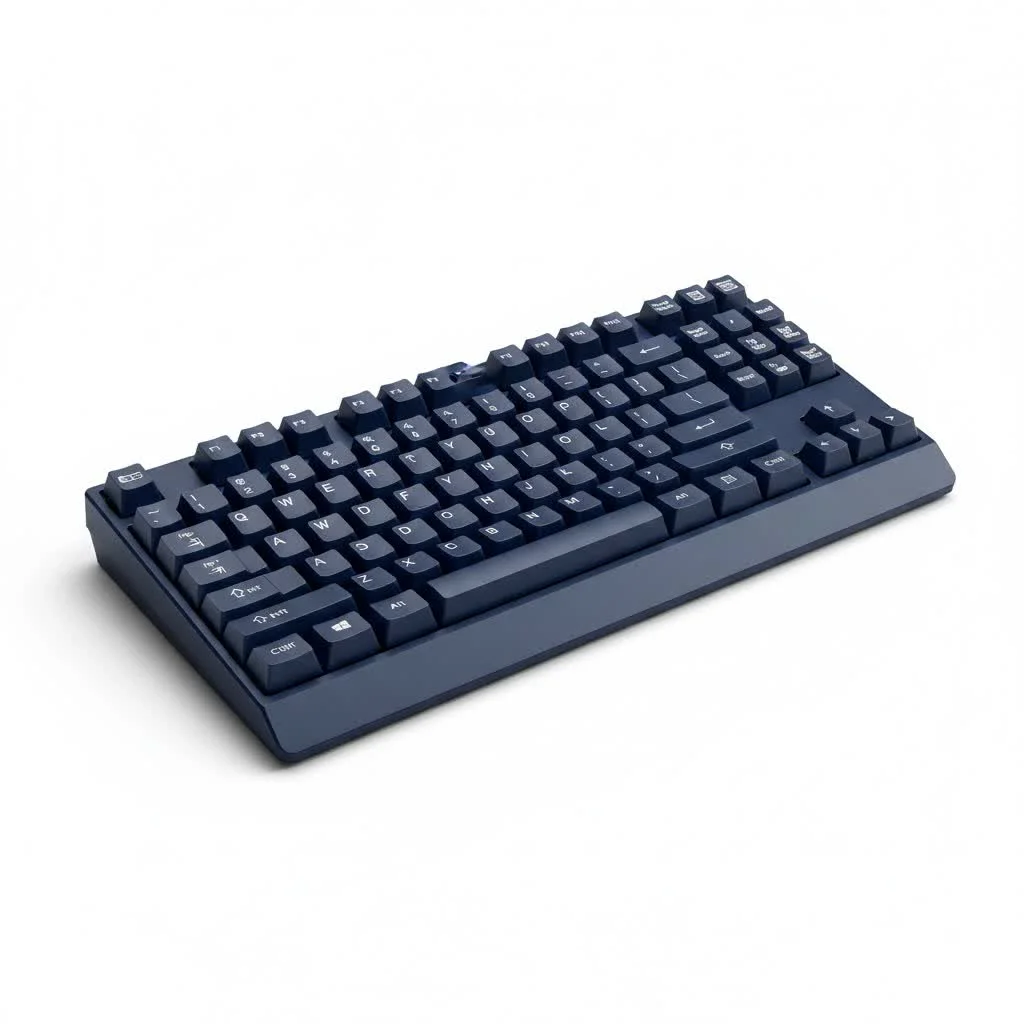
As a mechanical engineer who has spent over a decade building, modding, and reviewing keyboards, I can tell you that switching from a standard membrane or scissor-switch keyboard to a mechanical one is a game-changer for typing comfort, speed, and satisfaction. Let’s explore how to bring that experience to your Mac. For browse all reviews articles on this site.
Why Bother with a Mechanical Keyboard for Your Mac?
If you’re used to Apple’s Magic Keyboard, you might wonder what all the fuss is about. The difference is night and day.
- Superior Typing Feel: Each key on a mechanical keyboard has its own spring-loaded switch. This provides distinct tactile feedback and a satisfying sound that a membrane or scissor-switch board can’t replicate. It makes typing feel more precise and enjoyable.
- Durability and Longevity: Mechanical switches are rated for tens of millions of keystrokes, far outlasting their membrane counterparts. These keyboards are built to be a long-term investment.
- Customization: This is where the fun begins. You can change the keycaps to suit your style, and even swap out the switches on many models to get the exact feel you want. The possibilities are nearly endless.
- Ergonomics: Many mechanical keyboards come in ergonomic layouts or have adjustable angles, helping to reduce typing strain during long work sessions.
What Defines the Best “Apple” Mechanical Keyboard?
Since an official Apple mechanical keyboard doesn’t exist, we need to define the features that make a keyboard a perfect Mac companion. It’s about a combination of seamless functionality and a design that honors Apple’s aesthetic principles.
### Mac-Specific Layout is Non-Negotiable
The most crucial feature is a dedicated macOS layout. This means having the correct modifier keys right out of the box: Command (⌘) and Option (⌥). While you can remap a standard Windows keyboard, having these keys printed and placed correctly provides a much more intuitive and seamless experience. Many Mac-friendly keyboards even include media keys that correspond to macOS functions, like Mission Control, screen brightness, and volume controls.
### Seamless Connectivity: Wireless and Wired
|
Our Picks for the Best Mechanical Keyboard in 2026
As an Amazon Associate I earn from qualifying purchases.
|
||
| Num | Product | Action |
|---|---|---|
| 1 | Redragon Mechanical Gaming Keyboard Wired, 11 Programmable Backlit Modes, Hot-Swappable Red Switch, Anti-Ghosting, Double-Shot PBT Keycaps, Light Up Keyboard for PC Mac |

|
| 2 | Logitech MX Mechanical Wireless Illuminated Performance Keyboard, Tactile Quiet Switches, Backlit Keys, Bluetooth, USB-C, macOS, Windows, Linux, iOS, Android, Metal, Graphite |
|
| 3 | Womier S-K80 75% Keyboard with Color Multimedia Display Mechanical Gaming Keyboard Creamy Sound, Wired Hot Swappable Gasket Mount RGB Custom Key board, Pre-lubed Stabilizer for Mac/Win, Black Kanagawa |
|
| 4 | SteelSeries USB Apex 5 Hybrid Mechanical Gaming Keyboard – Per-Key RGB Illumination – Aircraft Grade Aluminum Alloy Frame – OLED Smart Display (Hybrid Blue Switch) |
|
| 5 | AULA F75 Pro Wireless Mechanical Keyboard,75% Hot Swappable Custom Keyboard with Knob,RGB Backlit,Pre-lubed Reaper Switches,Side Printed PBT Keycaps,2.4GHz/USB-C/BT5.0 Mechanical Gaming Keyboards |
|
| 6 | RK ROYAL KLUDGE S98 Mechanical Keyboard w/Smart Display & Knob, Top Mount 96% Wireless Mechanical Keyboard BT/2.4G/USB-C, Hot Swappable, Software Support, Creamy Sounding, 98 Keys |
|
| 7 | EPOMAKER x Aula F75 Gasket Mechanical Keyboard, 75% Wireless Hot Swappable Gaming Keyboard with Five-Layer Padding&Knob, Bluetooth/2.4GHz/USB-C, RGB (Light Blue, LEOBOG Reaper Switch) |
|
| 8 | RK ROYAL KLUDGE R98 Pro Wired Mechanical Keyboard, 96% Creamy Gaming Keyboard RGB Backlit with Number Pad and Volume Knob, Gasket Mount, MDA Profile PBT Keycaps, Hot Swappable Pre-lubed Linear Switch |
|
| 9 | AK96 Smart Mechanical Keyboard Gaming, 96 Keys Full Size with LED Colorful Backlit, Clicky Creamy Sounding, USB Wired Computer Keyboard with Volume Knob for PC, Mac, Windows(Grey) |
|
| 10 | AULA F99 Wireless Mechanical Keyboard,Tri-Mode BT5.0/2.4GHz/USB-C Hot Swappable Custom Keyboard,Pre-lubed Linear Switches,RGB Backlit Computer Gaming Keyboards for PC/Tablet/PS/Xbox |
|
A modern Mac setup is all about minimalism and flexibility. A great mechanical keyboard for Mac should offer:
- Bluetooth: The ability to connect wirelessly to your MacBook, iMac, or Mac mini is essential for a clean, cable-free desk. Look for keyboards that can pair with multiple devices, allowing you to switch between your Mac, iPad, and iPhone with a simple keystroke.
- USB-C: For a stable, lag-free connection, especially for gaming or intensive work, a USB-C port is the modern standard. It matches the ports on current Macs and ensures you can charge and type simultaneously.
### The Apple Aesthetic: Aluminum and Minimalism
A keyboard for a Mac user should look the part. Many brands have embraced Apple’s design language, creating keyboards with:
- Aluminum Casings: A solid, CNC-machined aluminum frame not only feels premium and durable but also perfectly matches the look of a MacBook or Studio Display.
- Minimalist Colorways: White, silver, and space gray color schemes are popular choices that blend effortlessly into an Apple-centric workspace.
- Low-Profile Options: For those who love the slimness of the Magic Keyboard but want a mechanical feel, low-profile mechanical keyboards are the perfect compromise. They use shorter switches and keycaps for a sleeker profile and faster actuation.
According to fictional expert and industrial designer Marcus Chen, “The perfect Mac keyboard doesn’t just work with the hardware; it feels like an extension of it. It’s about achieving a balance between tactile satisfaction and design harmony.”
Top Mechanical Keyboard Recommendations for Apple Users
The market has exploded with fantastic options. Here are a few standout choices that are consistently praised by the Mac community.
### Keychron: The Community Favorite
Keychron has become almost synonymous with mechanical keyboards for Mac. They were one of the first brands to focus on macOS compatibility from the ground up.
- Why they’re great: Nearly every Keychron keyboard comes with a Mac/Windows switch and keycaps for both systems. They offer a massive range of sizes (from compact 60% to full-size), switch options, and price points. Many of their newer “Q” and “V” series models are fully customizable with QMK/VIA software.
- Popular Models:
- Keychron K2/K8: A great starting point. Tenkeyless layout, wireless, and hot-swappable switches on newer versions.
- Keychron Q1: A premium, fully aluminum custom keyboard that offers an incredible typing experience without the hassle of a group buy.
### Logitech MX Mechanical: The Productivity Powerhouse
Logitech took its beloved MX Master series and created a mechanical version aimed at professionals.
- Why it’s great: The MX Mechanical is a low-profile keyboard focused on productivity. It features smart backlighting, seamless multi-device switching, and incredibly long battery life. Its quiet tactile switches are perfect for an office environment.
- Best For: Users who want a reliable, feature-rich keyboard from a major brand that integrates perfectly with other Logitech productivity tools.
### NuPhy: Style and Substance
NuPhy has made a name for itself with keyboards that boast a unique and vibrant aesthetic without sacrificing quality.
- Why it’s great: NuPhy’s Air series (like the Air75 or Air96) are low-profile mechanical keyboards that are often seen as a more stylish and colorful alternative to the Magic Keyboard. They offer a fantastic typing experience and look stunning alongside Apple products.
- Best For: Creatives, writers, and anyone who values desk aesthetics as much as typing feel.
Frequently Asked Questions (FAQ)
### Can I use any USB or Bluetooth keyboard with a Mac?
Yes, virtually any modern keyboard will work with a Mac. However, on a standard Windows keyboard, the Windows key will act as Command and the Alt key will act as Option. You can easily swap their functions in System Settings > Keyboard > Keyboard Shortcuts > Modifier Keys. The main benefit of a Mac-specific keyboard is having the correct legends on the keycaps.
### Are mechanical keyboards too loud for an office or public space?
It depends entirely on the switch type.
- Clicky Switches (e.g., Cherry MX Blue): These are the loudest and produce an audible “click.” They are generally not recommended for shared spaces.
- Tactile Switches (e.g., Cherry MX Brown): These provide a small bump you can feel on actuation but are much quieter than clicky switches. They are a popular all-around choice.
- Linear Switches (e.g., Cherry MX Red): These are smooth and quiet, with no tactile bump. Silent linear switches are even quieter and are perfect for noise-sensitive environments.
### Is it difficult to switch from the Magic Keyboard to a mechanical one?
There might be a short adjustment period, primarily due to the increased key travel (the distance the key moves down). However, most users find that after a day or two, typing on a mechanical keyboard feels far more comfortable and accurate. Starting with a low-profile mechanical keyboard can make the transition even smoother.
### What is a “hot-swappable” keyboard?
A hot-swappable keyboard has sockets on its circuit board that allow you to pull out and replace the mechanical switches without any soldering. This is a fantastic feature for beginners and enthusiasts alike, as it lets you experiment with different switch types to find the perfect feel for you.
Your Perfect Typing Experience Awaits
While there may never be an official Apple mechanical keyboard, the market has more than filled the void. Choosing the right mechanical keyboard for your Mac is a personal journey that balances aesthetics, functionality, and that all-important typing feel. Whether you opt for a customizable enthusiast board from Keychron, a productivity-focused Logitech, or a stylish NuPhy, you’re upgrading one of the most important tools you use every day. The improved comfort, durability, and sheer joy of typing are well worth the investment.
Get our weekly buyer guide
Practical specs, not advice. Unsubscribe anytime.

I’ve been using a Magic Keyboard for years and always felt like something was missing. This guide really opened my eyes to the world of third-party options. I ended up getting a Keychron K2, and the difference in typing feel is incredible. It pairs seamlessly with my MacBook Pro, and I love the satisfying clickiness.
As someone who types all day for work, switching to a mechanical keyboard was a revelation. I used to get wrist fatigue with my old low-profile keyboard, but the ergonomic design and tactile feedback of my new one have made a huge difference. It truly feels right at home on my desk next to my Mac Studio.
Great info here! I was so confused why I couldn’t find an ‘Apple’ mechanical keyboard. I appreciate the breakdown of why scissor-switch mechanisms aren’t the same. I’m still deciding between a few models, but knowing what to look for in terms of Mac compatibility has been super helpful. My only minor gripe is that some of the recommended brands are a bit pricey.
I was hoping for more specific recommendations in the under-$100 range. While the guide is comprehensive about why Apple doesn’t make mechanical keyboards, it felt like most of the featured options were on the higher end. I’m still rocking my old membrane keyboard, but I’m now more aware of what to look for in a mechanical one for my iMac.