Mechanical keyboard brown switches offer a subtle tactile bump on each keypress without the audible click of blue switches, providing a balanced experience ideal for both typing and gaming. This versatility makes them a popular choice for users seeking a middle ground between linear (smooth) and clicky (loud) switch types, delivering physical confirmation of keystrokes for improved accuracy and an engaging feel.
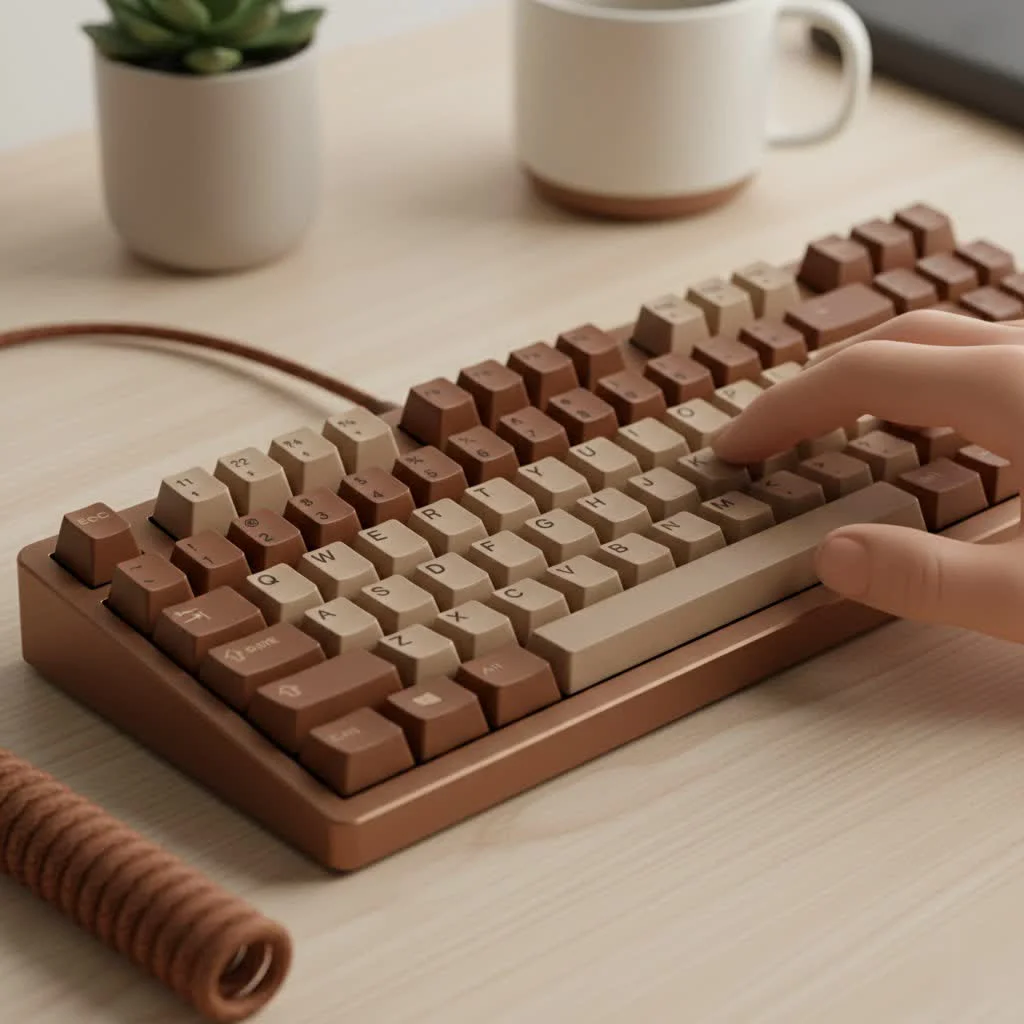
Brown switches are often hailed as the jack-of-all-trades in the switch universe. They offer a subtle, yet satisfying, tactile bump on each keypress without the audible click of their blue counterparts. This unique characteristic makes them incredibly versatile, but what does that mean for your daily typing or gaming experienceLet’s dive in. For see our reviews recommendations on this site.
What Exactly is a Tactile Switch?
Before we can fully appreciate the brown switch, we need to understand the “tactile” in its description. In the mechanical keyboard sphere, switches are primarily categorized into three types: linear, clicky, and tactile.
- Linear (e.g., Red Switches): These offer a smooth, consistent keystroke from top to bottom. There’s no bump or click, just a straight path down. They are often favored by gamers for their speed and uninterrupted actuation.
- Clicky (e.g., Blue Switches): These provide both a tactile bump and an audible “click” sound at the point of actuation. They are immensely satisfying for typists who love auditory feedback but can be disruptive in shared environments.
- Tactile (e.g., Brown Switches): This is the middle ground. Tactile switches provide a noticeable bump you can feel in your finger when the key registers. This feedback confirms the keystroke without the loud click, offering a more subdued typing experience.
The magic of mechanical keyboard brown switches lies in this subtle bump. It gives you physical confirmation that a key has been pressed, which can lead to increased typing accuracy and a more engaging feel than a standard linear switch.
Why Choose Mechanical Keyboard Brown Switches?
So, who is the ideal user for brown switches? Over the years, I’ve found that they appeal to the widest range of people, from hardcore gamers to office professionals. Their balanced nature is their greatest strength.
The Best of Both Worlds for Hybrid Users
If your desk serves as both a battle station for gaming and a workstation for typing, brown switches are your perfect ally. They are responsive enough for fast-paced gaming, as the tactile bump doesn’t significantly slow down repeated presses. When it’s time to work, that same bump provides the feedback many typists crave for long sessions, helping to reduce errors and improve rhythm without causing a racket.
As our in-house expert, Alex Davenport, often says:
“Brown switches are the default recommendation for anyone new to mechanical keyboards for a reason. They provide a tangible improvement over membrane keyboards without forcing the user into the extremes of pure linear speed or loud clicky feedback. It’s the most balanced entry point into the hobby.”
The Office-Friendly Choice
|
Our Picks for the Best Mechanical Keyboard in 2026
As an Amazon Associate I earn from qualifying purchases.
|
||
| Num | Product | Action |
|---|---|---|
| 1 | Redragon Mechanical Gaming Keyboard Wired, 11 Programmable Backlit Modes, Hot-Swappable Red Switch, Anti-Ghosting, Double-Shot PBT Keycaps, Light Up Keyboard for PC Mac |

|
| 2 | Logitech MX Mechanical Wireless Illuminated Performance Keyboard, Tactile Quiet Switches, Backlit Keys, Bluetooth, USB-C, macOS, Windows, Linux, iOS, Android, Metal, Graphite |
|
| 3 | RK ROYAL KLUDGE R98 Pro Wired Mechanical Keyboard, 96% Creamy Gaming Keyboard RGB Backlit with Number Pad and Volume Knob, Gasket Mount, MDA Profile PBT Keycaps, Hot Swappable Pre-lubed Linear Switch |
|
| 4 | AULA F99 Wireless Mechanical Keyboard,Tri-Mode BT5.0/2.4GHz/USB-C Hot Swappable Custom Keyboard,Pre-lubed Linear Switches,RGB Backlit Computer Gaming Keyboards for PC/Tablet/PS/Xbox |
|
| 5 | EPOMAKER x Aula F75 Gasket Mechanical Keyboard, 75% Wireless Hot Swappable Gaming Keyboard with Five-Layer Padding&Knob, Bluetooth/2.4GHz/USB-C, RGB (Light Blue, LEOBOG Reaper Switch) |
|
| 6 | AK96 Smart Mechanical Keyboard Gaming, 96 Keys Full Size with LED Colorful Backlit, Clicky Creamy Sounding, USB Wired Computer Keyboard with Volume Knob for PC, Mac, Windows(Grey) |
|
| 7 | AULA F75 Pro Wireless Mechanical Keyboard,75% Hot Swappable Custom Keyboard with Knob,RGB Backlit,Pre-lubed Reaper Switches,Side Printed PBT Keycaps,2.4GHz/USB-C/BT5.0 Mechanical Gaming Keyboards |
|
| 8 | RK ROYAL KLUDGE S98 Mechanical Keyboard w/Smart Display & Knob, Top Mount 96% Wireless Mechanical Keyboard BT/2.4G/USB-C, Hot Swappable, Software Support, Creamy Sounding, 98 Keys |
|
| 9 | SteelSeries USB Apex 5 Hybrid Mechanical Gaming Keyboard – Per-Key RGB Illumination – Aircraft Grade Aluminum Alloy Frame – OLED Smart Display (Hybrid Blue Switch) |
|
| 10 | Womier S-K80 75% Keyboard with Color Multimedia Display Mechanical Gaming Keyboard Creamy Sound, Wired Hot Swappable Gasket Mount RGB Custom Key board, Pre-lubed Stabilizer for Mac/Win, Black Kanagawa |
|
Are you looking to upgrade your office keyboard without annoying your coworkers? Brown switches are a fantastic option. They deliver that satisfying mechanical feel while remaining quiet enough for a shared workspace. The absence of a loud click means you can type away on your reports and emails without drawing unwanted attention. This makes mechanical keyboard brown switches a go-to for professionals seeking a premium typing experience.
Are Brown Switches Good for Gaming?
This is a question I get all the time, and the answer is a resounding yes. While pro gamers often gravitate towards linear switches for their raw speed, many gamers find the tactile feedback of browns incredibly beneficial. The bump can help prevent accidental key presses, a common issue with highly sensitive linear switches. It provides a clear indication of when a skill or action has been activated, which can be crucial in the heat of the moment. It comes down to personal preference, but brown switches are more than capable of keeping up with demanding gameplay.
Popular Brown Switch Variants You Should Know
Not all brown switches are created equal. The original Cherry MX Brown set the standard, but many other manufacturers have since entered the market, each with its own unique take on the tactile formula.
Cherry MX Brown
The original and arguably the most famous. Cherry MX Browns are known for their reliability and gentle tactility. Some enthusiasts find their bump to be a bit too subtle, often describing it as “scratchy,” but they remain a benchmark for quality and have been trusted in countless pre-built keyboards for decades.
Gateron Brown
Gateron Browns are a popular alternative, beloved for their exceptional smoothness. The tactile bump is slightly more pronounced than on Cherry’s version, and the overall keypress feels less scratchy, even right out of the box. They are also typically more affordable, making them a favorite in the custom-building community.
Kailh Brown
Kailh is another major player, and their brown switches are known for a sharper, more defined tactile bump compared to both Cherry and Gateron. If you’re looking for feedback that’s a little more assertive without being loud, Kailh Browns are an excellent choice. Their “BOX” variants also offer increased stability and protection from dust and spills.
| Switch Brand | Key Characteristic | Best For |
|---|---|---|
| Cherry MX | The reliable original | Users who want a proven, standard tactile feel. |
| Gateron | Extra smooth keystroke | Builders looking for a refined feel on a budget. |
| Kailh | Sharp, defined bump | Typists who want more pronounced tactile feedback. |
How to Enhance Your Brown Switch Experience
One of the best parts of the mechanical keyboard hobby is customization. Even a great switch can be made better with a few simple modifications.
- Lubing: Applying a thin layer of specialized lubricant (like Krytox 205g0) to the switch’s internal components can transform its feel. For brown switches, lubing enhances smoothness, deepens the sound profile, and can even make the tactile bump feel more rounded and pleasant.
- Film Modding: Adding switch films between the top and bottom housing can reduce housing wobble, resulting in a more stable keypress and a cleaner sound.
- Keycaps: Don’t underestimate the power of keycaps! The material (ABS vs. PBT) and profile (Cherry, SA, OEM) can dramatically alter the sound and feel of your brown switches. Thicker PBT keycaps, for example, tend to produce a deeper, more satisfying “thock” sound.
Frequently Asked Questions (FAQ)
Are brown switches louder than normal keyboards?
They are generally quieter than “clicky” blue switches but can be slightly louder than a typical membrane office keyboard. The sound they produce is a soft, deep “thock” rather than a high-pitched click, which most people find pleasant and unobtrusive.
How long do brown switches last?
Most mechanical keyboard brown switches, especially from reputable brands like Cherry, Gateron, and Kailh, are rated for 50 to 100 million keystrokes. This means they are incredibly durable and will likely outlast many other components of your computer.
Can I try brown switches before buying a whole keyboard?
Absolutely! Many vendors sell switch testers, which are small boards with a variety of different switches mounted on them. This is an excellent way to feel the difference between brown, red, blue, and other switch types firsthand before committing to a full keyboard.
What is the best mechanical keyboard with brown switches?
The “best” keyboard is highly subjective and depends on your budget and desired features (size, layout, wireless capability, etc.). However, popular and well-regarded models that frequently offer brown switch options include the Keychron K series, the Ducky One 3, and the Filco Majestouch 2.
Your Journey into Tactility Starts Here
Choosing the right switch is the most personal and critical decision in your mechanical keyboard journey. Mechanical keyboard brown switches represent a masterful compromise, offering a satisfying tactile experience that is versatile enough for nearly any task. They provide the rewarding feedback that makes typing a joy, the responsiveness needed for gaming, and a sound profile that won’t get you evicted from your office or home.
Whether you’re buying your first mechanical keyboard or building your tenth custom masterpiece, brown switches are a safe, reliable, and deeply enjoyable option that continues to earn its place as a community favorite. Take the leap and discover the perfect tactile balance for yourself.
Frequently Asked Questions
Are brown switches louder than typical membrane office keyboards?
Brown switches are generally quieter than 'clicky' blue switches but can be slightly louder than a typical membrane office keyboard. They produce a soft, deep 'thock' sound, which is often considered pleasant and unobtrusive in shared environments.
What is the expected lifespan of mechanical keyboard brown switches?
Most mechanical keyboard brown switches from reputable brands like Cherry, Gateron, and Kailh are rated for 50 to 100 million keystrokes. This exceptional durability means they are built to last for many years, often outliving other computer components.
Can I test different brown switch types before purchasing a full keyboard?
Yes, you can absolutely try brown switches before buying a whole keyboard. Many vendors offer switch testers, which are small boards featuring various switch types, allowing you to experience the tactile feel of brown, red, blue, and other switches firsthand.
Which are the best mechanical keyboards that come with brown switches?
The 'best' mechanical keyboard with brown switches depends on individual preferences and budget. However, popular and highly-regarded models that frequently offer brown switch options include the Keychron K series, the Ducky One 3, and the Filco Majestouch 2, known for their quality and features.
How do brown switches compare to linear and clicky switches?
Brown switches are tactile, offering a noticeable bump without a loud click, making them a middle ground. Linear switches (like Reds) are smooth and consistent, while clicky switches (like Blues) provide both a tactile bump and an audible click, often preferred by typists for strong feedback.
Enhance Your Brown Switch Experience
Improve the feel and sound of your mechanical keyboard brown switches through customization.
Apply a thin layer of specialized lubricant, such as Krytox 205g0, to the internal components of your switches. This process enhances smoothness, deepens the sound profile, and can make the tactile bump feel more rounded and pleasant.
Add switch films between the top and bottom housing of each switch. This modification reduces housing wobble, leading to a more stable keypress and a cleaner, more consistent sound profile across your keyboard.
Select keycaps based on material and profile to alter the sound and feel. Thicker PBT keycaps, for example, can produce a deeper, more satisfying 'thock' sound, while different profiles like Cherry or SA can change the typing ergonomics.
Get our weekly buyer guide
Practical specs, not advice. Unsubscribe anytime.
I’ve been using brown switches for about six months now, and I totally agree they’re the perfect balance. I game a lot but also do a ton of writing for work, and these switches handle both beautifully. The tactile bump is just enough to know I’ve actuated a key without being distracting during intense gaming sessions. Definitely a game-changer for my setup.
I switched from linear reds to brown switches a few weeks ago, and I’m really enjoying the change. The physical confirmation of keystrokes has definitely improved my typing accuracy, which was a big goal for me. I still miss the super smooth feel of linears for some games, but for overall use, the browns are a solid upgrade.
As someone who shares an office, the quiet operation of brown switches is a huge plus. I get the satisfying feedback without annoying my coworkers with a loud click. It’s truly a versatile switch that excels in both professional and personal use. Highly recommend for anyone looking for that middle ground.
I picked up a keyboard with brown switches after hearing they were good for beginners, but I’m finding the tactile bump a little less pronounced than I expected. It’s not bad, just not as ‘there’ as I thought it would be. I might try a different tactile switch next time, but for now, it’s a decent starting point.