Step into the world of mechanical keyboards, and you’ll quickly discover that not all boards are created equal. While many start their journey with plastic cases, the path for true enthusiasts often leads to a more premium material: aluminum. An aluminum mechanical keyboard isn’t just a peripheral; it’s a statement piece, a desk centerpiece, and a significant upgrade to your entire typing experience. But what makes this metal so special, and is it worth the investment? As the lead creator at Yoasy, I’ve spent over a decade building, modding, and testing keyboards of all shapes and materials. Let’s dive into the world of aluminum and see why it has become the gold standard in the custom keyboard community.
What Defines an Aluminum Mechanical Keyboard?
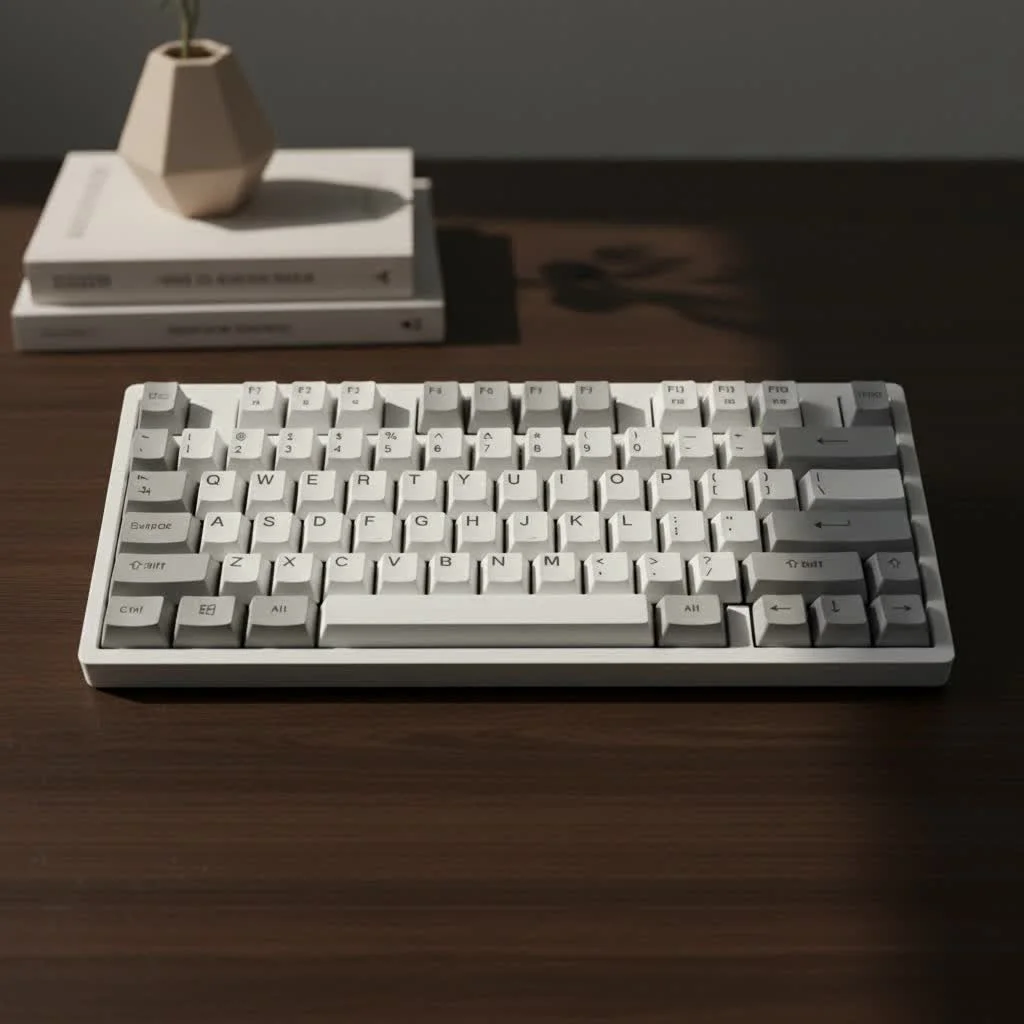
At its core, an aluminum mechanical keyboard is one where the main chassis or case is milled from a solid block of aluminum. This process, typically done using a CNC (Computer Numerical Control) machine, allows for incredible precision and complex designs that are impossible to achieve with molded plastic. The result is a seamless, sturdy, and often hefty frame that houses the PCB, plate, and switches. This solid construction is the foundation for all the benefits that follow. For shop curated reviews on this site.
Why Choose an Aluminum Mechanical Keyboard? The Core Benefits
Moving from a standard plastic keyboard to an aluminum one is a night-and-day difference. The advantages go far beyond simple looks, affecting how the keyboard feels, sounds, and lasts over time.
Unmatched Durability and Build Quality
The most obvious benefit is sheer durability. Aluminum is a robust material that resists flexing, creaking, and damage. A well-made aluminum case feels like a single, solid unit with no weak points. This rigidity, or lack of “flex,” ensures that every keystroke is consistent, as the plate and PCB are held securely in place.
“When you invest in a CNC aluminum case, you’re not just buying a keyboard enclosure; you’re buying a foundation that will likely outlast every other component in your build,” says David Chen, Lead Engineer at Yoasy Labs. “It provides a level of stability that plastic simply cannot replicate.”
A Premium Typing Feel and Sound Profile
This is where the magic truly happens. The material of a keyboard case is one of the biggest factors in shaping its acoustic profile.
- Sound: Aluminum cases produce a cleaner, more refined, and often deeper sound signature compared to the hollower, higher-pitched sounds common with plastic cases. The density of the metal dampens unwanted vibrations and resonances, allowing the sound of the switches themselves to shine through. This is how enthusiasts achieve that satisfying “thock” or “clack” they’re chasing.
- Feel: The rigidity of aluminum translates directly to the typing feel. Keystrokes feel more planted and direct. There’s no deck flex, even under heavy typing, which provides a crisp and responsive feedback loop from your fingers to the switch.
Superior Aesthetics and Customization
|
Our Picks for the Best Mechanical Keyboard in 2026
As an Amazon Associate I earn from qualifying purchases.
|
||
| Num | Product | Action |
|---|---|---|
| 1 | Redragon Mechanical Gaming Keyboard Wired, 11 Programmable Backlit Modes, Hot-Swappable Red Switch, Anti-Ghosting, Double-Shot PBT Keycaps, Light Up Keyboard for PC Mac |

|
| 2 | AK96 Smart Mechanical Keyboard Gaming, 96 Keys Full Size with LED Colorful Backlit, Clicky Creamy Sounding, USB Wired Computer Keyboard with Volume Knob for PC, Mac, Windows(Grey) |
|
| 3 | RK ROYAL KLUDGE S98 Mechanical Keyboard w/Smart Display & Knob, Top Mount 96% Wireless Mechanical Keyboard BT/2.4G/USB-C, Hot Swappable, Software Support, Creamy Sounding, 98 Keys |
|
| 4 | EPOMAKER x Aula F75 Gasket Mechanical Keyboard, 75% Wireless Hot Swappable Gaming Keyboard with Five-Layer Padding&Knob, Bluetooth/2.4GHz/USB-C, RGB (Light Blue, LEOBOG Reaper Switch) |
|
| 5 | AULA F99 Wireless Mechanical Keyboard,Tri-Mode BT5.0/2.4GHz/USB-C Hot Swappable Custom Keyboard,Pre-lubed Linear Switches,RGB Backlit Computer Gaming Keyboards for PC/Tablet/PS/Xbox |
|
| 6 | AULA F75 Pro Wireless Mechanical Keyboard,75% Hot Swappable Custom Keyboard with Knob,RGB Backlit,Pre-lubed Reaper Switches,Side Printed PBT Keycaps,2.4GHz/USB-C/BT5.0 Mechanical Gaming Keyboards |
|
| 7 | Logitech MX Mechanical Wireless Illuminated Performance Keyboard, Tactile Quiet Switches, Backlit Keys, Bluetooth, USB-C, macOS, Windows, Linux, iOS, Android, Metal, Graphite |
|
| 8 | RK ROYAL KLUDGE R98 Pro Wired Mechanical Keyboard, 96% Creamy Gaming Keyboard RGB Backlit with Number Pad and Volume Knob, Gasket Mount, MDA Profile PBT Keycaps, Hot Swappable Pre-lubed Linear Switch |
|
| 9 | SteelSeries USB Apex 5 Hybrid Mechanical Gaming Keyboard – Per-Key RGB Illumination – Aircraft Grade Aluminum Alloy Frame – OLED Smart Display (Hybrid Blue Switch) |
|
| 10 | Womier S-K80 75% Keyboard with Color Multimedia Display Mechanical Gaming Keyboard Creamy Sound, Wired Hot Swappable Gasket Mount RGB Custom Key board, Pre-lubed Stabilizer for Mac/Win, Black Kanagawa |
|
Aluminum keyboards simply look and feel premium. The weight itself lends a sense of quality. Furthermore, aluminum opens the door to a variety of high-end finishes that are not possible with plastic. The most common is anodization, an electrochemical process that creates a durable, corrosion-resistant, and beautifully colored surface. This allows for a vast spectrum of colors, from sleek silver and space gray to vibrant blues, reds, and purples. Some high-end boards even feature special finishes like electrophoresis (e-coating) for a smooth, ceramic-like feel.
Aluminum vs. Plastic: A Head-to-Head Comparison
To understand the upgrade, it helps to see a direct comparison. While plastic keyboards are fantastic entry points, aluminum offers a distinctly different experience.
| Feature | Aluminum Keyboard | Plastic Keyboard |
|---|---|---|
| Feel | Solid, rigid, no flex, crisp keystrokes | Lighter, potential for case flex, softer feel |
| Sound | Deeper, cleaner, less hollow, defined acoustics | Can sound hollow, higher-pitched, more rattle |
| Durability | Extremely high, resistant to scratches and impacts | Prone to scratching, can crack under force |
| Weight | Heavy, very stable on the desk | Lightweight, more portable, can slide around |
| Aesthetics | Premium, wide color options via anodization | Can look and feel cheap, limited custom colors |
| Price | Mid-range to very high | Budget-friendly to mid-range |
What Should You Look For Before Buying?
Not all aluminum keyboards are the same. If you’re ready to make the leap, here are a few key factors to consider to ensure you get the best experience for your money.
Case Design and Mounting Style
The way the internal components are mounted to the case dramatically affects feel and sound.
- Gasket Mount: This is currently the most popular style in the enthusiast scene. The plate is isolated from the case by rubber or foam “gaskets,” providing a softer, bouncier typing feel and a more muted, dampened sound.
- Top Mount: A classic style where the plate is screwed directly into the top half of the case. This results in a stiffer, more direct typing experience with a consistent sound across the board.
- Integrated Plate: Here, the plate and the top case are one solid piece of aluminum. This is the stiffest implementation and is less common today but offers maximum rigidity.
Weight and Portability
An aluminum mechanical keyboard is heavy. A compact 65% model can easily weigh over 3 pounds (1.4 kg), while larger boards can exceed 7 pounds (3.2 kg). This weight is fantastic for desk stability, as the keyboard won’t budge during intense gaming or typing sessions. However, it makes them far less ideal for travel.
Anodization and Finish Quality
The quality of the finish is a huge indicator of a keyboard’s overall quality. Look for smooth, even anodization without any streaks or blemishes. Poor anodization can not only look bad but can also be more susceptible to chipping or scratching over time.
Frequently Asked Questions (FAQ)
Are aluminum keyboards louder than plastic ones?
Not necessarily louder, but the sound is different. Aluminum tends to produce a cleaner and often deeper sound, while plastic can sound more hollow and high-pitched. The final sound depends more on the combination of switches, keycaps, and internal dampening.
Why are aluminum mechanical keyboards so expensive?
The cost comes from the raw materials and the manufacturing process. CNC machining is time-consuming and requires expensive machinery. A single keyboard case can take several hours to mill from a solid block of aluminum, which is a much more intensive process than injection molding a plastic case.
How do you clean an aluminum keyboard case?
For most anodized aluminum cases, a soft microfiber cloth is all you need for dusting. For fingerprints or smudges, you can slightly dampen the cloth with water. Avoid using harsh chemical cleaners, as they can damage the anodized coating.
Do aluminum keyboards feel cold to the touch?
Yes, they can. Aluminum is a great thermal conductor, so it will often feel cool when you first touch it, as it draws heat away from your hands. It will quickly warm up to room temperature as you use it.
Is an Aluminum Keyboard Worth It?
For anyone who spends a significant amount of time typing or gaming, the answer is a resounding yes. An aluminum mechanical keyboard is a long-term investment in your daily comfort and satisfaction. The leap in build quality, the superior feel under your fingers, and the refined sound profile create an experience that a plastic board simply cannot match. It transforms a simple tool into a premium piece of equipment that you’ll enjoy using every single day. If you’re ready to elevate your desk setup and truly understand what the mechanical keyboard hobby has to offer, an aluminum board is the definitive next step.
Get our weekly buyer guide
Practical specs, not advice. Unsubscribe anytime.

I got an aluminum keyboard recently and while I love the solid feel, I found that the sound can be a bit too ‘pingy’ with certain switch types. It’s not a dealbreaker, but I had to do some extra modding with foam to get the sound profile I was really looking for. Still a big upgrade from my old plastic board, just something to be aware of.
I’ve been eyeing aluminum keyboards for a while, especially after seeing so many custom builds with them. The durability and weight are definitely a huge plus, making it feel like a high-quality piece of equipment. My only minor gripe is that some of the higher-end models can be pretty pricey, but you really do get what you pay for in terms of build quality.
The milled aluminum chassis really does make all the difference. I used to get a lot of flex with my old plastic keyboard, but this new one is rock solid and doesn’t budge an inch on my desk. It’s not just about aesthetics; the stability genuinely improves my typing accuracy and comfort during long coding sessions. Highly recommend for anyone serious about their setup.
I finally took the plunge and upgraded to an aluminum board after using plastic for years, and wow, what a difference! The typing feel is so much more solid and the sound profile is incredibly satisfying. I was a bit hesitant about the investment, but it’s absolutely worth it for the premium experience. My desk setup feels complete now.