A retro mechanical keyboard combines the satisfying, tactile feedback of modern mechanical switches with the classic aesthetics of computing’s golden age, offering a nostalgic journey and a statement piece for any desk. Unlike true vintage keyboards, modern retro keyboards are new devices that incorporate current technology like USB-C and wireless connectivity within designs inspired by the 1980s and 1990s. This blend provides both timeless design and contemporary performance, appealing to users seeking a unique typing experience beyond standard black and RGB peripherals.
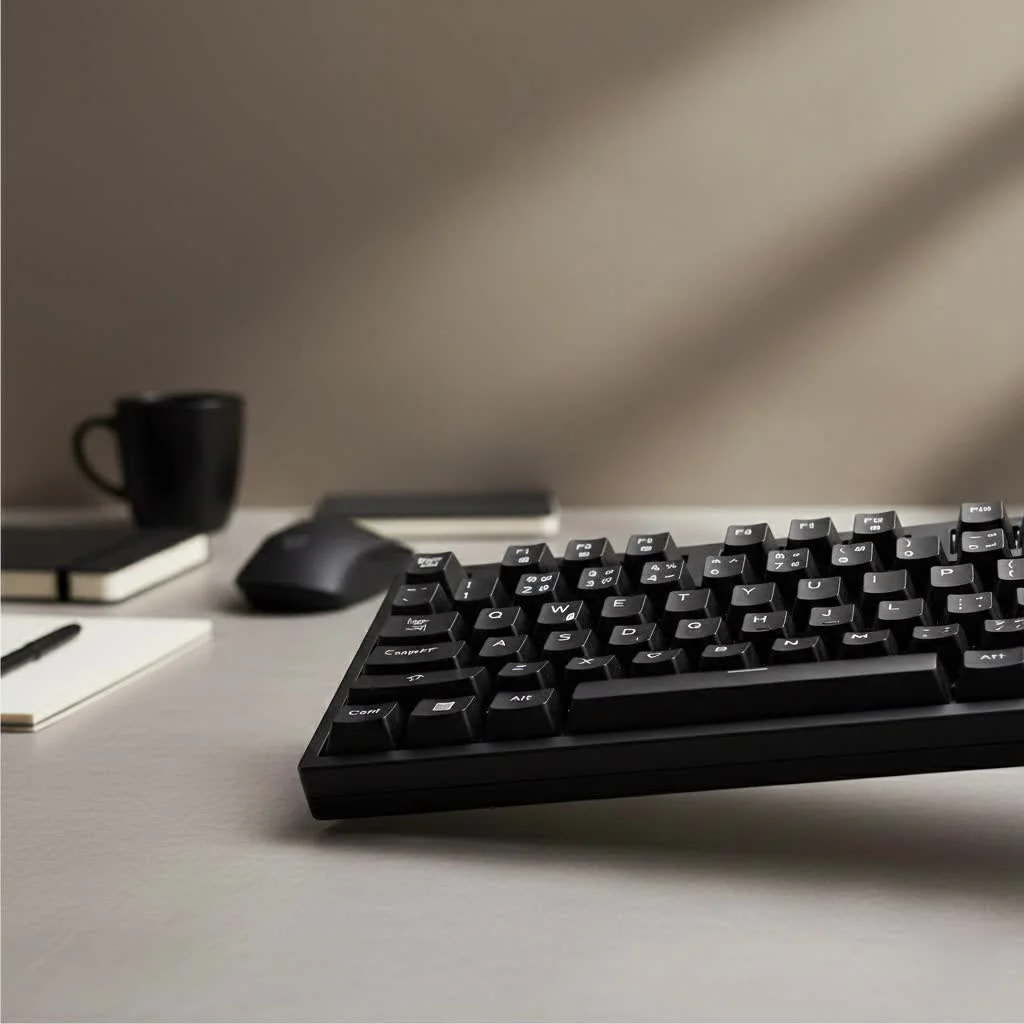
As an engineer with over a decade of experience with these devices, I’ve observed that the appeal of retro design is perennial, tapping into a collective memory of technology built to last with a deliberate and substantial presence.
What Defines a Retro Mechanical Keyboard?
First, let’s clarify a common misconception. A retro mechanical keyboard is not typically a 30-year-old device pulled from an attic. While true vintage keyboards like the iconic IBM Model M are the ancestors of this movement, the modern retro keyboard is a brand-new piece of hardware. It uses current technology—like reliable switches, USB-C ports, and even wireless connectivity—all housed within a design inspired by the 1980s and 1990s.
The key characteristics include:
- Classic Colorways: Think beige, off-white, and shades of gray. These color palettes are a direct homage to early personal computers from brands like IBM, Apple, and Commodore.
- Substantial Form Factor: Unlike today’s ultra-slim keyboards, retro designs often feature thicker bezels and a more commanding presence on the desk.
- Vintage-Style Keycaps: The shape, font, and color of the keycaps are crucial. Many use high-profile, sculpted keycaps and dye-sublimated legends that won’t fade over time.
- Modern Internals: Beneath the old-school shell lies a modern heart. You’ll find high-quality switches, customizable firmware, and reliable connectivity that meets today’s standards for work and play.
The Allure of Nostalgia: Why We Love the Vintage Vibe
So, why is there such a strong pull towards these vintage-inspired designs? A huge part of it is nostalgia. For many, these keyboards evoke memories of their first computer, a time of discovery and technological wonder. The aesthetic is comforting and familiar, a stark contrast to the often aggressive and cold designs of modern gaming peripherals.
But it goes beyond just looks. There’s an appreciation for the perceived durability and purpose-built nature of older technology. A retro mechanical keyboard feels solid and dependable. The typing experience is central, not an afterthought. The chunky cases and dense keycaps often contribute to a deeper, more satisfying sound profile that many typists and enthusiasts crave. It’s a multisensory experience that connects you to your work in a more tangible way.
Key Features to Look For in a Retro Keyboard
When you’re ready to dive in, it’s important to know what makes a great retro mechanical keyboard. It’s a careful balance of classic aesthetics and modern performance.
Timeless Aesthetics: Color and Case
|
Our Picks for the Best Mechanical Keyboard in 2026
As an Amazon Associate I earn from qualifying purchases.
|
||
| Num | Product | Action |
|---|---|---|
| 1 | AULA F75 Pro Wireless Mechanical Keyboard,75% Hot Swappable Custom Keyboard with Knob,RGB Backlit,Pre-lubed Reaper Switches,Side Printed PBT Keycaps,2.4GHz/USB-C/BT5.0 Mechanical Gaming Keyboards |

|
| 2 | Womier S-K80 75% Keyboard with Color Multimedia Display Mechanical Gaming Keyboard Creamy Sound, Wired Hot Swappable Gasket Mount RGB Custom Key board, Pre-lubed Stabilizer for Mac/Win, Black Kanagawa |
|
| 3 | SteelSeries USB Apex 5 Hybrid Mechanical Gaming Keyboard – Per-Key RGB Illumination – Aircraft Grade Aluminum Alloy Frame – OLED Smart Display (Hybrid Blue Switch) |
|
| 4 | AK96 Smart Mechanical Keyboard Gaming, 96 Keys Full Size with LED Colorful Backlit, Clicky Creamy Sounding, USB Wired Computer Keyboard with Volume Knob for PC, Mac, Windows(Grey) |
|
| 5 | Redragon Mechanical Gaming Keyboard Wired, 11 Programmable Backlit Modes, Hot-Swappable Red Switch, Anti-Ghosting, Double-Shot PBT Keycaps, Light Up Keyboard for PC Mac |
|
| 6 | AULA F99 Wireless Mechanical Keyboard,Tri-Mode BT5.0/2.4GHz/USB-C Hot Swappable Custom Keyboard,Pre-lubed Linear Switches,RGB Backlit Computer Gaming Keyboards for PC/Tablet/PS/Xbox |
|
| 7 | RK ROYAL KLUDGE S98 Mechanical Keyboard w/Smart Display & Knob, Top Mount 96% Wireless Mechanical Keyboard BT/2.4G/USB-C, Hot Swappable, Software Support, Creamy Sounding, 98 Keys |
|
| 8 | RK ROYAL KLUDGE R98 Pro Wired Mechanical Keyboard, 96% Creamy Gaming Keyboard RGB Backlit with Number Pad and Volume Knob, Gasket Mount, MDA Profile PBT Keycaps, Hot Swappable Pre-lubed Linear Switch |
|
| 9 | EPOMAKER x Aula F75 Gasket Mechanical Keyboard, 75% Wireless Hot Swappable Gaming Keyboard with Five-Layer Padding&Knob, Bluetooth/2.4GHz/USB-C, RGB (Light Blue, LEOBOG Reaper Switch) |
|
| 10 | Logitech MX Mechanical Wireless Illuminated Performance Keyboard, Tactile Quiet Switches, Backlit Keys, Bluetooth, USB-C, macOS, Windows, Linux, iOS, Android, Metal, Graphite |
|
The foundation of any retro build is the case. Look for keyboards that embrace classic beige or two-tone gray color schemes. Materials matter, too. While many excellent options are made from high-quality plastic, some premium models offer aluminum cases with a cerakote finish to perfectly match that vintage matte texture. The angle and height of the case also contribute to the classic “wedge” profile of early keyboards.
The Feel of History: Keycaps and Profiles
Keycaps are arguably the most important element for achieving an authentic retro feel. The font, or typeface, used for the legends should be simple and clean, often a classic sans-serif like Helvetica.
For the ultimate vintage experience, consider the keycap profile:
- SA Profile: These are tall, spherical keycaps with a deeply sculpted profile that was common on early terminals. They provide a unique typing feel and a deep sound signature.
- MT3 Profile: Designed with inspiration from classic IBM beamspring terminals, MT3 offers a comfortable, deeply dished top that helps guide your fingers to the center of each key.
- Cherry Profile: While more modern, this sculpted profile is a comfortable and popular choice. In a retro colorway, it provides a classic look with a more familiar typing experience for most users.
Look for keycaps made from PBT (polybutylene terephthalate) plastic with dye-sublimated legends. This combination ensures the keycaps won’t develop a shine over time and the letters will never fade.
Modern Heart, Classic Soul: Switches and Performance
The beauty of a modern retro keyboard is that you don’t have to compromise on performance. You can choose from the full spectrum of modern mechanical switches to suit your preference:
- Linear Switches (e.g., Cherry MX Red, Gateron Yellow): Smooth and consistent, ideal for fast typing and gaming.
- Tactile Switches (e.g., Cherry MX Brown, Kailh Box Brown): A small bump on each keystroke provides feedback without a loud click, making them great all-rounders.
- Clicky Switches (e.g., Cherry MX Blue, Kailh Box White): The classic “click” sound with a tactile bump. Incredibly satisfying for typing, but may be too loud for a shared office.
Connectivity and Customization
Don’t let the old-school looks fool you. Most modern retro keyboards come with the features you’d expect in 2025. USB-C is standard for a reliable wired connection, and many models offer Bluetooth and 2.4GHz wireless options for a clean, cable-free setup. Furthermore, many are fully programmable with firmware like QMK or VIA, allowing you to remap keys and create macros to fit your exact workflow.
The Ultimate Throwback: Building Your Own
For the true enthusiast, the greatest satisfaction comes from building your own custom retro mechanical keyboard. The process is incredibly rewarding and gives you complete control over every component, from the sound and feel to the final look.
The journey typically involves:
- Choosing a Kit: Start with a keyboard kit that includes the case, PCB (Printed Circuit Board), and plate. Many options are available in classic retro styles.
- Selecting Your Switches: Pick the switches that best match your typing or gaming needs. This is your chance to try something new or stick with a trusted favorite.
- Finding the Perfect Keycaps: This is where the retro theme truly comes to life. Look for keycap sets like GMK Classic Retro, ePBT 9009, or sets from Signature Plastics in SA profile to nail the aesthetic.
- Assembling and Modding: The final step is putting it all together. You can also add popular mods like lubricating the switches for smoothness or adding foam to the case to fine-tune the acoustics.
As my colleague Jonathan Lee, a renowned keyboard historian and designer, often says, “Building a retro keyboard is like restoring a classic car. You’re honoring a timeless design while fitting it with a modern engine. The result is the best of both worlds: style that tells a story and performance that keeps up with today.”
Frequently Asked Questions (FAQ)
Are retro mechanical keyboards good for gaming?
Absolutely. Because they use modern switches and internal components, a retro mechanical keyboard can perform just as well as any dedicated gaming keyboard. The choice of switch (linear switches are often preferred for gaming) will have the biggest impact on performance.
What is the difference between a retro and a vintage keyboard?
A vintage keyboard is a genuinely old piece of hardware, manufactured decades ago. A retro keyboard is a new product designed to look and feel like a vintage one but with modern technology inside.
Can I get a wireless retro mechanical keyboard?
Yes, many manufacturers offer retro-styled keyboards with Bluetooth and 2.4GHz wireless connectivity. There are also custom-build options that support wireless PCBs.
How do I clean a retro-style keyboard?
Cleaning is the same as with any other mechanical keyboard. Use a keycap puller to remove the keycaps, which can be washed in warm, soapy water. Use a brush and compressed air to clean the case and plate.
Are retro keyboards loud?
The volume of a keyboard depends entirely on the type of switch you choose, not its style. Keyboards with clicky switches will be loud, while those with linear or tactile switches (especially silenced variants) can be very quiet.
Is a Retro Mechanical Keyboard Right for You?
If you appreciate classic design, value a high-quality typing experience, and want your desk to have a touch of personality, a retro mechanical keyboard is an exceptional choice. It’s a celebration of computing history without sacrificing any of the conveniences of modern technology. Whether you buy a pre-built model or embark on the journey of building your own, you’re investing in a tool that is both a joy to look at and a pleasure to use. Embrace the beige and discover the timeless appeal of a well-built, retro mechanical keyboard.
Frequently Asked Questions
Are retro mechanical keyboards suitable for gaming?
Yes, retro mechanical keyboards are absolutely suitable for gaming. They utilize modern switches and internal components, allowing them to perform on par with dedicated gaming keyboards. The choice of switch, such as linear switches, will primarily influence gaming performance.
What is the distinction between a retro and a vintage keyboard?
A vintage keyboard is an authentic, older piece of hardware manufactured decades ago, like an IBM Model M. In contrast, a retro keyboard is a newly produced item designed to emulate the look and feel of a vintage keyboard but incorporates modern technology and features.
Can I find wireless retro mechanical keyboard options?
Yes, many manufacturers offer retro-styled keyboards with wireless connectivity, including Bluetooth and 2.4GHz options. Additionally, custom-build enthusiasts can find wireless PCBs to integrate into their retro keyboard projects.
What is the best way to clean a retro-style keyboard?
Cleaning a retro-style keyboard follows the same process as any other mechanical keyboard. Use a keycap puller to remove the keycaps, which can then be washed in warm, soapy water. A brush and compressed air are effective for cleaning the case and plate.
Do retro mechanical keyboards typically produce loud sounds?
The volume of a retro mechanical keyboard depends entirely on the type of switch chosen, not its aesthetic style. Keyboards equipped with clicky switches will be loud, whereas those with linear or tactile switches, especially silenced variants, can be very quiet.
Build Your Own Custom Retro Mechanical Keyboard
Building a custom retro mechanical keyboard allows for complete control over aesthetics, sound, and feel, offering a rewarding experience for enthusiasts.
Begin by selecting a keyboard kit that includes the case, PCB (Printed Circuit Board), and plate. Many kits are available in classic retro styles to match your desired aesthetic.
Pick the mechanical switches that best suit your typing or gaming preferences. This step allows you to experiment with new switch types or stick with trusted favorites like Cherry MX or Gateron.
This is where the retro theme truly comes to life. Look for keycap sets such as GMK Classic Retro, ePBT 9009, or SA profile sets from Signature Plastics to achieve an authentic vintage aesthetic.
The final step involves putting all the components together. You can also enhance the keyboard with popular modifications like lubricating switches for smoother operation or adding foam to the case to fine-tune the acoustics.
Get our weekly buyer guide
Practical specs, not advice. Unsubscribe anytime.

I appreciate the breakdown of how modern retro keyboards blend classic looks with current tech like USB-C. I was worried about compatibility issues with older designs, but mine connected instantly. The typing experience is great, very reminiscent of the old keyboards I used in the 90s, but with all the modern conveniences. My only minor gripe is that the keycaps feel a little less substantial than I expected for the price.
I’ve been looking for a keyboard that really stands out, and the guide’s mention of ‘statement piece for any desk’ totally resonated with me. I ended up getting a model with a beige and grey color scheme, and it looks fantastic with my setup. The tactile feedback is super satisfying, and it’s a huge upgrade from my old generic keyboard. Definitely worth the investment for both aesthetics and typing feel.
I was really excited about getting a retro mechanical keyboard after reading about the ‘nostalgic journey’ aspect. While the design is cool and definitely has that vintage vibe, the specific model I chose had some issues with wireless connectivity. It occasionally drops out, which is frustrating when I’m in the middle of a work task. The typing feel is good when it works, but the connection problems are a bit of a letdown.
This guide really hit the nail on the head regarding the appeal of ‘technology built to last with a deliberate and substantial presence.’ I’ve always preferred keyboards with a bit of weight and a solid feel, and my new retro board delivers exactly that. It’s so much more enjoyable to type on than the flimsy plastic keyboards everywhere now. Plus, it just looks awesome on my desk.