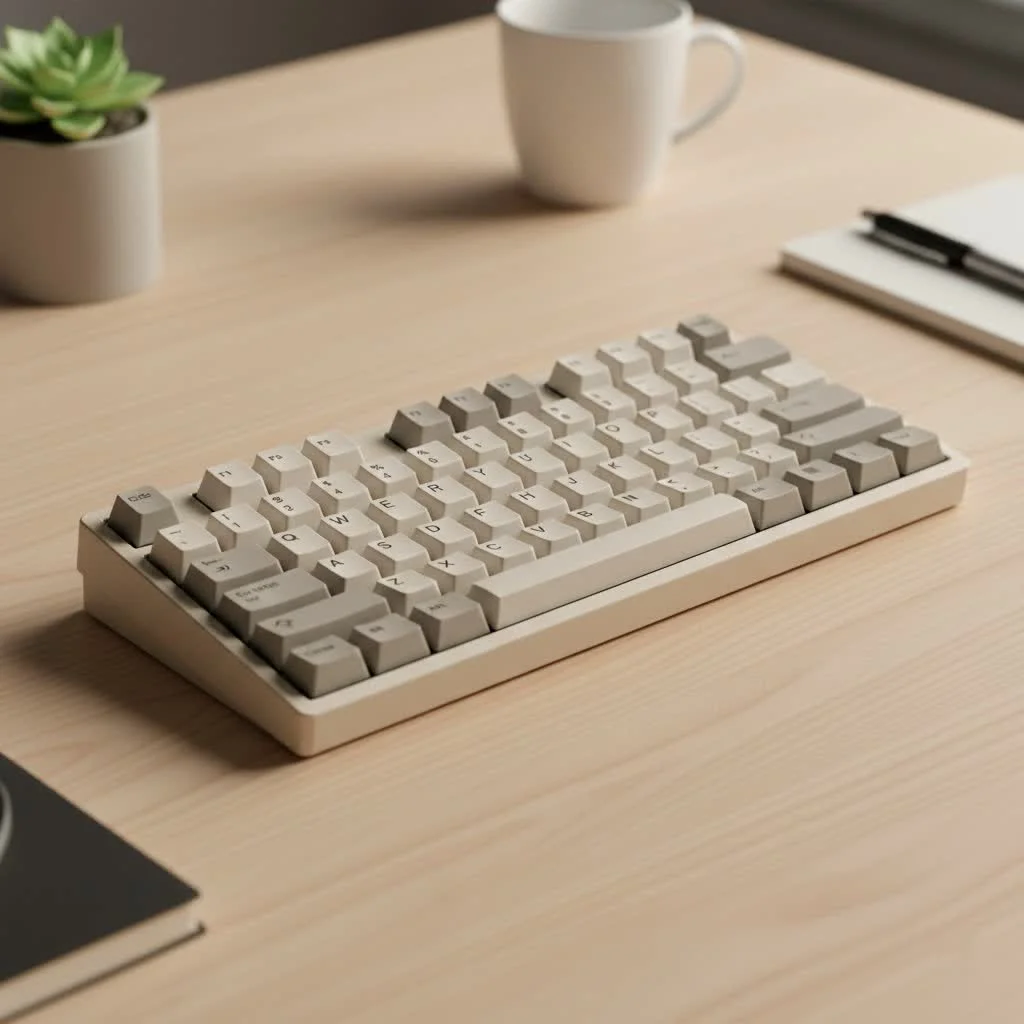
A 100 mechanical keyboard typically refers to a full-size layout, which includes a complete set of alphanumeric keys, a function row, a navigation cluster, and a dedicated number pad, making it ideal for professionals and gamers who require full functionality. This standard design, often featuring 104 (ANSI) or 105 (ISO) keys, provides maximum functionality and a familiar typing experience without requiring complex key combinations.
What Exactly Is a 100 Mechanical Keyboard?
When people talk about a 100 mechanical keyboard, they are typically referring to the 100% or full-size layout. This is the standard keyboard design that includes a full set of alphanumeric keys, a dedicated function row (F1-F12), a navigation cluster (arrows, Page Up/Down, etc.), and, most importantly, a dedicated number pad on the right side. A standard ANSI (American) layout has 104 keys, while an ISO (European) layout has 105 keys. For see our reviews recommendations on this site.
However, the term can sometimes also describe a more modern, compact layout that features around 100 keys. This is often called a 96% or 1800-compact layout. It squeezes almost all the keys of a full-size board into a smaller frame by eliminating most of the empty space between key clusters. For clarity, this article will primarily focus on the traditional full-size layout but will touch on its compact cousin.
The Pros and Cons of a Full-Size Layout
Choosing a keyboard layout is a personal decision based on your workflow and desk space. The 100% layout has distinct advantages and some potential drawbacks to consider.
Why You Might Love a 100% Keyboard
- Maximum Functionality: The most significant advantage is having every key at your fingertips. There are no function layers or complex key combinations required for basic operations.
- Dedicated Number Pad: For anyone in data entry, finance, programming, or accounting, a dedicated numpad is non-negotiable. It dramatically speeds up numerical input.
- Familiarity and Ease of Use: The full-size layout is the industry standard. There’s virtually no learning curve, making it a perfect entry point into the world of mechanical keyboards.
- Wide Availability: Because it’s the most common layout, you’ll find a vast selection of 100 mechanical keyboards from numerous brands at various price points.
Potential Downsides to Consider
- Large Desk Footprint: This is the biggest keyboard layout, and it demands a significant amount of desk real estate. If you have a small workspace, it might feel cramped.
- Ergonomics: The width of a full-size keyboard forces your mouse hand further out to the side. Over long periods, this can sometimes lead to shoulder strain for some users. This is why smaller layouts like TKL (Tenkeyless) or 75% have become popular.
Who Should Choose a 100% Mechanical Keyboard?
A full-size mechanical keyboard is the ideal choice for a specific group of users. If you fall into one of these categories, this layout is likely the perfect fit for you.
It’s the undisputed champion for professionals who work extensively with numbers. Accountants, programmers, and data analysts will find the dedicated number pad essential for efficiency. It’s also fantastic for office environments where a standard, easy-to-use layout is preferred. Gamers who rely on the number pad for macros, keybinds, or in-game commands in titles like flight simulators or complex RPGs will also benefit greatly from this layout.
As an engineer myself, I rely on a full-size keyboard for my design work. “The numpad is indispensable for inputting precise dimensions in CAD software. For me, efficiency is key, and the 100% layout eliminates any friction in my workflow,” explains Alex Tran, a fellow mechanical engineer and keyboard enthusiast.
The Core Components: What Makes It “Mechanical”?
The “mechanical” in mechanical keyboard comes from the individual switch underneath each keycap. Unlike cheap membrane keyboards that use a rubber dome, mechanical switches provide a distinct feel, sound, and a much longer lifespan.
Mechanical Switches: The Heart of the Keyboard
|
Our Picks for the Best Mechanical Keyboard in 2026
As an Amazon Associate I earn from qualifying purchases.
|
||
| Num | Product | Action |
|---|---|---|
| 1 | RK ROYAL KLUDGE R98 Pro Wired Mechanical Keyboard, 96% Creamy Gaming Keyboard RGB Backlit with Number Pad and Volume Knob, Gasket Mount, MDA Profile PBT Keycaps, Hot Swappable Pre-lubed Linear Switch |

|
| 2 | RK ROYAL KLUDGE S98 Mechanical Keyboard w/Smart Display & Knob, Top Mount 96% Wireless Mechanical Keyboard BT/2.4G/USB-C, Hot Swappable, Software Support, Creamy Sounding, 98 Keys |
|
| 3 | Womier S-K80 75% Keyboard with Color Multimedia Display Mechanical Gaming Keyboard Creamy Sound, Wired Hot Swappable Gasket Mount RGB Custom Key board, Pre-lubed Stabilizer for Mac/Win, Black Kanagawa |
|
| 4 | Redragon Mechanical Gaming Keyboard Wired, 11 Programmable Backlit Modes, Hot-Swappable Red Switch, Anti-Ghosting, Double-Shot PBT Keycaps, Light Up Keyboard for PC Mac |
|
| 5 | AK96 Smart Mechanical Keyboard Gaming, 96 Keys Full Size with LED Colorful Backlit, Clicky Creamy Sounding, USB Wired Computer Keyboard with Volume Knob for PC, Mac, Windows(Grey) |
|
| 6 | SteelSeries USB Apex 5 Hybrid Mechanical Gaming Keyboard – Per-Key RGB Illumination – Aircraft Grade Aluminum Alloy Frame – OLED Smart Display (Hybrid Blue Switch) |
|
| 7 | EPOMAKER x Aula F75 Gasket Mechanical Keyboard, 75% Wireless Hot Swappable Gaming Keyboard with Five-Layer Padding&Knob, Bluetooth/2.4GHz/USB-C, RGB (Light Blue, LEOBOG Reaper Switch) |
|
| 8 | AULA F99 Wireless Mechanical Keyboard,Tri-Mode BT5.0/2.4GHz/USB-C Hot Swappable Custom Keyboard,Pre-lubed Linear Switches,RGB Backlit Computer Gaming Keyboards for PC/Tablet/PS/Xbox |
|
| 9 | AULA F75 Pro Wireless Mechanical Keyboard,75% Hot Swappable Custom Keyboard with Knob,RGB Backlit,Pre-lubed Reaper Switches,Side Printed PBT Keycaps,2.4GHz/USB-C/BT5.0 Mechanical Gaming Keyboards |
|
| 10 | Logitech MX Mechanical Wireless Illuminated Performance Keyboard, Tactile Quiet Switches, Backlit Keys, Bluetooth, USB-C, macOS, Windows, Linux, iOS, Android, Metal, Graphite |
|
Switches are the soul of your keyboard and determine how each keystroke feels and sounds. They generally fall into three main categories:
- Linear Switches: These provide a smooth, consistent keystroke from top to bottom with no tactile bump. They are quiet and fast, making them a favorite among gamers. Popular examples include Cherry MX Red and Gateron Red.
- Tactile Switches: These switches have a noticeable “bump” in the middle of the keypress, which lets you know the keystroke has been registered. They offer great feedback for typing without being overly loud. The Cherry MX Brown and Gateron Brown are iconic tactile switches.
- Clicky Switches: These provide a tactile bump and an audible “click” sound with each press. They are immensely satisfying for typists who love auditory feedback but can be too loud for quiet office environments or shared spaces. The Cherry MX Blue is the most famous example.
Keycaps: The Touchpoint
Keycaps are the plastic caps you press. They play a huge role in the keyboard’s feel, sound, and aesthetic. The two most common plastic types are:
- ABS (Acrylonitrile Butadiene Styrene): This is a common, affordable plastic. Keycaps made from ABS are smooth but can develop a “shine” over time from finger oils. They tend to produce a higher-pitched sound.
- PBT (Polybutylene Terephthalate): This is a more premium and durable plastic. PBT keycaps have a textured, matte finish that resists shine. They are more dense and produce a deeper, more satisfying “thock” sound when typing.
Keycaps also come in different shapes, or “profiles.” Common profiles like OEM and Cherry are sculpted to fit the natural curve of your fingertips, making typing more comfortable over long sessions.
Taking It to the Next Level: Simple Mods for Your Keyboard
One of the best parts of owning a mechanical keyboard is the ability to customize it. Even simple modifications can dramatically improve the sound and feel of your board.
- Lubing Switches: Applying a thin layer of specialized lubricant to the internal components of a switch can make it feel smoother and sound deeper.
- Stabilizer Modding: The long keys like the spacebar, enter, and shift keys use stabilizers to prevent wobbling. Tuning or “modding” these can eliminate rattle and make them feel much more solid.
- Sound Dampening: Adding a layer of foam inside the keyboard case is a popular mod to absorb unwanted vibrations and create a deeper, more pleasant sound profile.
Frequently Asked Questions (FAQ)
What’s the difference between a 100% and a TKL keyboard?
A TKL (Tenkeyless) keyboard is essentially a 100% keyboard with the number pad removed. It’s a more compact option that saves desk space and offers better ergonomics for many people, but you lose the dedicated number pad.
Are full-size keyboards better for gaming?
It depends on the gamer and the game. For games that benefit from a number pad for extra keybinds (like MMOs or simulation games), a 100% board is excellent. For fast-paced FPS games where desk space for mouse movement is critical, many gamers prefer smaller TKL or 60% keyboards.
How long do mechanical keyboards last?
Mechanical switches are incredibly durable. Most are rated for 50 to 100 million keystrokes, which is many times more than a standard membrane keyboard. With proper care, a good mechanical keyboard can easily last for a decade or more.
Can I customize my 100 mechanical keyboard?
Absolutely! Most 100 mechanical keyboards allow you to easily swap out the keycaps to change the look and feel. On many enthusiast-grade boards, you can also swap the switches themselves (if it’s a “hot-swappable” model) without any soldering.
Is a 100 mechanical keyboard worth it?
If you value a superior typing experience, durability, and customization, then yes, it is absolutely worth it. It’s an investment in a tool you use every day, and the difference in comfort and satisfaction is something you’ll notice immediately.
Your Perfect Keyboard Awaits
The 100 mechanical keyboard is a timeless classic for a reason. It offers uncompromising functionality and a straightforward, familiar experience that is perfect for work and play. Whether you’re a data-crunching professional, a macro-loving gamer, or simply someone who appreciates a high-quality typing tool, the full-size layout provides a solid foundation. From here, you can dive into the exciting world of switches, keycaps, and custom mods to create a keyboard that is truly your own. Don’t hesitate to start your journey—your fingertips will thank you for it.
Get our weekly buyer guide
Practical specs, not advice. Unsubscribe anytime.

I’ve been using a 100% layout for years and this guide really solidified why I love it. The dedicated number pad is a non-negotiable for my work in data entry, and I appreciate not having to compromise on any keys. It’s great to see a comprehensive breakdown of why this full-size option is still the best for many users.
As a gamer, I was initially drawn to smaller form factors, but after trying a 100 mechanical keyboard, I can’t go back. Having all the function keys and the navigation cluster readily available without layers is a game-changer for certain titles and general productivity. The familiar typing experience is also a huge plus.
This was super helpful! I’ve always used full-size keyboards but never really understood the ‘100%’ terminology until now. The explanation of the 104 (ANSI) and 105 (ISO) key counts was particularly clear. It’s reassuring to know I’m using a layout that’s considered standard and offers maximum functionality for my daily tasks.
I found the discussion about ANSI vs. ISO layouts interesting, but I wish there was more detail on specific switch types that pair well with a full-size board. While the functionality is great, the sheer size can be a bit much for smaller desks. It’s a solid choice for professionals, but I’m still on the fence about the desk real estate it consumes.