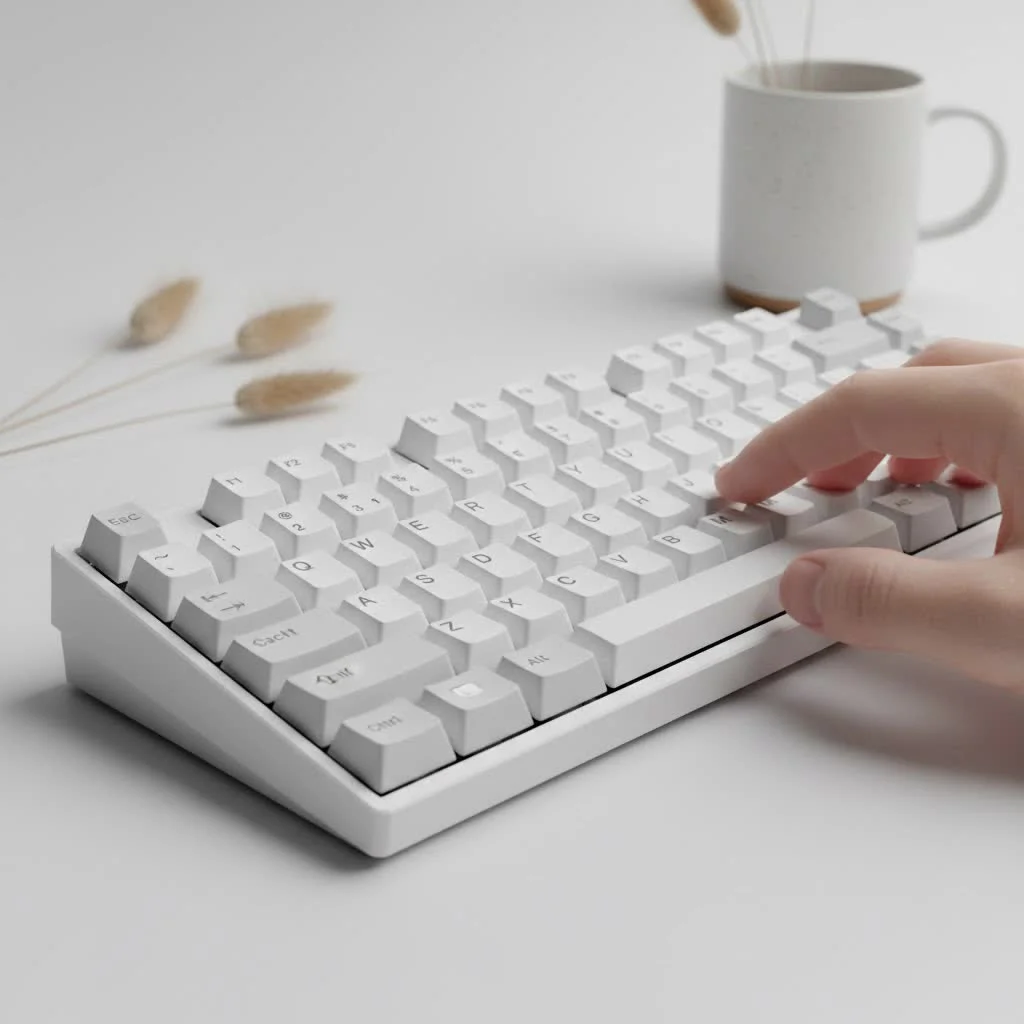
A good cheap mechanical keyboard offers 90% of the premium experience at a fraction of the cost, typically ranging from $40 to $75. These keyboards achieve lower price points by utilizing durable plastic chassis, excellent “clone” switches from brands like Gateron or Outemu, and often ABS keycaps, though PBT keycaps are becoming more common. This makes them an ideal entry point for newcomers to the hobby, providing superior typing and gaming performance compared to standard membrane keyboards.
What Exactly Makes a Mechanical Keyboard “Cheap”?
When we talk about a “cheap” or “budget” keyboard, we’re not necessarily talking about poor quality. Instead, the lower price point comes from specific manufacturing choices designed to maximize value. For explore our reviews reviews on this site.
- Materials: Instead of a full aluminum or brass case, budget keyboards typically use a durable plastic chassis. Many feature a metal top plate (usually aluminum or steel) to add rigidity and a more premium feel without the cost of a full metal body.
- Switches: You won’t find premium switches like Cherry MX on most keyboards under $75. Instead, manufacturers use excellent “clone” switches from brands like Gateron, Outemu, or Akko. In many cases, these switches are just as good, and some enthusiasts even prefer them.
- Keycaps: The most common cost-saving measure is using ABS (Acrylonitrile Butadiene Styrene) plastic for keycaps. These are perfectly functional but can develop a shine over time. However, more and more budget boards are now shipping with higher-quality, shine-resistant PBT keycaps.
- Features: Premium features like complex RGB lighting software, wireless connectivity, or dedicated media controls are less common but are increasingly appearing in the budget space.
Are Budget Mechanical Keyboards Actually Worth It?
Absolutely. For most people, a well-chosen cheap mechanical keyboard offers 90% of the premium experience at a fraction of the cost. It’s the perfect entry point into the hobby and a massive upgrade over any standard membrane keyboard.
The primary benefit is the typing experience. The crisp, tactile feedback from mechanical switches can improve your typing speed, accuracy, and overall comfort. For gamers, the precise and consistent actuation of mechanical switches provides a real competitive advantage. The only significant trade-offs are typically in build materials and advanced software features, which many users don’t need anyway.
As custom keyboard builder Alex Morgan puts it, “The budget keyboard scene is where the most innovation is happening right now. Features like hot-swappability were once reserved for high-end custom kits, but now you can find them in $60 keyboards. It empowers users to experiment and find their perfect feel without a huge initial investment.”
Key Features to Look For in a Budget Mechanical Keyboard
Navigating the budget market can be tricky, but focusing on a few key features will ensure you get the best possible board for your money.
1. The Right Switches
|
Our Picks for the Best Mechanical Keyboard in 2026
As an Amazon Associate I earn from qualifying purchases.
|
||
| Num | Product | Action |
|---|---|---|
| 1 | AULA F75 Pro Wireless Mechanical Keyboard,75% Hot Swappable Custom Keyboard with Knob,RGB Backlit,Pre-lubed Reaper Switches,Side Printed PBT Keycaps,2.4GHz/USB-C/BT5.0 Mechanical Gaming Keyboards |

|
| 2 | RK ROYAL KLUDGE S98 Mechanical Keyboard w/Smart Display & Knob, Top Mount 96% Wireless Mechanical Keyboard BT/2.4G/USB-C, Hot Swappable, Software Support, Creamy Sounding, 98 Keys |
|
| 3 | Logitech MX Mechanical Wireless Illuminated Performance Keyboard, Tactile Quiet Switches, Backlit Keys, Bluetooth, USB-C, macOS, Windows, Linux, iOS, Android, Metal, Graphite |
|
| 4 | EPOMAKER x Aula F75 Gasket Mechanical Keyboard, 75% Wireless Hot Swappable Gaming Keyboard with Five-Layer Padding&Knob, Bluetooth/2.4GHz/USB-C, RGB (Light Blue, LEOBOG Reaper Switch) |
|
| 5 | RK ROYAL KLUDGE R98 Pro Wired Mechanical Keyboard, 96% Creamy Gaming Keyboard RGB Backlit with Number Pad and Volume Knob, Gasket Mount, MDA Profile PBT Keycaps, Hot Swappable Pre-lubed Linear Switch |
|
| 6 | SteelSeries USB Apex 5 Hybrid Mechanical Gaming Keyboard – Per-Key RGB Illumination – Aircraft Grade Aluminum Alloy Frame – OLED Smart Display (Hybrid Blue Switch) |
|
| 7 | AULA F99 Wireless Mechanical Keyboard,Tri-Mode BT5.0/2.4GHz/USB-C Hot Swappable Custom Keyboard,Pre-lubed Linear Switches,RGB Backlit Computer Gaming Keyboards for PC/Tablet/PS/Xbox |
|
| 8 | AK96 Smart Mechanical Keyboard Gaming, 96 Keys Full Size with LED Colorful Backlit, Clicky Creamy Sounding, USB Wired Computer Keyboard with Volume Knob for PC, Mac, Windows(Grey) |
|
| 9 | Redragon Mechanical Gaming Keyboard Wired, 11 Programmable Backlit Modes, Hot-Swappable Red Switch, Anti-Ghosting, Double-Shot PBT Keycaps, Light Up Keyboard for PC Mac |
|
| 10 | Womier S-K80 75% Keyboard with Color Multimedia Display Mechanical Gaming Keyboard Creamy Sound, Wired Hot Swappable Gasket Mount RGB Custom Key board, Pre-lubed Stabilizer for Mac/Win, Black Kanagawa |
|
The switch is the heart of a mechanical keyboard. On a budget, you’ll mainly encounter three types:
- Linear: A smooth, consistent press from top to bottom with no bump. Great for fast-paced gaming. (e.g., Gateron Red, Outemu Red).
- Tactile: A noticeable “bump” in the middle of the press to let you know the key has been actuated. A fantastic all-around option for typing and gaming. (e.g., Gateron Brown, Outemu Brown).
- Clicky: A tactile bump accompanied by a loud, crisp “click” sound. Very satisfying for typing but can be loud for office or shared spaces. (e.g., Gateron Blue, Outemu Blue).
2. Hot-Swappable Sockets
This is arguably the single most valuable feature in a cheap mechanical keyboard. A hot-swappable PCB allows you to pull out the switches and install new ones without any soldering. This means if you get tired of your switches or want to try something new, you can upgrade them in minutes. It offers a pathway to a premium, custom feel down the line.
3. Build Quality and Keycaps
Look for a keyboard with a sturdy plastic case and, if possible, a metal top plate for extra rigidity. While many budget boards come with standard ABS keycaps, keep an eye out for those that offer PBT (Polybutylene Terephthalate) keycaps. PBT is a denser, more durable plastic that resists shine and generally feels and sounds better.
A Quick Comparison: ABS vs. PBT Keycaps
| Feature | ABS Keycaps | PBT Keycaps |
|---|---|---|
| Feel | Smooth, can become slippery | Textured, matte finish |
| Durability | Develops a “shine” with use | Highly resistant to shine |
| Sound | Generally higher-pitched | Generally deeper, “thockier” sound |
| Cost | Less expensive | More expensive |
How to Choose the Right Keyboard For You
- Determine Your Primary Use: Are you mostly gaming, typing, or a mix of both? This will help you choose between Linear, Tactile, or Clicky switches.
- Select Your Size: Keyboards come in various layouts. A full-size board has a numpad, while a Tenkeyless (TKL) omits it for more desk space. Compact 65% or 60% layouts are even smaller, removing the function row and arrow keys for a minimalist setup.
- Prioritize Your Features: Is hot-swappability a must-have for future upgrades? Do you need wireless connectivity, or is a wired connection fine? Do you care about RGB backlighting?
- Read and Watch Reviews: Once you have a few models in mind, check out reviews from trusted sources. Sound tests on YouTube are especially helpful for getting an idea of how a keyboard will sound out of the box.
Frequently Asked Questions (FAQ)
What is the best cheap mechanical keyboard for gaming?
For gaming, look for a keyboard with linear switches (like Reds) for fast actuation. A TKL or 65% layout is also popular among gamers as it provides more space for mouse movement. Features like n-key rollover and a high polling rate are also beneficial.
Can I make a cheap mechanical keyboard sound better?
Yes! This is where the fun begins. Simple modifications like adding foam to the case, lubing the switches, and changing the keycaps can dramatically improve the sound and feel of a budget keyboard, often making it sound like a much more expensive board.
Are Outemu switches any good?
Outemu switches are one of the most common brands in budget keyboards and are excellent for the price. They offer reliable performance across their red (linear), brown (tactile), and blue (clicky) variants and are a great starting point for anyone new to mechanical keyboards.
How much should I spend on my first mechanical keyboard?
You can find a fantastic starter cheap mechanical keyboard for between $40 and $75. This price range offers the best balance of quality, features, and affordability, giving you a true mechanical experience without a significant investment.
Is a hot-swappable keyboard worth the extra cost?
In the budget market, a hot-swappable board is almost always worth the small price increase. It provides an incredible amount of flexibility and future-proofs your purchase, allowing you to easily try new switches and repair any that might fail down the road.
Your Journey Starts Here
Diving into the world of mechanical keyboards doesn’t have to be an expensive endeavor. The quality and feature sets available in the budget market today are truly staggering. By focusing on the core elements—switches, build quality, and key features like hot-swappability—you can find a cheap mechanical keyboard that will improve your daily typing and gaming experience. Don’t be afraid to start small; a great budget board is the perfect first step on a long and satisfying journey in this fantastic hobby.
Frequently Asked Questions
What is the best cheap mechanical keyboard for gaming?
For gaming, the best cheap mechanical keyboards typically feature linear switches, such as Gateron Reds or Outemu Reds, for fast and consistent actuation. A Tenkeyless (TKL) or 65% layout is also preferred by many gamers to maximize mouse movement space. Look for additional features like n-key rollover and a high polling rate for optimal performance.
Can I make a budget mechanical keyboard sound better?
Yes, you can significantly improve the sound of a budget mechanical keyboard through simple modifications. Adding foam to the case, lubricating the switches, and upgrading to higher-quality keycaps are common methods. These enhancements can make a $60 keyboard sound comparable to much more expensive custom builds.
Are Outemu switches a good option for a beginner's mechanical keyboard?
Outemu switches are an excellent choice for budget mechanical keyboards and are highly recommended for beginners. They provide reliable performance and are widely available in linear (Red), tactile (Brown), and clicky (Blue) variants. Many users find them to be a great starting point before exploring more premium switch options.
How much should I expect to spend on my first mechanical keyboard?
You can find a fantastic starter mechanical keyboard for between $40 and $75. This price range offers a strong balance of quality, essential features, and affordability, providing a genuine mechanical typing experience without requiring a significant financial investment.
Is investing in a hot-swappable keyboard worthwhile for a budget setup?
In the budget mechanical keyboard market, a hot-swappable PCB is almost always worth the slight additional cost. This feature provides immense flexibility, allowing you to easily experiment with different switches or replace faulty ones without soldering. It effectively future-proofs your purchase and enables customization down the line.
How to Choose the Right Budget Mechanical Keyboard
This guide outlines the steps to select a budget mechanical keyboard that best suits your needs, focusing on switches, size, and essential features.
Consider whether you will primarily use the keyboard for gaming, typing, or a combination of both. This decision will guide your choice between linear, tactile, or clicky switches, each offering a distinct feel and sound profile.
Keyboards come in various layouts, from full-size with a numpad to compact 60% or 65% layouts that save desk space. Choose a size that aligns with your workflow and available desk real estate.
Identify which features are most important to you, such as hot-swappability for future upgrades, wireless connectivity for convenience, or RGB backlighting for aesthetics. Not all budget keyboards will have every premium feature.
Once you have a few potential models in mind, consult trusted reviews and watch YouTube sound tests. This research will provide valuable insights into the keyboard's performance, build quality, and acoustic profile before you make a purchase.
Get our weekly buyer guide
Practical specs, not advice. Unsubscribe anytime.

This guide was super helpful! I picked up a board with PBT keycaps, and they feel really nice and durable. I was a bit worried about getting a ‘cheap’ keyboard, but the explanation about plastic chassis and clone switches made me feel a lot better about the value. It’s a solid entry point into the hobby for sure.
I got one of the keyboards with Outemu switches, and while it’s a huge improvement over my old one, I do notice a slight wobble in some of the keycaps. It’s not a dealbreaker, especially for the price, but it’s something I’m aware of. Still, for gaming, it’s miles better than what I had before.
I was looking for a budget-friendly option to replace my old keyboard, and this guide helped me understand what to look for. The point about durable plastic chassis really resonated, as I didn’t want something flimsy. My new board feels sturdy and types wonderfully, proving you don’t need to spend a fortune for a great experience.
I’ve been using the Gateron switches mentioned in the guide for a few weeks now, and they feel fantastic. For someone just getting into mechanical keyboards, the difference from my old membrane keyboard is night and day. It’s amazing how much quality you can get in the $40-$75 range. Definitely recommend for anyone looking to upgrade without breaking the bank.