Mechanical keyboard keycaps are the plastic covers that sit on top of each switch, serving as the primary interface between the user and the computer. They dictate much of the keyboard’s feel and sound, coming in various materials, shapes (profiles), colors, and manufacturing methods. Understanding these elements is crucial for customizing a mechanical keyboard, as the right keycaps can significantly enhance the typing experience by altering tactile feel, acoustic output, and overall aesthetics.
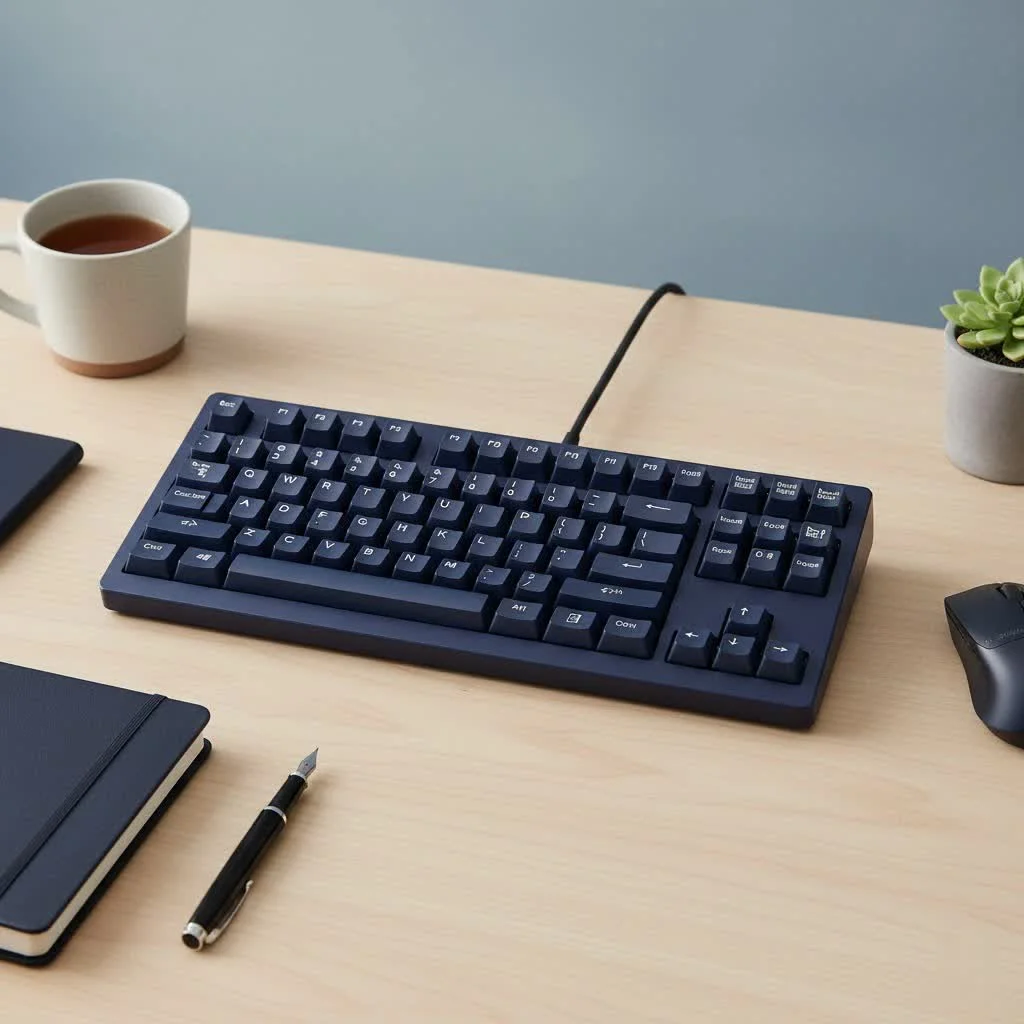 mechanical keyboard keycaps in different colors and profiles” style=”margin: 20px auto;width: 800px;max-width: 100%;height: auto” />
What Exactly Are Mechanical Keyboard Keycaps?
At their most basic, keycaps are the plastic covers that sit on top of each switch on your keyboard. When you press a key, you’re not touching the switch itself; you’re pressing the keycap, which then actuates the switch beneath it. Keycaps are the primary interface between you and your computer, dictating much of how your keyboard feels and sounds. They come in an astonishing variety of materials, shapes (called profiles), colors, and manufacturing methods, each offering a distinct experience. For shop curated reviews on this site.
The Great Material Debate: PBT vs. ABS
The most fundamental choice you’ll make is the plastic your keycaps are made from. The two dominant materials in the industry are ABS (Acrylonitrile Butadiene Styrene) and PBT (Polybutylene Terephthalate). They might just sound like a string of chemicals, but their differences are profound.
ABS Keycaps: The Smooth Standard
ABS is the most common plastic used for keycaps, especially in pre-built keyboards from major brands like Logitech, Razer, and Corsair. It’s easier and cheaper to mold, which allows for vibrant, consistent colors.
- Feel: ABS keycaps have a smooth, almost soft-to-the-touch feel when new.
- Sound: They tend to produce a higher-pitched, clackier sound compared to PBT.
- Durability: This is the main drawback of ABS. Over time, the oils from your fingers will cause the keycaps to develop a noticeable “shine” on their surface. While some don’t mind it, many enthusiasts dislike the greasy look and feel.
- Thickness: They are often, but not always, thinner than their PBT counterparts, which contributes to their sound profile.
PBT Keycaps: The Durable Challenger
PBT is a denser, more robust plastic that has become the gold standard for high-quality aftermarket keycap sets. It’s more difficult to work with, which is why it’s typically more expensive.
- Feel: PBT keycaps have a distinct textured or matte finish that feels slightly grainy under the fingertips. This texture is highly resistant to wear.
- Sound: The denser material produces a deeper, more satisfying “thock” sound that many keyboard enthusiasts crave.
- Durability: PBT is highly resistant to oils, solvents, and heat. It will not develop shine even after years of heavy use, keeping your keyboard looking and feeling new for much longer.
- Warping: The one minor downside is that due to its nature, longer keys like the spacebar can sometimes have a slight warp from the manufacturing process, though this is rare in quality sets.
As our lead engineer at Yoasy, Alex Chen, often says: “Choosing between ABS and PBT is your first real custom decision. Do you want the smooth, vibrant canvas of ABS, or the textured, long-lasting performance of PBT? There’s no wrong answer, only your preference.”
Here’s a quick comparison to help you decide:
| Feature | ABS Keycaps | PBT Keycaps |
|---|---|---|
| Feel | Smooth, soft | Textured, matte |
| Durability | Prone to shining over time | Highly resistant to shine |
| Sound Profile | Higher-pitched “clack” | Deeper-pitched “thock” |
| Cost | Generally less expensive | Generally more expensive |
| Color Vibrancy | Excellent, often more vibrant | Good, but can be slightly muted |
Finding Your Type: A Guide to Keycap Profiles
A keycap’s “profile” refers to its shape, height, and sculpting. This is arguably as important as the material in defining your typing comfort and speed. Profiles can be uniform (all keys are the same shape) or sculpted (each row has a different height and angle to match the natural curve of your fingers).
Common Keycap Profiles
|
Our Picks for the Best Mechanical Keyboard in 2026
As an Amazon Associate I earn from qualifying purchases.
|
||
| Num | Product | Action |
|---|---|---|
| 1 | Womier S-K80 75% Keyboard with Color Multimedia Display Mechanical Gaming Keyboard Creamy Sound, Wired Hot Swappable Gasket Mount RGB Custom Key board, Pre-lubed Stabilizer for Mac/Win, Black Kanagawa |

|
| 2 | AK96 Smart Mechanical Keyboard Gaming, 96 Keys Full Size with LED Colorful Backlit, Clicky Creamy Sounding, USB Wired Computer Keyboard with Volume Knob for PC, Mac, Windows(Grey) |
|
| 3 | RK ROYAL KLUDGE R98 Pro Wired Mechanical Keyboard, 96% Creamy Gaming Keyboard RGB Backlit with Number Pad and Volume Knob, Gasket Mount, MDA Profile PBT Keycaps, Hot Swappable Pre-lubed Linear Switch |
|
| 4 | Logitech MX Mechanical Wireless Illuminated Performance Keyboard, Tactile Quiet Switches, Backlit Keys, Bluetooth, USB-C, macOS, Windows, Linux, iOS, Android, Metal, Graphite |
|
| 5 | Redragon Mechanical Gaming Keyboard Wired, 11 Programmable Backlit Modes, Hot-Swappable Red Switch, Anti-Ghosting, Double-Shot PBT Keycaps, Light Up Keyboard for PC Mac |
|
| 6 | AULA F99 Wireless Mechanical Keyboard,Tri-Mode BT5.0/2.4GHz/USB-C Hot Swappable Custom Keyboard,Pre-lubed Linear Switches,RGB Backlit Computer Gaming Keyboards for PC/Tablet/PS/Xbox |
|
| 7 | SteelSeries USB Apex 5 Hybrid Mechanical Gaming Keyboard – Per-Key RGB Illumination – Aircraft Grade Aluminum Alloy Frame – OLED Smart Display (Hybrid Blue Switch) |
|
| 8 | EPOMAKER x Aula F75 Gasket Mechanical Keyboard, 75% Wireless Hot Swappable Gaming Keyboard with Five-Layer Padding&Knob, Bluetooth/2.4GHz/USB-C, RGB (Light Blue, LEOBOG Reaper Switch) |
|
| 9 | RK ROYAL KLUDGE S98 Mechanical Keyboard w/Smart Display & Knob, Top Mount 96% Wireless Mechanical Keyboard BT/2.4G/USB-C, Hot Swappable, Software Support, Creamy Sounding, 98 Keys |
|
| 10 | AULA F75 Pro Wireless Mechanical Keyboard,75% Hot Swappable Custom Keyboard with Knob,RGB Backlit,Pre-lubed Reaper Switches,Side Printed PBT Keycaps,2.4GHz/USB-C/BT5.0 Mechanical Gaming Keyboards |
|
- OEM Profile: This is the standard, sculpted profile you’ll find on most pre-built mechanical keyboards. It’s comfortable and familiar to almost everyone.
- Cherry Profile: A favorite among enthusiasts, the Cherry profile is similar to OEM but slightly shorter and more sharply angled. Many find it allows for faster, more comfortable typing with less finger travel. This is one of the most popular aftermarket profiles.
- SA Profile: This is a tall, heavily sculpted, spherical-topped keycap profile with a distinct vintage look. Typing on SA keycaps is a unique experience, producing a deep, resonant sound. They can take some getting used to due to their height.
- DSA Profile: A uniform, medium-height profile with spherical tops. Because every key is the same shape, it’s easy to rearrange keys (for alternative layouts like Dvorak or Colemak) without issue. The feel is often described as “fast.”
- XDA Profile: Similar to DSA, XDA is also a uniform profile, but it’s slightly shorter and has a wider, flatter top surface area. This provides a very stable and consistent feel across the entire keyboard.
How Your Legends Are Made: Printing Methods
The letters and symbols on your keycaps are called “legends.” How they are applied is crucial for their longevity.
- Doubleshot: This is the premium method. Two separate pieces of plastic are molded together to create the keycap. The legend is one piece of plastic molded into the outer shell. This means the legend is physically part of the keycap and will never fade or wear off.
- Dye-Sublimation (Dye-Sub): In this process, heat is used to infuse dye directly into the plastic itself. This results in a permanent legend that won’t fade. However, it only works when printing a dark legend on a lighter keycap. You can’t dye-sub white letters onto a black keycap, for instance. This method is very common for high-quality PBT sets.
- Laser-Etched: A laser is used to burn the legend onto the keycap’s surface. It’s a cheap method but not very durable, as the legend can wear away with use. It’s often used for shine-through keycaps on backlit keyboards.
How to Choose the Right Mechanical Keyboard Keycaps
Feeling overwhelmed? Don’t be. Here’s a simple checklist to guide your decision-making process.
- Determine Your Budget: A cheap set of ABS keycaps might cost $20, while a premium, group-buy PBT set could run you over $150. Decide what you’re comfortable spending.
- Choose Your Material: Do you prefer a smooth feel and don’t mind eventual shine (ABS), or do you want a textured feel that will last forever (PBT)?
- Select a Profile: Are you a gamer who wants fast, low-profile keys like Cherry? Or a typist who loves the vintage feel of SA? If you’re unsure, OEM or Cherry are safe, comfortable starting points.
- Consider Your Keyboard’s Layout: Make sure the set you buy is compatible! Check if your keyboard has a standard bottom row, a non-standard spacebar size, or a unique layout like an Alice or 75% board.
- Think About Aesthetics: Finally, the fun part! Choose a colorway and design that matches your personality and setup. The possibilities are endless.
Frequently Asked Questions (FAQ)
What are the best mechanical keyboard keycaps for gaming?
Gamers often prefer Cherry or OEM profile keycaps because their lower height and familiar sculpting allow for quick finger movements. A textured PBT material can also provide a better grip during intense gaming sessions.
Do keycaps actually affect the sound of a keyboard?
Absolutely. Keycap material, thickness, and profile all have a significant impact on the sound profile. Thicker PBT keycaps in a high profile like SA will produce a much deeper sound than thin, laser-etched ABS keycaps in a Cherry profile.
Are expensive keycaps worth the money?
It depends on your priorities. Expensive keycaps often use superior manufacturing methods (like doubleshot molding), more durable materials (PBT), and more unique, artist-designed colorways. For someone who spends hours typing every day, the improved feel and durability can be a worthwhile investment.
Can I put any keycap on any mechanical switch?
Most keycaps use the cross-shaped “MX-style” stem, which is compatible with switches from Cherry, Gateron, Kailh, Outemu, and many others. Always double-check that your switches are MX-compatible before buying a new set of keycaps.
How do I clean my keycaps?
For a light clean, you can use a damp cloth. For a deep clean, remove the keycaps from the board and soak them in a bowl of warm water with a couple of drops of dish soap. After a good soak, rinse them thoroughly and let them air dry completely before putting them back on.
Your Keyboard, Your Masterpiece
Choosing your mechanical keyboard keycaps is more than just a technical decision; it’s a form of self-expression. It’s your chance to turn a functional tool into a personalized work of art that feels and sounds exactly the way you want it to. Whether you opt for a sleek and durable PBT Cherry set or a bold and towering SA ABS kit, you’re taking a step towards making your keyboard truly your own. Dive in, explore the options, and don’t be afraid to experiment. The perfect feel is out there waiting for you.
Choose the Right Mechanical Keyboard Keycaps
Follow these steps to select the perfect mechanical keyboard keycaps based on your preferences for material, profile, and aesthetics.
Keycap sets vary widely in price, from around $20 for basic ABS sets to over $150 for premium PBT group-buy sets. Establish a comfortable spending limit before exploring options.
Decide between ABS for a smooth feel and vibrant colors, understanding it may develop shine over time, or PBT for a textured feel and superior durability that resists shine for years.
Consider profiles like Cherry for fast typing, SA for a vintage look and deep sound, or OEM/DSA/XDA for comfortable, familiar, or uniform experiences. OEM or Cherry are excellent starting points if you are unsure.
Verify that the keycap set you choose is compatible with your keyboard's specific layout, including standard or non-standard bottom rows, spacebar sizes, or unique board types like Alice or 75%.
Finally, select a colorway and design that reflects your personal style and complements your existing setup. The vast array of options allows for endless customization possibilities.
Get our weekly buyer guide
Practical specs, not advice. Unsubscribe anytime.

This guide was super helpful for understanding keycap profiles. I always just assumed all keycaps were the same shape, but learning about Cherry vs. OEM made a huge difference. I’m definitely going to try a Cherry profile set next, as the lower profile sounds like it would be more comfortable for my typing style. My current OEM set feels a bit too tall sometimes.
The section on manufacturing methods was interesting, especially double-shot keycaps. I recently bought a set that claimed to be double-shot, but the legends still faded after a few months. I wish there was more info on how to spot fakes or what brands are truly reliable for that method. It’s a bit frustrating when you pay extra for quality and don’t get it.
I’m a total newbie to mechanical keyboards and this guide was a lifesaver! I had no idea keycaps could affect the sound so much. I was looking for a way to make my keyboard sound less ‘clacky’ and now I know what to look for. I’m excited to experiment with different materials to get that thocky sound everyone talks about.
I’ve been wanting to upgrade my keycaps for ages but felt overwhelmed by all the options. The guide really helped me understand the difference between ABS and PBT plastics. I ended up going with a set of PBT keycaps and the change in feel is incredible. They have a much nicer texture and don’t show fingerprints like my old ones.