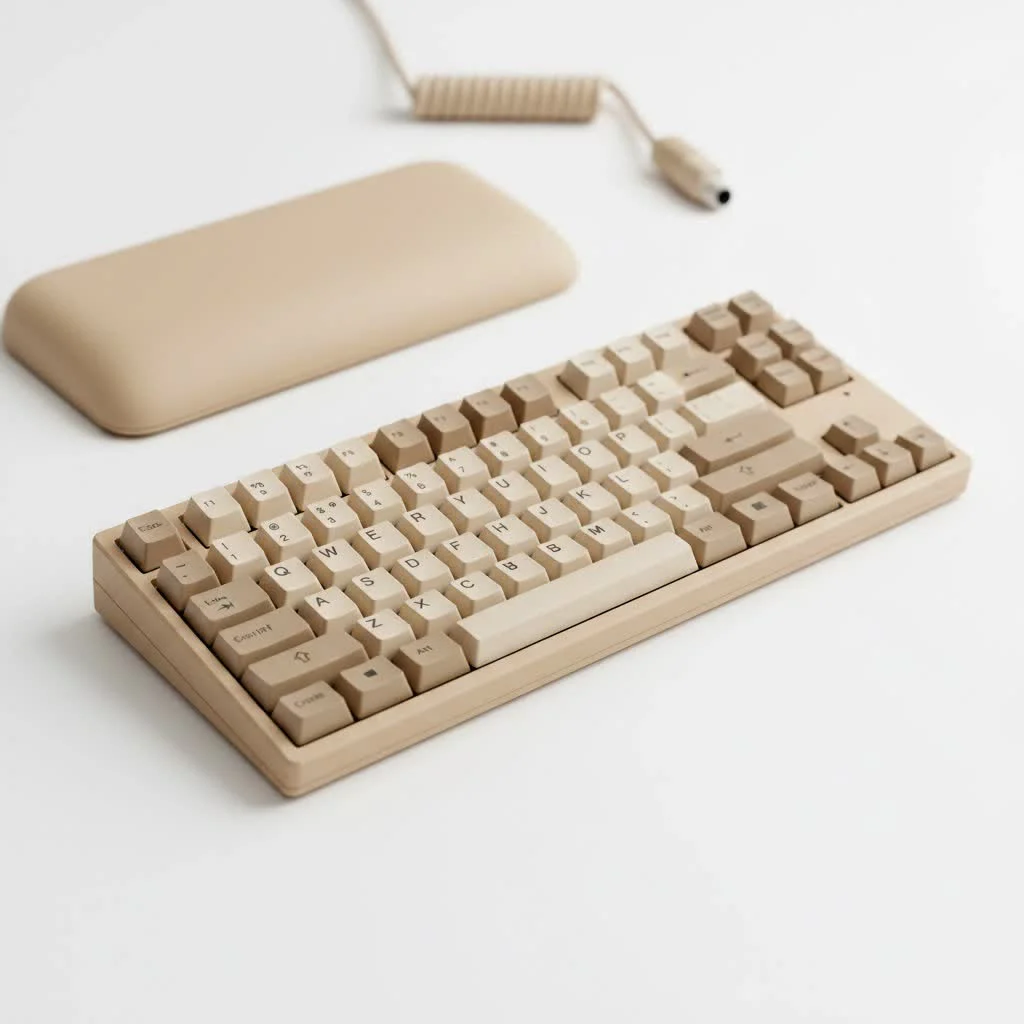
A laptop with a mechanical keyboard significantly enhances the portable computing experience by offering superior tactility, precision, and durability compared to traditional membrane keyboards. This upgrade delivers a desktop-class typing feel in a portable form factor, making it a major upgrade for users who prioritize typing comfort and gaming performance. These laptops utilize individual mechanical switches under each key, providing distinct feedback and a longer lifespan, often rated for 50 million to 100 million keystrokes.
What Defines a Laptop with a Mechanical Keyboard?
At its core, the difference lies in the switch technology beneath each keycap. Traditional laptop keyboards use a “membrane” design, where a rubber or silicone dome collapses when you press a key. This creates a soft, quiet, but often inconsistent and unsatisfying feel. For reviews buying guides on this site.
A mechanical keyboard, on the other hand, uses an individual mechanical switch for every single key. Each switch contains a housing, a spring, and a stem. When you press a key, the spring provides resistance, and the stem actuates the switch, registering the keystroke. This mechanism provides a distinct, tactile feedback that membrane keyboards simply cannot replicate. To fit into a slim chassis, these laptops often use specialized “low-profile” mechanical switches, which offer shorter travel distances but retain the satisfying feel of their full-sized counterparts.
The Pros and Cons: Is It Worth the Hype?
Deciding on a laptop is a big investment, and this feature is a significant factor. It offers incredible benefits, but it’s essential to weigh them against the potential drawbacks.
The Upsides: Why You’ll Love It
- A Superior Typing Experience: This is the number one reason to make the switch. The tactile feedback and audible click (depending on the switch type) make typing more accurate, comfortable, and enjoyable. You feel every keystroke, which can lead to faster typing speeds and fewer errors.
- Unmatched Durability: Mechanical switches are built to last. While a typical membrane keyboard might be rated for 5-10 million keystrokes, mechanical switches are often rated for 50 million, 80 million, or even 100 million presses. This means your laptop’s keyboard will feel crisp and responsive for years to come.
- Peak Gaming Performance: For gamers, a laptop with a mechanical keyboard is a competitive edge. These keyboards offer features like N-key rollover (NKRO), which ensures every single keypress is registered, no matter how many keys are pressed simultaneously. This is crucial in fast-paced games where complex commands are common. The faster actuation and clear feedback also improve response times.
- Aesthetics and Customization: These keyboards often come with advanced per-key RGB lighting, allowing for stunning visual effects. While you can’t swap the switches themselves as easily as on a desktop board, some models allow for keycap customization, letting you personalize the look and feel of your machine.
The Downsides: What to Consider
|
Our Picks for the Best Mechanical Keyboard in 2026
As an Amazon Associate I earn from qualifying purchases.
|
||
| Num | Product | Action |
|---|---|---|
| 1 | Redragon Mechanical Gaming Keyboard Wired, 11 Programmable Backlit Modes, Hot-Swappable Red Switch, Anti-Ghosting, Double-Shot PBT Keycaps, Light Up Keyboard for PC Mac |

|
| 2 | SteelSeries USB Apex 5 Hybrid Mechanical Gaming Keyboard – Per-Key RGB Illumination – Aircraft Grade Aluminum Alloy Frame – OLED Smart Display (Hybrid Blue Switch) |
|
| 3 | Logitech MX Mechanical Wireless Illuminated Performance Keyboard, Tactile Quiet Switches, Backlit Keys, Bluetooth, USB-C, macOS, Windows, Linux, iOS, Android, Metal, Graphite |
|
| 4 | AULA F99 Wireless Mechanical Keyboard,Tri-Mode BT5.0/2.4GHz/USB-C Hot Swappable Custom Keyboard,Pre-lubed Linear Switches,RGB Backlit Computer Gaming Keyboards for PC/Tablet/PS/Xbox |
|
| 5 | AULA F75 Pro Wireless Mechanical Keyboard,75% Hot Swappable Custom Keyboard with Knob,RGB Backlit,Pre-lubed Reaper Switches,Side Printed PBT Keycaps,2.4GHz/USB-C/BT5.0 Mechanical Gaming Keyboards |
|
| 6 | Womier S-K80 75% Keyboard with Color Multimedia Display Mechanical Gaming Keyboard Creamy Sound, Wired Hot Swappable Gasket Mount RGB Custom Key board, Pre-lubed Stabilizer for Mac/Win, Black Kanagawa |
|
| 7 | EPOMAKER x Aula F75 Gasket Mechanical Keyboard, 75% Wireless Hot Swappable Gaming Keyboard with Five-Layer Padding&Knob, Bluetooth/2.4GHz/USB-C, RGB (Light Blue, LEOBOG Reaper Switch) |
|
| 8 | RK ROYAL KLUDGE R98 Pro Wired Mechanical Keyboard, 96% Creamy Gaming Keyboard RGB Backlit with Number Pad and Volume Knob, Gasket Mount, MDA Profile PBT Keycaps, Hot Swappable Pre-lubed Linear Switch |
|
| 9 | RK ROYAL KLUDGE S98 Mechanical Keyboard w/Smart Display & Knob, Top Mount 96% Wireless Mechanical Keyboard BT/2.4G/USB-C, Hot Swappable, Software Support, Creamy Sounding, 98 Keys |
|
| 10 | AK96 Smart Mechanical Keyboard Gaming, 96 Keys Full Size with LED Colorful Backlit, Clicky Creamy Sounding, USB Wired Computer Keyboard with Volume Knob for PC, Mac, Windows(Grey) |
|
- Higher Cost: Laptops with integrated mechanical keyboards are premium devices. The technology is more complex and expensive to manufacture, which is reflected in the final price tag.
- Increased Weight and Thickness: While low-profile switches have mitigated this issue significantly, fitting individual mechanical switches still requires more space than a thin membrane sheet. These laptops tend to be slightly thicker and heavier than their non-mechanical counterparts.
- The Noise Factor: Mechanical keyboards are louder than membrane ones. While many users love the audible feedback, it might not be suitable for quiet environments like a library, lecture hall, or a shared office space. Switch types vary in sound, but none are truly silent.
Who Should Buy a Laptop with a Mechanical Keyboard?
This feature isn’t for everyone, but for specific users, it’s a revolutionary upgrade.
Gamers: This is the most obvious audience. The precision, durability, and anti-ghosting features provide a tangible advantage in competitive gaming. The tactile response ensures you never second-guess a keypress in a critical moment.
Writers and Coders: Anyone who spends hours typing each day will appreciate the ergonomic benefits and improved accuracy. The satisfying feedback can reduce finger fatigue and make long sessions at the keyboard far more comfortable and productive.
Keyboard Enthusiasts: If you already love mechanical keyboards on your desktop, you’ll feel right at home with one on your laptop. It provides a consistent, high-quality experience across all your devices, without having to carry an external keyboard.
“The integration of true mechanical switches into laptop chassis is the most significant ergonomic leap forward in portable computing in the last decade. It closes the gap between desktop and mobile performance, providing a level of tactile fidelity that was previously impossible.” – Dr. Alistair Finch, Ergonomic Hardware Design Specialist
Top Laptops Featuring Mechanical Keyboards
The market for these specialized laptops is growing. While specific models change year to year, some brands consistently lead the pack in offering this premium feature.
- Alienware: Often pioneers in gaming tech, select Alienware models (particularly in their M-series and X-series) feature Cherry MX ultra low-profile switches, delivering an authentic mechanical feel in a surprisingly slim design.
- MSI: Known for their powerhouse gaming laptops, MSI’s high-end GT Titan series has long offered laptops with full-height mechanical switches, providing a no-compromise desktop experience for those who demand the best.
- Razer: Famed for their sleek designs and gaming peripherals, Razer has developed its own low-profile optical-mechanical switches for some of its Blade laptops, offering a crisp click and lightning-fast actuation powered by light.
- ASUS ROG: The Republic of Gamers lineup frequently includes models with optical-mechanical switches, blending speed with a satisfying tactile bump, aimed squarely at the esports professional.
When comparing models, it’s essential to look at the specific switch being used, as this will define the typing experience.
Key Features to Look for When Buying
If you’re ready to invest in a laptop with a mechanical keyboard, keep an eye on these critical details:
Switch Type
This is the most crucial element. Brands may use Cherry MX, Kailh, Gateron, or their own proprietary switches. Look for descriptions like:
- Linear: A smooth, consistent press from top to bottom. Quietest of the mechanical types and favored by gamers for rapid presses.
- Tactile: A noticeable “bump” in the middle of the press to let you know the key has been actuated. A great all-around choice for typing and gaming.
- Clicky: A tactile bump accompanied by a distinct and audible “click” sound. The loudest type, but incredibly satisfying for many typists.
Build Quality and Keycaps
A great keyboard needs a solid chassis. Look for laptops with minimal deck flex. Also, consider the keycap material. Most use ABS plastic, which is standard, but some high-end models may feature PBT keycaps, which are more durable and resist the shine that develops from finger oils over time.
Software and Customization
Check the level of software control. Good software allows you to customize RGB lighting on a per-key basis, record complex macros, and remap keys to fit your workflow. This turns the keyboard from a simple input device into a powerful, personalized tool.
Frequently Asked Questions (FAQ)
Are mechanical keyboards on laptops loud? Yes, they are generally louder than traditional laptop keyboards. “Clicky” switches are the loudest, while “Linear” switches are the quietest of the mechanical options, but even they produce more sound than a membrane keyboard due to the nature of the mechanism.
Can you replace the switches on a laptop’s mechanical keyboard? No, in almost all cases, the switches are soldered directly onto the laptop’s mainboard. They are not hot-swappable like on many custom desktop keyboards. This is a key difference and means the switch type you buy is the one you’ll have for the life of the laptop.
Do these keyboards use more battery? The switches themselves do not use significantly more power. However, the powerful per-key RGB lighting often included with these keyboards can have a noticeable impact on battery life. You can always turn the backlighting down or off to conserve power.
Is it better than just using an external mechanical keyboard? It depends on your use case. An external keyboard offers more choice and customizability. However, a laptop with a mechanical keyboard provides a fantastic experience everywhere you go, without the need to carry extra gear. It’s the ultimate solution for portability and performance in one package.
Final Thoughts: The Future of Laptop Keyboards
The integrated mechanical keyboard is more than just a passing trend; it’s a commitment to a better, more engaging user experience. It acknowledges that for many of us, the keyboard is our primary tool for work and play. While once a bulky, expensive novelty, the technology has matured into a sleek, refined feature that elevates a laptop from a good machine to a great one. If you value the feel of every keystroke and demand the best in performance and durability, your next portable powerhouse should undoubtedly be a laptop with a mechanical keyboard. The difference is not just noticeable; it’s transformative.
Get our weekly buyer guide
Practical specs, not advice. Unsubscribe anytime.
This concept is a game-changer for sure. I’ve always hated the mushy feel of standard laptop keyboards when gaming on the go. The idea of having that desktop-class typing feel in a portable form factor is exactly what I’ve been looking for. My only minor gripe is that some models can be a bit pricier than I’d like, but the durability and performance seem worth it.
I was skeptical about a laptop with a mechanical keyboard at first, thinking it would be too bulky. But after reading about the individual mechanical switches and their benefits, I decided to try the MSI GE76 Raider. The typing experience is genuinely next-level, especially for coding. It’s so much more precise than my old membrane keyboard, and I can feel the difference in my WPM.
As a writer, typing comfort is paramount for me. I’ve always struggled with wrist fatigue on traditional laptop keyboards. The superior tactility and distinct feedback from the mechanical switches on my new Alienware m17 have made a huge difference. It really does deliver a desktop-class typing feel, and I can work for much longer without discomfort. Highly recommend for anyone who types a lot!
I picked up a Razer Blade 15 with a mechanical keyboard, hoping for a huge upgrade. While the tactility is definitely better than a regular laptop keyboard, I found it to be a bit louder than I expected, which can be an issue in quiet environments like a library. It’s not a deal-breaker, but something to consider if you need absolute silence. The 50 million keystroke lifespan is a big plus though.