A cute mechanical keyboard combines aesthetics and functionality, allowing users to express personal style while enjoying a satisfying typing experience. These keyboards typically feature soft pastel or multi-tone color palettes, unique themed keycaps, and compact form factors like 60%, 65%, or 75% layouts. Modern RGB lighting can also enhance the aesthetic with soft, ambient glows. As a keyboard engineer and enthusiast for over a decade, I’ve seen the scene blossom, and I’m here to guide you through the wonderful world of adorable, high-performance keyboards.
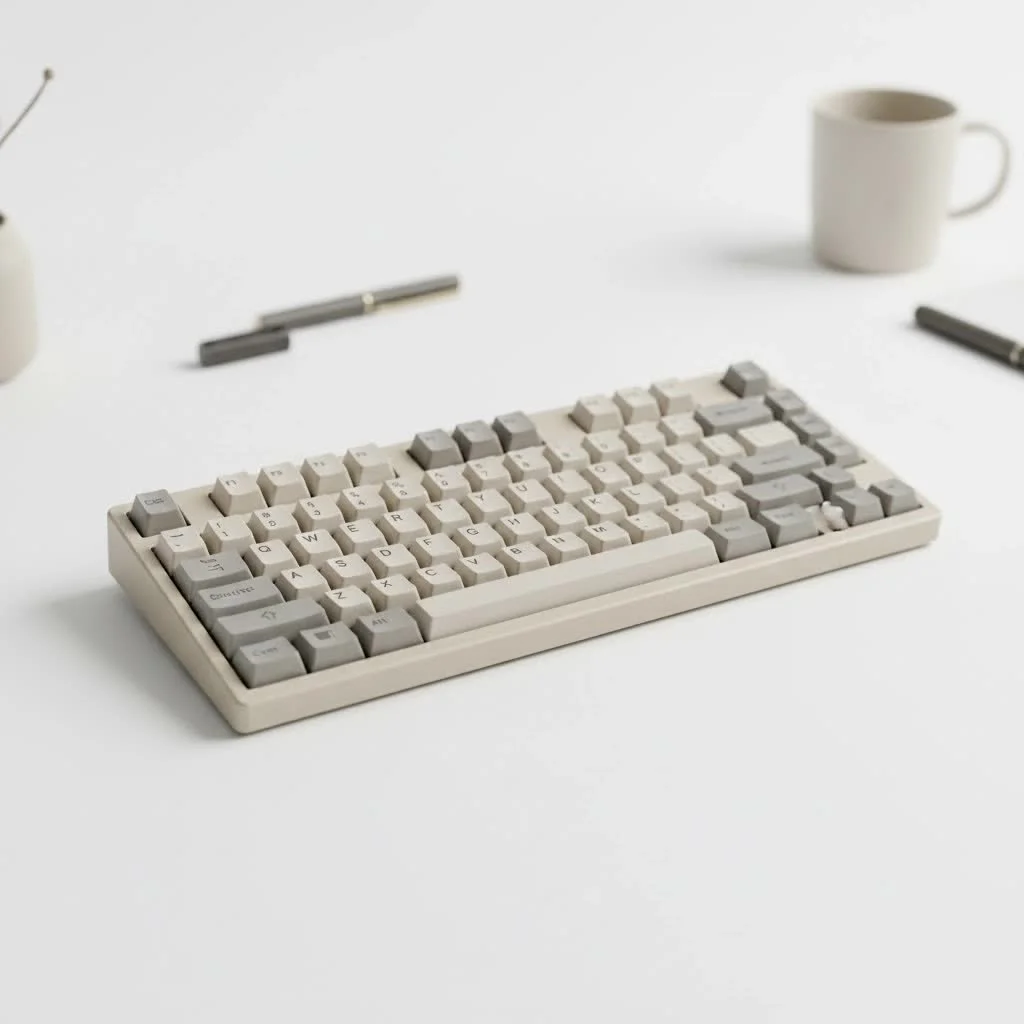
Whether you’re looking for a pastel dream, a kawaii-themed centerpiece, or a sleek and minimalist design, the perfect cute mechanical keyboard is out there. This guide will help you understand what to look for, explore some popular options, and even dip your toes into the world of custom builds.
What Makes a Mechanical Keyboard “Cute”?
The definition of “cute” is subjective, but in the keyboard community, it generally revolves around a few key aesthetic elements. It’s about creating a cohesive, visually pleasing look that reflects a specific style.
Color Palette
Color is often the first thing people notice. Cute keyboards typically steer away from standard black and embrace softer, more vibrant palettes.
- Pastels: Soft pinks, baby blues, mint greens, and lavender are incredibly popular.
- Multi-tone: Many keyboards use a combination of two or three complementary colors for a playful look.
- All-White: A clean, all-white setup can look incredibly chic and cute, serving as a blank canvas for other accessories.
Unique Themes and Keycaps
This is where the personality really shines. Keycaps are the soul of a keyboard’s aesthetic.
- Themed Sets: You can find keycap sets inspired by everything from anime and video games to animals like cats and frogs.
- Artisan Keycaps: These are single, handcrafted keycaps that often serve as a centerpiece, usually for the
Esckey. They can be intricate sculptures of characters, food, or abstract designs. - Novelty Keys: Many sets include “novelty” keys—keys with fun icons or words instead of the standard legends—to add extra flair to keys like
Enter,Shift, orSpacebar.
Compact Form Factor
While you can find cute keyboards in any size, smaller, more compact layouts often enhance the aesthetic.
- 60% and 65% Layouts: These smaller boards remove the number pad (and sometimes the function row and arrow keys), resulting in a clean, symmetrical look that leaves more room for your mouse and other desk accessories.
- 75% Layouts: A popular middle ground, 75% keyboards are compact but retain the function row and arrow keys, making them highly functional for both work and play.
RGB Lighting and Underglow
|
Our Picks for the Best Mechanical Keyboard in 2026
As an Amazon Associate I earn from qualifying purchases.
|
||
| Num | Product | Action |
|---|---|---|
| 1 | EPOMAKER x Aula F75 Gasket Mechanical Keyboard, 75% Wireless Hot Swappable Gaming Keyboard with Five-Layer Padding&Knob, Bluetooth/2.4GHz/USB-C, RGB (Light Blue, LEOBOG Reaper Switch) |

|
| 2 | Redragon Mechanical Gaming Keyboard Wired, 11 Programmable Backlit Modes, Hot-Swappable Red Switch, Anti-Ghosting, Double-Shot PBT Keycaps, Light Up Keyboard for PC Mac |
|
| 3 | SteelSeries USB Apex 5 Hybrid Mechanical Gaming Keyboard – Per-Key RGB Illumination – Aircraft Grade Aluminum Alloy Frame – OLED Smart Display (Hybrid Blue Switch) |
|
| 4 | Logitech MX Mechanical Wireless Illuminated Performance Keyboard, Tactile Quiet Switches, Backlit Keys, Bluetooth, USB-C, macOS, Windows, Linux, iOS, Android, Metal, Graphite |
|
| 5 | AK96 Smart Mechanical Keyboard Gaming, 96 Keys Full Size with LED Colorful Backlit, Clicky Creamy Sounding, USB Wired Computer Keyboard with Volume Knob for PC, Mac, Windows(Grey) |
|
| 6 | AULA F75 Pro Wireless Mechanical Keyboard,75% Hot Swappable Custom Keyboard with Knob,RGB Backlit,Pre-lubed Reaper Switches,Side Printed PBT Keycaps,2.4GHz/USB-C/BT5.0 Mechanical Gaming Keyboards |
|
| 7 | AULA F99 Wireless Mechanical Keyboard,Tri-Mode BT5.0/2.4GHz/USB-C Hot Swappable Custom Keyboard,Pre-lubed Linear Switches,RGB Backlit Computer Gaming Keyboards for PC/Tablet/PS/Xbox |
|
| 8 | Womier S-K80 75% Keyboard with Color Multimedia Display Mechanical Gaming Keyboard Creamy Sound, Wired Hot Swappable Gasket Mount RGB Custom Key board, Pre-lubed Stabilizer for Mac/Win, Black Kanagawa |
|
| 9 | RK ROYAL KLUDGE R98 Pro Wired Mechanical Keyboard, 96% Creamy Gaming Keyboard RGB Backlit with Number Pad and Volume Knob, Gasket Mount, MDA Profile PBT Keycaps, Hot Swappable Pre-lubed Linear Switch |
|
| 10 | RK ROYAL KLUDGE S98 Mechanical Keyboard w/Smart Display & Knob, Top Mount 96% Wireless Mechanical Keyboard BT/2.4G/USB-C, Hot Swappable, Software Support, Creamy Sounding, 98 Keys |
|
Lighting adds another layer of customization. Modern RGB lighting isn’t just for “gamer” aesthetics; it can be used to create a soft, ambient glow that complements your keyboard’s color scheme. Setting the lighting to a static pastel color or a slow, gentle rainbow wave can elevate the cute factor significantly.
Top Pre-Built Cute Mechanical Keyboards
If you want to plug and play without the hassle of building, the market for pre-built cute keyboards has never been better. Here are a few brands known for their fantastic aesthetics and solid performance.
Akko
Akko is a powerhouse in the world of themed keyboards. They are famous for their unique colorways and high-quality PBT keycaps. You can find keyboards with themes inspired by everything from cherry blossoms to ocean waves. They offer a great balance of price, features, and visual appeal.
Epomaker
Epomaker often collaborates with other brands like Ajazz and Royal Kludge to bring a wide variety of unique and colorful keyboards to the market. They are a great place to look for compact layouts with wireless connectivity and eye-catching designs that you might not find elsewhere.
Lofree
Lofree keyboards are known for their distinct, retro-inspired designs. With rounded keycaps and bubbly aesthetics, their keyboards look almost like modern typewriters. They offer a unique tactile feel and a look that is guaranteed to be a conversation starter.
The DIY Path: Building Your Own Cute Keyboard
For the ultimate custom experience, you can build your own keyboard. While it sounds intimidating, it’s an incredibly rewarding process that gives you complete control over every single component.
Step 1: Choose Your Case and PCB
The case is the foundation of your keyboard’s look. You can find them in a variety of materials and colors, including transparent polycarbonate for a cool, modern vibe or aluminum painted in soft pastel shades. The PCB (Printed Circuit Board) is the brain of the keyboard, so ensure it’s compatible with your chosen case and layout.
Step 2: Select Your Switches
This is all about how the keyboard feels to type on.
- Linear Switches (e.g., Cherry MX Red): Smooth keystroke from top to bottom. Great for gaming and fast typing.
- Tactile Switches (e.g., Cherry MX Brown): A noticeable “bump” in the middle of the press to let you know the key has been actuated. A great all-around choice.
- Clicky Switches (e.g., Cherry MX Blue): An audible “click” sound along with the tactile bump. Very satisfying but can be loud.
Step 3: Find the Perfect Keycaps
This is the most exciting part of a custom build. The keycap market is vast. You can find sets in any color imaginable, with different profiles (the shape of the keycap) like Cherry, SA, or XDA. Look for PBT plastic, as it’s more durable and resistant to the shine that can develop over time.
As design expert Isabelle Chen notes, “A desk setup is a personal expression. The keyboard is its heart. Choosing keycaps isn’t just about function; it’s about curating a feeling and an identity for your most-used tool.”
Step 4: Don’t Forget the Accessories
A coiled, color-matched cable, a cute desk mat, and a matching wrist rest can tie your entire setup together.
Frequently Asked Questions (FAQ)
What is the best cute keyboard for gaming?
Look for a keyboard with low latency and linear switches for fast response times. Many brands like Akko offer “gaming modes” and full N-key rollover. A compact 65% or 75% layout is also great for gaming as it provides more space for your mouse.
Are cute keyboards expensive?
They don’t have to be. While custom builds can get pricey, there are many excellent and affordable pre-built options available, often starting under $100. Brands like Royal Kludge and Ajazz offer great entry-level choices that are easy to customize later.
Can I make my current keyboard cuter?
Absolutely! The easiest way to give your keyboard a makeover is with a new set of keycaps. As long as your keyboard uses a standard layout and MX-style switches (the cross-shaped stem), you can swap them out. Adding a new cable or a desk mat can also make a huge difference.
What are PBT keycaps?
PBT (Polybutylene Terephthalate) is a type of plastic known for its durability, textured feel, and resistance to oil and shine. It’s considered a premium material for keycaps compared to the more common ABS plastic.
Do I need to know how to solder to build a keyboard?
Not anymore! Most modern DIY keyboard kits use “hot-swappable” PCBs. This means you can push the switches directly into the board without any soldering, making it easy to build and to try out new switches in the future.
Your Perfect Desk Awaits
Choosing a cute mechanical keyboard is about finding a tool that brings you joy every time you use it. Whether you opt for a stunning pre-built model or decide to embark on the creative journey of building your own, there has never been a better time to personalize your desk space. It’s a perfect blend of technology and self-expression, proving that the tools we use every day can and should be beautiful. So go ahead, find the colors, themes, and sounds that make you happy, and type in style.
Build Your Own Cute Mechanical Keyboard
Building a custom mechanical keyboard allows for complete control over aesthetics and typing feel, resulting in a personalized and adorable desk setup.
Select a keyboard case that matches your desired aesthetic, such as transparent polycarbonate or pastel-painted aluminum. Ensure the PCB (Printed Circuit Board) is compatible with your chosen case and supports the layout you prefer, as it is the keyboard's core component.
Determine your preferred typing feel by choosing switches. Linear switches (e.g., Cherry MX Red) offer smooth keystrokes, tactile switches (e.g., Cherry MX Brown) provide a noticeable bump, and clicky switches (e.g., Cherry MX Blue) produce an audible click. Most modern kits use hot-swappable PCBs, eliminating the need for soldering.
Explore the vast keycap market for sets in your desired colors and themes, considering different profiles like Cherry, SA, or XDA. Opt for PBT plastic keycaps, as they are more durable and resistant to shine compared to ABS, ensuring your keyboard maintains its cute appearance.
Complete your cute keyboard setup with matching accessories. A coiled, color-matched cable, a themed desk mat, and a comfortable wrist rest can tie the entire aesthetic together, enhancing both functionality and visual appeal.
Get our weekly buyer guide
Practical specs, not advice. Unsubscribe anytime.

I appreciated the breakdown of what makes a keyboard ‘cute’ beyond just color. I went with a 75% layout that had some unique themed keycaps, and it’s been a game-changer for my setup. The RGB lighting options are a nice touch too, letting me match it to my mood. Definitely happy with my purchase!
As someone who loves aesthetics, I was thrilled to find a guide focused on cute mechanical keyboards. I was particularly interested in the kawaii-themed options, and the suggestions were spot on. My new keyboard not only looks fantastic but also feels incredibly well-built. It’s definitely elevated my workspace.
The recommendations were pretty solid, but I found that the specific model I chose, one of the 60% options, felt a little too cramped for my hands. I wish there had been a bit more emphasis on how compact layouts might affect usability for some. It’s still a good-looking keyboard, but I’m adjusting to the smaller size.
I’ve been wanting a cute mechanical keyboard for ages but felt overwhelmed by all the options. This guide really helped me narrow it down! I ended up getting one of the 65% layout keyboards mentioned, and the pastel keycaps are even prettier in person. The typing experience is super satisfying, and it looks adorable on my desk.