A mechanical keyboard with numpad is ideal for users who require rapid numerical input and extensive macro capabilities, offering superior efficiency for tasks like data entry, programming, and gaming. These keyboards typically feature a full-size (104/105/108-key) or 1800-compact (96%) layout, integrating a dedicated number pad for enhanced productivity. Key considerations include switch type (linear, tactile, or clicky), build materials like PBT keycaps, and modern features such as hot-swappable sockets and wireless connectivity.
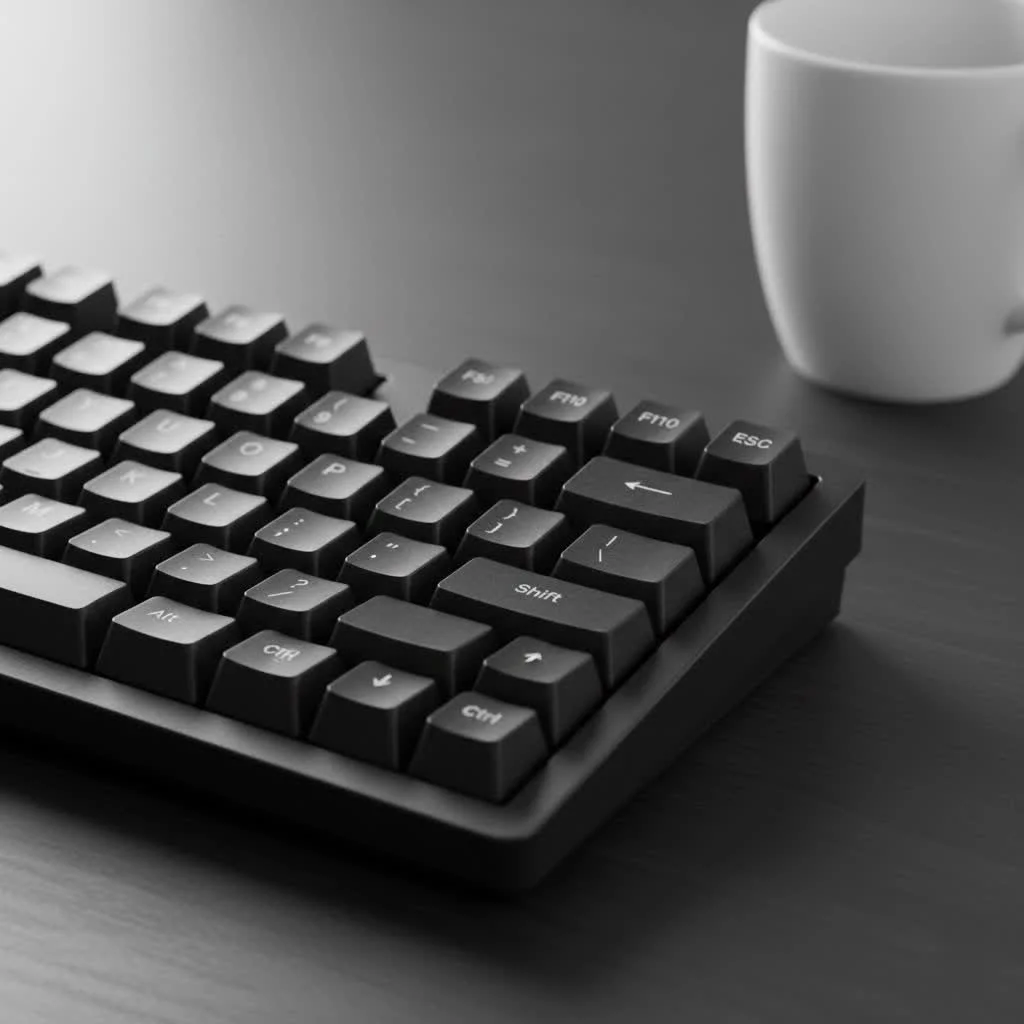
Why Stick With a Full-Size Keyboard?
In an age of minimalism, why would you choose a larger keyboard? The answer is simple: unparalleled efficiency. A dedicated numpad allows for rapid, one-handed numerical input that is significantly faster and more ergonomic than using the number row above the alphabet keys. For complete reviews library on this site.
- For Professionals: Accountants, data analysts, and programmers benefit from lightning-fast data entry, reducing errors and saving valuable time.
- For Gamers: The numpad offers a wealth of keys that can be programmed for complex macros, commands, and in-game actions, providing a competitive edge.
- For General Use: Even for everyday tasks like entering PINs, phone numbers, or calculations, the numpad is a creature comfort that’s hard to give up once you’re used to it.
The Core Components: What to Look For
Choosing a mechanical keyboard with numpad involves more than just picking a layout. The switches, build quality, and keycaps are what truly define your typing experience.
Finding Your Perfect Switch Type
The “switch” is the mechanism beneath each key that registers a keystroke. There are three primary types, each offering a distinct feel and sound.
- Linear Switches: These provide a smooth, consistent keystroke from top to bottom with no tactile bump. They are favored by many gamers for their speed and responsiveness. Examples: Cherry MX Red, Gateron Red.
- Tactile Switches: These offer a noticeable “bump” in the middle of the travel path, confirming that a key has been actuated. They are an excellent middle-ground, perfect for typists who want feedback without the noise. Examples: Cherry MX Brown, Kailh Brown.
- Clicky Switches: These provide both a tactile bump and an audible “click” sound upon actuation. They are immensely satisfying for many typists but can be loud in a shared office environment. Examples: Cherry MX Blue, Kailh BOX White.
Build Quality and Materials
A keyboard’s frame and keycaps determine its longevity and feel. High-quality materials not only last longer but also improve the sound and stability of each keystroke.
- Case Material: Most keyboards use a durable plastic (ABS) frame, which is perfectly functional. However, premium models often feature aluminum cases for a more rigid, weighty, and premium feel.
- Keycap Material:
- ABS (Acrylonitrile Butadiene Styrene): A common plastic that is affordable but can develop a “shine” over time with heavy use.
- PBT (Polybutylene Terephthalate): A more durable and textured plastic that resists shine and feels more substantial under the fingers. PBT keycaps are generally considered a significant upgrade.
Layouts: Beyond the Standard 104-Key
|
Our Picks for the Best Mechanical Keyboard in 2026
As an Amazon Associate I earn from qualifying purchases.
|
||
| Num | Product | Action |
|---|---|---|
| 1 | AK96 Smart Mechanical Keyboard Gaming, 96 Keys Full Size with LED Colorful Backlit, Clicky Creamy Sounding, USB Wired Computer Keyboard with Volume Knob for PC, Mac, Windows(Grey) |

|
| 2 | RK ROYAL KLUDGE S98 Mechanical Keyboard w/Smart Display & Knob, Top Mount 96% Wireless Mechanical Keyboard BT/2.4G/USB-C, Hot Swappable, Software Support, Creamy Sounding, 98 Keys |
|
| 3 | SteelSeries USB Apex 5 Hybrid Mechanical Gaming Keyboard – Per-Key RGB Illumination – Aircraft Grade Aluminum Alloy Frame – OLED Smart Display (Hybrid Blue Switch) |
|
| 4 | Logitech MX Mechanical Wireless Illuminated Performance Keyboard, Tactile Quiet Switches, Backlit Keys, Bluetooth, USB-C, macOS, Windows, Linux, iOS, Android, Metal, Graphite |
|
| 5 | Womier S-K80 75% Keyboard with Color Multimedia Display Mechanical Gaming Keyboard Creamy Sound, Wired Hot Swappable Gasket Mount RGB Custom Key board, Pre-lubed Stabilizer for Mac/Win, Black Kanagawa |
|
| 6 | AULA F99 Wireless Mechanical Keyboard,Tri-Mode BT5.0/2.4GHz/USB-C Hot Swappable Custom Keyboard,Pre-lubed Linear Switches,RGB Backlit Computer Gaming Keyboards for PC/Tablet/PS/Xbox |
|
| 7 | RK ROYAL KLUDGE R98 Pro Wired Mechanical Keyboard, 96% Creamy Gaming Keyboard RGB Backlit with Number Pad and Volume Knob, Gasket Mount, MDA Profile PBT Keycaps, Hot Swappable Pre-lubed Linear Switch |
|
| 8 | AULA F75 Pro Wireless Mechanical Keyboard,75% Hot Swappable Custom Keyboard with Knob,RGB Backlit,Pre-lubed Reaper Switches,Side Printed PBT Keycaps,2.4GHz/USB-C/BT5.0 Mechanical Gaming Keyboards |
|
| 9 | Redragon Mechanical Gaming Keyboard Wired, 11 Programmable Backlit Modes, Hot-Swappable Red Switch, Anti-Ghosting, Double-Shot PBT Keycaps, Light Up Keyboard for PC Mac |
|
| 10 | EPOMAKER x Aula F75 Gasket Mechanical Keyboard, 75% Wireless Hot Swappable Gaming Keyboard with Five-Layer Padding&Knob, Bluetooth/2.4GHz/USB-C, RGB (Light Blue, LEOBOG Reaper Switch) |
|
While the traditional full-size layout is the most common, there are other options that retain the number pad in a more compact form.
- Full-Size (104/105/108-Key): The classic layout with the function row, navigation cluster, and numpad all distinctly separated. It offers a familiar typing experience with no compromises.
- 1800-Compact (96%): This clever layout squishes the navigation cluster and arrow keys closer to the main keys and numpad, saving significant desk space without sacrificing any functionality. It’s an excellent choice for those who need a numpad but want a smaller footprint.
“As a financial analyst who spends eight hours a day in spreadsheets, the efficiency of an 1800-compact mechanical keyboard is a major upgrade. I get the full numpad functionality I need without the keyboard dominating my entire desk. It’s the best of both worlds.” — Alex Davenport, Senior Financial Analyst
Modern Features to Consider
Today’s mechanical keyboards come with a host of features that can enhance your experience.
- Hot-Swappable Sockets: This allows you to change the mechanical switches without any soldering. It’s a fantastic feature for enthusiasts who want to experiment with different switch types or easily replace a faulty one.
- Wireless Connectivity: Many modern boards offer multi-device Bluetooth and low-latency 2.4GHz wireless options, helping you create a cleaner, cable-free setup.
- RGB Lighting: Customizable per-key RGB backlighting allows you to personalize your keyboard’s aesthetics, create profiles for different applications, or simply help you see the keys in the dark.
- QMK/VIA Compatibility: This open-source firmware allows for complete key remapping, powerful macros, and custom layers, giving you ultimate control over your keyboard’s functionality.
How to Choose the Right Mechanical Keyboard with Numpad
Follow this simple checklist to narrow down your options and find the perfect board for your needs.
- Define Your Primary Use: Is it for gaming, typing, data entry, or a mix of everything? This will heavily influence your ideal switch choice.
- Set Your Budget: Keyboards can range from under $100 to over $500. A higher price often gets you better build quality, premium materials like PBT keycaps, and advanced features.
- Consider Your Workspace: Do you have ample desk space for a traditional full-size layout, or would a more compact 1800 layout be a better fit? Also, consider the noise level if you work in a shared space.
- Decide on Must-Have Features: Do you need wireless connectivity? Is hot-swappability important for future customization? Do you care about RGB lighting?
Frequently Asked Questions (FAQ)
What is the best mechanical keyboard with a numpad for data entry? For heavy data entry, a keyboard with tactile switches (like Cherry MX Brown) is often recommended. The tactile bump provides confirmation for each keystroke, which can help improve accuracy and reduce errors without the loud noise of clicky switches.
Are full-size mechanical keyboards good for gaming? Absolutely. While many pro gamers prefer smaller TKL or 65% layouts for more mouse room, a full-size keyboard provides extra keys on the numpad that can be programmed for complex macros and commands, which is a huge advantage in MMOs and simulation games.
What is an 1800-compact layout? An 1800-compact layout is a keyboard design that includes a full numpad but condenses the overall footprint. It achieves this by eliminating most of the space between the main key cluster, the navigation keys, and the numpad, offering nearly full-size functionality in a much smaller package.
Can I build my own custom mechanical keyboard with a numpad? Yes, the custom keyboard hobby has kits available for all layouts, including full-size and 1800-compact. Building your own allows you to choose every single component, from the case and plate to the switches and keycaps, for a truly personalized experience.
Are PBT keycaps really better than ABS? For most users, yes. PBT keycaps are more durable, resist the oily shine that develops on ABS keycaps over time, and often have a more pleasant, textured feel. While high-end ABS keycaps can be excellent, PBT is generally the superior material for longevity.
Your Perfect Keyboard Awaits
The world of mechanical keyboards is vast, but the mechanical keyboard with numpad remains a cornerstone for a reason. It is the peak of functionality, blending a satisfying typing experience with the raw efficiency needed for professional work and complex gaming. By considering your needs and understanding the key components that make up a great keyboard, you can confidently choose a board that will not only last for years but also make every keystroke a pleasure. Dive in, find your perfect match, and improve your typing experience.
Frequently Asked Questions
What is the best mechanical keyboard with a numpad for data entry?
For heavy data entry, a keyboard with tactile switches like Cherry MX Brown is often recommended. The tactile bump provides clear confirmation for each keystroke, which can help improve accuracy and reduce errors without the loud noise of clicky switches.
Are full-size mechanical keyboards good for gaming?
Absolutely. While many pro gamers prefer smaller TKL or 65% layouts for more mouse room, a full-size keyboard provides extra keys on the numpad that can be programmed for complex macros and commands, which is a huge advantage in MMOs and simulation games.
What is an 1800-compact layout on a mechanical keyboard?
An 1800-compact layout is a keyboard design that includes a full numpad but condenses the overall footprint. It achieves this by eliminating most of the space between the main key cluster, the navigation keys, and the numpad, offering nearly full-size functionality in a much smaller package, typically around 96% of a standard full-size board.
Can I build my own custom mechanical keyboard with a numpad?
Yes, the custom keyboard hobby offers kits for all layouts, including full-size and 1800-compact. Building your own allows you to choose every single component, from the case and plate to the switches and keycaps, for a truly personalized experience tailored to your preferences.
Are PBT keycaps really better than ABS keycaps for longevity?
For most users, yes, PBT keycaps are generally superior to ABS. PBT keycaps are more durable, resist the oily shine that develops on ABS keycaps over time, and often have a more pleasant, textured feel. While high-end ABS keycaps can be excellent, PBT is generally the superior material for long-term durability and aesthetics.
How to Choose the Right Mechanical Keyboard with Numpad
Follow these steps to select the perfect mechanical keyboard with a numpad that meets your specific needs for typing, gaming, or data entry.
Determine if your main use is for gaming, typing, data entry, or a combination. This will heavily influence your ideal switch choice, as linear switches are often preferred for gaming, while tactile switches are great for typing and data entry.
Mechanical keyboards can range from under $100 to over $500. A higher price often indicates better build quality, premium materials like PBT keycaps, and advanced features such as hot-swappable sockets or wireless connectivity.
Assess your available desk space. A traditional full-size layout requires more room, while a compact 1800 layout saves space without sacrificing the numpad. Also, consider the noise level of clicky switches if you work in a shared environment.
Identify essential features like wireless connectivity for a cleaner setup, hot-swappability for future customization, or RGB lighting for personalized aesthetics. QMK/VIA compatibility offers advanced key remapping and macro capabilities.
Get our weekly buyer guide
Practical specs, not advice. Unsubscribe anytime.

I’ve been using a full-size mechanical keyboard with a numpad for my data entry job, and it’s been a game-changer. The efficiency of having the dedicated numpad is just unmatched, especially when I’m crunching numbers all day. I opted for tactile switches, and they provide the perfect feedback without being too loud for my office environment. Definitely recommend for anyone in a similar profession.
I recently upgraded to an 1800-compact layout, and I’m really happy with the space saving while still keeping the numpad. The hot-swappable sockets were a huge plus for me, letting me try out different switches without buying a whole new board. My only minor gripe is that the wireless connectivity can sometimes be a bit finicky, but it’s not a dealbreaker.
As a programmer, the dedicated numpad is essential for me, and this guide really highlighted why. I went with a board that has linear switches, and the smooth keypresses are fantastic for long coding sessions. The ability to quickly input numerical values and special characters without shifting my hand position is a huge time-saver. Couldn’t be happier with my choice.
I got a mechanical keyboard with a numpad for gaming, thinking the macros would be super useful. While the build quality with PBT keycaps is great, I found that for my specific games, the full-size layout actually takes up a bit too much desk space, making my mouse movements feel restricted. It’s a solid keyboard, but maybe not the best fit for every gamer.