Diving into the world of custom keyboards can feel overwhelming, but understanding the different Mechanical Keyboard Types is the first step toward finding your perfect match. With over a decade of experience designing, building, and modifying these amazing devices, I’m here to demystify the options. This guide will break down everything from size and layout to the switches that power them, ensuring you have the confidence to choose the right board for your needs.
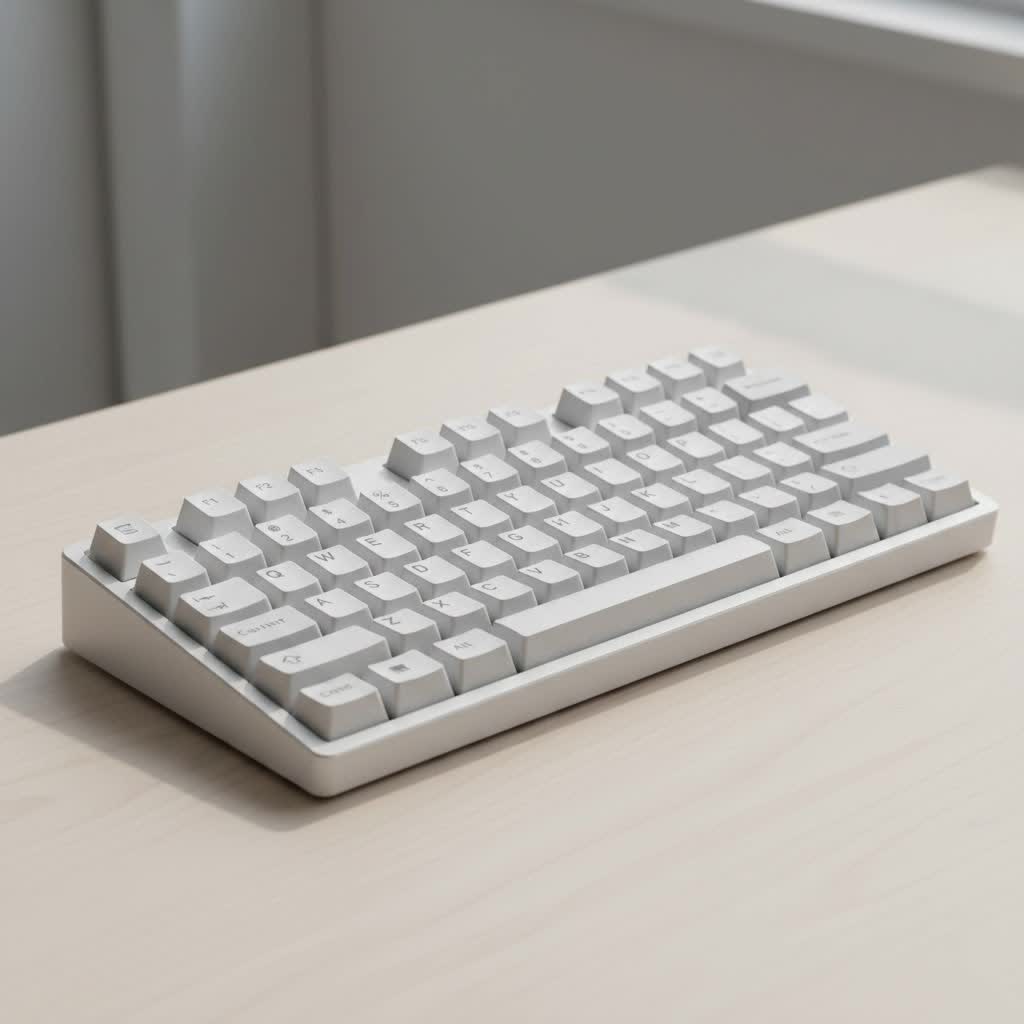
Whether you’re a gamer seeking faster response times, a writer craving a more satisfying typing experience, or a programmer optimizing your workflow, the right keyboard type can be a game-changer. Let’s explore the vast landscape of mechanical keyboards together.
Understanding Keyboard Sizes and Layouts
The most immediate difference between mechanical keyboard types is their physical size and layout. This isn’t just about aesthetics; the layout directly impacts your desk space, ergonomics, and functionality.
Full-Size (100%)
The traditional keyboard layout, a full-size board includes the main alphanumeric cluster, function row, navigation cluster (arrow keys, home, end, etc.), and a dedicated number pad.
- Who is it for? Data entry professionals, accountants, and users who frequently need a number pad and want every possible key at their fingertips without relying on function layers.
- Pros: Maximum functionality, no learning curve for most users.
- Cons: Takes up significant desk space, less ergonomic as it forces your mouse further away.
|
Our Picks for the Best Mechanical Keyboard in 2026
As an Amazon Associate I earn from qualifying purchases.
|
||
| Num | Product | Action |
|---|---|---|
| 1 | AULA F75 Pro Wireless Mechanical Keyboard,75% Hot Swappable Custom Keyboard with Knob,RGB Backlit,Pre-lubed Reaper Switches,Side Printed PBT Keycaps,2.4GHz/USB-C/BT5.0 Mechanical Gaming Keyboards |

|
| 2 | RK ROYAL KLUDGE R98 Pro Wired Mechanical Keyboard, 96% Creamy Gaming Keyboard RGB Backlit with Number Pad and Volume Knob, Gasket Mount, MDA Profile PBT Keycaps, Hot Swappable Pre-lubed Linear Switch |
|
| 3 | Redragon Mechanical Gaming Keyboard Wired, 11 Programmable Backlit Modes, Hot-Swappable Red Switch, Anti-Ghosting, Double-Shot PBT Keycaps, Light Up Keyboard for PC Mac |
|
| 4 | Womier S-K80 75% Keyboard with Color Multimedia Display Mechanical Gaming Keyboard Creamy Sound, Wired Hot Swappable Gasket Mount RGB Custom Key board, Pre-lubed Stabilizer for Mac/Win, Black Kanagawa |
|
| 5 | EPOMAKER x Aula F75 Gasket Mechanical Keyboard, 75% Wireless Hot Swappable Gaming Keyboard with Five-Layer Padding&Knob, Bluetooth/2.4GHz/USB-C, RGB (Light Blue, LEOBOG Reaper Switch) |
|
| 6 | AULA F99 Wireless Mechanical Keyboard,Tri-Mode BT5.0/2.4GHz/USB-C Hot Swappable Custom Keyboard,Pre-lubed Linear Switches,RGB Backlit Computer Gaming Keyboards for PC/Tablet/PS/Xbox |
|
| 7 | AK96 Smart Mechanical Keyboard Gaming, 96 Keys Full Size with LED Colorful Backlit, Clicky Creamy Sounding, USB Wired Computer Keyboard with Volume Knob for PC, Mac, Windows(Grey) |
|
| 8 | SteelSeries USB Apex 5 Hybrid Mechanical Gaming Keyboard – Per-Key RGB Illumination – Aircraft Grade Aluminum Alloy Frame – OLED Smart Display (Hybrid Blue Switch) |
|
| 9 | Logitech MX Mechanical Wireless Illuminated Performance Keyboard, Tactile Quiet Switches, Backlit Keys, Bluetooth, USB-C, macOS, Windows, Linux, iOS, Android, Metal, Graphite |
|
| 10 | RK ROYAL KLUDGE S98 Mechanical Keyboard w/Smart Display & Knob, Top Mount 96% Wireless Mechanical Keyboard BT/2.4G/USB-C, Hot Swappable, Software Support, Creamy Sounding, 98 Keys |
|
Tenkeyless (TKL / 87%)
As the name suggests, a Tenkeyless (TKL) layout is a full-size board with the number pad chopped off. It’s one of the most popular layouts for its balance of function and form.
- Who is it for? Gamers and general users who want more desk space for their mouse but still need dedicated arrow keys and the navigation cluster.
- Pros: More ergonomic than full-size, retains essential navigation keys, widely available.
- Cons: Lacks a dedicated number pad, which can be a dealbreaker for some.
75% Layout
A 75% keyboard is even more compact than a TKL. It squishes the arrow keys and some navigation keys (like Del, PgUp, PgDn) right next to the main alphanumeric cluster, removing the empty space. It typically retains the top function row.
- Who is it for? Laptop users and those who want a compact, portable board without sacrificing the function row or arrow keys.
- Pros: Extremely space-efficient while keeping most dedicated keys.
- Cons: The non-standard layout can make finding custom keycap sets more challenging.
65% and 60% Layouts
These ultra-compact layouts are a favorite among enthusiasts for their minimalist aesthetic and portability.
-
65% Layout: This layout removes the function row and some navigation keys but cleverly keeps the dedicated arrow keys. It’s a sweet spot for those who want small but can’t live without their arrows.
-
60% Layout: This layout takes minimalism a step further by removing the arrow keys and navigation cluster entirely. These functions are accessible through a function (Fn) layer, requiring you to press a key combination (e.g., Fn + I, J, K, L for arrows).
-
Who are they for? Keyboard enthusiasts, programmers, and gamers who prioritize desk space and aesthetics and are comfortable using function layers.
-
Pros: Very compact, highly portable, encourages a cleaner desk setup.
-
Cons: Steeper learning curve due to heavy reliance on function layers.
The Heart of the Keyboard: Switch Types
Beyond the physical layout, the most defining characteristic of a mechanical keyboard is its switches. These are the mechanisms beneath each keycap that register a keystroke. There are three primary families of mechanical switch types.
What Are Linear Switches?
Linear switches provide a smooth, consistent press from top to bottom with no tactile bump or audible click. The actuation is seamless, making them a popular choice for fast-paced gaming where rapid, repeated keystrokes are common.
- Feel: Smooth and direct.
- Sound: Quietest of the three types.
- Popular Examples: Cherry MX Red, Gateron Red, Kailh Red.
What Are Tactile Switches?
Tactile switches provide a noticeable “bump” in the middle of the keypress to let you know the keystroke has been registered. This feedback is excellent for typing, as it can help improve accuracy and reduce bottoming out (pressing the key all the way down).
- Feel: A noticeable bump partway through the press.
- Sound: Moderate noise level.
- Popular Examples: Cherry MX Brown, Gateron Brown, Zealio V2.
“The subtle feedback of a tactile switch is engineered to align with the neurological response of your fingertips, creating a satisfying and often more accurate typing experience without the audible disruption of a clicky switch,” states Dr. Evelyn Reed, a leading ergonomics researcher.
What Are Clicky Switches?
Clicky switches are the loudest of the bunch. They provide both a tactile bump and a distinct, audible “click” sound at the point of actuation. They offer the most pronounced feedback, which many typists find incredibly satisfying.
- Feel: A tactile bump accompanied by a sharp click.
- Sound: Loud and crisp.
- Popular Examples: Cherry MX Blue, Gateron Blue, Kailh BOX White.
A Touch of Personality: Keycap Types
Keycaps are the plastic tops you press, and they come in various materials and profiles, which affects both the feel and sound of your keyboard.
Keycap Materials
- ABS (Acrylonitrile Butadiene Styrene): The most common plastic used for keycaps. It’s easy to mold and affordable. However, over time, it can develop a “shine” from the oils on your fingers.
- PBT (Polybutylene Terephthalate): A more premium and durable material. PBT keycaps are resistant to shine, have a slightly textured feel, and often produce a deeper, more “thocky” sound.
Keycap Profiles
The “profile” refers to the shape and height of the keycaps.
- OEM/Cherry Profile: These are sculpted profiles, meaning each row has a different height and angle to create a comfortable, ergonomic typing surface. Cherry profile is slightly lower than OEM.
- SA Profile: A high-profile, heavily sculpted vintage-style keycap. They are known for producing a deep sound signature.
- DSA/XDA Profile: These are uniform profiles, meaning every keycap is the same shape and height. This makes it easy to rearrange keys but can be less ergonomic for some.
How to Choose the Right Mechanical Keyboard Type for You
Choosing a keyboard is a personal journey, but you can narrow it down by asking yourself a few key questions:
-
What is your primary use case?
- Gaming: TKL and smaller layouts (60%, 65%) with linear switches are often preferred for more mouse room and fast actuation.
- Typing/Programming: TKL or 75% layouts with tactile or clicky switches provide excellent feedback for accuracy.
- Data Entry/Office Work: A full-size keyboard with its dedicated numpad is often non-negotiable.
-
How much desk space do you have? Be realistic about your setup. A smaller form factor can dramatically improve ergonomics and aesthetics.
-
Are you willing to learn function layers? If you’re not comfortable with key combinations for essential functions like arrow keys or F-keys, stick with larger layouts like TKL or 75%.
-
What is your noise tolerance? If you work in a shared office or stream, clicky switches are likely not a good choice. Linear and tactile switches offer a much quieter experience.
Frequently Asked Questions (FAQ)
What is the best mechanical keyboard type for beginners?
A Tenkeyless (TKL) board with tactile switches like Cherry MX Browns or Gateron Browns is a fantastic starting point. The layout is familiar, and the tactile feedback helps you get used to not bottoming out the keys, improving your typing form.
Are smaller keyboards better for gaming?
Generally, yes. Smaller keyboards (TKL, 65%, 60%) allow you to position your mouse and keyboard closer together in a more natural, ergonomic way. This provides more space for large mouse movements, which is crucial in many games.
Can you change the switches in any mechanical keyboard?
Not all of them. Keyboards that are “hot-swappable” have special sockets that allow you to pull out and replace switches without any soldering. If a keyboard is not hot-swappable, you would need to de-solder the old switches and solder in new ones, which is a much more involved process.
What is the difference between an 87% and a TKL keyboard?
There is no difference. TKL (Tenkeyless) and 87% are two different names for the same layout, which typically has 87 keys (on a standard US ANSI layout).
Why are mechanical keyboards so expensive?
Mechanical keyboards are more expensive due to their superior construction, durability, and customization. They use individual mechanical switches for each key, which are more complex and costly to produce than the rubber membrane sheets found in standard keyboards. The higher-quality materials, like PBT keycaps and aluminum cases, also add to the cost.
Your Journey Starts Here
Understanding the various mechanical keyboard types is the foundation for building an experience that is uniquely yours. From the expansive functionality of a full-size board to the sleek minimalism of a 60%, and from the smooth action of a linear switch to the satisfying click of a blue, there is a perfect combination out there for you. Use this guide as your starting point, don’t be afraid to experiment, and welcome to a hobby that will change the way you interact with your computer forever.
