In the ever-expanding universe of mechanical keyboards, the quest for the perfect balance of form and function is endless. For many, from hardcore gamers to minimalist professionals, that search ends with the Tenkeyless Mechanical Keyboard. This layout, often called TKL or 80%, has cemented its place as a fan favorite by offering a compact design without sacrificing the essential keys we use every day. If you’re looking to reclaim desk space while upgrading your typing experience, the TKL might just be your endgame.
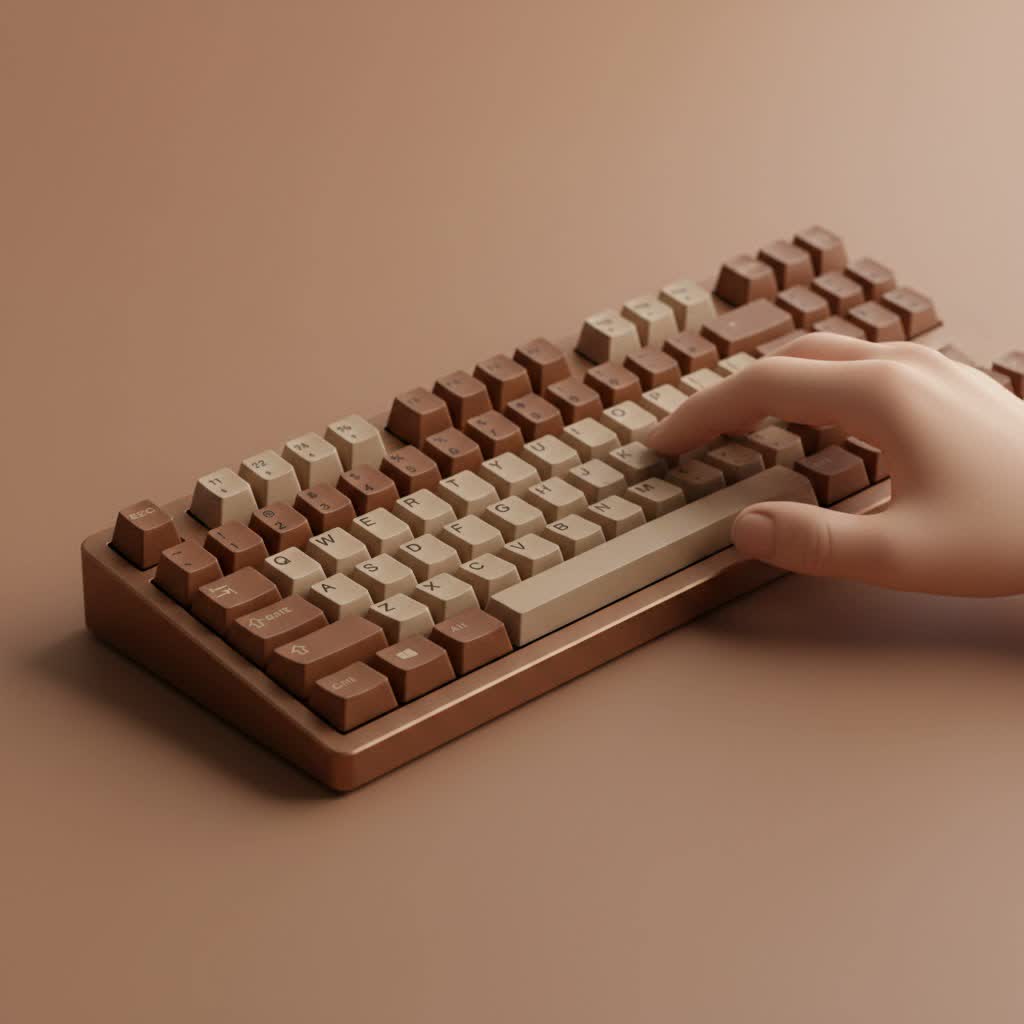
As the main content creator for Yoasy and a mechanical engineer with over a decade deep in the keyboard hobby, I’ve seen layouts come and go. But the TKL remains a steadfast choice for its sheer practicality. It’s the sweet spot that delivers performance, comfort, and a clean aesthetic.
What Exactly is a Tenkeyless Mechanical Keyboard?
A tenkeyless mechanical keyboard is a keyboard layout that omits the numeric keypad (numpad) typically found on the right side of a full-size board. A standard full-size keyboard has 104 keys (in the ANSI layout), while a TKL board typically has 87 keys. It retains all the other essential sections: the main alphanumeric cluster, the function row (F1-F12), the navigation cluster (Insert, Delete, Home, End, etc.), and the arrow keys. You lose the numpad, but you keep everything else in its traditional place, making the transition from a full-size board seamless.
The Core Benefits: Why Go TKL?
Ditching the numpad might seem like a big leap for some, but the advantages are compelling, especially if you rarely find yourself doing heavy data entry.
Superior Ergonomics and Comfort
|
Our Picks for the Best Mechanical Keyboard in 2026
As an Amazon Associate I earn from qualifying purchases.
|
||
| Num | Product | Action |
|---|---|---|
| 1 | Redragon Mechanical Gaming Keyboard Wired, 11 Programmable Backlit Modes, Hot-Swappable Red Switch, Anti-Ghosting, Double-Shot PBT Keycaps, Light Up Keyboard for PC Mac |

|
| 2 | SteelSeries USB Apex 5 Hybrid Mechanical Gaming Keyboard – Per-Key RGB Illumination – Aircraft Grade Aluminum Alloy Frame – OLED Smart Display (Hybrid Blue Switch) |
|
| 3 | EPOMAKER x Aula F75 Gasket Mechanical Keyboard, 75% Wireless Hot Swappable Gaming Keyboard with Five-Layer Padding&Knob, Bluetooth/2.4GHz/USB-C, RGB (Light Blue, LEOBOG Reaper Switch) |
|
| 4 | AK96 Smart Mechanical Keyboard Gaming, 96 Keys Full Size with LED Colorful Backlit, Clicky Creamy Sounding, USB Wired Computer Keyboard with Volume Knob for PC, Mac, Windows(Grey) |
|
| 5 | AULA F75 Pro Wireless Mechanical Keyboard,75% Hot Swappable Custom Keyboard with Knob,RGB Backlit,Pre-lubed Reaper Switches,Side Printed PBT Keycaps,2.4GHz/USB-C/BT5.0 Mechanical Gaming Keyboards |
|
| 6 | AULA F99 Wireless Mechanical Keyboard,Tri-Mode BT5.0/2.4GHz/USB-C Hot Swappable Custom Keyboard,Pre-lubed Linear Switches,RGB Backlit Computer Gaming Keyboards for PC/Tablet/PS/Xbox |
|
| 7 | Womier S-K80 75% Keyboard with Color Multimedia Display Mechanical Gaming Keyboard Creamy Sound, Wired Hot Swappable Gasket Mount RGB Custom Key board, Pre-lubed Stabilizer for Mac/Win, Black Kanagawa |
|
| 8 | Logitech MX Mechanical Wireless Illuminated Performance Keyboard, Tactile Quiet Switches, Backlit Keys, Bluetooth, USB-C, macOS, Windows, Linux, iOS, Android, Metal, Graphite |
|
| 9 | RK ROYAL KLUDGE R98 Pro Wired Mechanical Keyboard, 96% Creamy Gaming Keyboard RGB Backlit with Number Pad and Volume Knob, Gasket Mount, MDA Profile PBT Keycaps, Hot Swappable Pre-lubed Linear Switch |
|
| 10 | RK ROYAL KLUDGE S98 Mechanical Keyboard w/Smart Display & Knob, Top Mount 96% Wireless Mechanical Keyboard BT/2.4G/USB-C, Hot Swappable, Software Support, Creamy Sounding, 98 Keys |
|
The most significant benefit of a tenkeyless mechanical keyboard is improved ergonomics. By removing the numpad, the keyboard’s footprint is significantly reduced, allowing you to place your mouse closer to your body’s centerline. This more natural posture reduces shoulder, elbow, and wrist strain during long sessions of work or play.
“The ergonomic benefit of a TKL is immediate,” says Alex Greyson, a mechanical engineer specializing in peripheral design. “Closing the gap between your hands promotes a more neutral shoulder alignment, which can drastically reduce the risk of repetitive strain injuries over time. It’s a simple change with a profound impact on user health.”
More Desk Space for What Matters
A smaller keyboard means more usable desk real estate. For gamers, this is a massive advantage. It provides a much larger area for sweeping mouse movements, which is critical in FPS and other fast-paced games. For everyone else, it simply means a cleaner, less cluttered workspace for notebooks, tablets, or just a cup of coffee.
Portability and Convenience
TKL keyboards are naturally lighter and more compact than their full-sized counterparts. This makes them significantly easier to pack in a backpack and take to a LAN party, the office, or a coffee shop. They offer a perfect blend of full-featured typing without the bulk.
Who is the Tenkeyless Keyboard For?
While a TKL can suit almost anyone, it truly shines for specific users:
- Gamers: The extra mouse space is a non-negotiable for many competitive gamers. The layout retains the crucial function and arrow keys needed for most titles, making it a go-to choice in the esports scene.
- Writers and Programmers: Unless your coding involves constant numerical input, the TKL layout offers a comfortable and efficient typing experience without unnecessary clutter.
- Minimalist Desk Enthusiasts: If you’re curating a clean and modern desk setup, the compact and symmetrical look of a tenkeyless mechanical keyboard is hard to beat.
- Users with Limited Space: For smaller desks, dorm rooms, or workstations, the TKL is an obvious choice to maximize your available area.
How to Choose the Perfect Tenkeyless Mechanical Keyboard
Selecting your first or next TKL involves more than just picking a brand. As a mechanical keyboard, its heart lies in its components. Here’s what you need to consider.
Mechanical Switches: The Feel and Sound
The switches are what make a mechanical keyboard mechanical. They determine how each keypress feels and sounds. There are three main types:
- Linear: These switches offer a smooth, consistent keystroke from top to bottom with no tactile bump. They are quiet and fast, making them a favorite for many gamers. (e.g., Cherry MX Red, Gateron Yellow)
- Tactile: These provide a noticeable “bump” in the middle of the keypress, confirming actuation. They are great all-rounders for both typing and gaming. (e.g., Cherry MX Brown, Kailh Box Brown)
- Clicky: These switches have a distinct bump and produce an audible “click” sound with each press. They are incredibly satisfying for typists who love auditory feedback. (e.g., Cherry MX Blue, Kailh Box White)
Build Quality and Materials
The materials used for the case and keycaps dramatically affect the keyboard’s longevity, feel, and acoustics.
- Case Material: Cases are typically made from plastic (ABS) for affordability or aluminum for a premium, hefty feel. The case material is a major factor in the keyboard’s sound profile.
- Keycap Material: Keycaps are most commonly made from ABS or PBT plastic. ABS is smooth but can develop a shine over time, while PBT is more textured and durable, resisting shine for much longer.
Essential Features to Look For
- Hot-Swappable Sockets: A hot-swappable PCB allows you to change mechanical switches easily without any soldering. This is a fantastic feature for enthusiasts who want to experiment with different switch types.
- Connectivity: Do you need the reliability of a wired connection or the freedom of wireless? Many modern TKLs are “tri-mode,” offering a wired USB-C connection, low-latency 2.4GHz wireless, and Bluetooth for versatility.
- Programmability and RGB: Many keyboards come with software to remap keys, create macros, and customize RGB lighting. For ultimate control, look for boards that support open-source firmware like QMK or VIA.
Frequently Asked Questions (FAQ)
What is the difference between a TKL and a 75% keyboard?
A TKL keyboard has a standard layout with the navigation cluster and arrow keys separated from the main typing area. A 75% keyboard squishes these keys together into a more compact block to save even more space, often resulting in a non-standard layout and keycap sizes.
Can I add a numpad to a tenkeyless mechanical keyboard later?
Absolutely. If you find you need a numpad for specific tasks, you can purchase a separate, standalone mechanical numpad. This gives you the flexibility to have it on your desk only when you need it.
Are TKL keyboards better for gaming?
For many gamers, yes. The primary advantage is the increased space for mouse movement, which is crucial for low-sensitivity aiming in FPS games. The ergonomic benefit of a more natural arm position also reduces fatigue during long gaming sessions.
Will I miss the numpad?
This is a personal question, but most people who are not accountants or heavy data entry clerks find they rarely use the numpad. The number row at the top of the keyboard is sufficient for occasional numeric input. It often takes just a short adjustment period to get used to its absence.
Is a tenkeyless mechanical keyboard worth it?
If you value desk space, better ergonomics, and portability without sacrificing core keyboard functionality, a tenkeyless mechanical keyboard is absolutely worth it. It’s one of the most versatile and popular layouts for a reason, offering a perfect compromise for a wide range of users.
Conclusion: The Perfect Middle Ground
The tenkeyless mechanical keyboard has rightfully earned its place in the pantheon of keyboard layouts. It strikes an intelligent balance, shedding the rarely-used numpad to create a more ergonomic, spacious, and portable typing machine. Whether you’re a competitive gamer needing every inch of mousepad, a writer crafting your next masterpiece, or a professional aiming for a cleaner desk, the TKL format delivers. By keeping the familiar layout of the function row and navigation keys, it offers an easy transition for anyone looking to step up their keyboard game. Dive in, find the switch and style that suits you, and rediscover the comfort and efficiency of a perfectly balanced keyboard.
