Are you spending hours typing, only to end up with sore wrists and stiff fingers? It’s a common complaint in our desk-bound world, but the solution might be closer than you think. An Ergonomic Mechanical Keyboard isn’t just a fancy gadget for enthusiasts; it’s a powerful tool designed to enhance comfort, boost productivity, and transform your typing experience. As the lead creator for Yoasy.com with over a decade of hands-on experience, I’ve seen these keyboards go from a niche curiosity to an essential component for anyone serious about their desk setup. Let’s dive into what makes them so special and how you can find the perfect one for you.
What Exactly Is an Ergonomic Mechanical Keyboard?
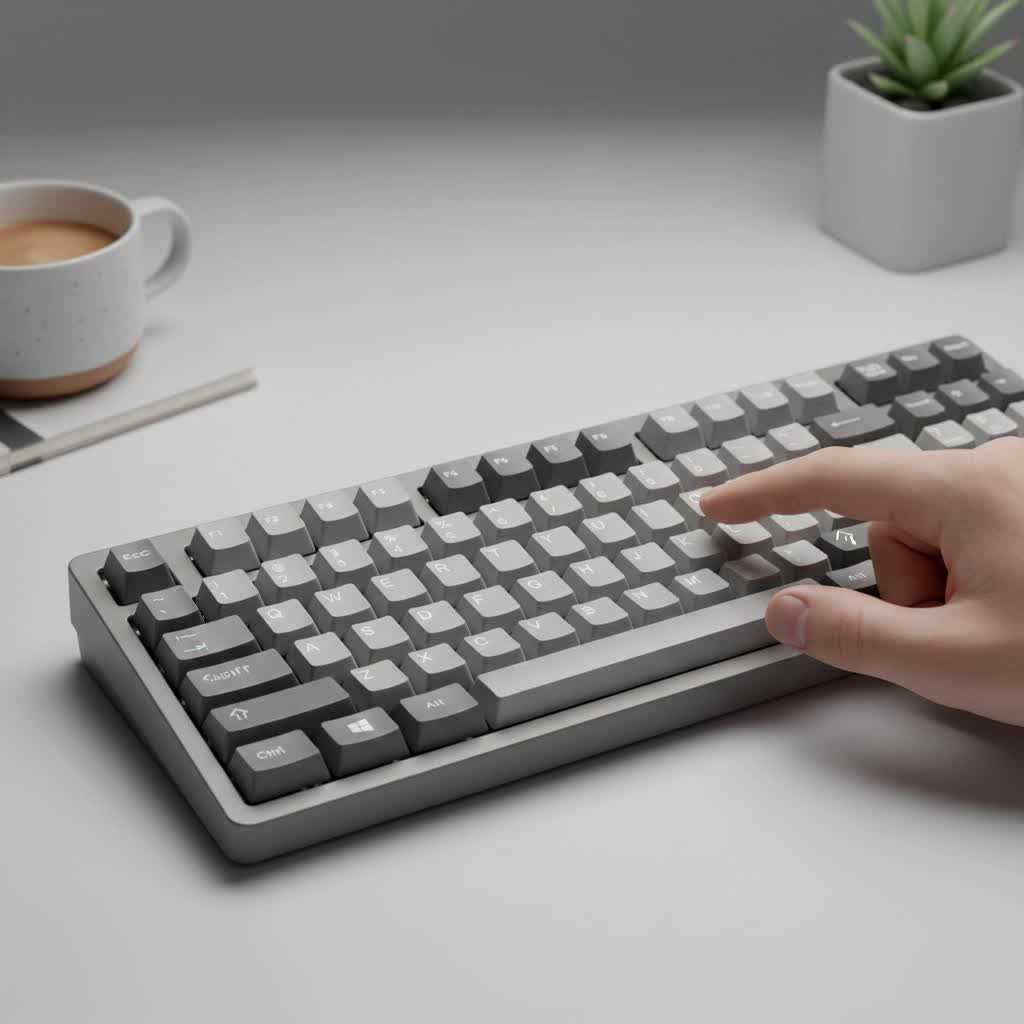
An ergonomic mechanical keyboard is engineered to fit the natural posture of your hands, wrists, and arms. Unlike traditional flat keyboards that force your hands into an unnatural, parallel position, these keyboards promote a more neutral posture. This reduces muscle strain, minimizes the risk of repetitive strain injuries (RSI) like carpal tunnel syndrome, and ultimately makes long typing sessions far more comfortable. The “mechanical” part refers to the individual switches under each key, providing a tactile, responsive feel that standard membrane keyboards simply can’t match.
The Core Benefits: Why Make the Switch?
Making the change to an ergonomic layout offers more than just comfort. It’s an investment in your long-term health and efficiency.
- Reduced Strain and Pain: The primary advantage is the significant reduction in physical stress. By allowing your wrists and hands to rest at a more natural angle, these keyboards alleviate pressure on your joints and tendons.
- Improved Typing Posture: Ergonomic designs encourage better overall posture. When your hands are comfortable, you’re less likely to hunch over your desk, which can help prevent back and shoulder pain.
- Increased Typing Speed and Accuracy: While there’s an initial learning curve, many users report that once they adapt, their typing becomes faster and more accurate. The comfortable layout and superior feedback from mechanical switches allow your fingers to move more efficiently.
- Unmatched Customization: The world of mechanical keyboards is all about personalization. From the type of switch under each key to the material and shape of the keycaps, you can build a keyboard that is perfectly tailored to your preferences.
Common Types of Ergonomic Keyboards
Ergonomic designs aren’t one-size-fits-all. They come in several layouts, each offering a different approach to comfort.
Split Keyboards
This is the most recognizable ergonomic design. A split keyboard is divided into two separate halves, one for each hand. This allows you to position each half at a shoulder-width distance, keeping your wrists straight.
- Fixed Split: These are single-piece keyboards with a distinct, fixed gap and angle between the two halves.
- Fully Split (True Split): These consist of two independent modules connected by a cable. This offers the ultimate flexibility in positioning, allowing you to control the distance and angle between the halves precisely.
|
Our Picks for the Best Mechanical Keyboard in 2026
As an Amazon Associate I earn from qualifying purchases.
|
||
| Num | Product | Action |
|---|---|---|
| 1 | EPOMAKER x Aula F75 Gasket Mechanical Keyboard, 75% Wireless Hot Swappable Gaming Keyboard with Five-Layer Padding&Knob, Bluetooth/2.4GHz/USB-C, RGB (Light Blue, LEOBOG Reaper Switch) |

|
| 2 | Logitech MX Mechanical Wireless Illuminated Performance Keyboard, Tactile Quiet Switches, Backlit Keys, Bluetooth, USB-C, macOS, Windows, Linux, iOS, Android, Metal, Graphite |
|
| 3 | SteelSeries USB Apex 5 Hybrid Mechanical Gaming Keyboard – Per-Key RGB Illumination – Aircraft Grade Aluminum Alloy Frame – OLED Smart Display (Hybrid Blue Switch) |
|
| 4 | AK96 Smart Mechanical Keyboard Gaming, 96 Keys Full Size with LED Colorful Backlit, Clicky Creamy Sounding, USB Wired Computer Keyboard with Volume Knob for PC, Mac, Windows(Grey) |
|
| 5 | AULA F75 Pro Wireless Mechanical Keyboard,75% Hot Swappable Custom Keyboard with Knob,RGB Backlit,Pre-lubed Reaper Switches,Side Printed PBT Keycaps,2.4GHz/USB-C/BT5.0 Mechanical Gaming Keyboards |
|
| 6 | AULA F99 Wireless Mechanical Keyboard,Tri-Mode BT5.0/2.4GHz/USB-C Hot Swappable Custom Keyboard,Pre-lubed Linear Switches,RGB Backlit Computer Gaming Keyboards for PC/Tablet/PS/Xbox |
|
| 7 | RK ROYAL KLUDGE S98 Mechanical Keyboard w/Smart Display & Knob, Top Mount 96% Wireless Mechanical Keyboard BT/2.4G/USB-C, Hot Swappable, Software Support, Creamy Sounding, 98 Keys |
|
| 8 | Womier S-K80 75% Keyboard with Color Multimedia Display Mechanical Gaming Keyboard Creamy Sound, Wired Hot Swappable Gasket Mount RGB Custom Key board, Pre-lubed Stabilizer for Mac/Win, Black Kanagawa |
|
| 9 | Redragon Mechanical Gaming Keyboard Wired, 11 Programmable Backlit Modes, Hot-Swappable Red Switch, Anti-Ghosting, Double-Shot PBT Keycaps, Light Up Keyboard for PC Mac |
|
| 10 | RK ROYAL KLUDGE R98 Pro Wired Mechanical Keyboard, 96% Creamy Gaming Keyboard RGB Backlit with Number Pad and Volume Knob, Gasket Mount, MDA Profile PBT Keycaps, Hot Swappable Pre-lubed Linear Switch |
|
Tented Keyboards
Tenting refers to raising the inner edges of the keyboard halves, creating a tent-like shape. This feature allows your hands to rest in a “handshake” position, which is the most neutral posture for your wrists and forearms, further reducing pronation and muscle strain. Many fully split keyboards come with built-in tenting mechanisms.
Ortholinear Keyboards
Traditional keyboards have a staggered layout, a holdover from the days of typewriters. Ortholinear keyboards, by contrast, arrange keys in a straight grid matrix. This design aims to minimize finger travel, as your fingers only need to move up and down, not sideways. It can feel strange at first, but advocates swear by its efficiency and ergonomic benefits once mastered.
As an engineer, I appreciate the logic of an ortholinear layout. Alex Wren, our lead product specialist at Yoasy, often says, “An ortholinear grid minimizes wasted motion. Every keypress is more direct and intentional, which can lead to less finger fatigue over a long day of coding or writing.”
Contoured Keyboards
These keyboards take ergonomics a step further by building the keys into a concave bowl or well shape. This design brings the keys closer to your fingers’ natural resting position, drastically reducing the need to stretch or reach. Keyboards like the Kinesis Advantage or the Maltron are famous examples of this highly specialized, comfort-focused design.
How to Choose the Right Ergonomic Mechanical Keyboard
With so many options, finding your perfect fit can seem daunting. Here’s a checklist to guide your decision:
- Assess Your Needs: What is your primary use case? A programmer might prioritize an ortholinear layout for efficient symbol access, while a writer might focus on a comfortable split design for long-form typing.
- Determine Your Preferred Layout:
- Do you want the maximum adjustability of a fully split keyboard?
- Would you prefer the simpler, unified design of a fixed split?
- Are you intrigued by the efficiency of an ortholinear grid?
- Select Your Switches: The switch is the heart of a mechanical keyboard.
- Linear Switches (e.g., Cherry MX Red): Smooth and quiet, requiring consistent force. Great for gaming and fast typing.
- Tactile Switches (e.g., Cherry MX Brown): Offer a small “bump” on the way down, providing feedback without a loud click. The perfect all-rounder for typing and general use.
- Clicky Switches (e.g., Cherry MX Blue): Provide both a tactile bump and an audible click. Very satisfying for typists who love feedback, but can be loud in an office environment.
- Consider the Keycaps: The shape (profile) and material of the keycaps also impact comfort. Profiles like DSA or XDA are uniform, which can be great for ortholinear boards, while sculpted profiles like Cherry or OEM are contoured for a traditional feel.
- Look for Adjustability: Features like tenting and tilting are crucial for dialing in the perfect ergonomic fit. Check if the keyboard offers adjustable feet or a dedicated tenting kit.
- Set a Budget: Ergonomic mechanical keyboards can range from around $100 to over $500. Determine what you’re willing to spend, but remember that this is an investment in your health.
Popular Keyboard Mods for Enhanced Ergonomics
Once you have your board, you can customize it even further.
- Lube Your Switches: Applying a thin layer of specialized lubricant inside your switches can make them feel smoother and sound more pleasant.
- Upgrade Stabilizers: The stabilizers under your larger keys (like the spacebar) can be tuned or replaced to reduce rattle and improve consistency.
- Add Sound Dampening Foam: Placing foam inside the keyboard case can absorb vibrations and create a deeper, more satisfying sound profile.
Frequently Asked Questions (FAQ)
How long does it take to get used to an ergonomic keyboard?
The adjustment period varies, but most users feel comfortable within one to two weeks of consistent use. For more radical layouts like ortholinear or contoured, it might take up to a month to fully regain and exceed your previous typing speed.
Are ergonomic mechanical keyboards good for gaming?
Absolutely. Many gamers prefer them for the comfort they provide during long sessions. A split design can also open up desk space for your mouse. Linear switches are a popular choice for their smooth, fast actuation.
Can an ergonomic keyboard cure my wrist pain?
While an ergonomic keyboard can significantly alleviate and prevent pain by promoting better posture, it’s not a medical device. If you’re experiencing persistent pain, it’s essential to consult with a healthcare professional. This keyboard should be part of a broader ergonomic strategy that includes your chair, desk height, and taking regular breaks.
What is the difference between an ergonomic and a regular keyboard?
A regular keyboard has a flat, rectangular design that forces your wrists to bend outwards and upwards. An ergonomic keyboard is specifically shaped—often split, tented, or contoured—to align with the natural posture of your hands and arms, reducing strain.
Are more expensive ergonomic keyboards always better?
Not necessarily. A higher price often means more premium materials (like an aluminum case), more advanced features (like QMK/VIA firmware for full programmability), or a more niche design. However, many affordable options provide excellent core ergonomic benefits. The best keyboard is the one that fits your body and your needs.
Your Journey to Comfort Starts Now
Switching to an ergonomic mechanical keyboard is more than just a peripheral upgrade; it’s a commitment to your daily comfort and long-term well-being. By understanding the different types, features, and customization options, you can find a board that doesn’t just work for you but feels like a natural extension of your hands. Take the time to assess your needs, explore the possibilities, and get ready to revolutionize the way you type. Your wrists will thank you for it.
