Hey there, keyboard enthusiasts! As your go-to mechanical keyboard engineer and content creator for Yoasy.com, I’m thrilled to dive deep into a true classic: the full-size mechanical keyboard. In a world increasingly leaning towards compact designs, the full-size layout remains a powerhouse, offering an uncompromising experience for those who demand every key at their fingertips. If you’re looking to elevate your setup with a robust, versatile, and highly customizable typing companion, you’ve come to the right place. We’ll explore everything from its core components to advanced modding techniques, ensuring you’re fully equipped to choose, use, and customize your full-size mechanical keyboard like a pro.
What Exactly is a Full-Size Mechanical Keyboard?
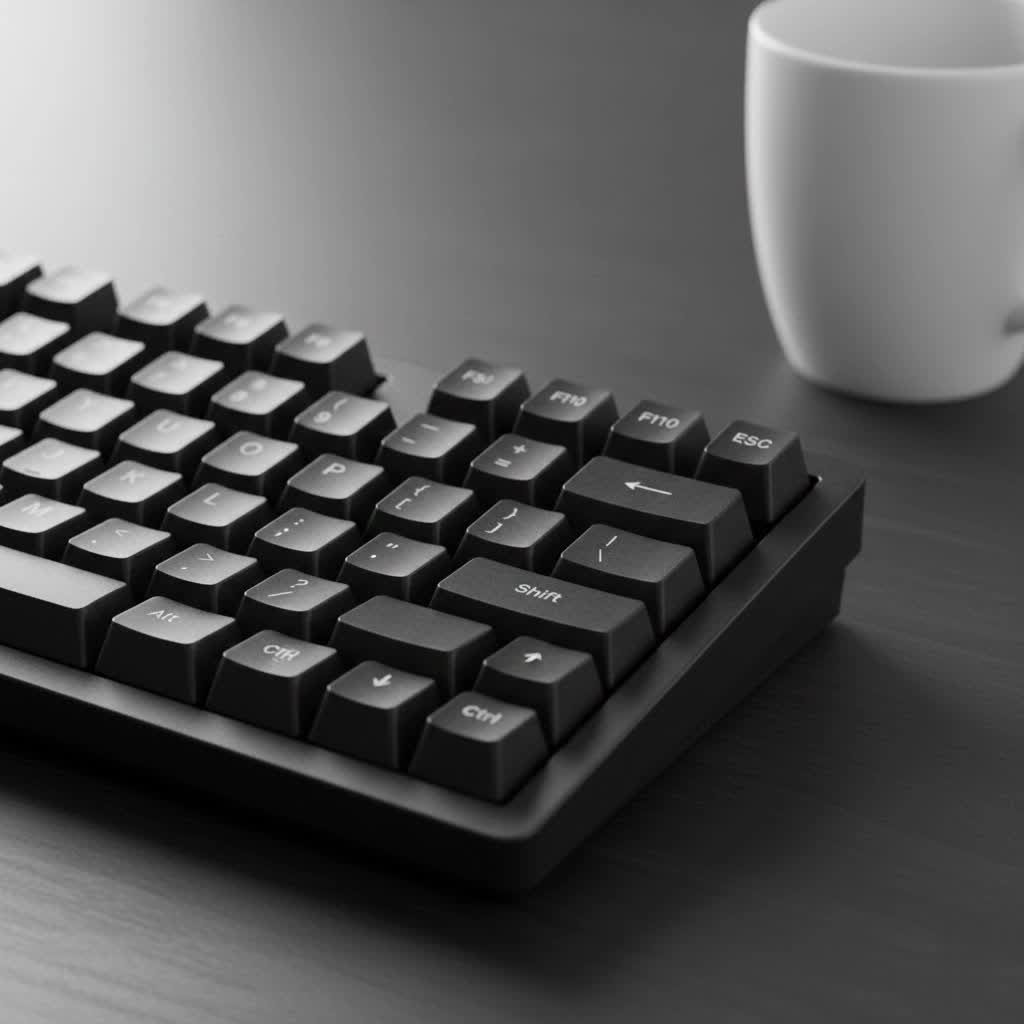
When we talk about a full-size mechanical keyboard, we’re typically referring to a “100% layout” keyboard. This is the granddaddy of keyboard sizes, boasting a complete set of keys that usually ranges from 104 to 108. What makes it “full-size,” you ask? It includes all the key sections you’d traditionally find: the alphanumeric keys, a dedicated function row (F1-F12), a navigation cluster (like arrow keys, Home, End, Page Up, Page Down), and, crucially, a full-size number pad.
Unlike its more compact siblings like Tenkeyless (TKL) or 60% keyboards that shed keys for a smaller footprint, the full-size layout embraces all available functions. It’s the standard model for desktop computers, offering a familiar typing experience without the need to memorize complex key combinations for essential functions.
Why Go Big? The Undeniable Advantages of a Full-Size Mechanical Keyboard
Choosing a full-size mechanical keyboard isn’t just about tradition; it’s about embracing a suite of benefits that smaller layouts simply can’t match.
Uncompromised Functionality
|
Our Picks for the Best Mechanical Keyboard in 2026
As an Amazon Associate I earn from qualifying purchases.
|
||
| Num | Product | Action |
|---|---|---|
| 1 | AULA F99 Wireless Mechanical Keyboard,Tri-Mode BT5.0/2.4GHz/USB-C Hot Swappable Custom Keyboard,Pre-lubed Linear Switches,RGB Backlit Computer Gaming Keyboards for PC/Tablet/PS/Xbox |

|
| 2 | Redragon Mechanical Gaming Keyboard Wired, 11 Programmable Backlit Modes, Hot-Swappable Red Switch, Anti-Ghosting, Double-Shot PBT Keycaps, Light Up Keyboard for PC Mac |
|
| 3 | EPOMAKER x Aula F75 Gasket Mechanical Keyboard, 75% Wireless Hot Swappable Gaming Keyboard with Five-Layer Padding&Knob, Bluetooth/2.4GHz/USB-C, RGB (Light Blue, LEOBOG Reaper Switch) |
|
| 4 | SteelSeries USB Apex 5 Hybrid Mechanical Gaming Keyboard – Per-Key RGB Illumination – Aircraft Grade Aluminum Alloy Frame – OLED Smart Display (Hybrid Blue Switch) |
|
| 5 | AULA F75 Pro Wireless Mechanical Keyboard,75% Hot Swappable Custom Keyboard with Knob,RGB Backlit,Pre-lubed Reaper Switches,Side Printed PBT Keycaps,2.4GHz/USB-C/BT5.0 Mechanical Gaming Keyboards |
|
| 6 | RK ROYAL KLUDGE R98 Pro Wired Mechanical Keyboard, 96% Creamy Gaming Keyboard RGB Backlit with Number Pad and Volume Knob, Gasket Mount, MDA Profile PBT Keycaps, Hot Swappable Pre-lubed Linear Switch |
|
| 7 | Womier S-K80 75% Keyboard with Color Multimedia Display Mechanical Gaming Keyboard Creamy Sound, Wired Hot Swappable Gasket Mount RGB Custom Key board, Pre-lubed Stabilizer for Mac/Win, Black Kanagawa |
|
| 8 | Logitech MX Mechanical Wireless Illuminated Performance Keyboard, Tactile Quiet Switches, Backlit Keys, Bluetooth, USB-C, macOS, Windows, Linux, iOS, Android, Metal, Graphite |
|
| 9 | RK ROYAL KLUDGE S98 Mechanical Keyboard w/Smart Display & Knob, Top Mount 96% Wireless Mechanical Keyboard BT/2.4G/USB-C, Hot Swappable, Software Support, Creamy Sounding, 98 Keys |
|
| 10 | AK96 Smart Mechanical Keyboard Gaming, 96 Keys Full Size with LED Colorful Backlit, Clicky Creamy Sounding, USB Wired Computer Keyboard with Volume Knob for PC, Mac, Windows(Grey) |
|
Imagine never having to use a function layer to access your arrow keys, delete button, or number pad. That’s the beauty of a full-size board. The dedicated number pad is a game-changer for anyone dealing with spreadsheets, data entry, or programming that involves a lot of numerical input. The separate arrow keys and navigation cluster ensure seamless document navigation and editing. This complete layout means all your essential tools are always within immediate reach.
Versatility for Every Task
This isn’t just a keyboard for one purpose; it’s a true all-rounder. For professionals, the full layout supports everything from intensive data entry to complex programming tasks, enhancing efficiency and reducing mental load. Gamers, especially those diving into MMORPGs, RPGs, or simulation games that demand extensive keybindings and macros, will find the extra keys invaluable for quick in-game actions. It’s a single keyboard that handles your work, play, and everything in between with grace.
Familiarity and Comfort
For many, the full-size layout is what comes to mind when they picture a keyboard, offering an “old reliable” experience. This familiarity means you can jump right in without a steep learning curve, leveraging years of muscle memory. The generous spacing between key clusters can also contribute to a more comfortable typing experience, potentially reducing hand fatigue during long sessions.
Enhanced Customization Potential
More keys mean more opportunities for personalization! Full-size mechanical keyboards often come with additional macro keys or programmable layers, allowing you to tailor your shortcuts and commands to perfection. Whether it’s for streaming controls, complex gaming combos, or productivity boosts, the expansive canvas of a full-size board gives you the room to create a truly unique setup.
Built to Last
Mechanical keyboards, by their very nature, are renowned for their durability. Each key has its own dedicated switch, designed to withstand millions of keystrokes – often 50 million or more. This means your full-size mechanical keyboard is an investment that will comfortably outlast most membrane alternatives, providing a consistent, satisfying typing experience for years to come. Plus, features like N-Key Rollover (NKRO) ensure every single keystroke is registered, no matter how fast you type, which is crucial for high-speed typists and competitive gamers alike.
Understanding the Trade-offs: Is a Full-Size Right for You?
While the benefits are clear, it’s also important to consider if a full-size mechanical keyboard aligns with your specific needs and workspace. Every great tool has its considerations.
Desk Real Estate
Let’s be honest: a full-size mechanical keyboard takes up significant space. If you have a small desk or prefer a minimalist setup, this might be a primary concern. The ample width required for all those keys can limit room for your mouse, especially for competitive FPS gamers who need wide sweeping movements at low DPI settings.
Portability Factor
If you’re constantly on the go, carrying a full-size mechanical keyboard might prove cumbersome. Its size and often heavier build (especially with premium materials) make it less ideal for tossing into a backpack for travel or LAN parties. Smaller form factors shine when portability is a priority.
Cost Implications
Generally, more materials and more switches mean a higher manufacturing cost, which can translate to a higher price tag for the consumer. While excellent budget options exist, a premium full-size custom build will naturally be a more significant investment than a compact alternative.
Unused Keys for Minimalists
For users who rarely touch the number pad or specific navigation keys, a full-size layout might feel excessive. Some might find the abundance of keys visually cluttered or simply unnecessary for their daily workflow, leading them to prefer the cleaner, more streamlined aesthetic of a smaller board.
“Choosing the right keyboard size is a personal journey,” says Dr. Elara Vance, a renowned expert in human-computer interaction ergonomics. “While full-size keyboards offer unmatched functionality, assessing your actual usage patterns and desk environment is crucial for long-term comfort and satisfaction.”
Diving Deeper: Key Components of Your Full-Size Mechanical Keyboard
Beyond the size, the true magic of a mechanical keyboard lies in its intricate components. Understanding these will empower you to make informed choices.
Mechanical Switches: The Heartbeat of Your Board
Every key on a mechanical keyboard has an individual switch beneath it, providing a distinct tactile, linear, or clicky feedback. These are what give mechanical keyboards their legendary feel and sound.
- Linear Switches (e.g., Cherry MX Red, Black): These switches offer a smooth, consistent keystroke from top to bottom, with no tactile bump or audible click. They’re often favored by gamers for rapid, uninterrupted keypresses and by typists who prefer a fluid feel.
- Tactile Switches (e.g., Cherry MX Brown, Clear): Providing a noticeable “bump” midway through the keystroke, tactile switches give feedback that a key has been actuated without an audible click. This can improve typing accuracy and is popular for both typing and gaming. Cherry MX Clears, for instance, offer a more pronounced bump than Browns.
- Clicky Switches (e.g., Cherry MX Blue): Known for their satisfying audible “click” and tactile bump, these switches replicate the experience of traditional typewriters. They offer clear feedback for typists but can be quite loud, which might not be ideal for shared workspaces.
Popular brands like Cherry MX, Gateron, and Kailh offer a vast array of switches, each with unique characteristics in terms of actuation force, travel distance, and sound profile.
Keycaps: More Than Just Covers
Keycaps are what your fingers interact with, and their material, profile, and printing method significantly impact the typing experience and aesthetics.
- Materials:
- PBT (Polybutylene Terephthalate): More durable and resistant to shine over time, PBT keycaps offer a slightly textured feel. They are generally considered higher quality.
- ABS (Acrylonitrile Butadiene Styrene): Smoother to the touch, ABS keycaps are very common but can develop a shiny “greasy” look with prolonged use.
- Profiles: This refers to the shape and height of the keycaps. Common profiles include:
- OEM: The most common profile, often found on pre-built keyboards. Keys have a sculpted, angled shape.
- Cherry: Similar to OEM but slightly lower in profile, often preferred by enthusiasts.
- SA: Tall, spherical, and sculpted, offering a vintage look and feel.
- XDA/DSA: Uniform, low-profile, and spherical, allowing for flexible keycap placement.
- Legends (Printing):
- Dye-sublimation (Dye-sub): Dyes are infused into the plastic, making the legends highly durable and resistant to fading.
- Doubleshot: Two separate plastic layers are molded together, creating legends that will never fade as they are part of the keycap itself.
Firmware and Customization Software
Many modern full-size mechanical keyboards offer powerful customization through firmware like QMK (Quantum Mechanical Keyboard) and VIA. These allow you to remap keys, create macros, and set up multiple layers of functionality, transforming your keyboard into a truly personalized input device.
Build Quality and Materials
A premium full-size mechanical keyboard often features a robust case made from materials like aluminum, providing a weighty, solid feel. Different mounting styles, such as gasket mount or top mount, influence the typing feel and sound by affecting how the plate (which holds the switches) interacts with the case. Gasket mount designs, for example, often offer a softer, more flexible typing experience.
Making Your Full-Size Mechanical Keyboard Truly Yours: Modding and Customization
One of the most exciting aspects of the mechanical keyboard hobby is the endless potential for modding. Even with a full-size board, you can fine-tune every aspect to your preference.
- Switch Lubing: Applying a thin layer of lubricant to your switches can drastically improve their smoothness, reduce scratchiness, and alter their sound profile, creating a more refined typing experience.
- Stabilizer Modding: Stabilizers, found on larger keys like the spacebar, Shift, and Enter, can often rattle. Lubing, clipping, or band-aid modding them can eliminate this noise, resulting in a cleaner, more consistent sound.
- Sound Dampening: Adding foam layers (case foam, plate foam, PE foam) inside the keyboard can absorb vibrations and change the acoustic properties, often leading to a deeper, more satisfying sound profile. The “tape mod,” involving applying painter’s tape to the back of the PCB, is another popular and easy way to modify the sound.
- Hot-Swappable Sockets: Many full-size mechanical keyboards now come with hot-swappable PCBs, allowing you to easily change out switches without soldering. This is a fantastic feature for experimenting with different switch types or replacing a faulty switch.
Choosing Your Perfect Full-Size Mechanical Keyboard: A Checklist
Ready to find your ideal full-size companion? Here’s a quick checklist to guide your decision:
- Usage: Primarily for gaming (MMO/RPG), data entry, programming, general productivity, or a mix?
- Switch Preference: Do you prefer linear (smooth), tactile (bumpy), or clicky (bumpy and audible) switches?
- Keycap Material: PBT for durability and texture, or ABS for a smoother feel?
- Connectivity: Wired, wireless (Bluetooth, 2.4GHz), or both?
- Budget: Pre-built budget-friendly, mid-range, or high-end custom build?
- Desk Space: Do you have enough room to comfortably accommodate a full-size layout?
- Customization: Are hot-swappable switches, QMK/VIA support, and modding potential important to you?
- Aesthetics: Do you prefer a classic, robust look, or something more modern?
| Feature / Consideration | Why It Matters for Full-Size |
|---|---|
| Dedicated Numpad | Essential for data entry, calculations, specific software shortcuts. |
| Ergonomics | Adequate spacing between clusters can reduce hand fatigue; consider wrist rests. |
| Switch Type | Linear for speed, tactile for feedback, clicky for auditory satisfaction. |
| Build Material | Aluminum for premium feel and durability, plastic for affordability. |
| Desk Footprint | Plan for its size; may require desk reorganization. |
| Customization | Hot-swappable PCB, QMK/VIA compatibility for future modifications. |
Frequently Asked Questions (FAQ)
What is the best full-size mechanical keyboard for gaming?
The “best” full-size mechanical keyboard for gaming often depends on the type of games you play. For MMORPGs, RPGs, or simulation games that benefit from many keybinds and macros, a full-size board with programmable keys like the Keychron Q5 Max or a Ducky One 3 can be excellent choices. Look for linear switches like Cherry MX Reds or Gateron Reds for fast actuation, and ensure it has N-Key Rollover for precise input.
Are full-size mechanical keyboards good for programming?
Absolutely! Full-size mechanical keyboards are excellent for programming. The dedicated number pad is incredibly useful for entering numerical data, and the full function row provides quick access to compiler shortcuts and debugging tools. Many programmers also appreciate the tactile feedback of switches like Cherry MX Browns or Clears for improved typing accuracy during long coding sessions.
How much desk space does a full-size mechanical keyboard need?
A standard full-size mechanical keyboard is typically around 17 inches (427.5 mm) long. This means you’ll need ample desk space to accommodate the keyboard itself, plus room for your mouse and any other peripherals. If desk space is a premium, consider compact full-size options like 96% layouts that condense the keys while retaining full functionality.
Can I customize a pre-built full-size mechanical keyboard?
Yes, many pre-built full-size mechanical keyboards offer a good degree of customization. Models with hot-swappable switches allow you to easily swap out switches without soldering. You can also replace keycaps with aftermarket sets, lube switches, and perform stabilizer mods to enhance the typing experience. Keyboards with QMK/VIA support provide deep software customization.
What’s the difference between 100% and 104-key layouts?
The terms “100% layout” and “104-key layout” are often used interchangeably to refer to full-size mechanical keyboards. The 104-key layout is the most common standard in North America, including all alphanumeric keys, a function row, navigation cluster, and numpad. Some regional layouts might have 105 or more keys (e.g., ISO layouts with an additional key), but all fall under the “full-size” or “100%” umbrella, indicating a complete layout.
Are full-size mechanical keyboards noisy?
The noise level of a full-size mechanical keyboard largely depends on the type of switches you choose. Clicky switches (like Cherry MX Blues) are designed to be audible and will produce a distinct “click” with each press. Tactile switches (like Browns) have a quieter bump, while linear switches (like Reds) are generally the quietest, offering a smooth sound without a click or prominent bump. You can also employ sound dampening mods like foam inserts and lubing to further reduce noise.
Conclusion
The full-size mechanical keyboard stands as a testament to comprehensive functionality and enduring design in the ever-evolving world of peripherals. It’s a stalwart companion for those who value every key, offering unparalleled versatility for productivity, immersive gaming, and precise data entry. While it asks for a bit more desk space, the rich feature set, tactile satisfaction, and deep customization potential make it a worthwhile centerpiece for any serious setup.
At Yoasy.com, our passion is to empower you with the knowledge to make the best choices for your mechanical keyboard journey. We hope this deep dive has shed light on why a full-size mechanical keyboard might just be the perfect upgrade you’ve been searching for. Don’t be shy – dive in, experiment with switches, play with keycaps, and make this robust workhorse truly yours. Share your full-size mechanical keyboard builds and experiences with us; we love seeing how you elevate your typing game!
