For years, mechanical keyboards have been synonymous with premium prices, often making enthusiasts and newcomers alike believe that a superior typing experience comes with a hefty financial toll. But what if I told you that you don’t need to empty your wallet to enjoy the satisfying feel and robust performance of a mechanical keyboard? As a mechanical engineer with a decade of expertise and a passion for these incredible devices, I’m here to tell you that the landscape has changed. Today, an Affordable Mechanical Keyboard is not just a dream but a tangible reality, offering exceptional value without compromising on the core experience.
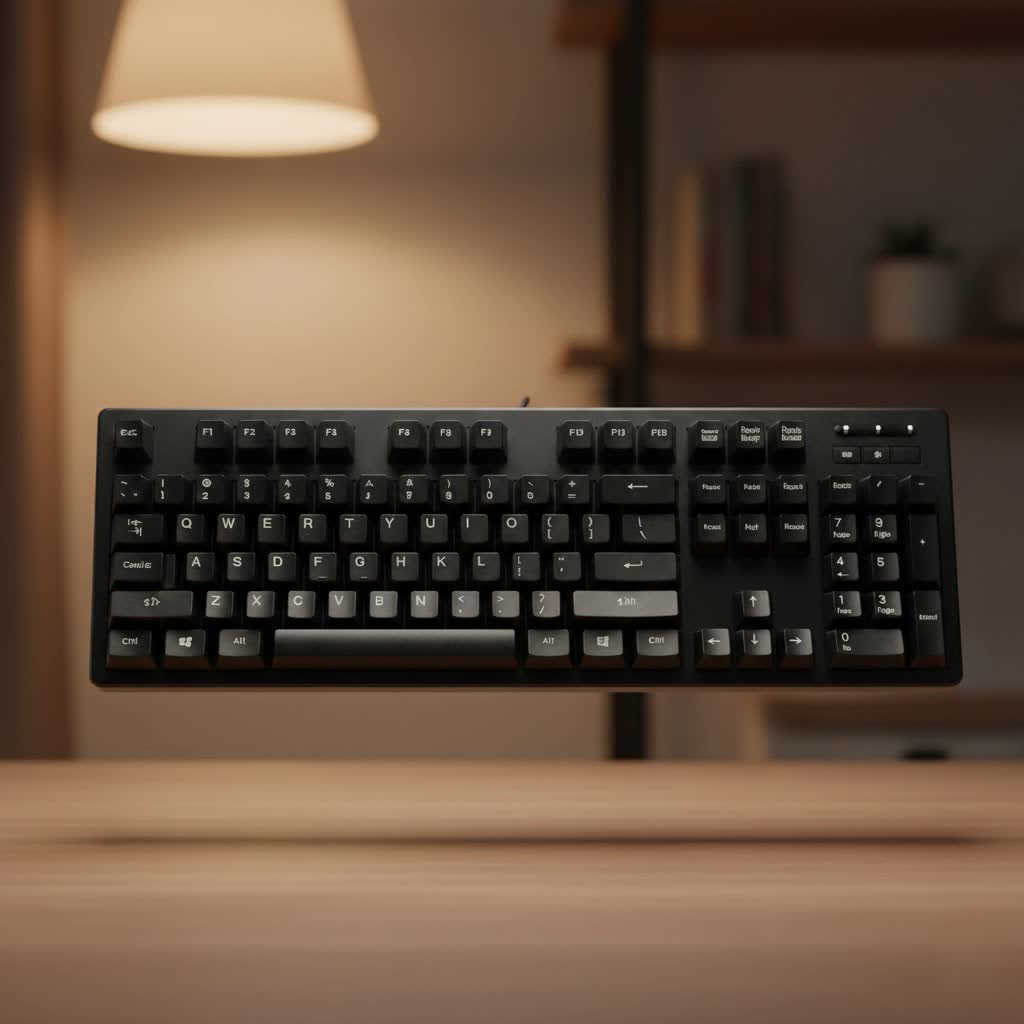
At Yoasy.com, our mission is to guide you through every click and clack, helping you navigate the exciting world of mechanical keyboards. Forget the myth that quality always equates to an exorbitant price tag. This guide will empower you to find, customize, and cherish an affordable mechanical keyboard that truly elevates your daily computing, gaming, or productivity without breaking the bank.
Why Choose a Mechanical Keyboard? The Value Beyond the Price Tag
Before we dive into budget options, let’s quickly touch on why mechanical keyboards are worth the investment, even at an entry-level price point. Unlike mushy membrane keyboards, mechanical keyboards offer distinct advantages: superior tactile feedback, a significantly longer lifespan (often tens of millions of keystrokes per switch), better key rollover for accurate inputs, and faster response times, which is a game-changer for gamers. They are also remarkably durable and resistant to wear and tear, making them a wise long-term investment. The sheer enjoyment of typing on a well-tuned mechanical board is unmatched, turning a mundane task into a delightful experience.
Demystifying “Affordable”: What to Expect from a Budget Mechanical Keyboard
When we talk about an affordable mechanical keyboard, we’re typically looking at models ranging from $50 to $100, sometimes even less. It’s crucial to set realistic expectations. While these won’t always feature aircraft-grade aluminum cases or factory-lubed switches as perfectly as their premium counterparts, modern budget boards have come incredibly far. Many now boast features once exclusive to high-end custom builds, like hot-swappable switch sockets, durable PBT keycaps, and even gasket-mounted designs that offer a softer, more cushioned typing feel and improved acoustics. The focus shifts to delivering excellent core functionality and a solid foundation for future customization.
Essential Components: Decoding Your Affordable Mechanical Keyboard
Understanding the building blocks of your keyboard is key to making a smart, budget-conscious choice.
Switches: Finding Your Perfect (Budget-Friendly) Click, Thock, or Smoothness
The heart of any mechanical keyboard is its switches. For an affordable mechanical keyboard, you’ll typically encounter a wide variety of clones and alternatives to classic Cherry MX switches, many of which offer comparable or even superior performance at a fraction of the cost.
- Linear Switches: These switches offer a smooth, consistent keystroke from top to bottom, without any tactile bump or audible click. They are often favored by gamers for their rapid actuation and ease of double-tapping.
- Budget Picks: Look for Gateron Red, Gateron Milky Yellow, Akko CS Jelly Black, or Gateron EF Curry. Gateron Milky Yellows, in particular, are celebrated for their incredible smoothness, often rivaling much more expensive options.
- Tactile Switches: Characterized by a noticeable “bump” midway through the keystroke, tactile switches provide feedback that you’ve actuated the key without necessarily bottoming out. This makes them popular for typists who appreciate confirmation of each press.
- Budget Picks: Outemu Brown, Akko V3 Cream Blue Pro, and Gateron EF Grayish are excellent choices. Outemu Browns are widely available in many entry-level boards and offer a good balance for both typing and casual gaming.
- Clicky Switches: If you love an audible “click” sound along with a tactile bump, clicky switches are for you. They provide distinct auditory and physical feedback with each press.
- Budget Picks: Kailh Box White (V2) switches offer a crisp, satisfying click that many find addictive. They are often lighter than other clicky switches, making them comfortable for extended use.
|
Our Picks for the Best Mechanical Keyboard in 2026
As an Amazon Associate I earn from qualifying purchases.
|
||
| Num | Product | Action |
|---|---|---|
| 1 | AULA F75 Pro Wireless Mechanical Keyboard,75% Hot Swappable Custom Keyboard with Knob,RGB Backlit,Pre-lubed Reaper Switches,Side Printed PBT Keycaps,2.4GHz/USB-C/BT5.0 Mechanical Gaming Keyboards |

|
| 2 | SteelSeries USB Apex 5 Hybrid Mechanical Gaming Keyboard – Per-Key RGB Illumination – Aircraft Grade Aluminum Alloy Frame – OLED Smart Display (Hybrid Blue Switch) |
|
| 3 | AULA F99 Wireless Mechanical Keyboard,Tri-Mode BT5.0/2.4GHz/USB-C Hot Swappable Custom Keyboard,Pre-lubed Linear Switches,RGB Backlit Computer Gaming Keyboards for PC/Tablet/PS/Xbox |
|
| 4 | AK96 Smart Mechanical Keyboard Gaming, 96 Keys Full Size with LED Colorful Backlit, Clicky Creamy Sounding, USB Wired Computer Keyboard with Volume Knob for PC, Mac, Windows(Grey) |
|
| 5 | Womier S-K80 75% Keyboard with Color Multimedia Display Mechanical Gaming Keyboard Creamy Sound, Wired Hot Swappable Gasket Mount RGB Custom Key board, Pre-lubed Stabilizer for Mac/Win, Black Kanagawa |
|
| 6 | RK ROYAL KLUDGE S98 Mechanical Keyboard w/Smart Display & Knob, Top Mount 96% Wireless Mechanical Keyboard BT/2.4G/USB-C, Hot Swappable, Software Support, Creamy Sounding, 98 Keys |
|
| 7 | Redragon Mechanical Gaming Keyboard Wired, 11 Programmable Backlit Modes, Hot-Swappable Red Switch, Anti-Ghosting, Double-Shot PBT Keycaps, Light Up Keyboard for PC Mac |
|
| 8 | EPOMAKER x Aula F75 Gasket Mechanical Keyboard, 75% Wireless Hot Swappable Gaming Keyboard with Five-Layer Padding&Knob, Bluetooth/2.4GHz/USB-C, RGB (Light Blue, LEOBOG Reaper Switch) |
|
| 9 | RK ROYAL KLUDGE R98 Pro Wired Mechanical Keyboard, 96% Creamy Gaming Keyboard RGB Backlit with Number Pad and Volume Knob, Gasket Mount, MDA Profile PBT Keycaps, Hot Swappable Pre-lubed Linear Switch |
|
| 10 | Logitech MX Mechanical Wireless Illuminated Performance Keyboard, Tactile Quiet Switches, Backlit Keys, Bluetooth, USB-C, macOS, Windows, Linux, iOS, Android, Metal, Graphite |
|
One of the most significant advancements in the budget space is hot-swappability. This feature allows you to change switches without soldering, making experimentation and future upgrades incredibly easy and cost-effective. Many modern affordable mechanical keyboards now come with hot-swappable PCBs, allowing you to fine-tune your typing experience as your preferences evolve.
Keycaps: Durability and Aesthetics on a Dime
Keycaps are what your fingers interact with directly, influencing both the feel and aesthetics of your keyboard. For an affordable mechanical keyboard, focusing on material and legends is crucial.
- PBT vs. ABS: While ABS (Acrylonitrile Butadiene Styrene) keycaps are common, PBT (Polybutylene Terephthalate) keycaps are generally preferred for their superior durability, resistance to shine (the greasy look that develops over time), and often a more textured feel. PBT keycaps also tend to produce a deeper, more “thocky” sound profile, which is highly desirable. Many budget boards now include decent PBT keycaps, significantly improving the out-of-box experience.
- Legends: Look for keycaps with double-shot legends. This means the legends are molded using two separate pieces of plastic, ensuring they will never fade, even after years of heavy use. Laser-etched or pad-printed legends, while cheaper, can wear off over time.
Keyboard Layouts and Build Quality: Space, Function, and Feel
The layout of your keyboard dictates its size and functionality. An affordable mechanical keyboard is available in various layouts:
- Full-size (100%): Includes a number pad, function row, and navigation keys. Great for productivity.
- Tenkeyless (TKL – 87%): Removes the number pad, saving desk space while retaining function and arrow keys. A popular balance.
- 75% and 65%: More compact, often condensing the navigation cluster or removing some keys to maximize desk space. The Ajazz AK820 Pro is a fantastic 75% budget option.
- 60%: The smallest common layout, removing the function row, navigation cluster, and arrow keys, requiring heavy reliance on function layers. Great for portability and minimalist setups.
In terms of build quality, budget boards typically use sturdy plastic cases. However, advancements in manufacturing mean that many entry-level boards now offer surprisingly robust construction. Features like internal sound-dampening foam and even gasket-mounted designs (where the PCB assembly is isolated from the case by rubber gaskets) are becoming increasingly common, providing a softer typing feel and a more refined sound profile that was once exclusive to much pricier custom builds.
Top Picks: Our Recommended Affordable Mechanical Keyboards for 2025
The market for budget mechanical keyboards is vibrant, with new, feature-rich options emerging regularly. Here are a few standout examples that consistently deliver excellent value:
- Keychron V-Max Series: Keychron has become a go-to for feature-packed affordable mechanical keyboards. Models like the Keychron V5 Max offer gasket mount designs, PBT keycaps, hot-swappable switches, and layers of acoustic-dampening material, providing a premium typing experience at a budget-friendly price. The V-series also offers extensive customization via QMK/VIA firmware.
- Ajazz AK820 Pro: This 75% layout keyboard often comes with a small color display, a metal volume knob, hot-swappable switches, and double-shot PBT keycaps, all wrapped in a gasket-mounted design. It offers features typically found in keyboards costing twice as much.
- Redragon K631/K552: Redragon offers incredibly wallet-friendly options, especially for gamers. Boards like the K631 provide compact layouts, hot-swappable switches, and RGB lighting, making them excellent entry points into the hobby.
- Royal Kludge RK61: A popular 60% wireless option, the RK61 is praised for its compact size, multi-device Bluetooth connectivity, and hot-swappable switches, making it an excellent choice for minimalists or those on the go.
These examples demonstrate that you don’t have to sacrifice essential features or build quality when looking for an affordable mechanical keyboard.
Elevating Your Experience: Affordable Mods for Your Mechanical Keyboard
One of the most rewarding aspects of the mechanical keyboard hobby is customization. Even with an affordable mechanical keyboard, you can significantly enhance its feel and sound with simple, budget-friendly modifications.
- Lubing Switches: Applying a thin layer of lubricant to your switches can drastically improve their smoothness and alter their sound profile. This is especially impactful on linear switches, making them glide effortlessly. Even budget switches like Gateron Milky Yellows become truly exceptional with a careful lube job.
- Stabilizer Modding: Stabilizers are crucial components under larger keys (Spacebar, Shift, Enter). Out-of-the-box, they can often sound rattly or “ticky.” Lubing stabilizers with dielectric grease or a thicker switch lube (like Krytox 205g0) can eliminate unwanted noise and create a smooth, satisfying bottom-out. The “band-aid mod” (placing small pieces of fabric bandage under the stabilizer wires) can further reduce rattle.
- Sound Dampening: Many budget keyboards can benefit from adding foam inside the case. Case foam, plate foam, or even a simple piece of shelf liner can reduce hollow sounds, creating a more “thocky” or “creamy” sound profile. Some budget boards, like the Keychron V-Max series, already incorporate these layers, showing how much value is packed in.
“The real magic of an affordable mechanical keyboard isn’t just its initial price, but its potential. With a few smart choices and perhaps a simple mod or two, you can transform a budget board into a truly premium typing experience,” says Alex Chen, a seasoned keyboard modder and content strategist at Yoasy.com. This sentiment perfectly encapsulates the spirit of budget customization – small efforts yield significant rewards.
Frequently Asked Questions
What is the best affordable mechanical keyboard for gaming?
For gaming, linear switches are often preferred for their smooth, fast actuation. Keyboards like the Corsair K70 Core or many Redragon models with linear (often Red or Yellow) switches offer excellent performance and low latency at a budget-friendly price. Hot-swappable boards with Gateron Red or Akko Speed Silver switches are also fantastic choices.
Can you customize an affordable mechanical keyboard?
Absolutely! Many modern affordable mechanical keyboards come with hot-swappable switch sockets, allowing you to easily swap out switches without soldering. You can also replace keycaps, add foam for sound dampening, and lube switches and stabilizers to significantly enhance the typing experience.
Are budget mechanical keyboards durable?
Yes, many budget mechanical keyboards are surprisingly durable. While they might use plastic cases instead of metal, the mechanical switches themselves are built to last for tens of millions of keystrokes. Brands like Keychron, Ajazz, and Redragon are known for producing robust and reliable budget options.
What’s the difference between linear, tactile, and clicky switches in budget keyboards?
Linear switches offer a smooth, consistent press. Tactile switches have a bump in the middle of the press to provide feedback. Clicky switches have both a tactile bump and an audible click sound. Budget-friendly versions of all three types are widely available, allowing you to choose based on your preference.
Should I buy a pre-built or barebones affordable mechanical keyboard?
If you’re new to the hobby, a pre-built affordable mechanical keyboard is a great starting point, as it’s ready to use out of the box. Many pre-built options now include hot-swappable switches and decent keycaps, offering a good foundation for future customization. Barebones kits offer more freedom but require you to source switches and keycaps separately.
Your Journey to an Amazing Typing Experience Starts Here
The world of mechanical keyboards is more accessible than ever before. You no longer need to see it as an exclusive club reserved for those with deep pockets. An affordable mechanical keyboard can be your gateway to a typing and gaming experience that is vastly superior to traditional membrane boards, without the financial strain. From choosing the right switches and keycaps to applying simple, impactful modifications, you have the power to create a personalized setup that brings joy to every keystroke.
So, take the plunge! Explore the options, experiment with switches, and don’t be afraid to get your hands a little greasy with some lube. Your perfect affordable mechanical keyboard is out there, waiting for you to unlock its full potential. Share your finds and your custom builds with us at Yoasy.com – we love seeing how our community transforms their keyboards into unique masterpieces!
